4K GOOGLE TV BOX S3+ | DOLBY VISION ATMOS
Toutes les questions
4K GOOGLE TV BOX S3+ | DOLBY VISION ATMOS
Comment puis-je régler à nouveau le volume de mon LEAP S3 lorsque le son est trop faible ?
Si le volume de votre LEAP S3 est trop faible, vous pouvez suivre la procédure ci-dessous pour réinitialiser les paramètres de votre LEAP S3.
Lors de l'installation de votre LEAP S3, vous pouvez configurer le contrôle du volume via HDMI-CEC. Lorsque cette option est activée, vous pouvez utiliser la télécommande de votre LEAP S3 pour régler le volume de votre téléviseur.
Vous pouvez activer ou désactiver cette fonction dans les paramètres d'affichage et de son de votre téléviseur. Le volume par défaut de votre LEAP S3 est réglé à un certain niveau, qui peut s'avérer trop faible. Si le volume est trop faible, il est préférable de désactiver cette option.
Comment activer ou désactiver cette fonctionnalité ?
1. Appuyez surle bouton « Paramètres »
Dans ce cas, appuyez sur le bouton « Paramètres » de votre télécommande Google, puis sur le bouton « OK ».

2. Paramètres
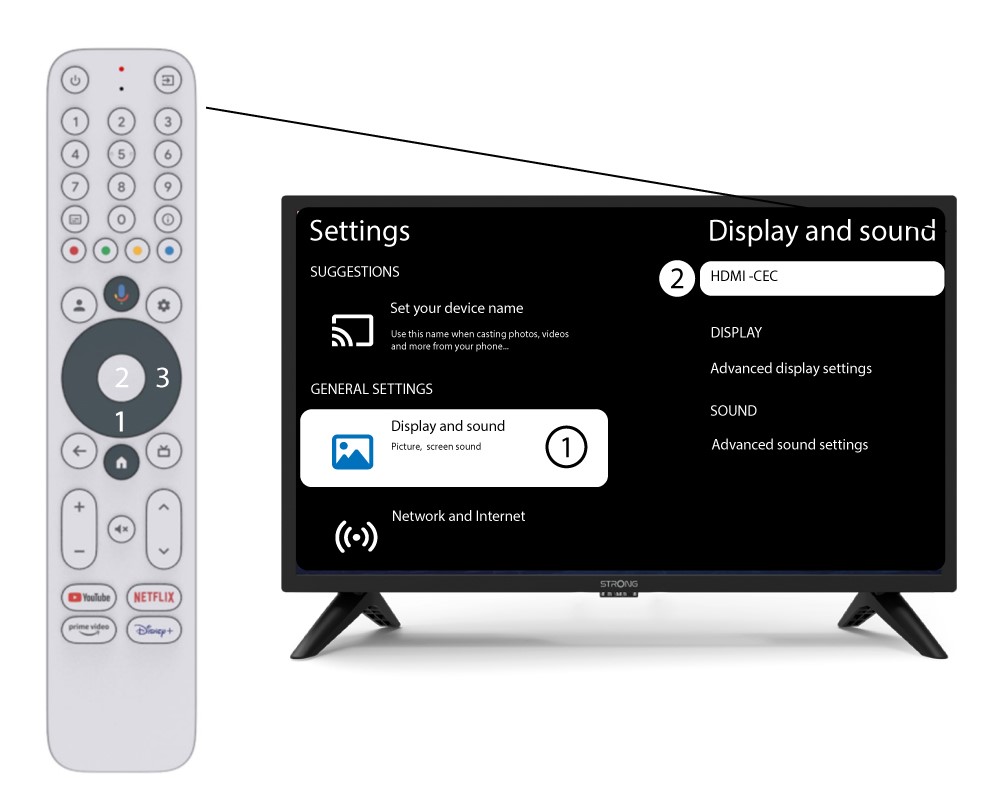
Dans la page « Paramètres » qui s'affiche à l'écran, sélectionnez « Affichage et son ». Appuyez ensuite sur le bouton de navigation de droite et sélectionnez «HDMI-CEC».
3. Réglage du volume
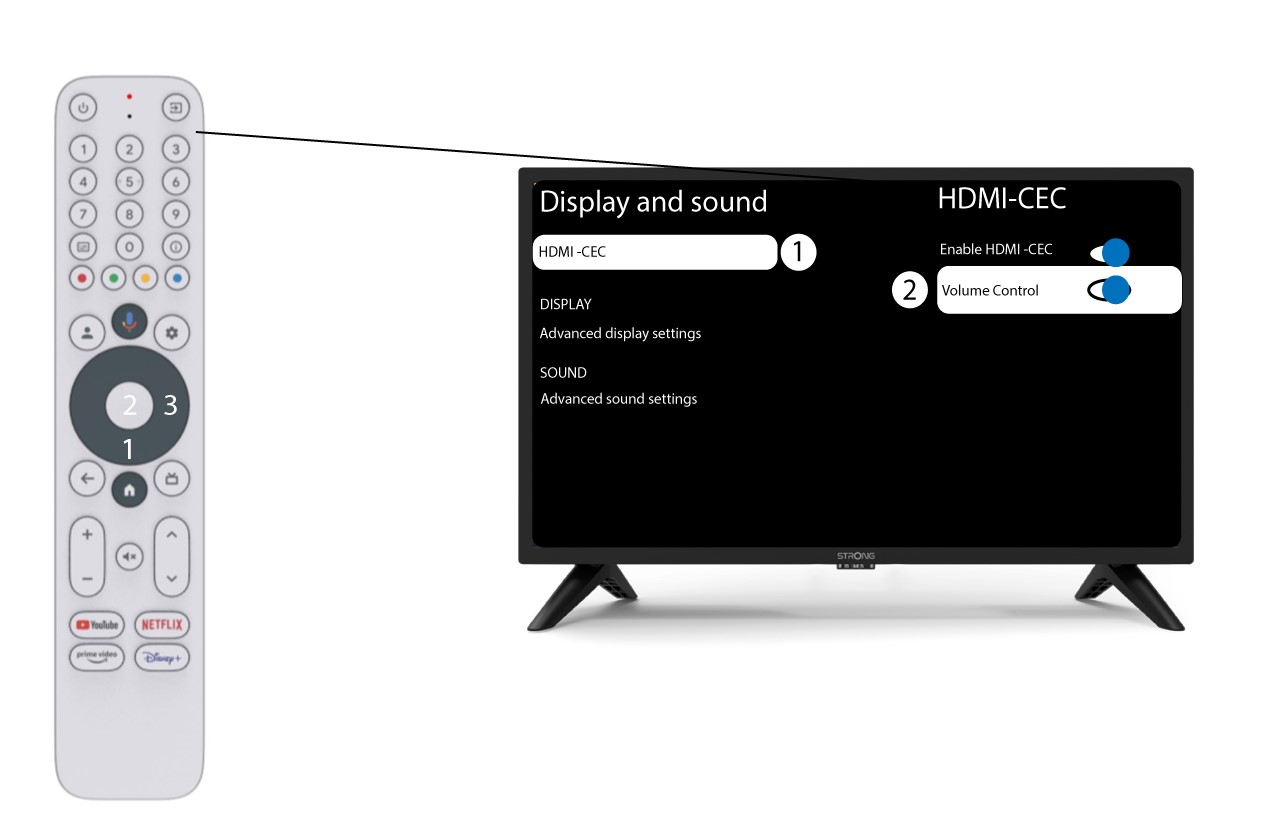
Sélectionnez « Réglage du volume » puis appuyez sur la touche OK pour dés switch r cette fonction.
4Retourà la page d'accueil
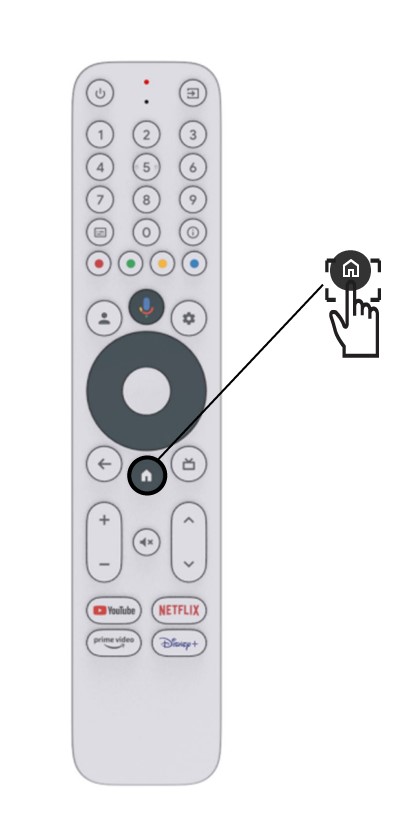
Appuyez sur le bouton HOME pour revenir à l'écran d'accueil.
Le réglage du volume peut désormais être effectué à nouveau à l'aide de la télécommand LEAP-S3 .