
Point d'accès Wi-Fi 4G+ AIRSPOT 510
Aucun élément n'a été trouvé.
Aucun élément n'a été trouvé.
Toutes les questions
Point d'accès Wi-Fi 4G+ AIRSPOT 510
Aucun élément n'a été trouvé.
Aucun élément n'a été trouvé.
Comment puis-je modifier le mot de passe administrateur ?
1. Accéder àl'interface utilisateur Web
Pour accéder à l'interface utilisateur Web, veuillez consulter la section « Comment accéder à l'interface utilisateur Web ? ».
2Accédezaux paramètres de mot de passe
Dans la section « Gestion », cliquez sur « Paramètres système », puis sur « Modifier le mot de passe ».
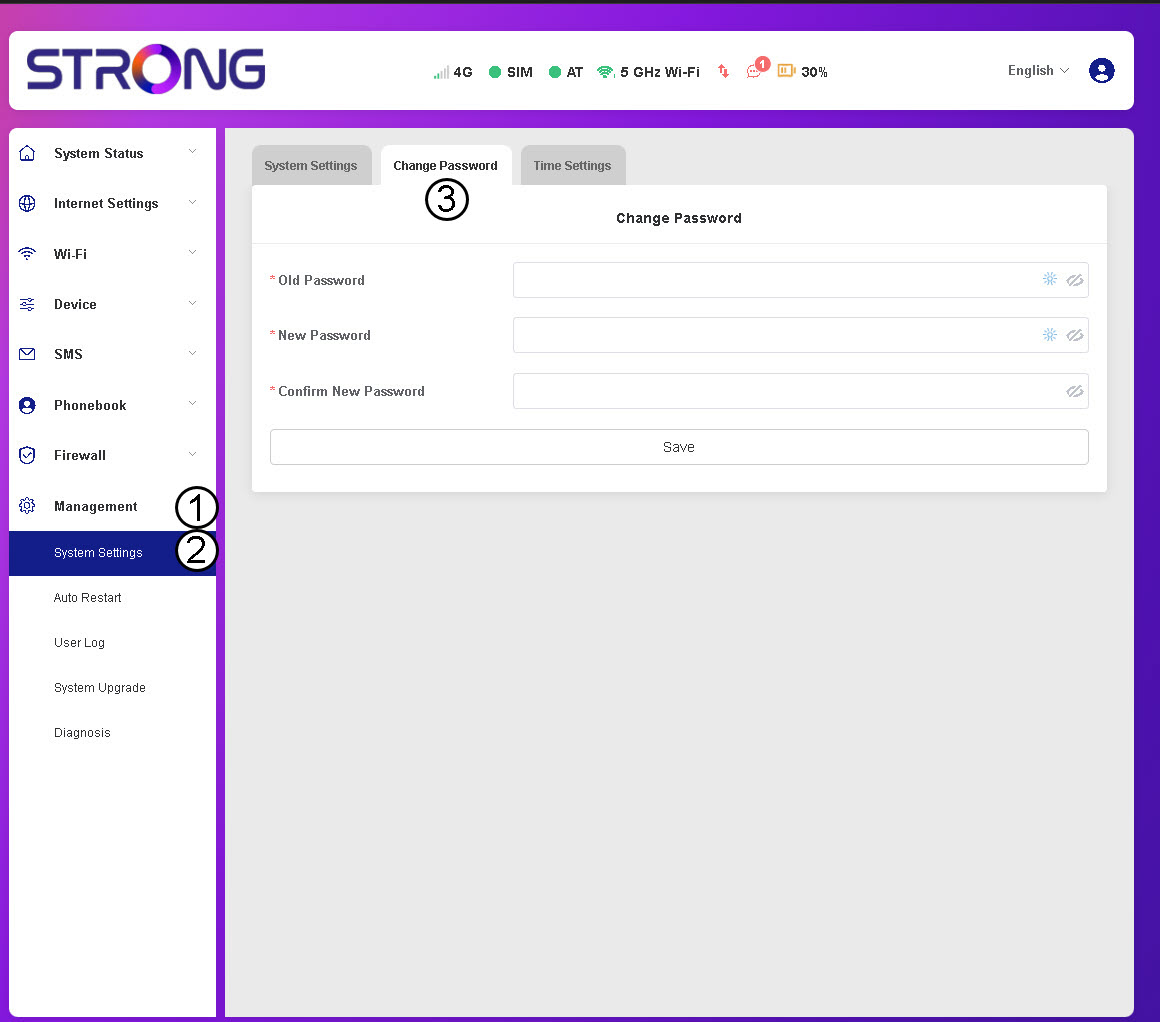
3. Saisirles informations relatives au mot de passe
Ensuite, saisissez les informations suivantes avant de cliquer sur « Enregistrer » :
- Ancien mot de passe: saisissez votre mot de passe actuel.
- Nouveau mot de passe : saisissez un mot de passe composé d'au moins 8 caractères et comprenant à la fois des majuscules, des minuscules, des chiffres et des caractères spéciaux. Seuls les caractères spéciaux suivants sont autorisés : @$%*&.
- Confirmer le nouveau mot de passe : saisissez le même mot de passe que dans le champ précédent.


AVERTISSEMENT : Si vous avez oublié votre mot de passe actuel, vous devrez réinitialiser l'appareil à ses paramètres d'usine.