Aucun élément n'a été trouvé.
LEAP 41 | Google TV 4K avec HDR10+
Aucun élément n'a été trouvé.
Toutes les questions
Aucun élément n'a été trouvé.
LEAP 41 | Google TV 4K avec HDR10+
Aucun élément n'a été trouvé.
Comment supprimer une application ?
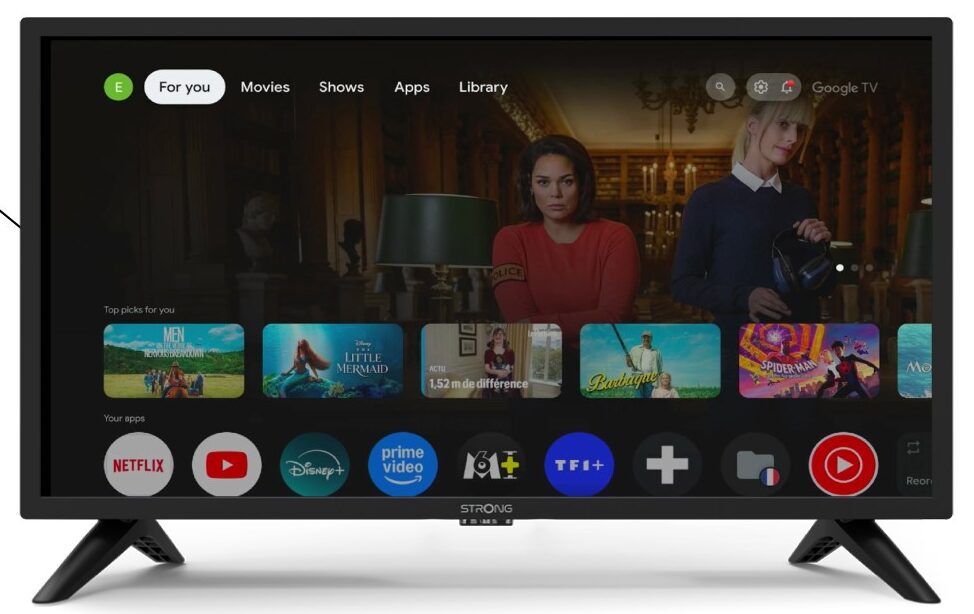
1. Paramètres
Appuyez sur le bouton « Paramètres » de la télécommande (icône en forme de roue dentée). Le menu « Paramètres » s'affichera à l'écran de votre téléviseur.
2Apps
Dans les paramètres, sélectionnez « Applications ».

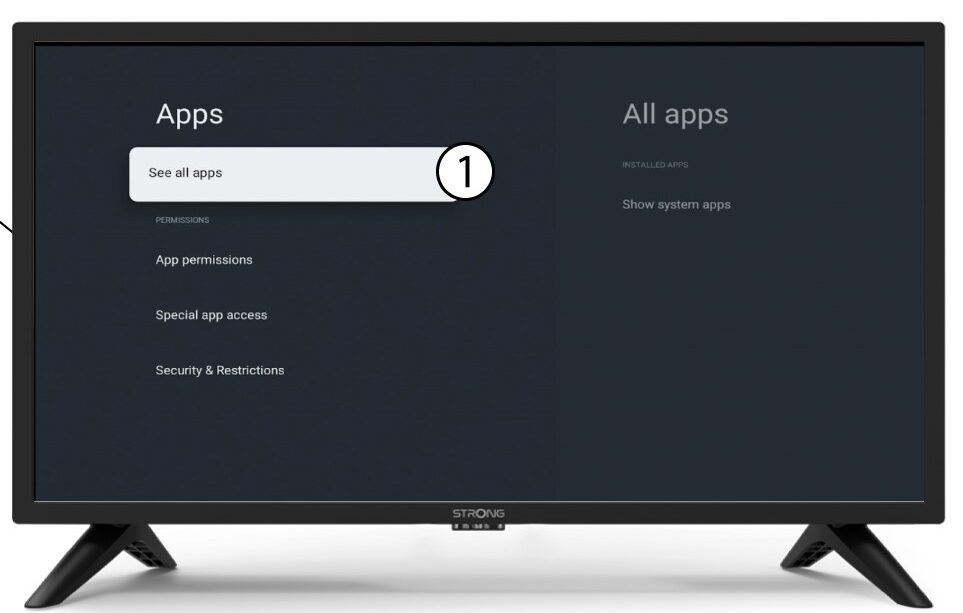
3Toutesles applications
Sélectionnez « Voir toutes les applications ».
4Sélectionnezl'application à supprimer
Sélectionnez une application dans la liste.
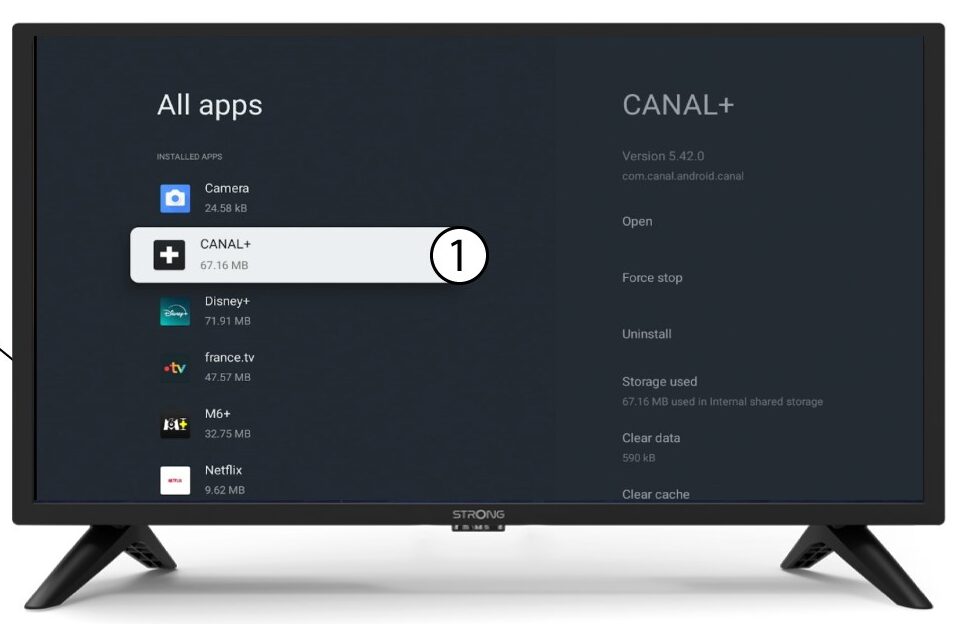
5Désinstaller
Sélectionnez « Désinstaller ».
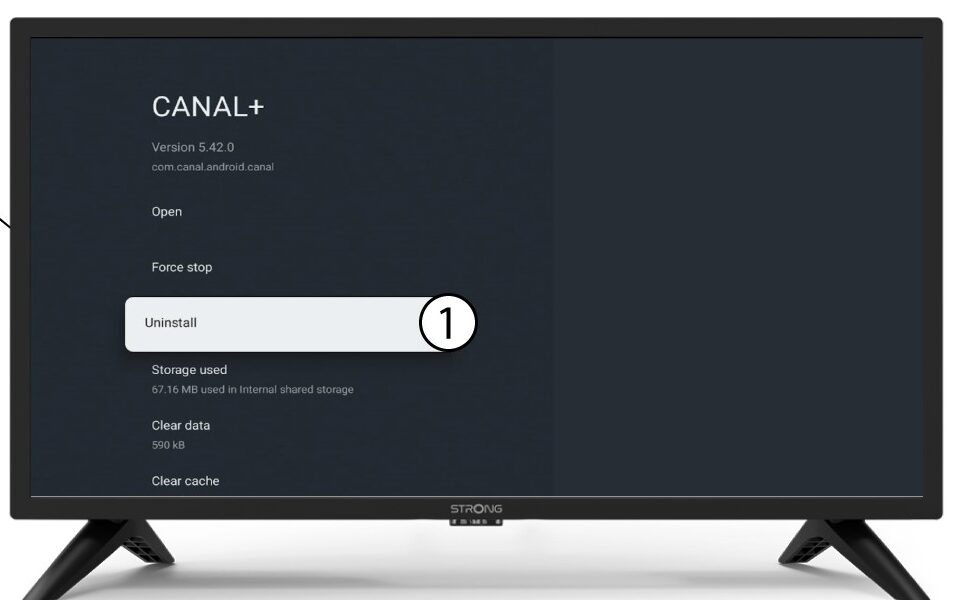
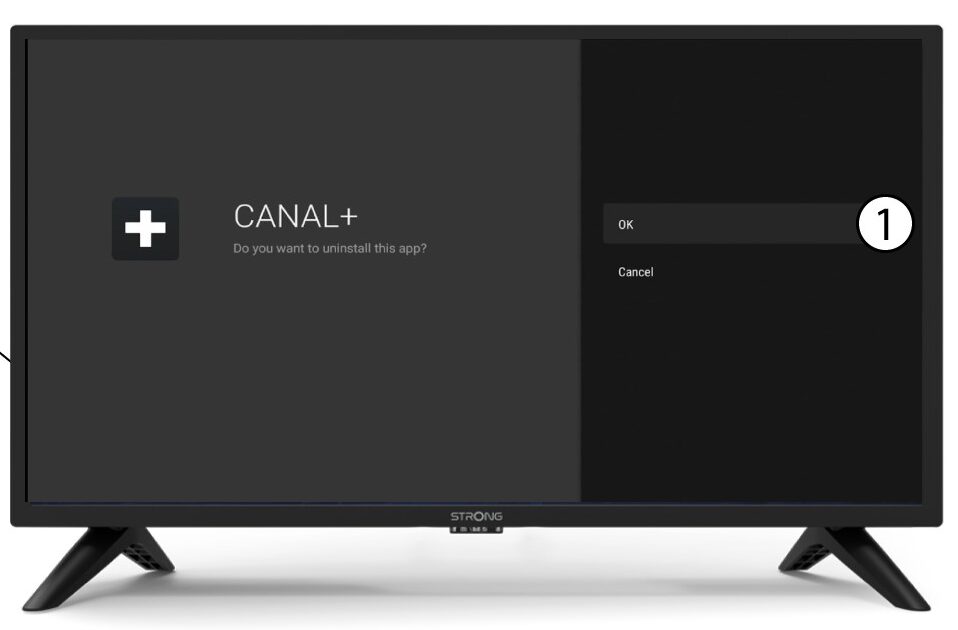
6Confirmerla suppression
Cliquez sur OK.