Aucun élément n'a été trouvé.
LEAP 41 | Google TV 4K avec HDR10+
Aucun élément n'a été trouvé.
Toutes les questions
Aucun élément n'a été trouvé.
LEAP 41 | Google TV 4K avec HDR10+
Aucun élément n'a été trouvé.
Comment réinitialiser l'appareil à ses paramètres d'usine ?
1Allumezvotre téléviseur et le décodeur
Allumez votre téléviseur et votre récepteur.
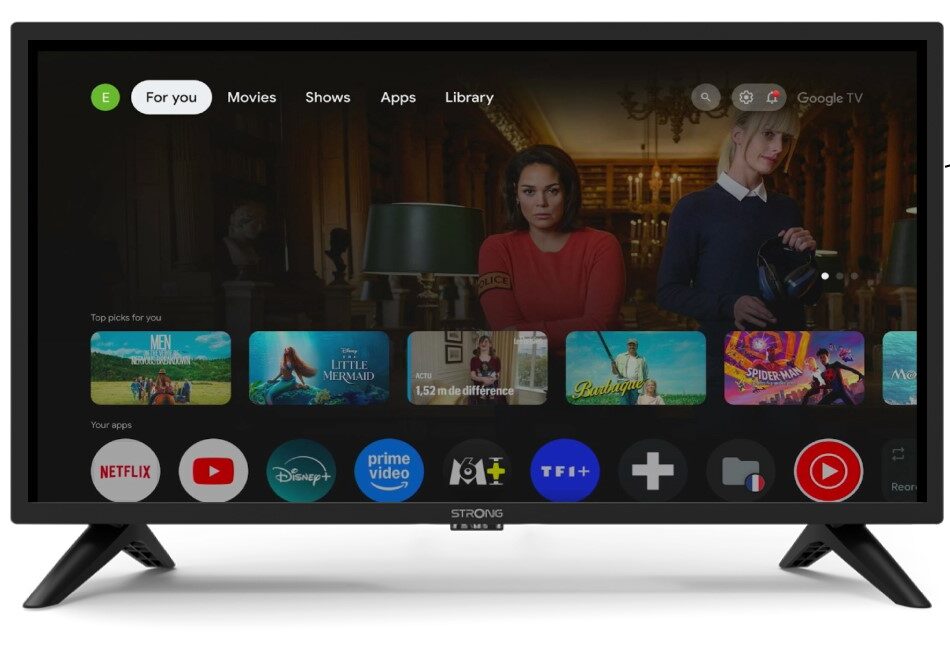
2. Paramètres
Appuyez sur l'icône en forme d'engrenage de votre télécommande.
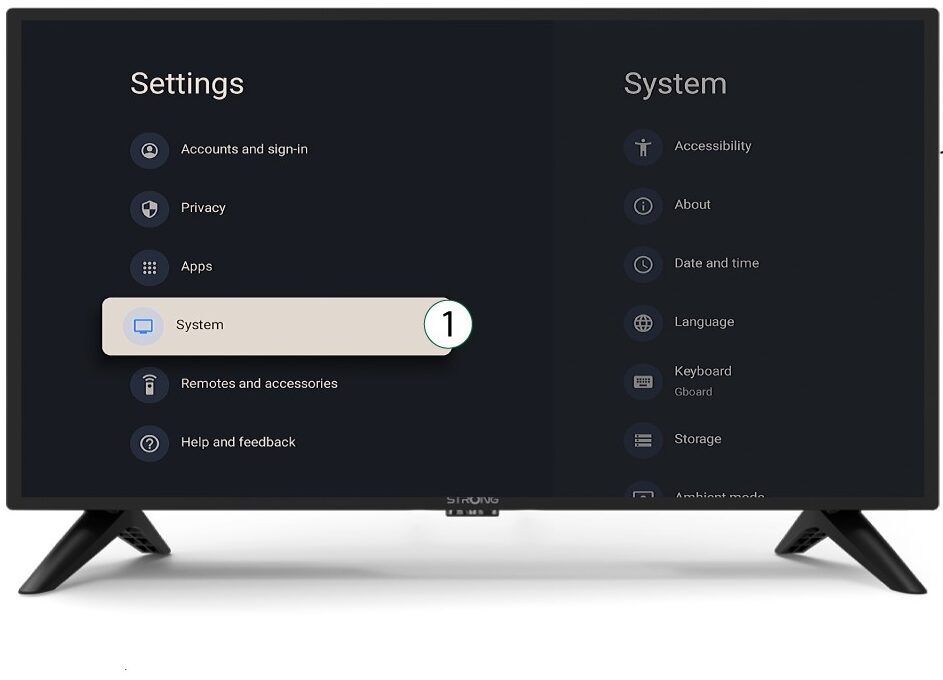
3System
Dans le menu « Paramètres », sélectionnez « Système » puis appuyez sur OK.
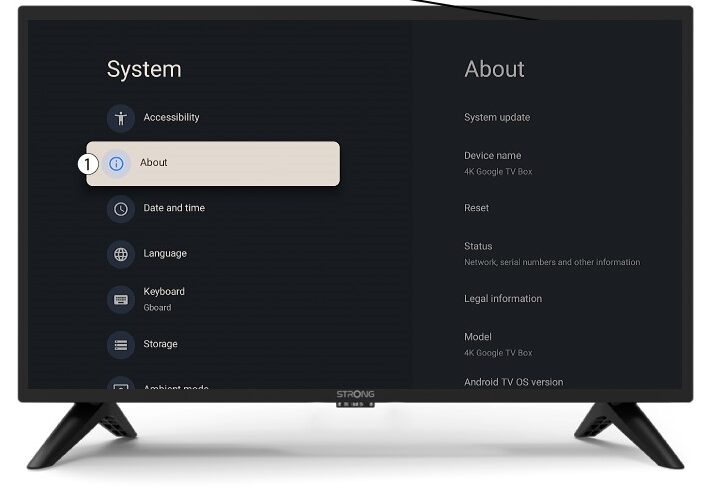
4Àpropos
Sélectionnez « À propos » dans le menu système, puis appuyez sur OK.
5Réinitialiser
Sélectionnez « Réinitialiser ».
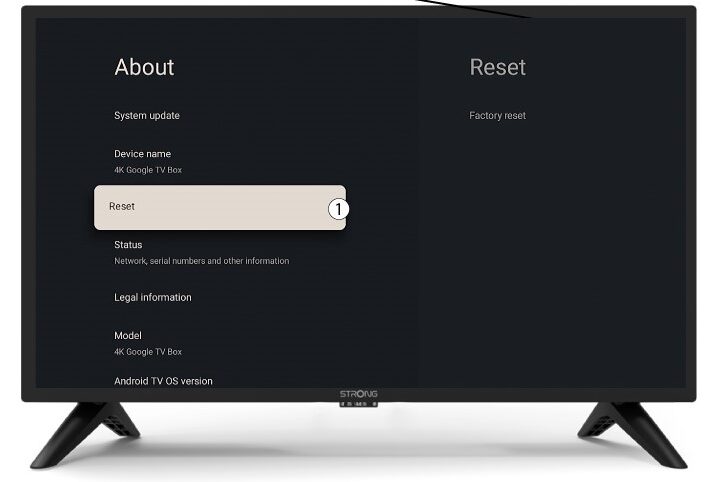
6. Réinitialisation aux paramètres d'usine
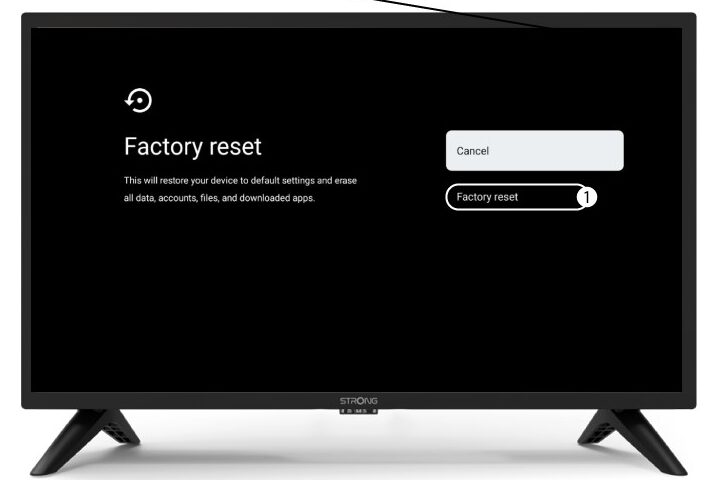
Sélectionnez « Réinitialisation d'usine » puis appuyez sur OK.
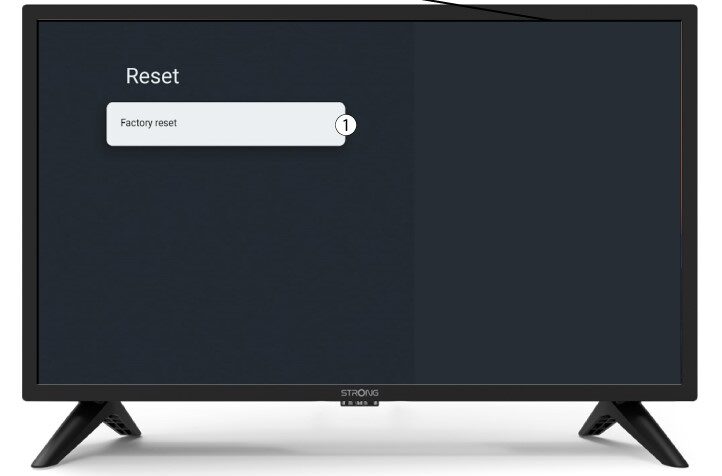
7Confirmerla réinitialisation
Sélectionnez « Réinitialisation d'usine » sur la page « Réinitialisation d'usine ».