
ATRIA Wi-Fi 5 Mesh Sustav 2100 UK ( add-on )
Sva pitanja
ATRIA Wi-Fi 5 Mesh Sustav 2100 UK ( add-on )
Mogu li konfigurirati gostujuću mrežu za svoj Mesh mreža?
Da, možete konfigurirati gostujuću mrežu za svoj Mesh mreža. Postoje dva načina za to:
1 SLUČAJ 1: Web korisničko sučelje:
Za povezivanje s web-sučeljem, molimo pogledajte sljedeći postupak: Kako pristupiti web-sučelju?
2 Gostujuća mreža
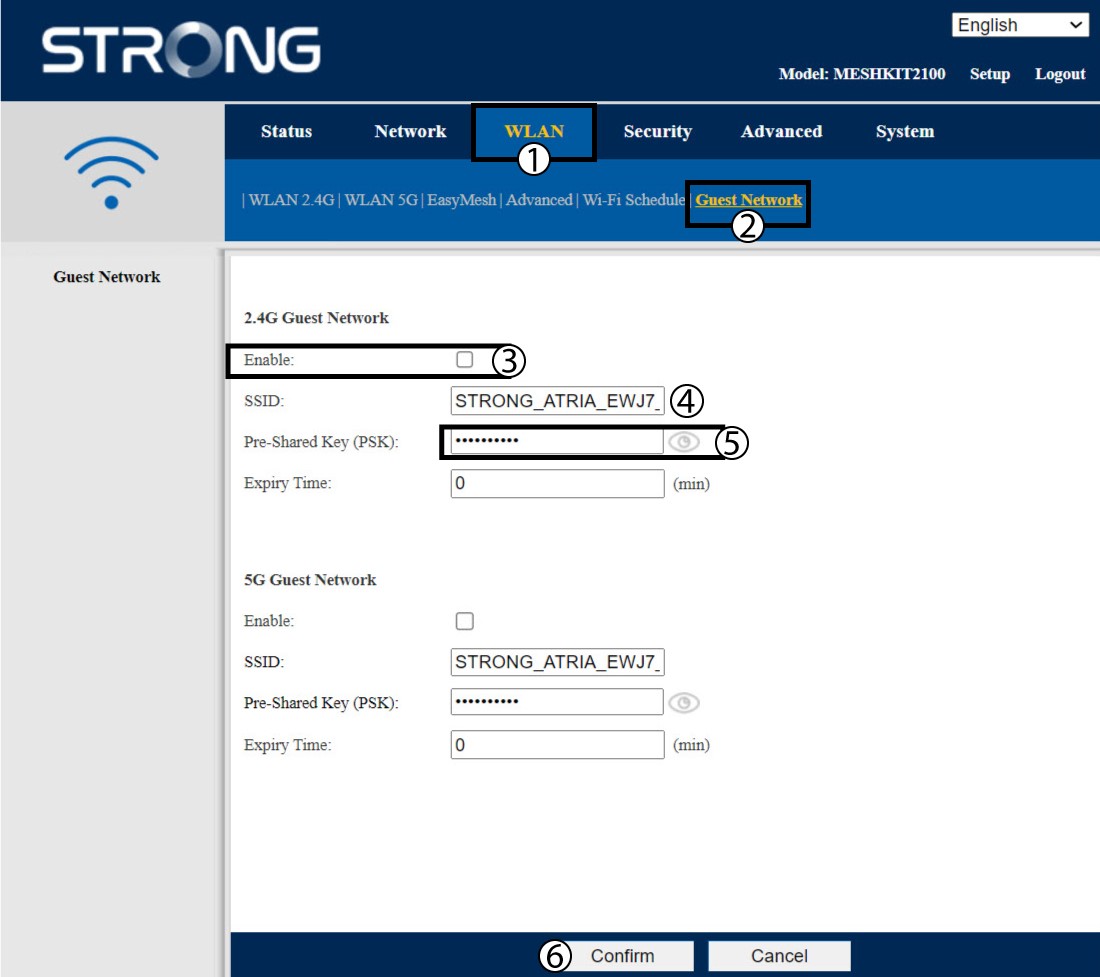
Kliknite WLAN i gostujuća mreža . Ako želite aktivirati i 2.4 i 5G gostujuće mreže , označite okvire za omogućavanje i kliknite Potvrdi .
3 Zapišite nove informacije
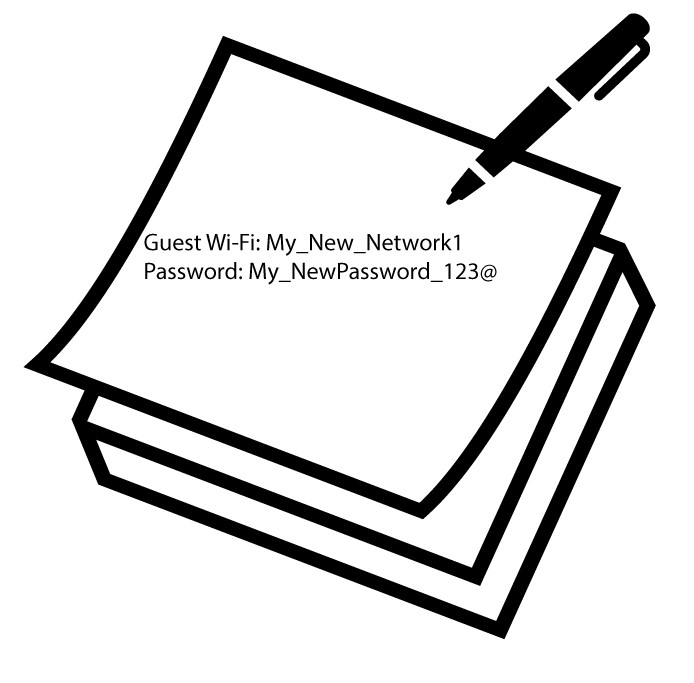
Zapišite naziv i lozinke za gostujuće mreže na komad papira.
1 Slučaj 2: Atrija Mesh Aplikacija
Za povezivanje s aplikacijom, molimo pogledajte sljedeći postupak: Kako se koristi aplikacija Atria Mesh ?
2 Wi-Fi mreže za goste
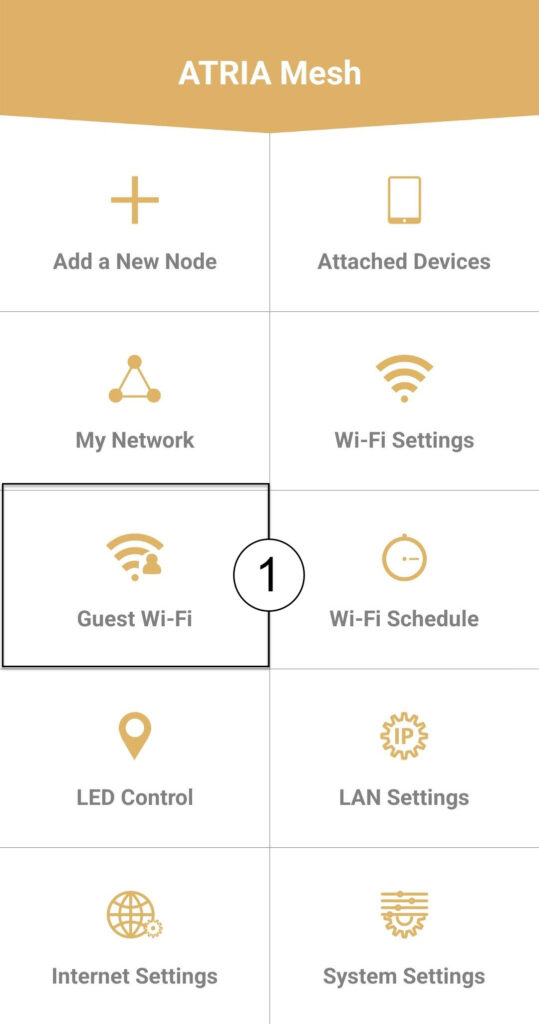
Kliknite na Gostujući Wi-Fi .
3 NOVI KORAK
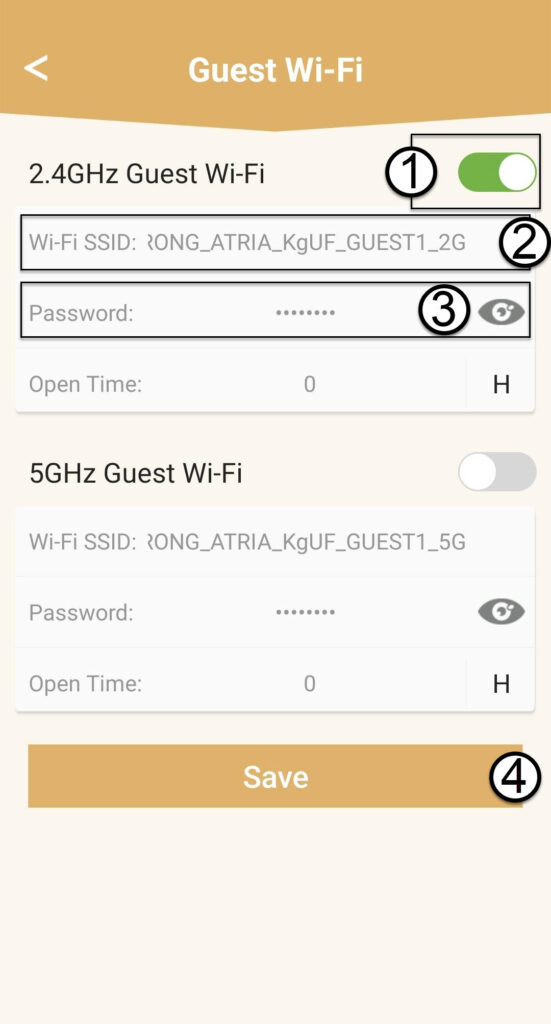
Pritisnite gumb za uključivanje/isključivanje Wi-Fi mreže za goste da biste je aktivirali. Zatim kliknite naziv SSID Wi-Fi mreže da biste ga promijenili i kliknite ikonu oka da biste prikazali lozinku i uredili je prije nego što kliknete Spremi .
4 Zapišite nove informacije
Zapišite novi Wi-Fi SSID i lozinku na komad papira.