
4G+ AIRSPOT 520 Mobilni Wi-Fi s dodirnim zaslonom
Nema pronađenih stavki.
Nema pronađenih stavki.
Sva pitanja
4G+ AIRSPOT 520 Mobilni Wi-Fi s dodirnim zaslonom
Nema pronađenih stavki.
Nema pronađenih stavki.
Kako da unesem svoj PIN kod? (Mi-Fi ekran)
Kada prvi put umetnete SIM karticu, uređaj će vas zatražiti da unesete PIN kod.
1 Pristupite tipkovnici
Kliknite ikonu olovke za pristup numeričkoj tipkovnici.
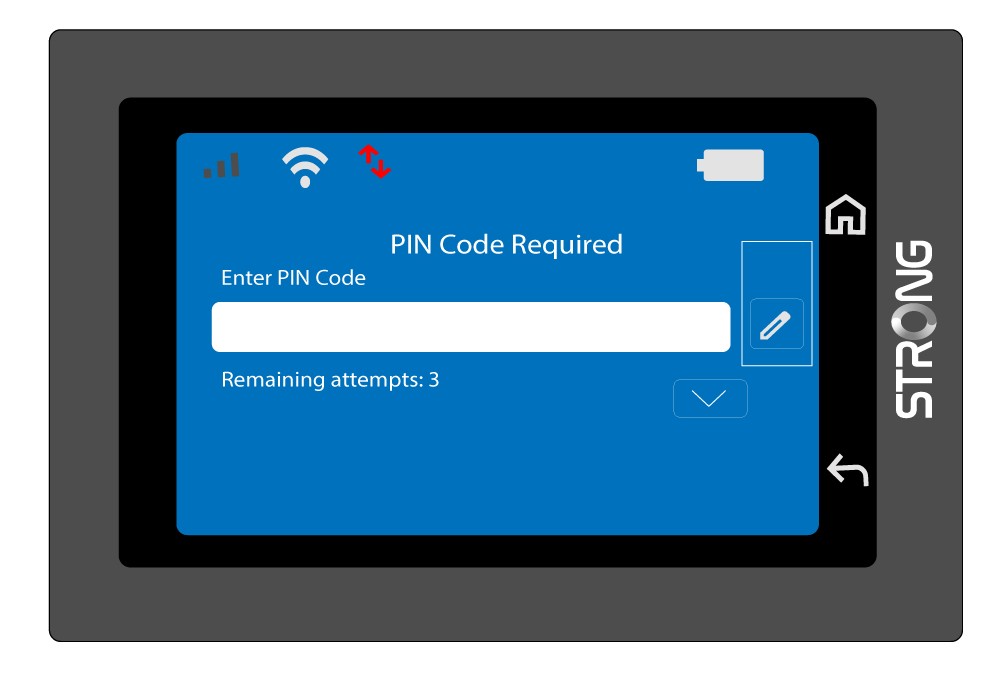
2 Unesite PIN kod
Unesite svoj PIN kod pomoću numeričke tipkovnice, a zatim dodirnite ikonu (v) za potvrdu.
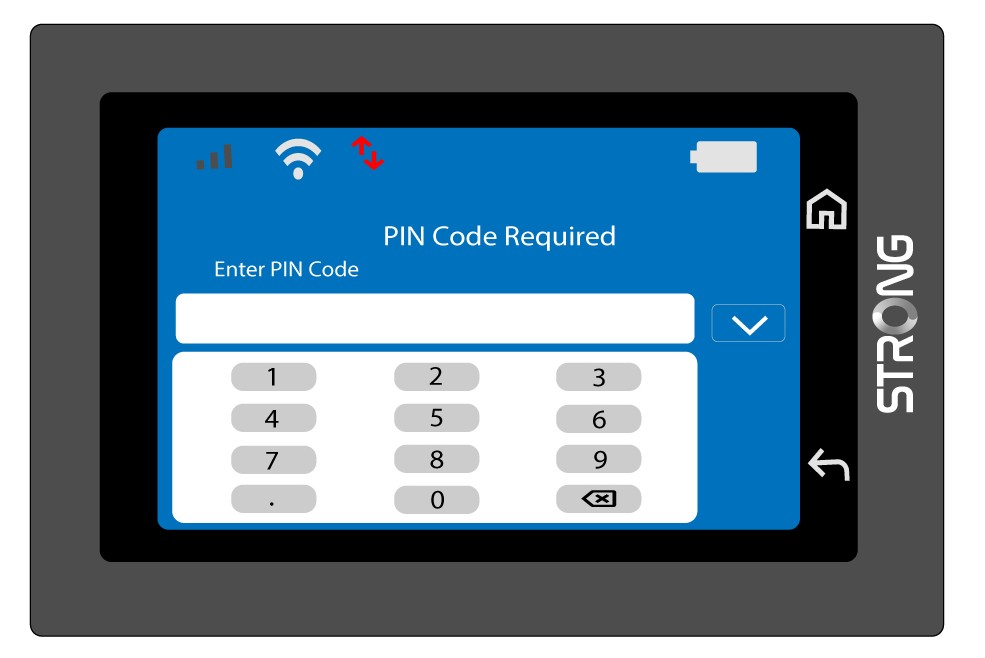
3 Potvrdite kod
Potvrdite PIN kod na glavnom zaslonu.
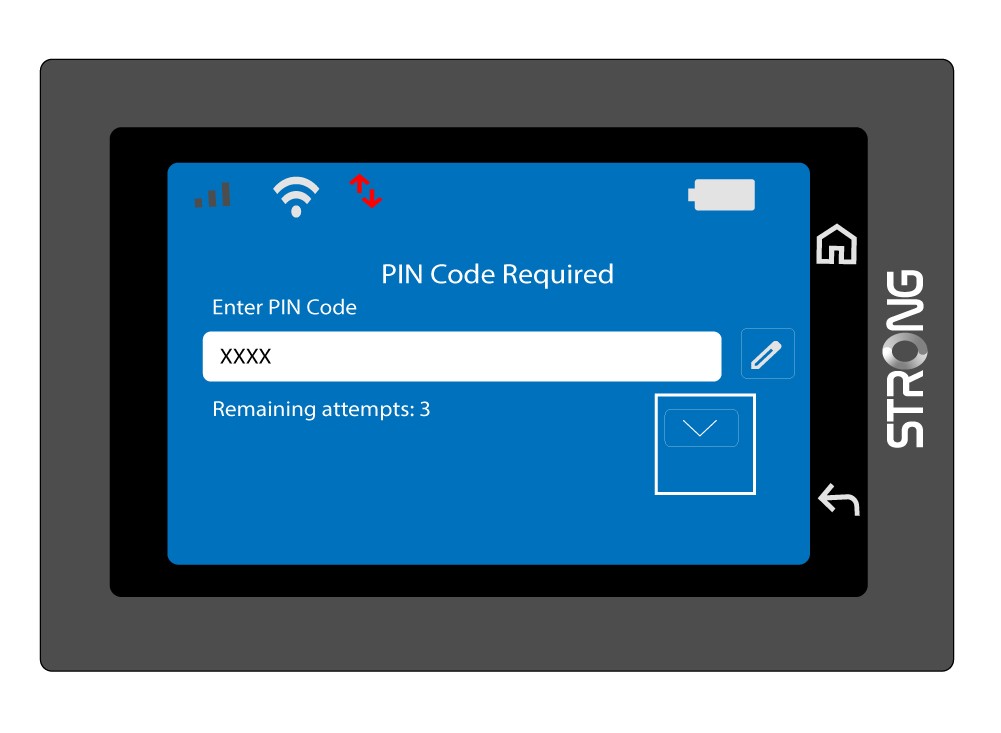
4 Pričekajte potvrdu
Pričekajte dok poruka o otključavanju nestane sa zaslona.
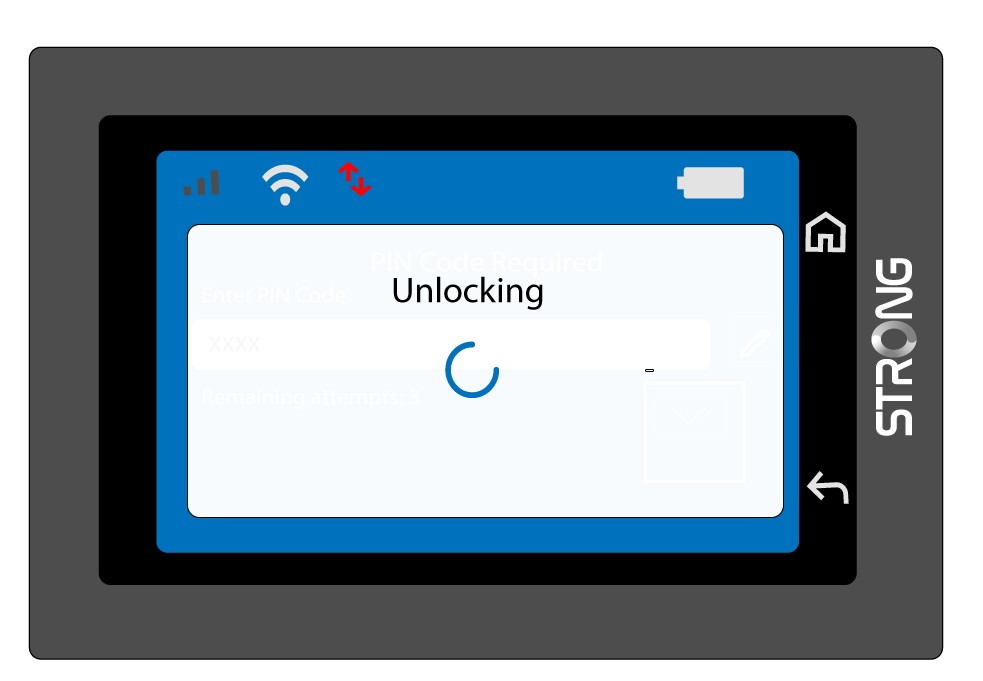
5 Spremno za upotrebu
Trebali biste vidjeti sljedeći ekran.
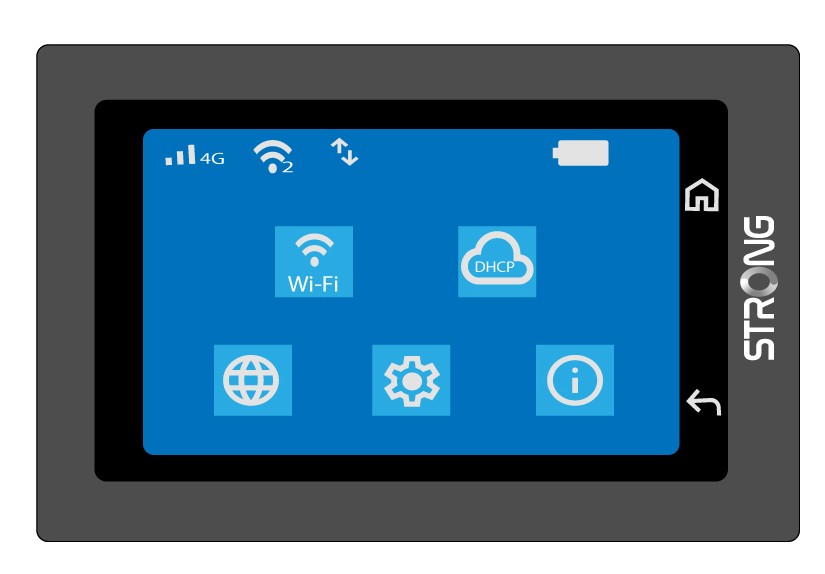
Nakon prvog uspješnog unosa, Mi-Fi će zapamtiti vaš PIN kod.