
4G+ AIRSPOT 520 Mobilni Wi-Fi s dodirnim zaslonom
Nema pronađenih stavki.
Nema pronađenih stavki.
Sva pitanja
4G+ AIRSPOT 520 Mobilni Wi-Fi s dodirnim zaslonom
Nema pronađenih stavki.
Nema pronađenih stavki.
Kako mogu resetirati ruter na tvorničke postavke? (Gumb za resetiranje)
SLUČAJ 1: Gumb za resetiranje
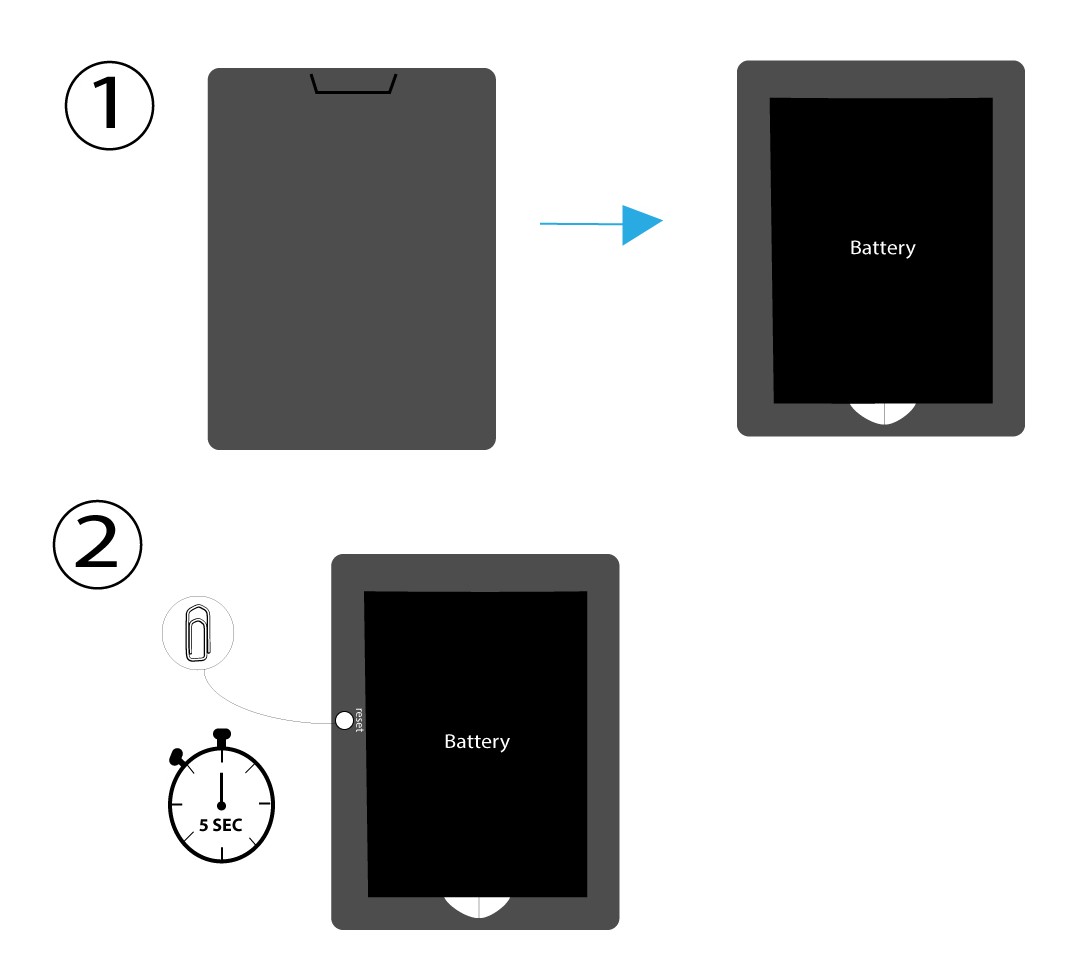
Da biste to učinili, uklonite poklopac na stražnjoj strani rutera i pritisnite tipku RESET 5 sekundi pomoću spajalice.
SLUČAJ 2: Vraćanje na tvorničke postavke u web sučelju
1 Vraćanje na tvorničke postavke u web sučelju
Za povezivanje s web korisničkim sučeljem slijedite ovdje navedene korake: Kako mogu pristupiti web korisničkom sučelju?
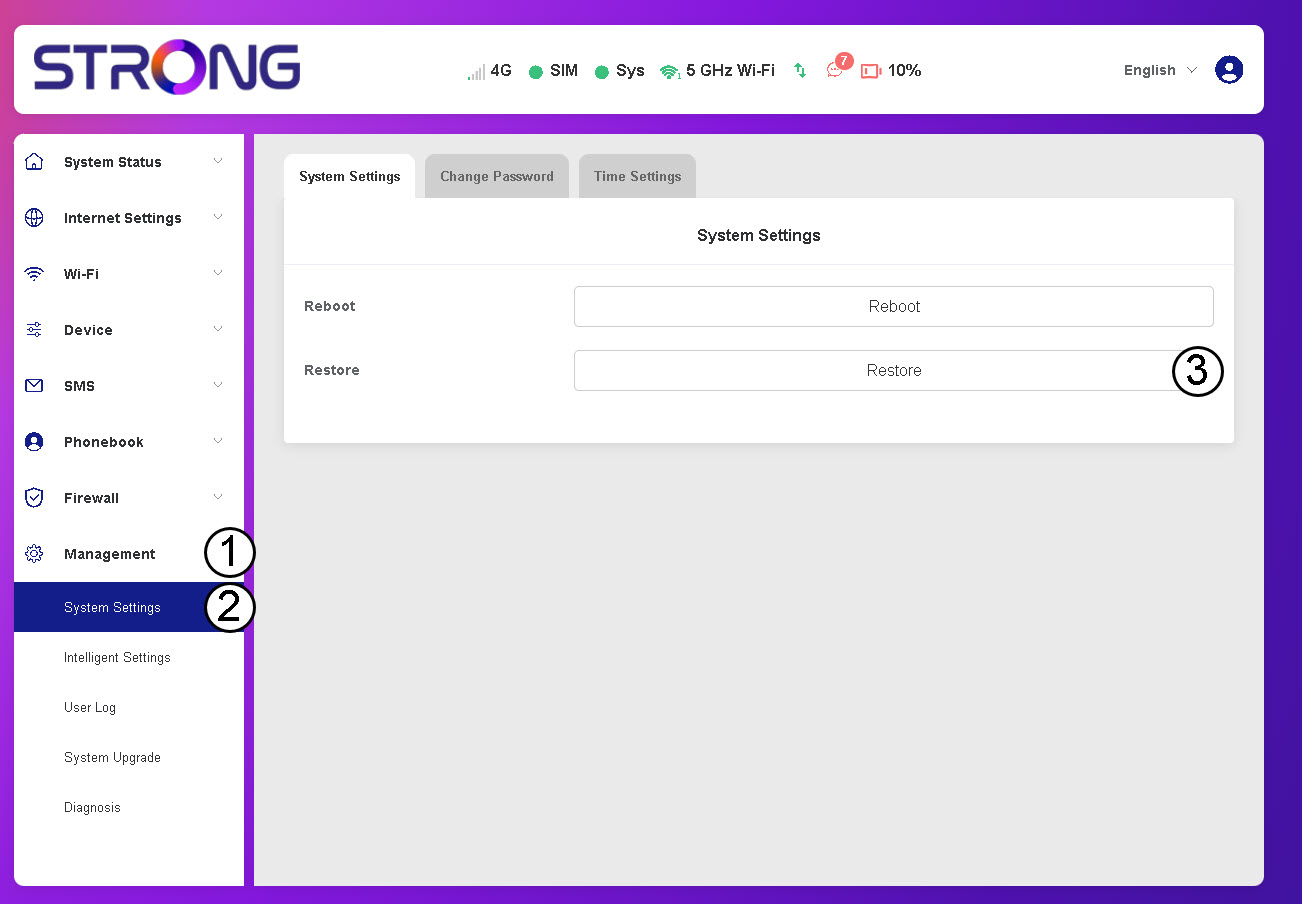
2. Idite na opciju Vraćanje
Kliknite Upravljanje, Postavke sustava i Vraćanje.
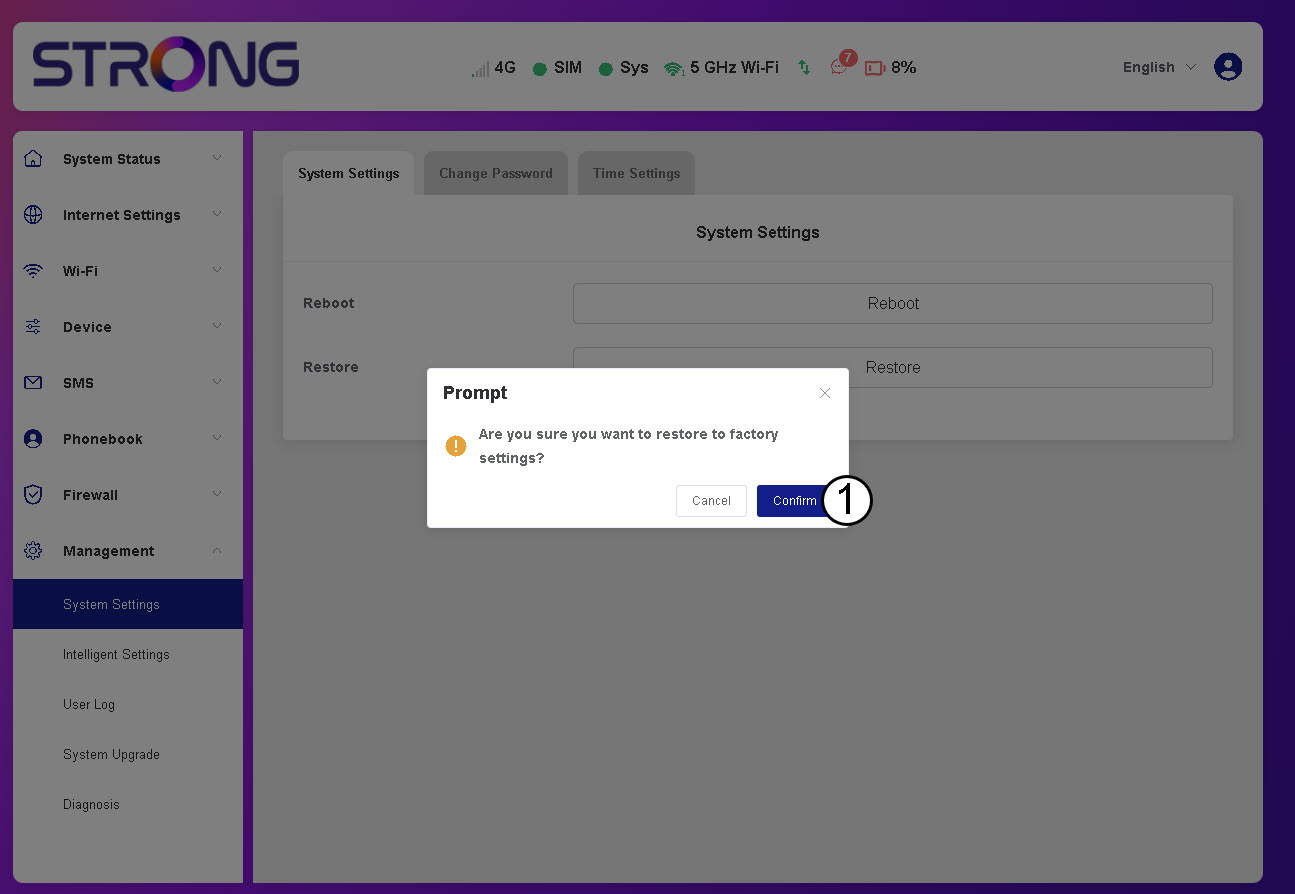
3 Kliknite Potvrdi
4 Pričekajte da se usmjerivač ponovno pokrene
Molimo pričekajte, ruter će se isključiti i uključiti nakon što je proces završen.
SLUČAJ 3: Tipka za resetiranje