
Mesh Wi-Fi 5 ATRIA 2100 UK add-on)
Tutte le domande
Mesh Wi-Fi 5 ATRIA 2100 UK add-on)
Posso configurare una rete per gli ospiti nella mia rete Mesh ?
Sì, è possibile configurare una rete per gli ospiti nella propria rete Mesh . Ci sono due modi per farlo:
1 CASO1: Interfaccia utente web:
Per connettersi all'interfaccia utente web, fare riferimento alla seguente procedura: Come si accede all'interfaccia utente web?
Rete per gli ospiti 2
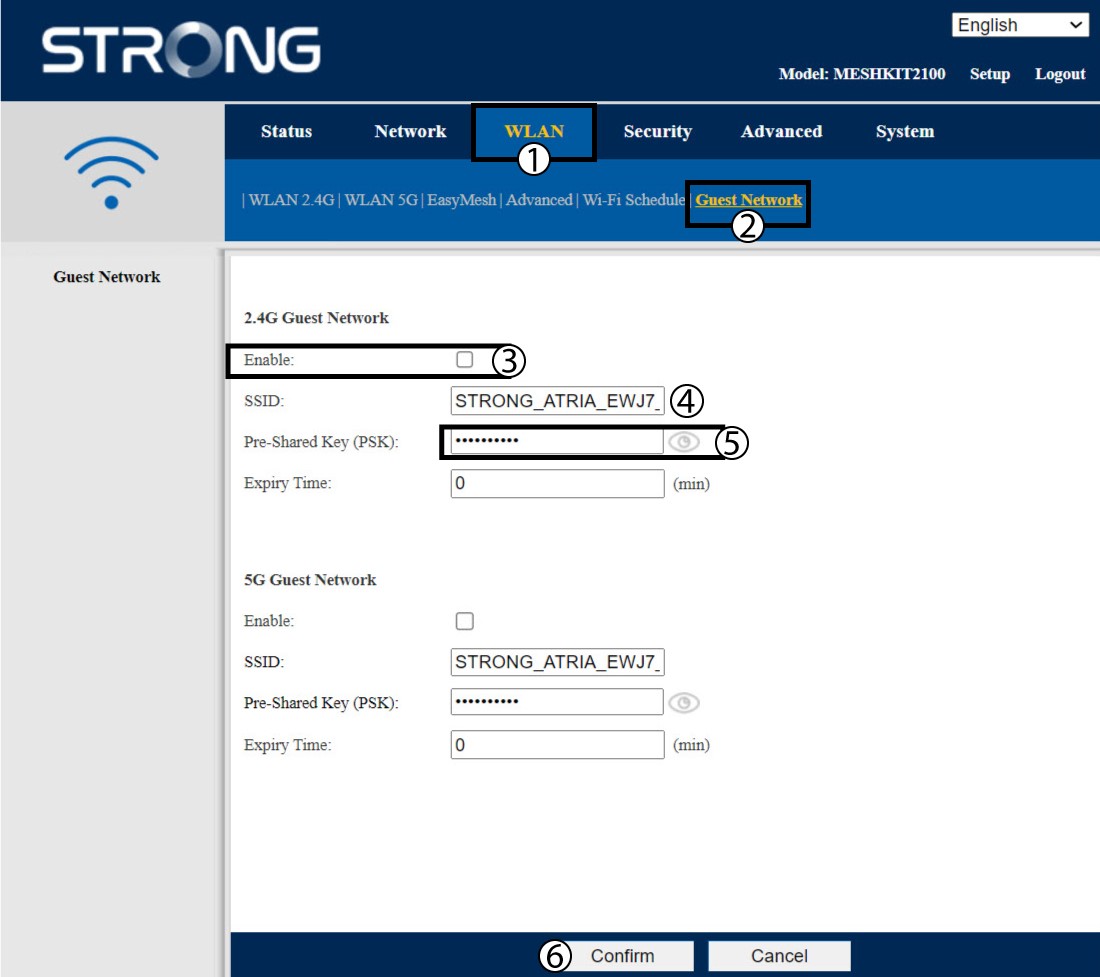
Fai clic su "WLAN" e "Rete ospite". Se desideri attivare entrambe le reti ospiti a 2,4 e 5 GHz, seleziona le caselle di abilitazione e fai clic su "Conferma".
3. Annotale nuove informazioni
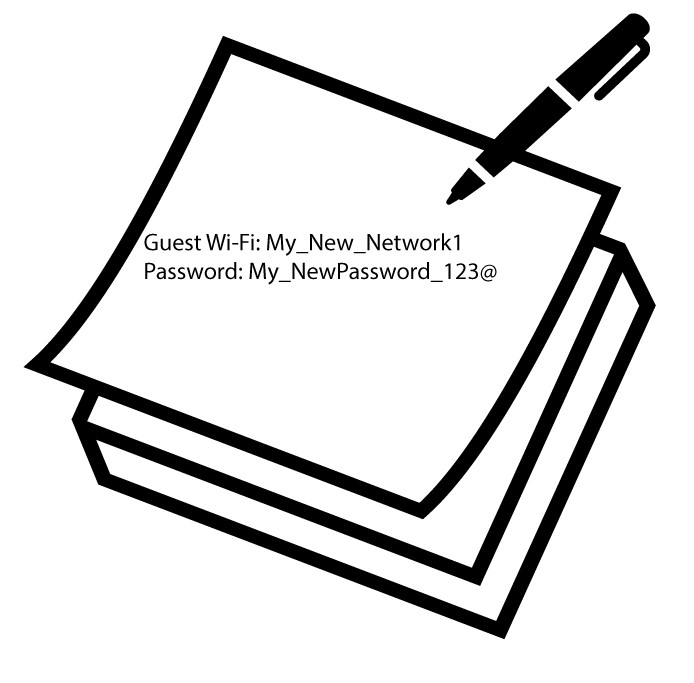
Annota su un foglio di carta il nome e le password delle reti per gli ospiti.
1 Caso2: App Atria “ Mesh ”
Per connettersi all'app, si prega di seguire la procedura riportata di seguito: Come si utilizza l'app Atria Mesh ?
2Wi-Fi per gli ospiti
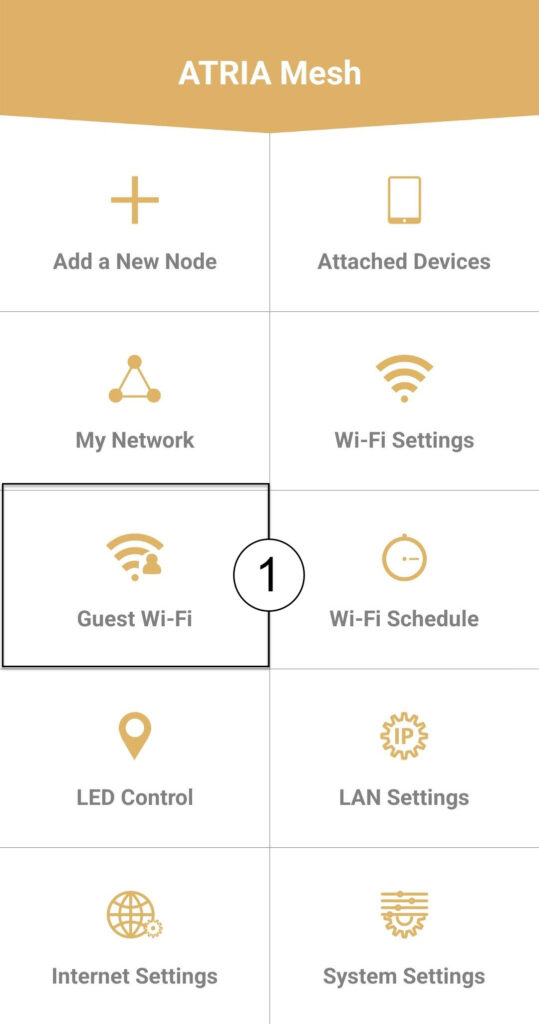
Fai clic su " Wi-Fi per gli ospiti".
3 NUOVOPASSO
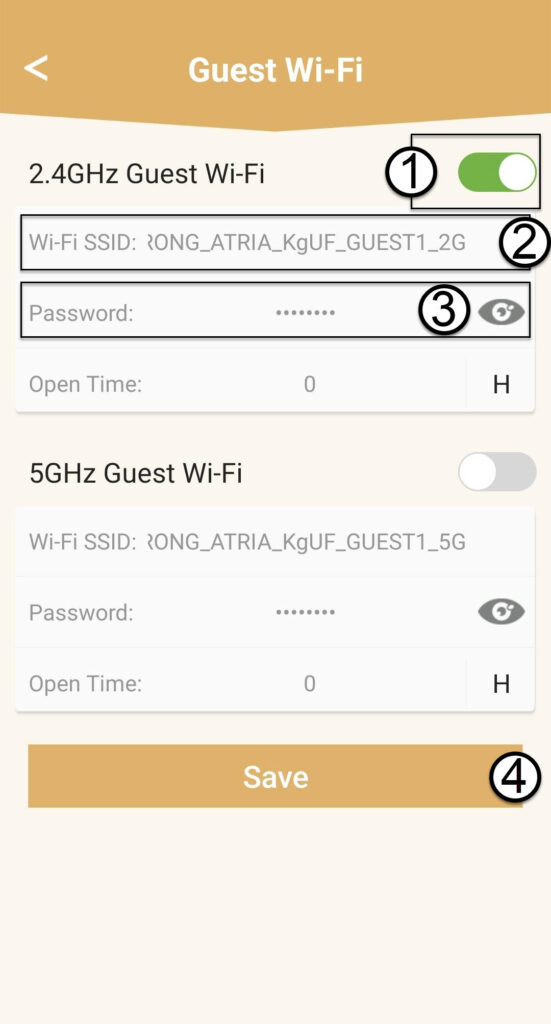
Premere il pulsante di attivazione/disattivazione della rete Wi-Fi per ospiti per attivarla. Quindi, fare clic sul nome SSID della rete Wi-Fi per modificarlo e fare clic sull'icona a forma di occhio per visualizzare la password e modificarla, prima di fare clic su Salva.
4. Annotale nuove informazioni
Annota il nuovo SSID e la nuova password del Wi-Fi su un foglio di carta.