
Mesh Wi-Fi 5 ATRIA 2100 UK add-on)
Tutte le domande
Mesh Wi-Fi 5 ATRIA 2100 UK add-on)
Come devo configurare la mia rete " Mesh " per ottimizzare la mia rete Wi-Fi?
Per ottimizzare la copertura, ti consigliamo di installare l'mesh e nel punto in cui riscontri problemi di copertura, in modo da coprire l'area più ampia possibile della tua abitazione.
Assicurati che le unità mesh non siano collocate in una stanza in cui sia presente una parete portante, poiché maggiore è lo spessore della parete, maggiori potrebbero essere le difficoltà del segnale Wi-Fi ad attraversarla.
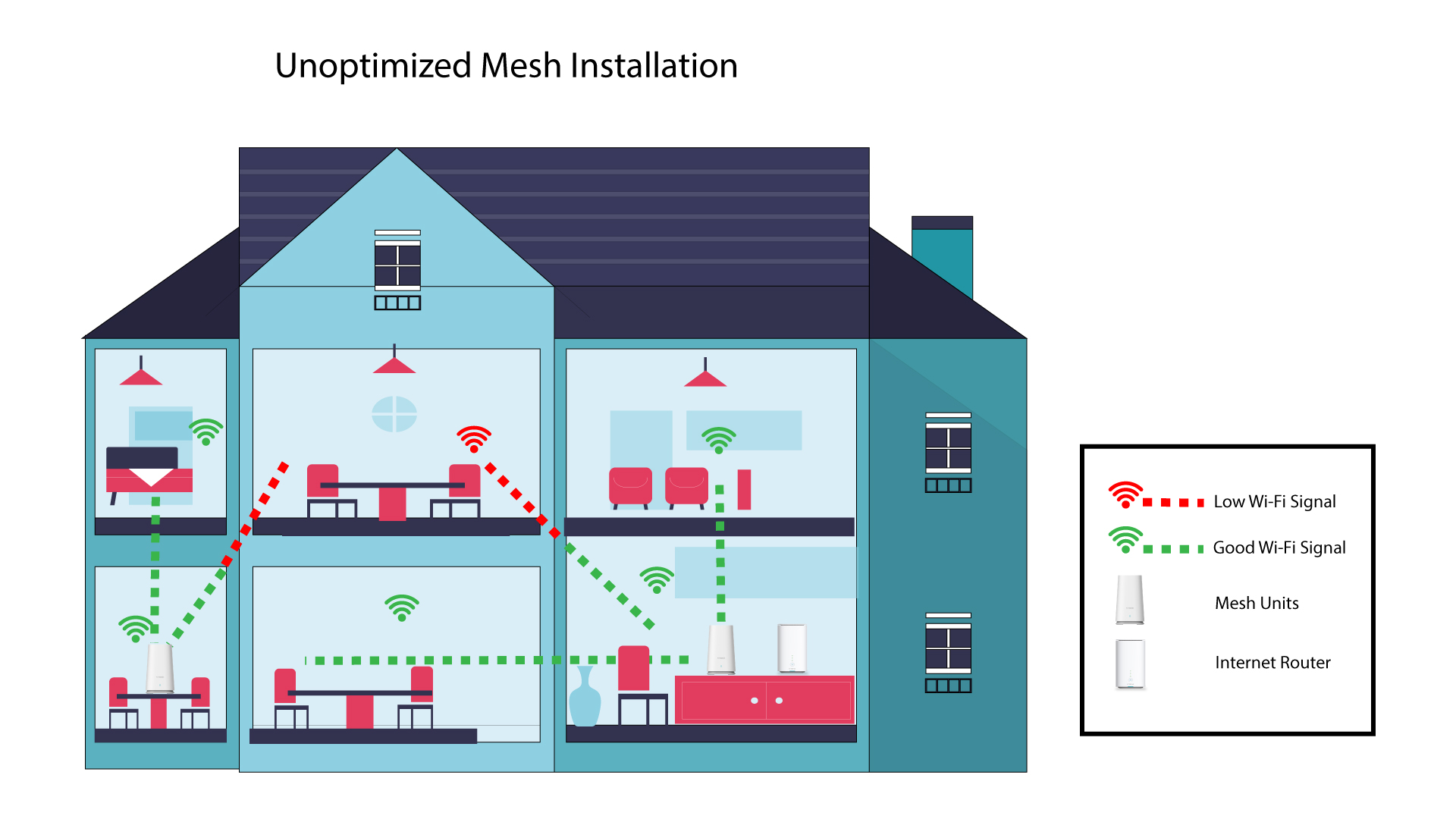
1. Installazione non ottimizzatadi Mesh
Lo schema seguente mostra la copertura Wi-Fi all'interno di un'abitazione in cui i nodi " mesh " non sono posizionati nella zona giusta dell'abitazione per garantire una copertura adeguata.
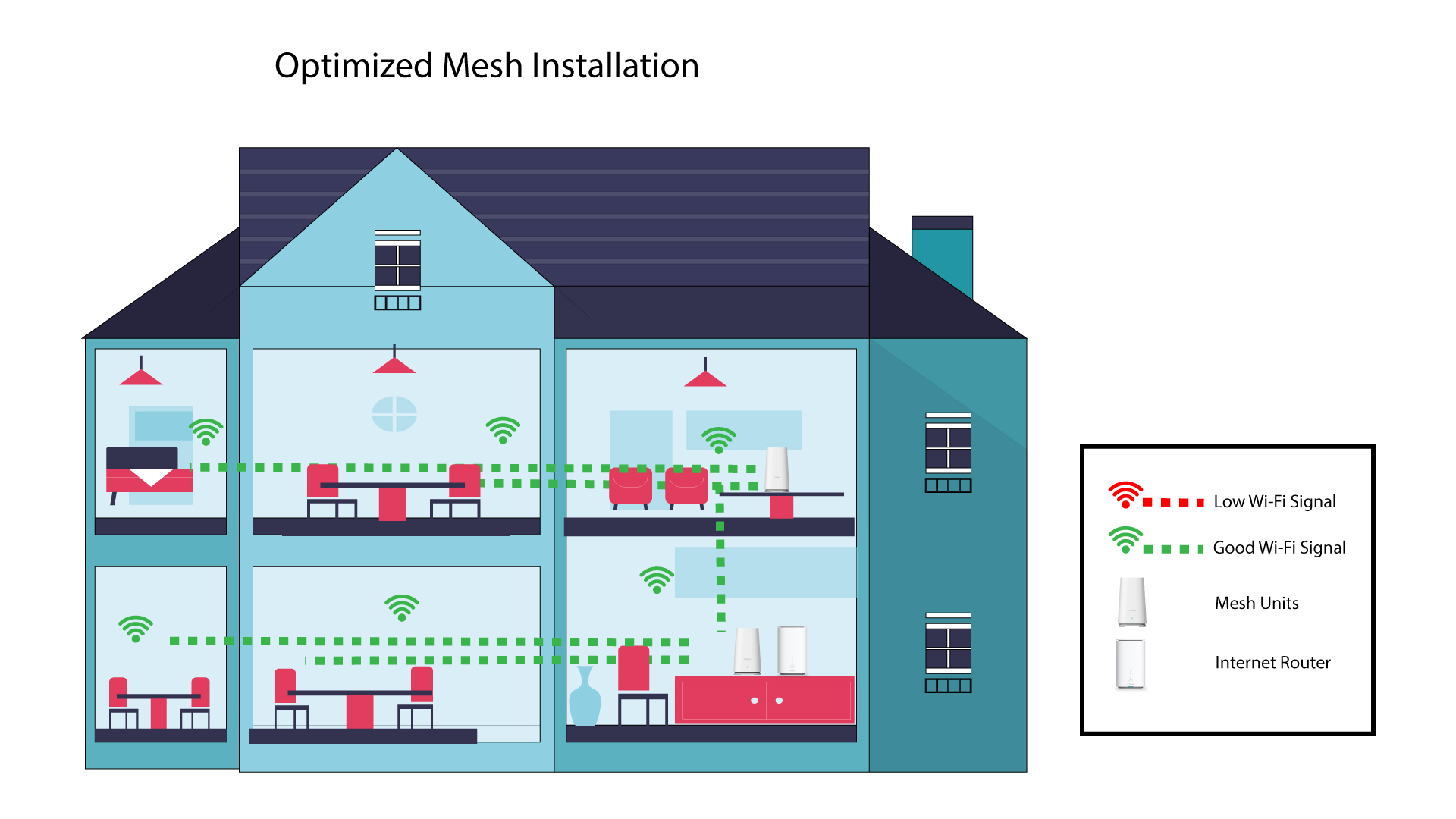
2Installazione ottimizzatadi Mesh
Lo schema seguente mostra la copertura Wi-Fi all'interno di un'abitazione in cui i nodi " mesh " sono posizionati nella zona destra della casa in modo da garantire una copertura adeguata.
1App Atria“ Mesh ”
Scarica l'app per smartphone "ATRIA MESH" dall'App Store o dal Google Play Store.

2. Connessioneal Wi-Fi
Connettiti alla rete Wi-Fi del tuo dispositivo mesh .
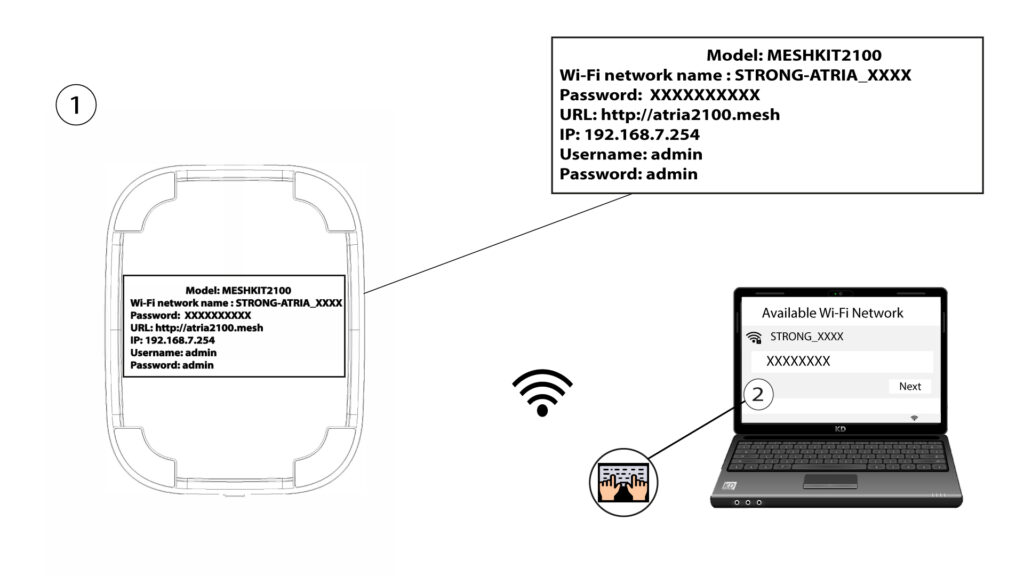
3. Titoli di studio
A questo punto devi collegarti con il tuo smartphone alla rete Wi-Fi dell'Mesh , quindi accedere all'app con le tue credenziali, che dovrebbero essere "admin" e "admin" se non le hai modificate.

4La miarete
Fai clic su " La mia rete".

5. Nomedel Mesh
Verranno visualizzati i nomi delle unità mesh che hai configurato sulla tua rete.
Clicca sul nome dell'unità " mesh " per visualizzarne le informazioni.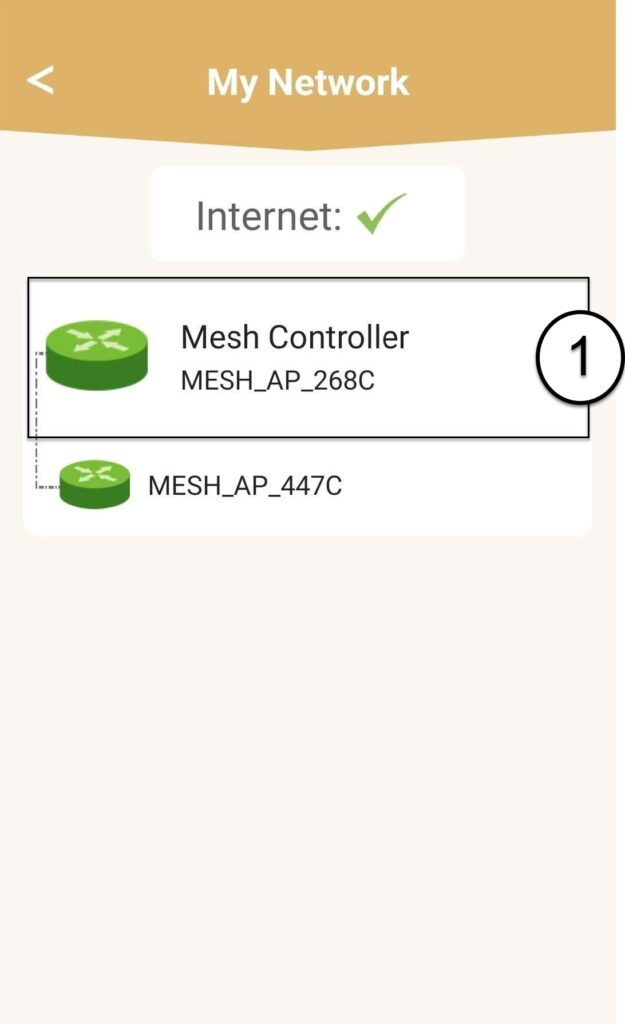
6Nome
Clicca sul campo del nome.
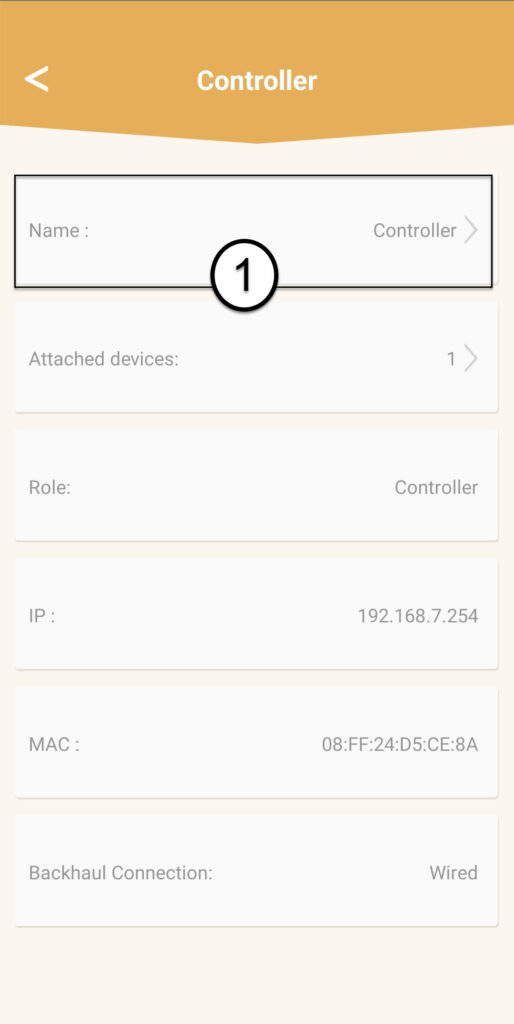
7 Modificail nome del controller
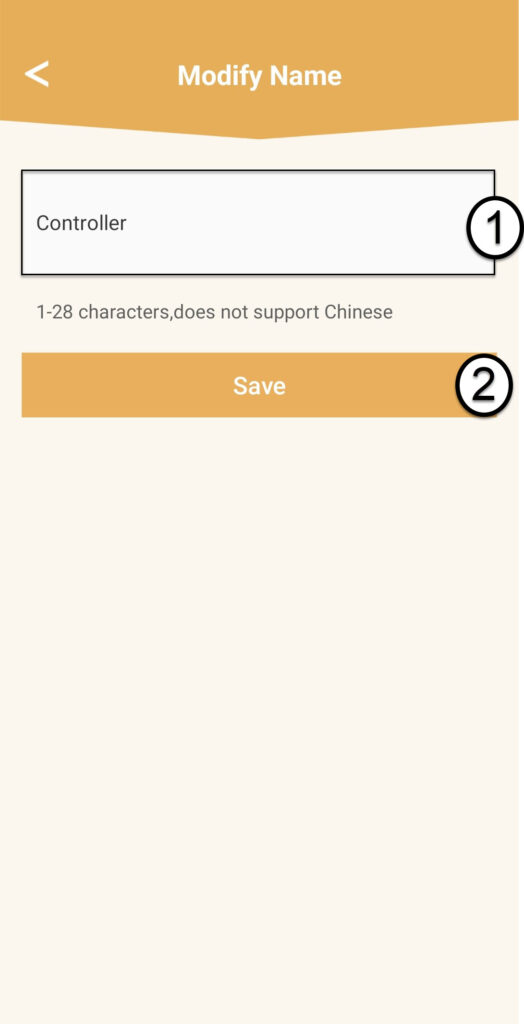
Inserisci un nuovo nome e clicca su " Salva":
- Il controller “ mesh ” dovrebbe essere denominato in questo modo: MeshAX3000-Main-Nome della stanza
- Gli agenti “ mesh ” devono essere denominati in questo modo: MeshAX3000-Nome della stanza

Avviso: se l'unità " mesh " appare in grigio, significa che non garantisce una copertura sufficiente e che è necessario regolarne la posizione per ottimizzare la rete " mesh ".