5G AIRHOME 1050 | Wi-Fi 6
Nessun articolo trovato.
Nessun articolo trovato.
Tutte le domande
5G AIRHOME 1050 | Wi-Fi 6
Nessun articolo trovato.
Nessun articolo trovato.
Come faccio a modificare la password di amministratore?

Avviso: si prega di notare che non è possibile modificare il nome utente dell'amministratore. È possibile modificare solo la password.
1. Collegarsial dispositivo
Per aggiornare la password di amministratore, è necessario connettersi alla rete Wi-Fi del proprio dispositivo.

2. Accedereall'interfaccia utente web
A questo punto, digita nel browser il seguente indirizzo IP: 168.0.1.

3Accedi
È necessario inserire il nome utente e la password. Quindi fare clic su “Accedi”.

4. Gestione utenti
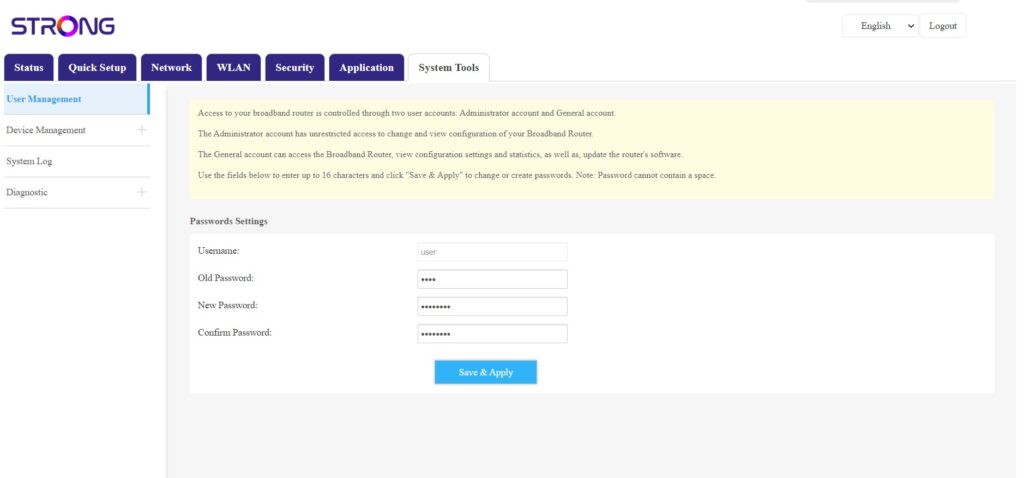
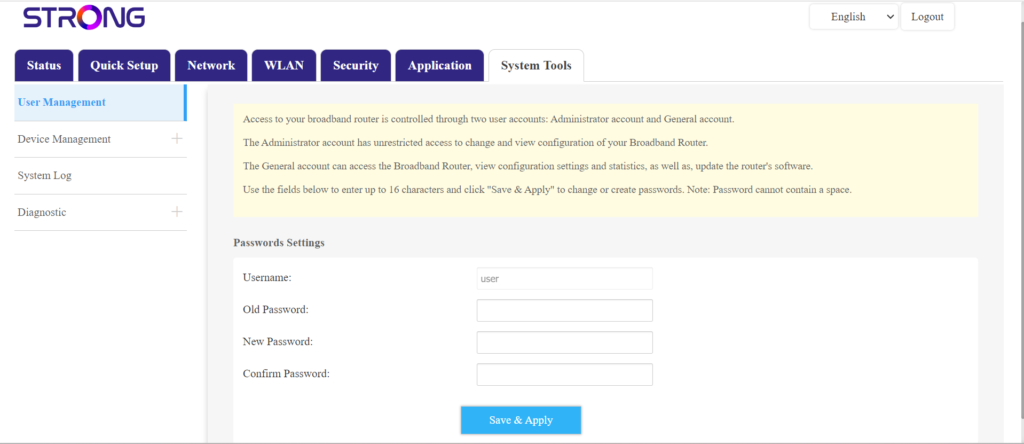
Una volta fatto ciò, clicca su “Strumenti di sistema” e “Gestione utenti”
5. Modificapassword
Inserisci le seguenti informazioni nei campi prima di fare clic su “Salva e applica”:
- Password precedente: inserisci la password attuale che hai utilizzato per accedere all'interfaccia utente web.
- Nuova password: inserisci una nuova password per accedere all'interfaccia utente web.
- Conferma password: inserisci la stessa password indicata nel campo "Nuova password".