
Wi-Fi 4G+ AIRSPOT 520 con touchscreen
Nessun articolo trovato.
Nessun articolo trovato.
Tutte le domande
Wi-Fi 4G+ AIRSPOT 520 con touchscreen
Nessun articolo trovato.
Nessun articolo trovato.
Come faccio a ripristinare le impostazioni di fabbrica del mio router? (Pulsante di ripristino)
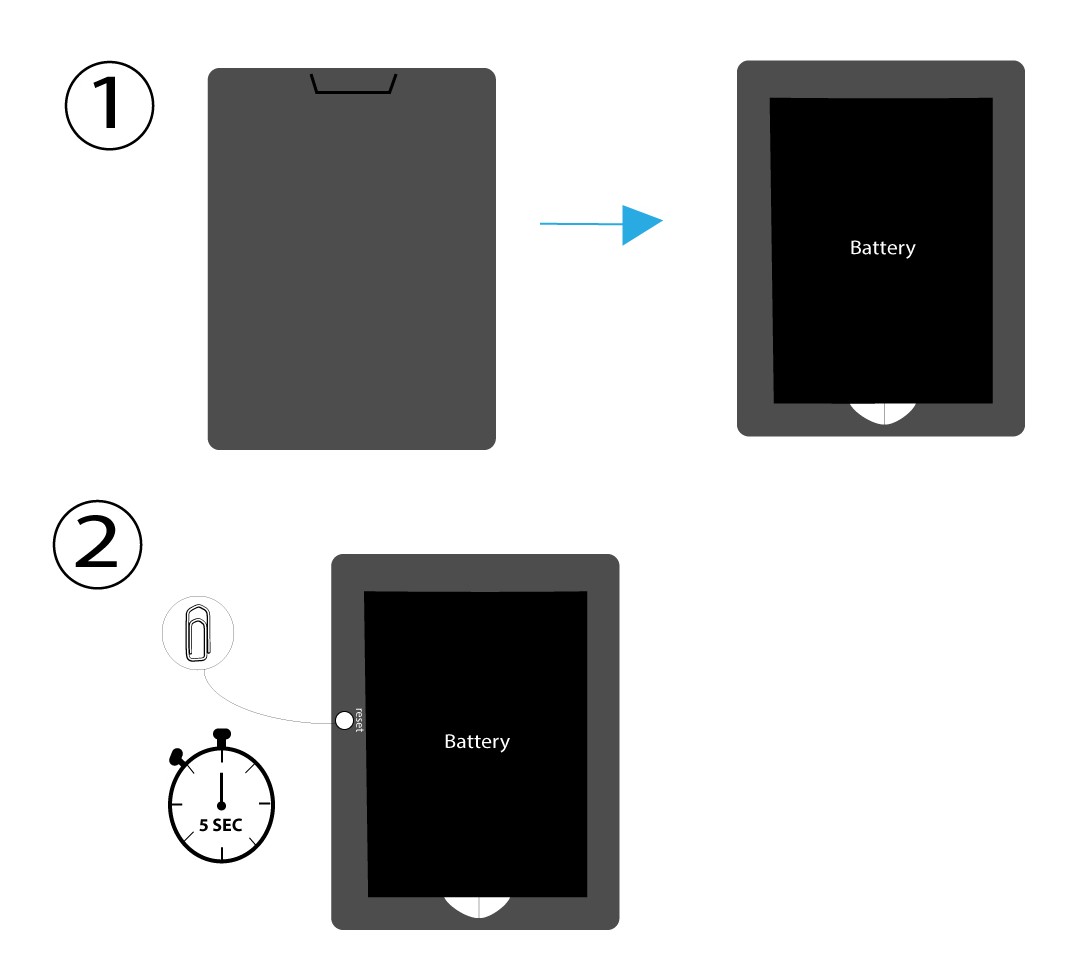
CASO 1: Pulsante di reset
Per farlo, rimuovere il coperchio sul lato posteriore del router e premere il pulsante RESET per 5 secondi con una graffetta.
CASO 2: Ripristino delle impostazioni di fabbrica nell'interfaccia utente web
1. Ripristino delle impostazioni di fabbricanell'interfaccia utente web
Segui i passaggi indicati qui di seguito per collegarti all'interfaccia utente web: Come posso accedere all'interfaccia utente web?
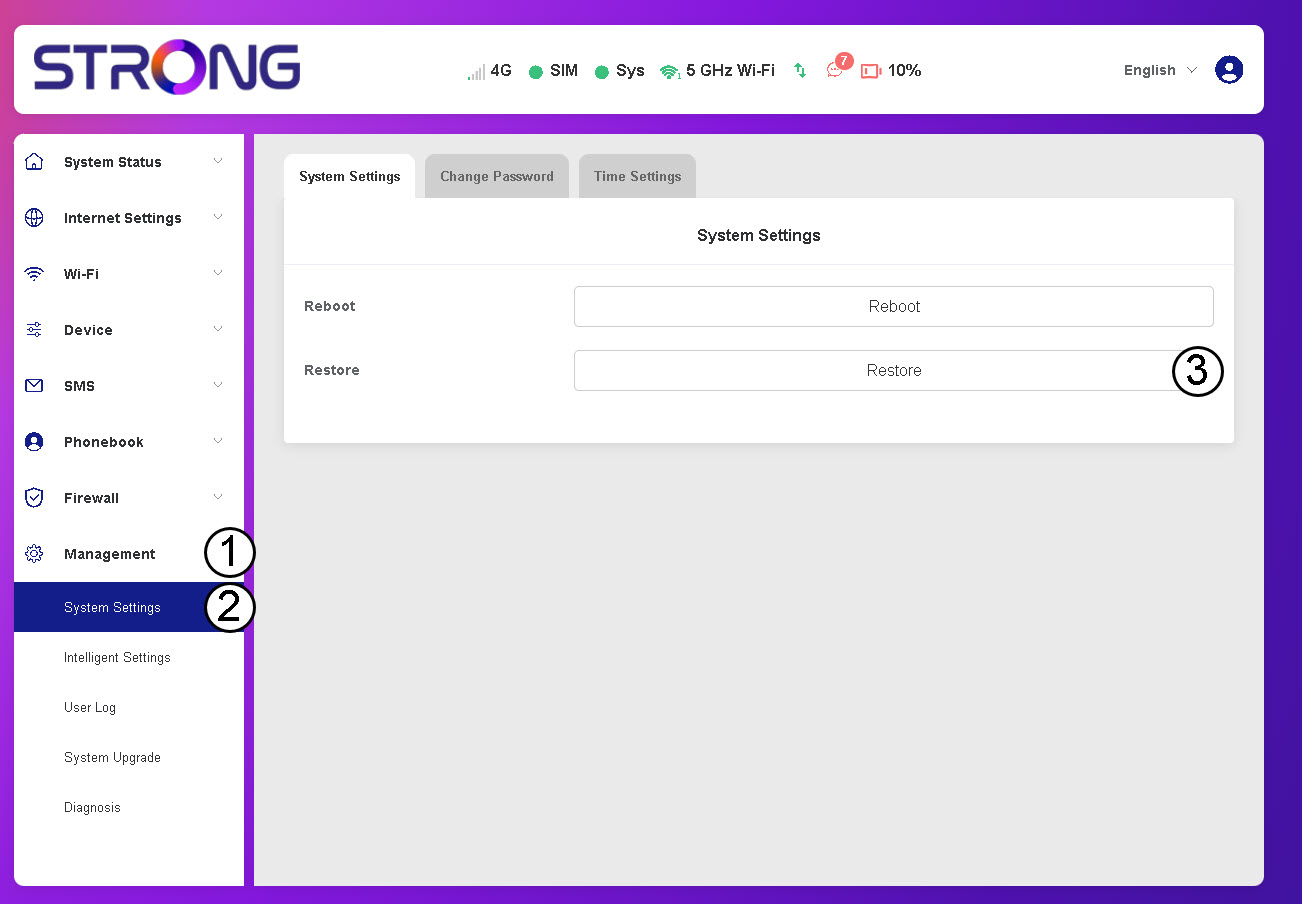
2. Accedereall'opzione di ripristino
Fai clic su "Gestione", " Impostazioni di sistema " e "Ripristino".
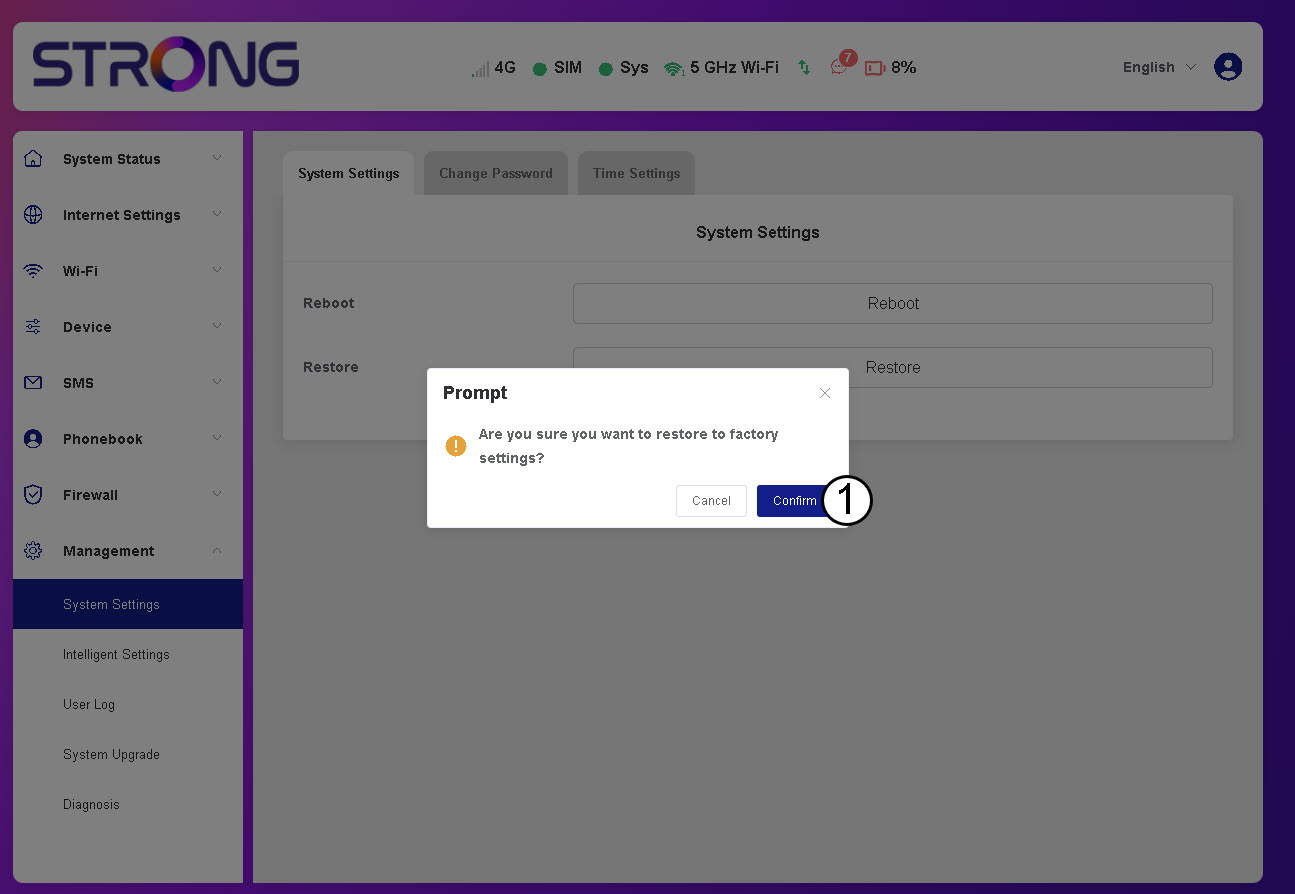
3. Fare clic su"Conferma"
4. Attendereil riavvio del router
Attendere, per favore: il router si spegnerà e si riaccenderà una volta terminata la procedura.
CASO 3: Pulsante di reset