
4G AIRHOME 300 Mini-router met afneembare 4G-antennes
Alle vragen
4G AIRHOME 300 Mini-router met afneembare 4G-antennes
Hoe wijzig ik de SSID en het wachtwoord? (Snelle instellingen)
Hoe kan ik de SSID en het wachtwoord wijzigen?
In de webinterface kun je op twee manieren de SSID en het wachtwoord van je router wijzigen:
• Via de snelle instellingen
• Of via de wifi-instellingen.
1Snelleinstellingen
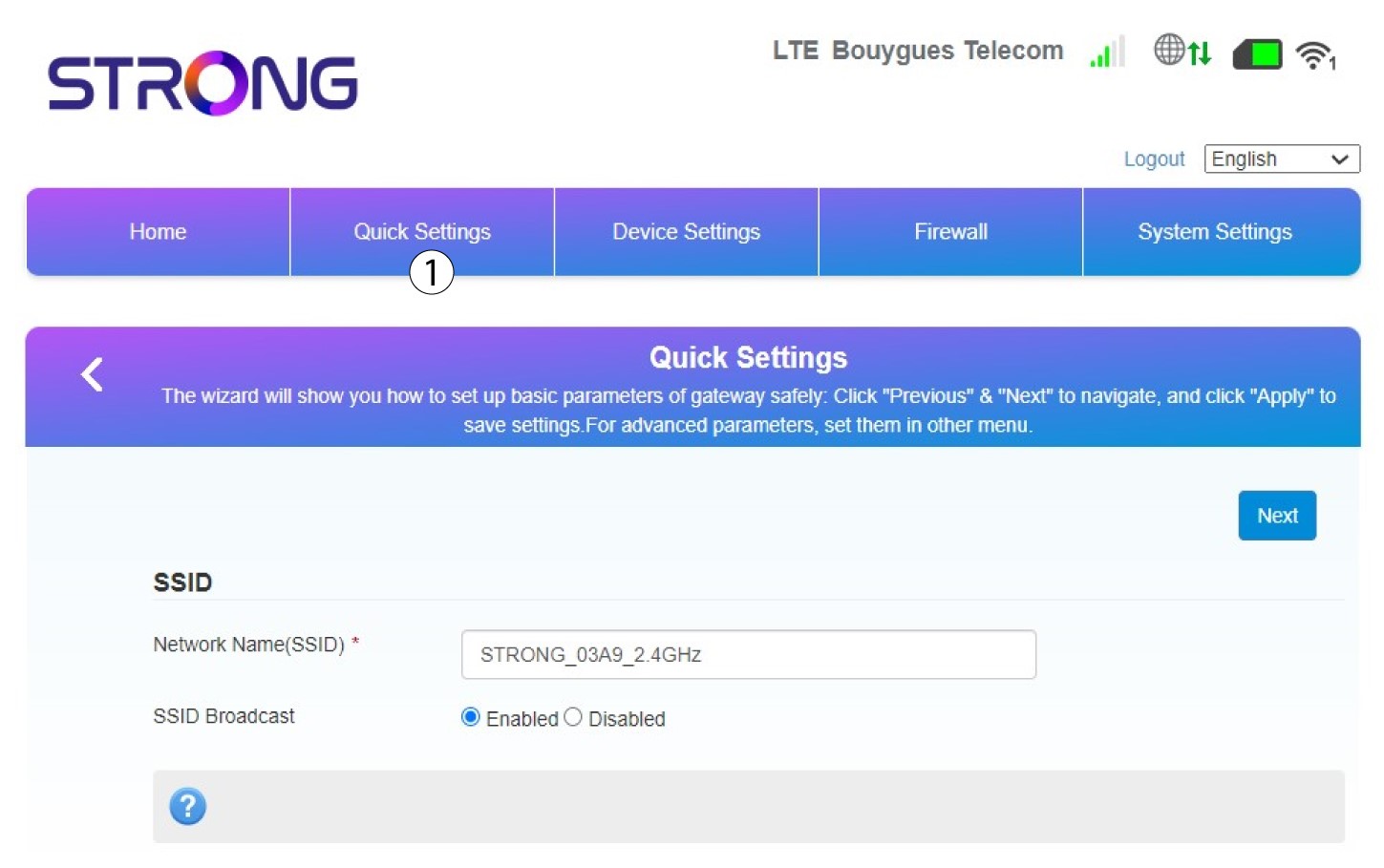
In de webinterface kunt u via de snelle instellingen de gegevens van uw netwerk wijzigen: de netwerknaam en het wachtwoord.
Klik hiervoor op ‘Snelle instellingen’ in de bovenste balk.
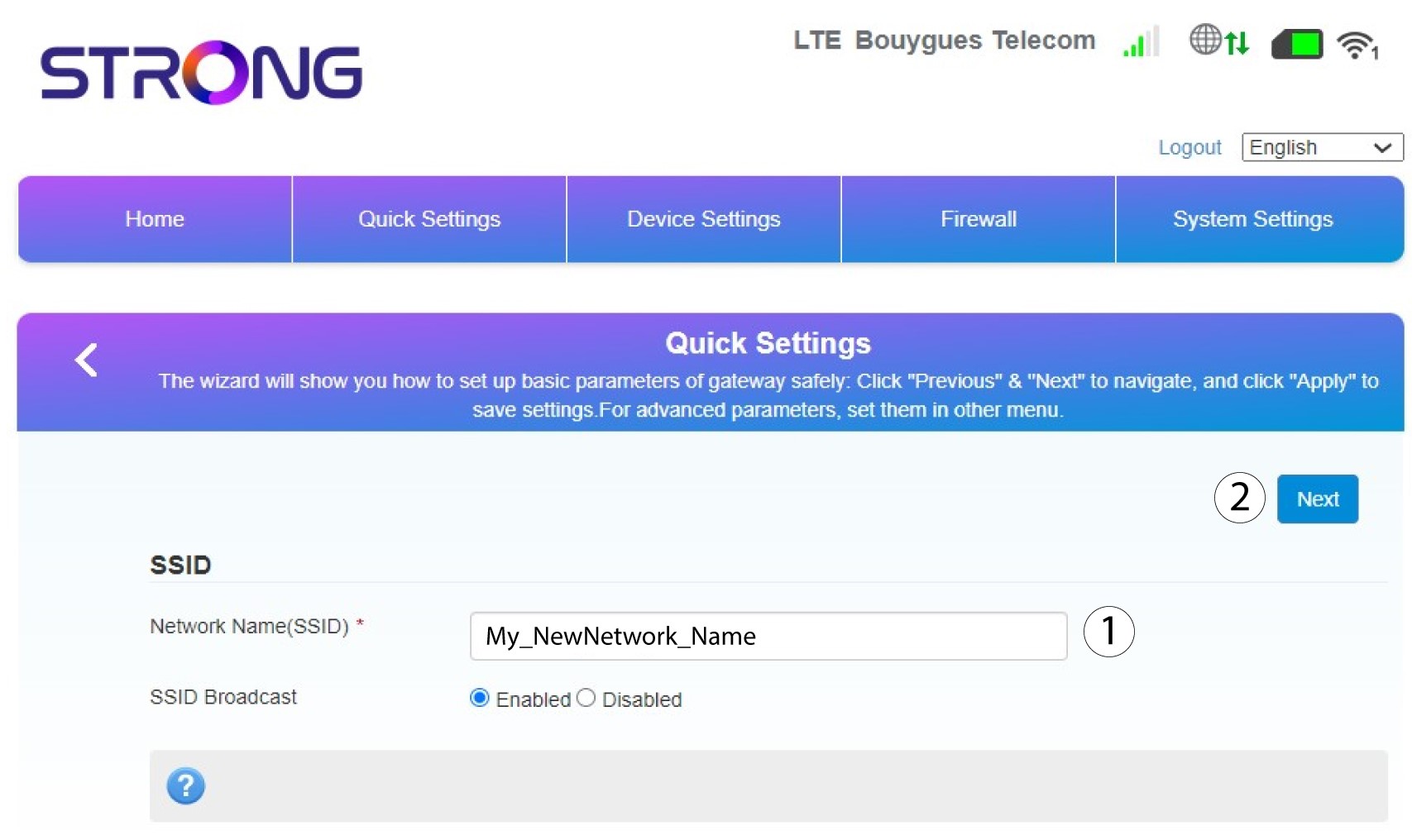
2Voerde nieuwe netwerknaam in
Voer vervolgens de nieuwe netwerknaam in en klik op Volgende.
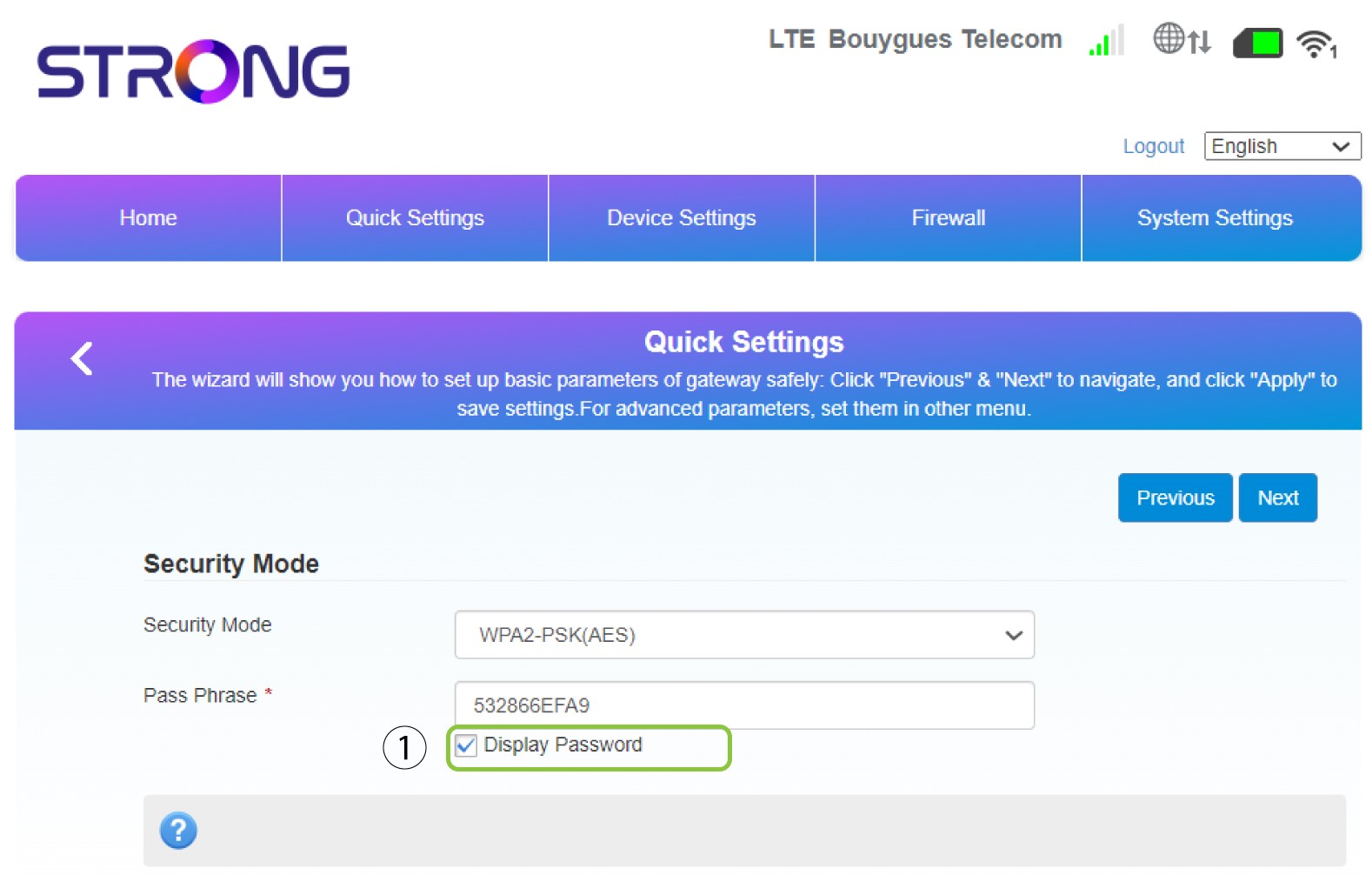
3. Geefje wachtwoord weer
Klik op ‘Wachtwoord weergeven’.
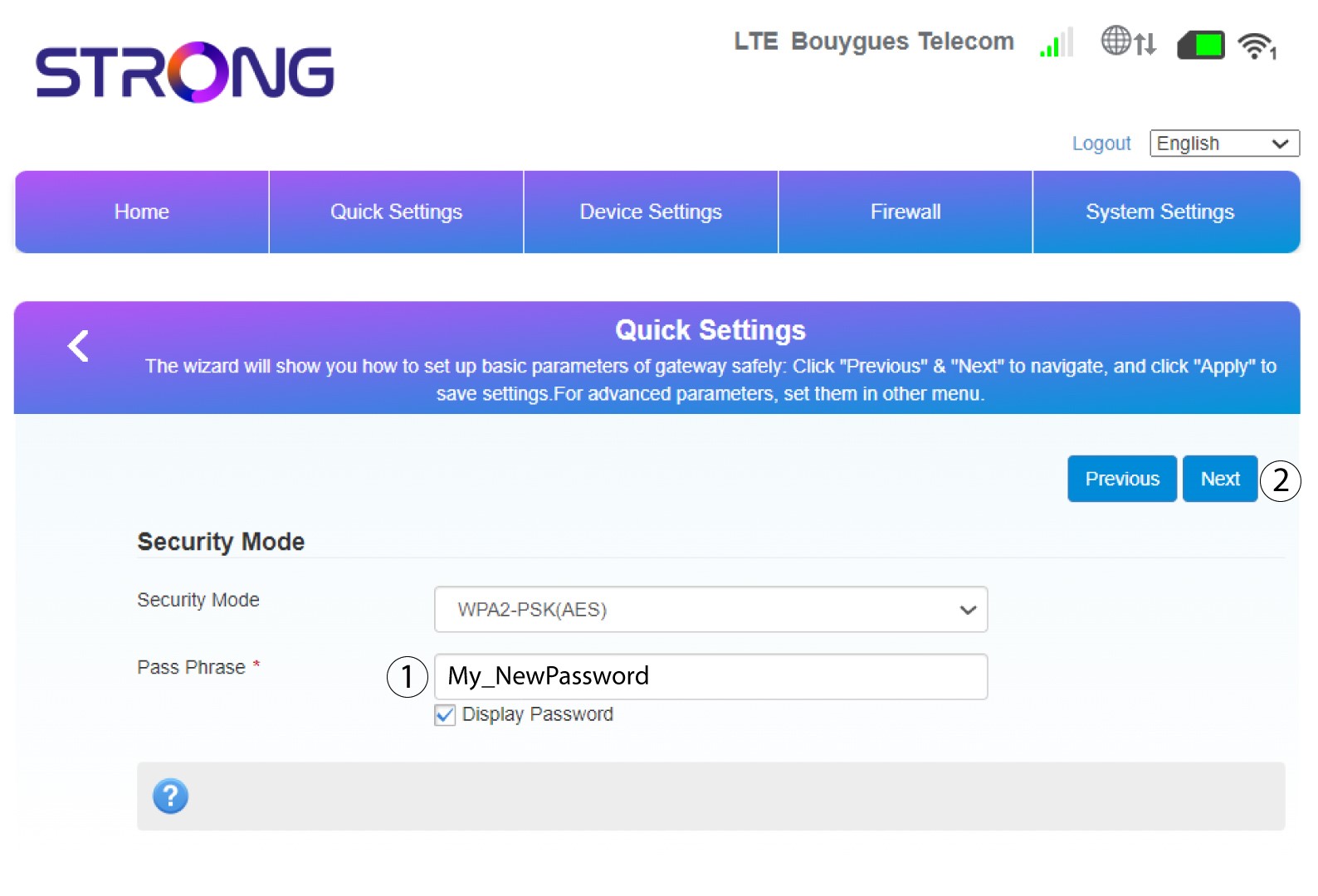
4. Voereen nieuw wachtwoord in
Wijzig uw wachtwoord. Klik vervolgens op Volgende.
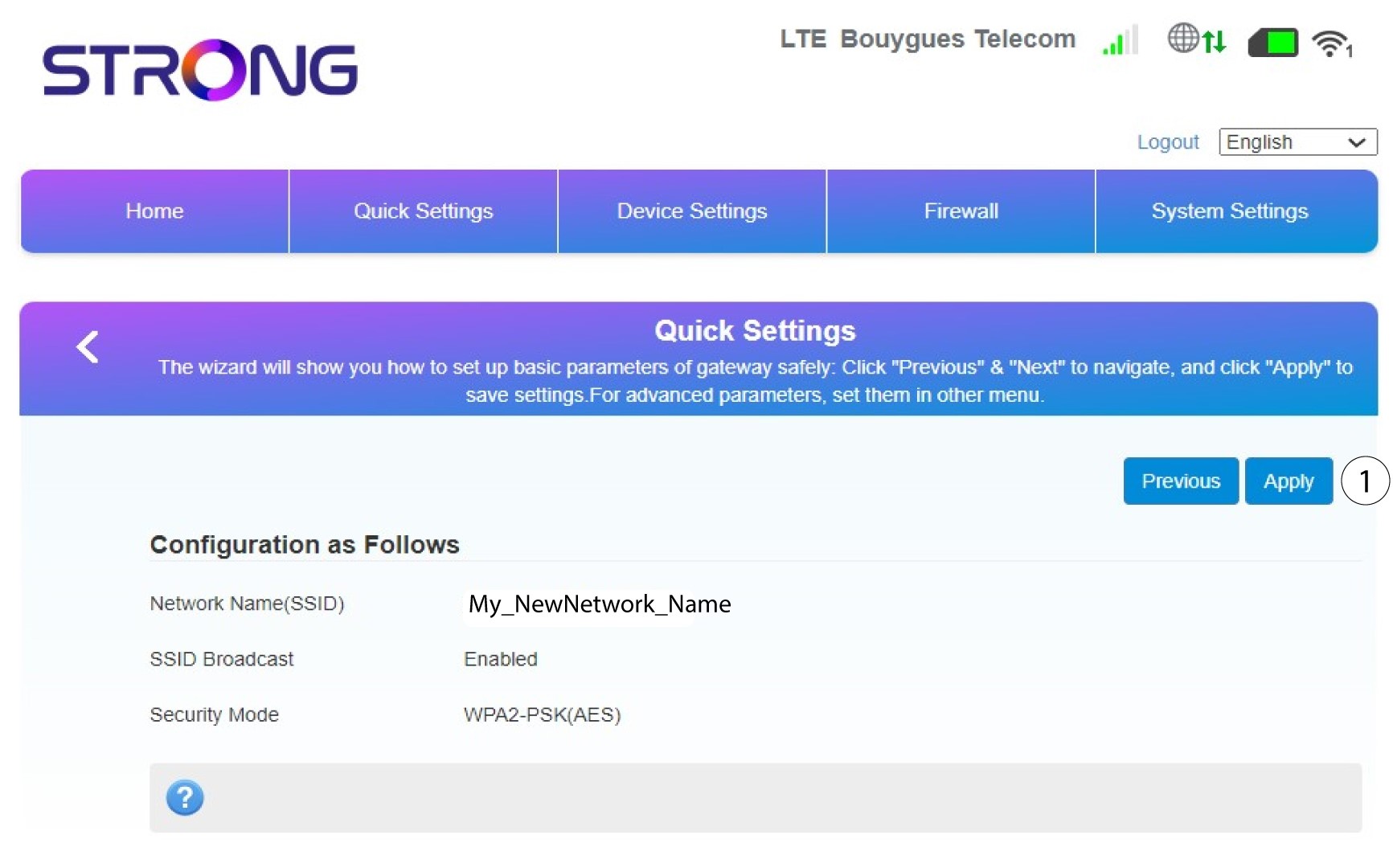
5. Controleerje wijzigingen
Klik op ‘Toepassen’ om de wijzigingen op te slaan.
6. Noteerde nieuwe netwerknaam en het wachtwoord
Schrijf de nieuwe SSID en het wachtwoord die u hebt aangemaakt op een stukje papier.


Zodra je de netwerknaam en het wachtwoord van je router hebt gewijzigd, werkt de QR-code niet meer, omdat de verbindingsgegevens van je router dan anders zijn.