
4G AIRHOME 300 Mini-router met afneembare 4G-antennes
Alle vragen
4G AIRHOME 300 Mini-router met afneembare 4G-antennes
Hoe wijzig ik de SSID en het wachtwoord? (Wifi-instellingen)

Zodra je de netwerknaam en het wachtwoord van je router hebt gewijzigd, werkt de QR-code niet meer, omdat de verbindingsgegevens van je router dan anders zijn.
Schrijf de nieuwe netwerkgegevens alstublieft op een stuk papier.
1. Maak verbindingmet het wifi-netwerk van de router
Om de SSID en het wachtwoord te wijzigen, moet u verbinding maken met het wifi-netwerk van uw apparaat.

2. Ganaar het IP-adres van de webinterface
Voer vervolgens het volgende IP-adres in je browser in: 192.168.0.1.

3. Inlogpagina
Klik vervolgens op ‘Inloggen’.

4Voeruw inloggegevens in
U moet de gebruikersnaam en het wachtwoord invoeren.

5Wi-Fi-instellingen
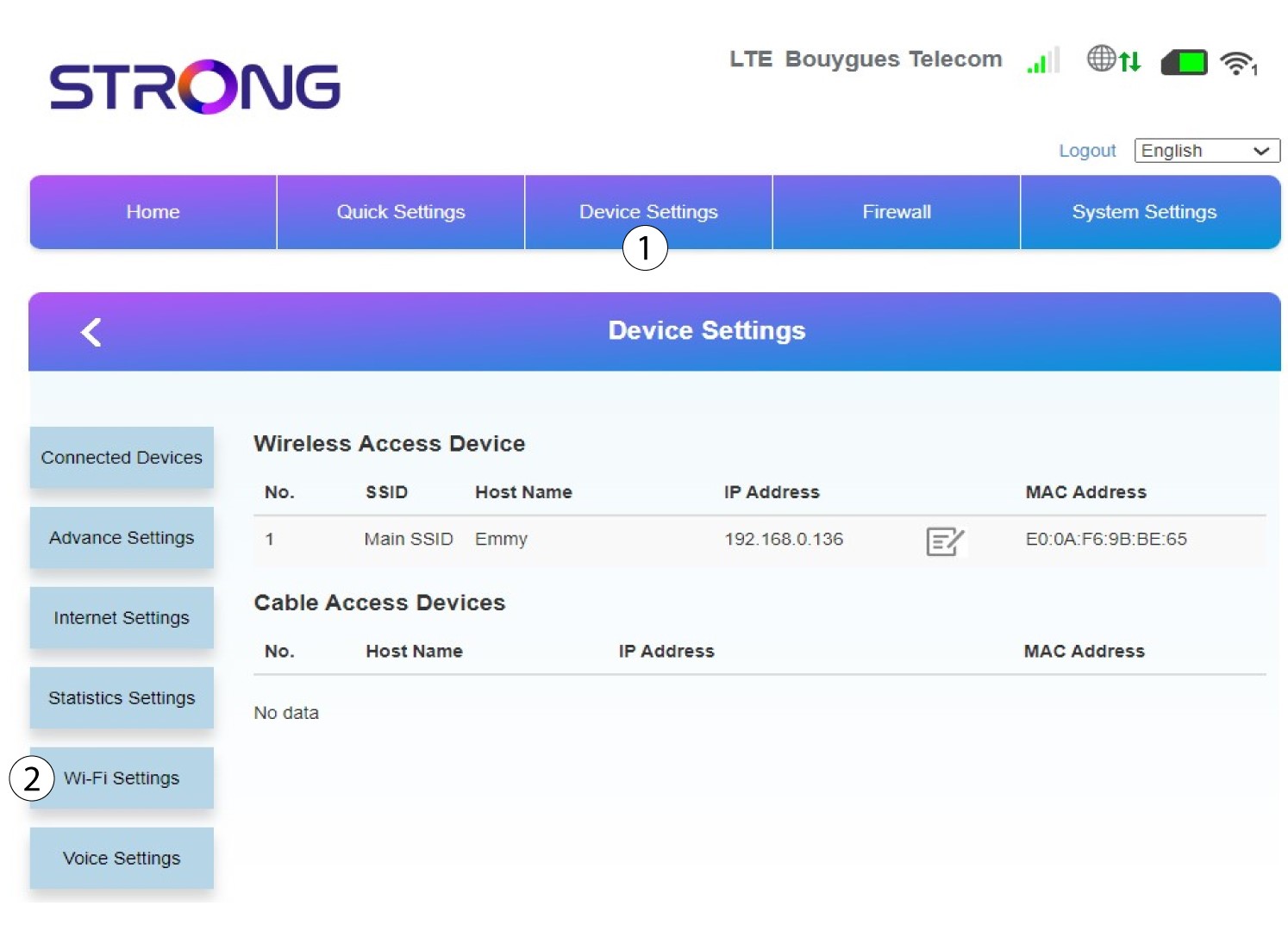
Klik op ‘Apparaatinstellingen ’ en selecteer ‘Wifi-instellingen’.
6. Hoofd-SSID
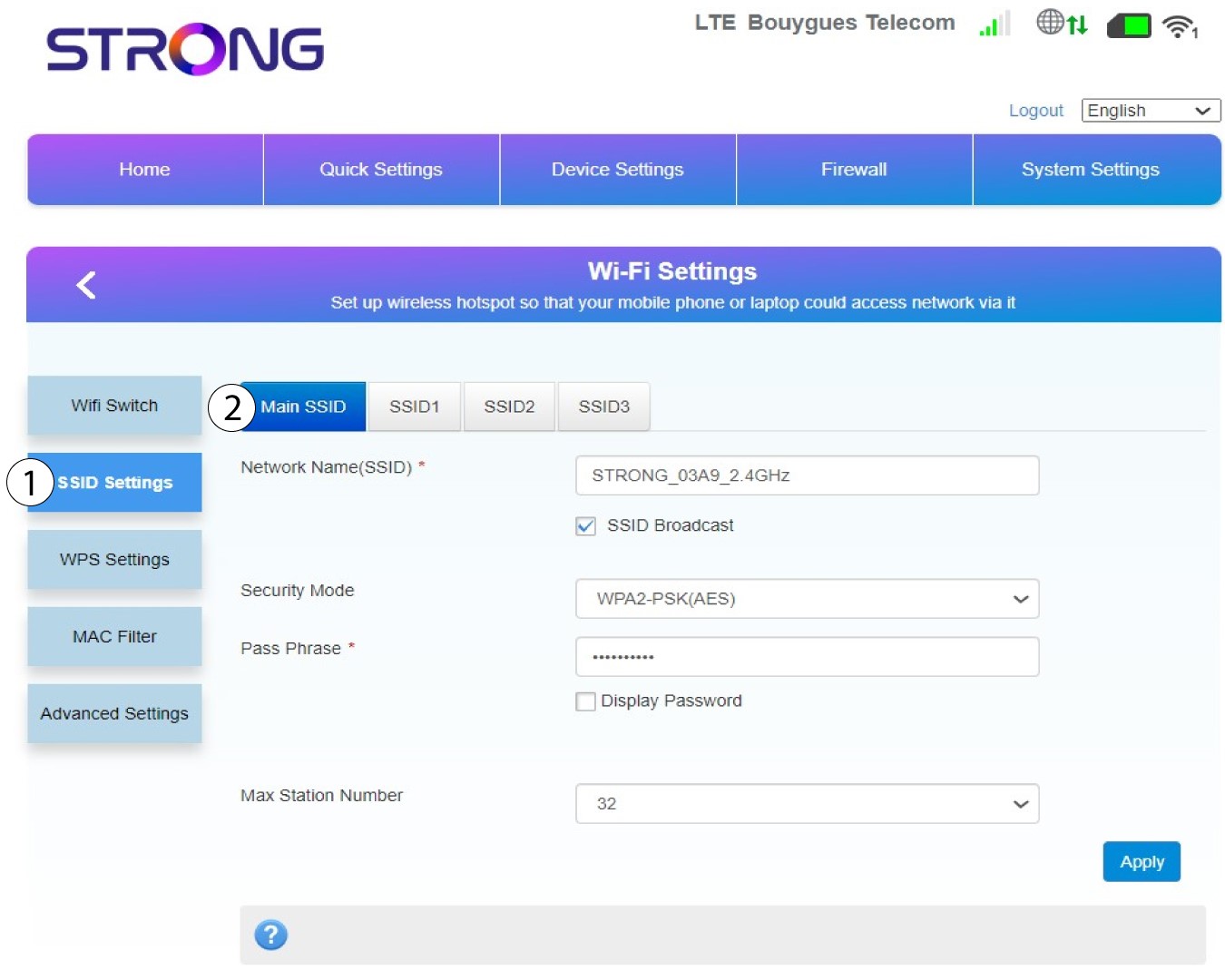
Selecteer vervolgens ‘SSID-instellingen ’ en kies ‘Hoofd-SSID’.
7. Voereen nieuwe netwerknaam en een nieuw wachtwoord in
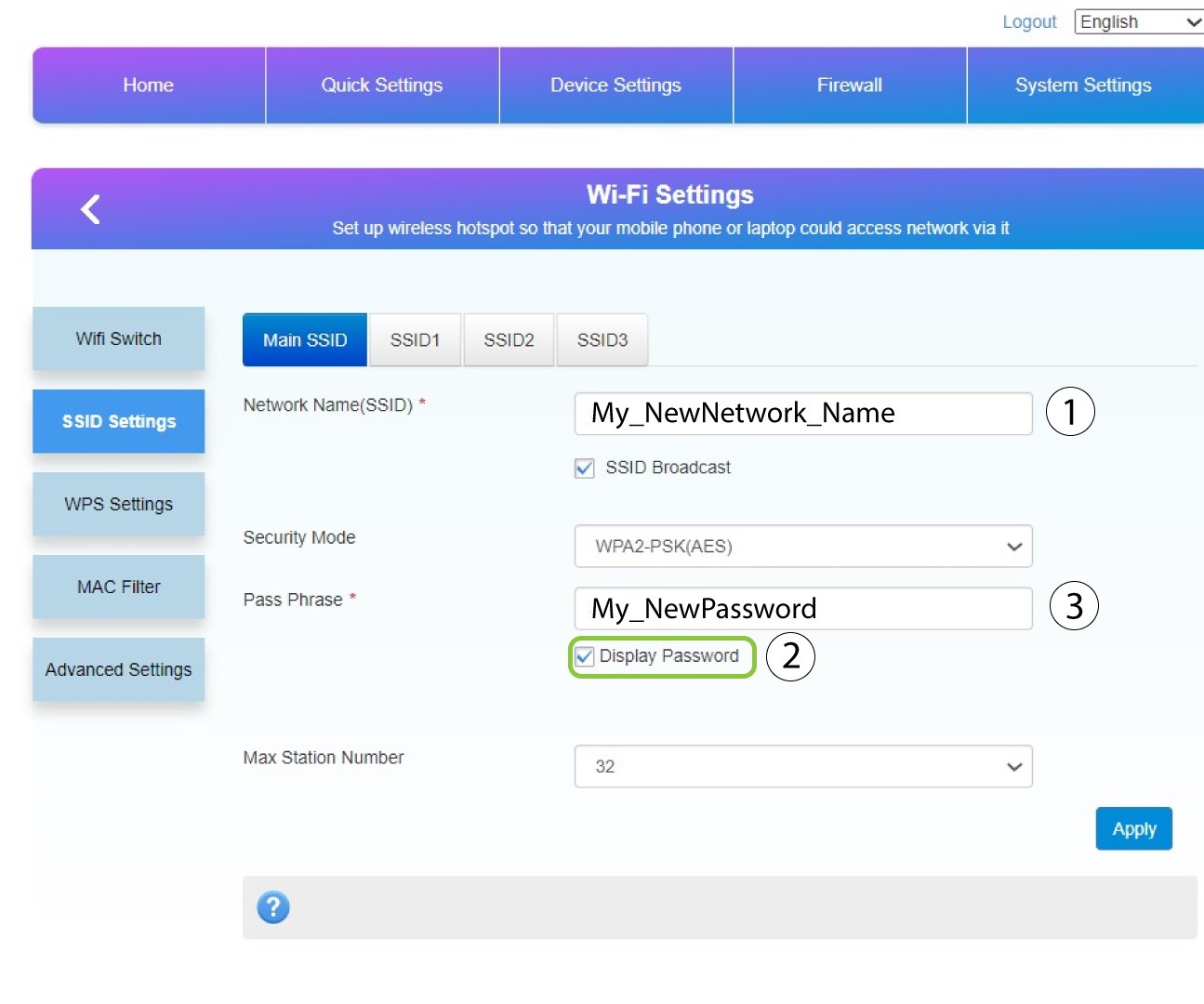
Wijzig de naam die is ingevoerd in het veld ‘Netwerknaam (SSID) ’ en vink het selectievakje ‘Wachtwoord weergeven’ aan. Wijzig vervolgens het wachtwoord dat is ingevoerd in het veld ‘Wachtwoordzin ’.
8. Slaje wijzigingen op
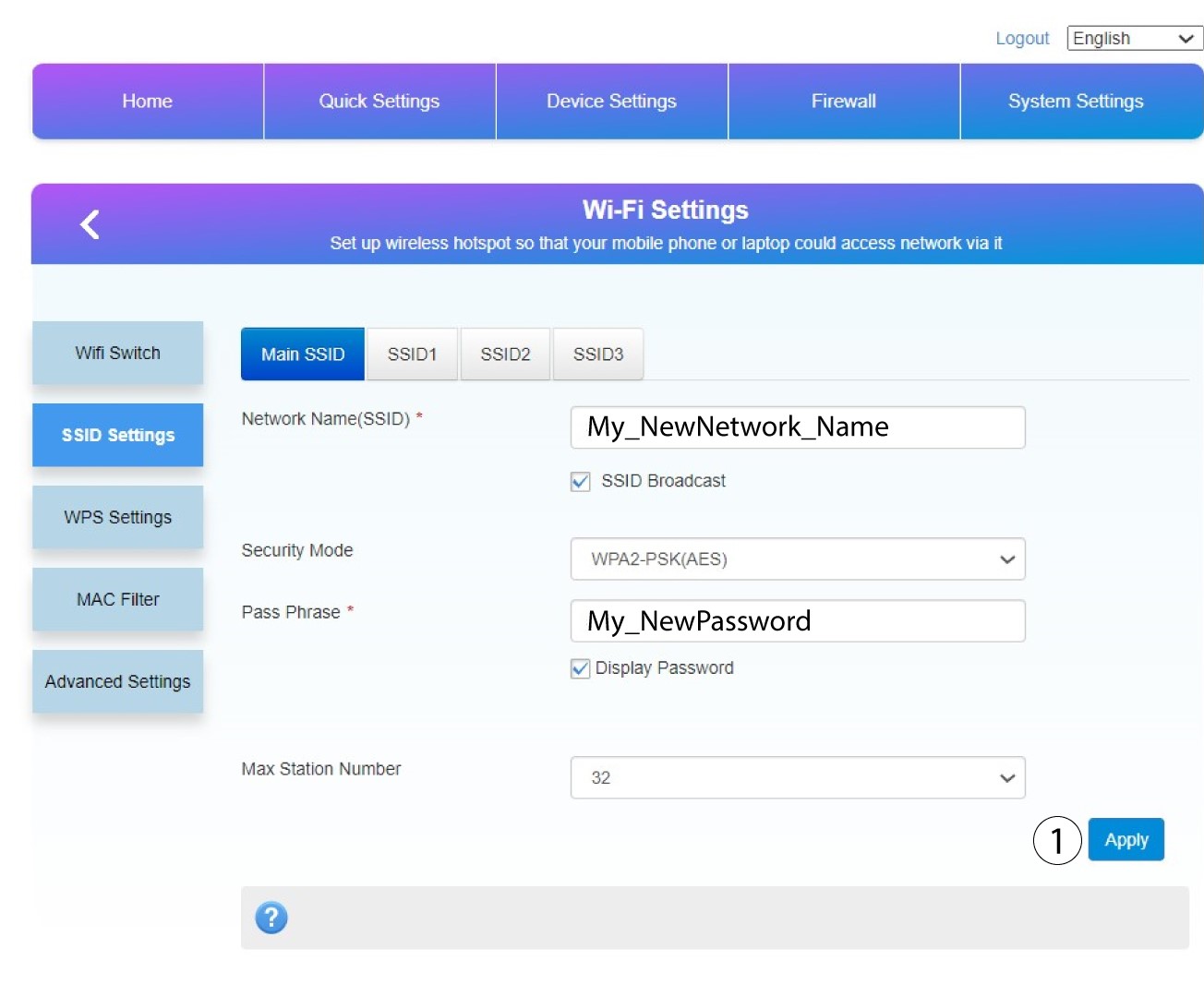
Klik op ‘Toepassen’ om de wijzigingen op te slaan.
9. Noteerje nieuwe informatie
Schrijf je nieuwe SSID en wachtwoord op een papiertje en plak dat op de router.
