
4G AIRHOME 200 Mini-router met afneembare 4G-antennes
Geen items gevonden.
Geen items gevonden.
Alle vragen
4G AIRHOME 200 Mini-router met afneembare 4G-antennes
Geen items gevonden.
Geen items gevonden.
Hoe wijzig ik de SSID (naam van het wifi-netwerk) en het wifi-wachtwoord? (Snelle instellingen)
In de webinterface kunt u op twee manieren de SSID (Wi-Fi-netwerknaam) en het Wi-Fi-wachtwoord van uw router wijzigen:
• Via de snelinstellingen
• Of via de Wi-Fi-instellingen.
1Maak verbindingmet de webinterface
Volg deze procedure om toegang te krijgen tot de webinterface:
2 Snelleinstellingen
Klik hiervoor op ‘Snelle instellingen’ in de bovenste balk.

3APN-instellingen
Klik op ‘Volgende’.
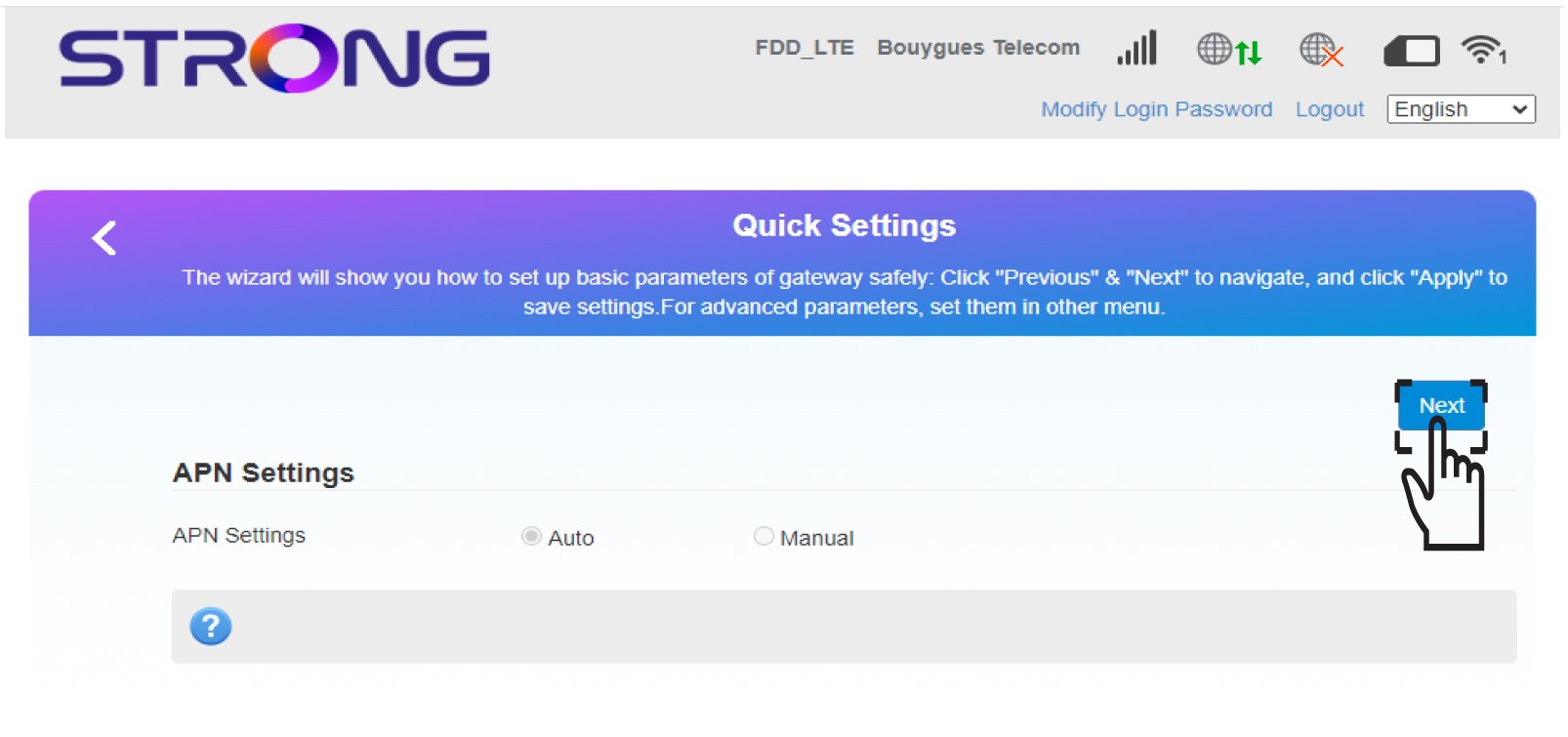
4. Voerde naam van het nieuwe wifi-netwerk in
Voer de nieuwe netwerknaam in en klik op Volgende.

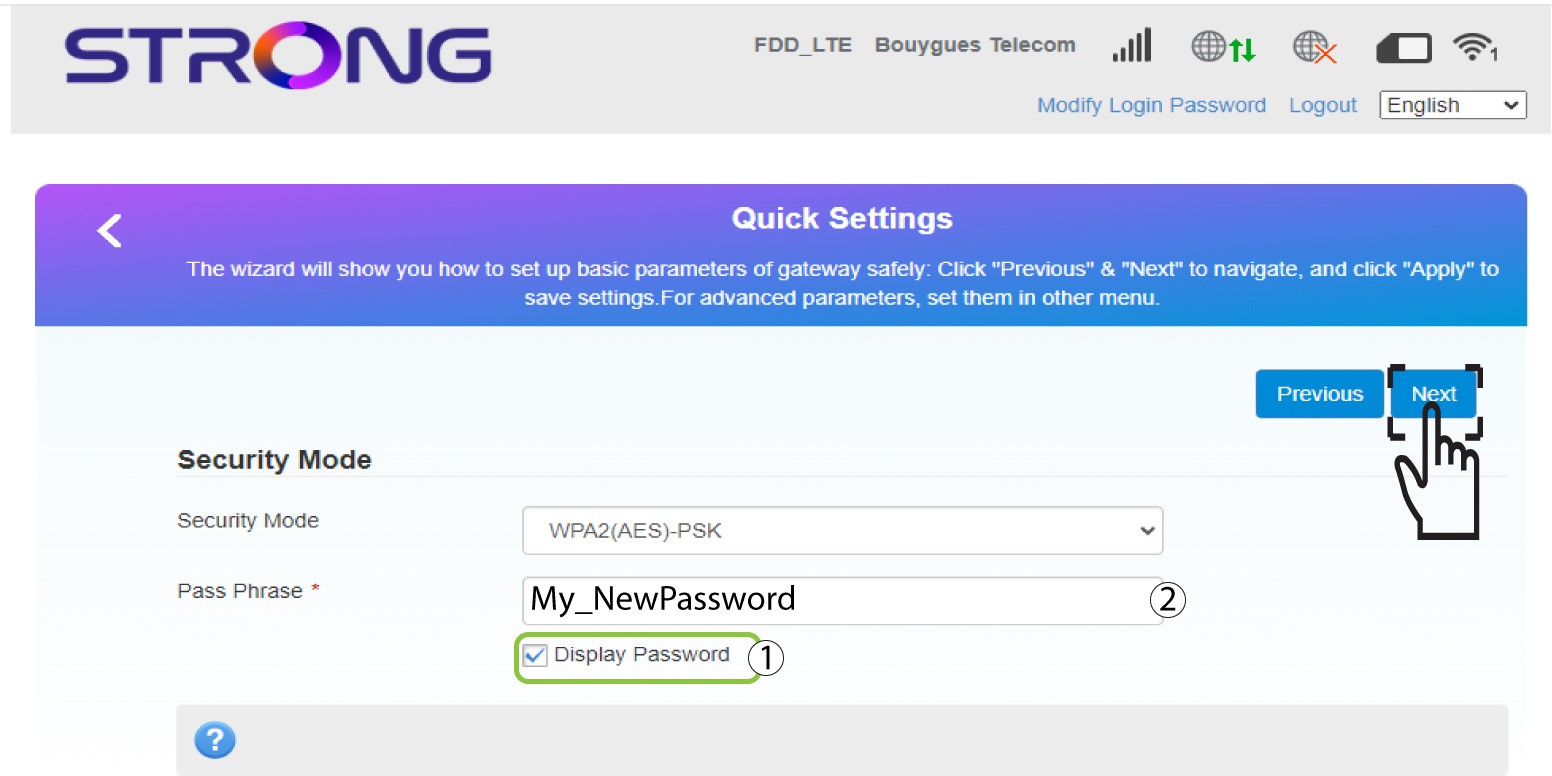
5Voerhet nieuwe wifi-wachtwoord in
Klik op ‘Wachtwoord weergeven ’ en voer het nieuwe wachtwoord voor het wifi-netwerk in. Klik vervolgens op ‘Volgende’.
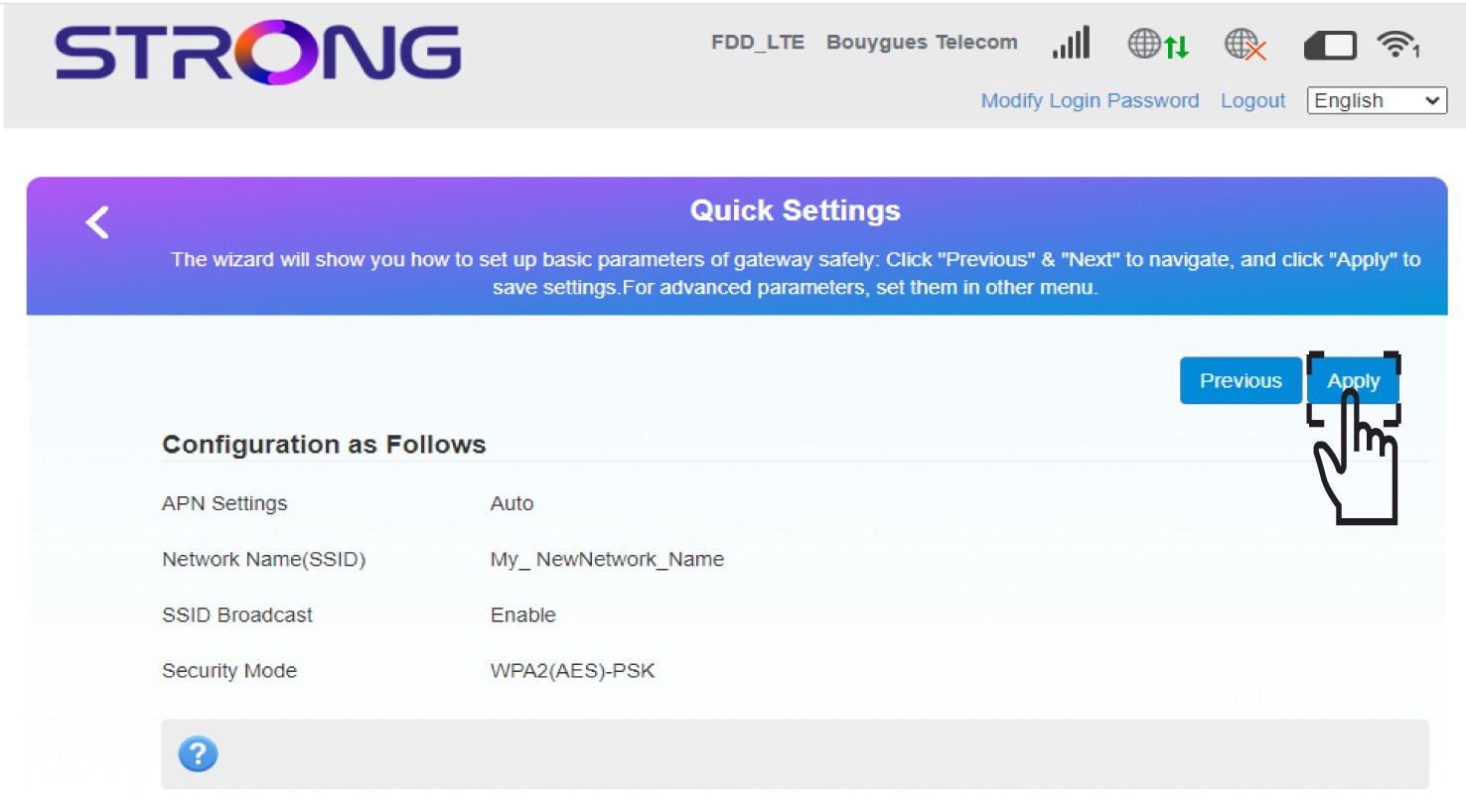
6. Slade wijzigingen op
Klik op ‘Toepassen’ om de wijzigingen op te slaan.
7. Voerde nieuwe netwerkinformatie in
Schrijf de nieuwe netwerkgegevens op een stukje papier.
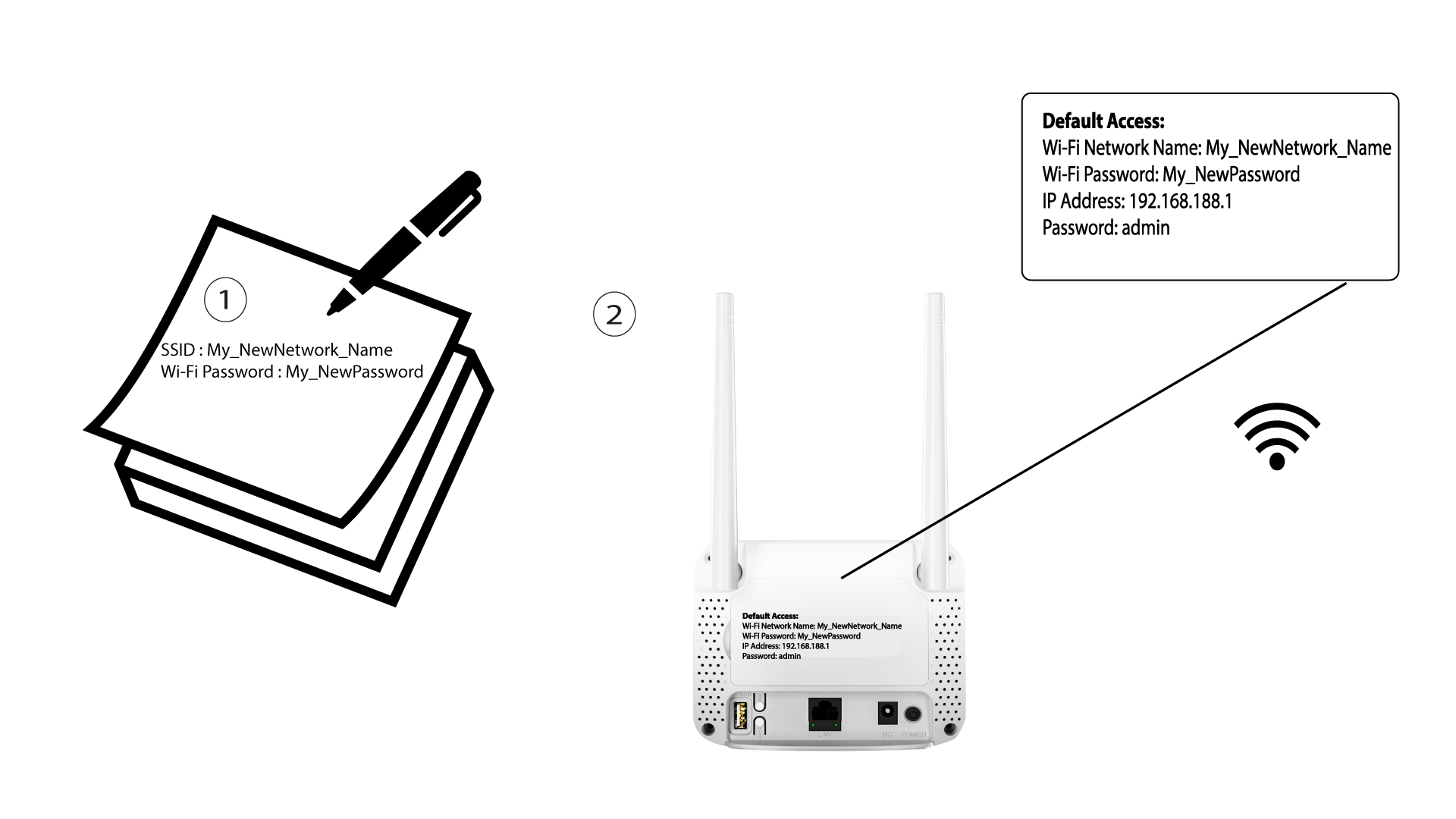

Nadat u de Wi-Fi-netwerkgegevens hebt gewijzigd, worden alle apparaten die met het netwerk waren verbonden automatisch losgekoppeld.