
4G AIRHOME 200 Mini-router met afneembare 4G-antennes
Geen items gevonden.
Geen items gevonden.
Alle vragen
4G AIRHOME 200 Mini-router met afneembare 4G-antennes
Geen items gevonden.
Geen items gevonden.
Hoe wijzig ik de SSID (naam van het wifi-netwerk) en het wifi-wachtwoord? (Wifi-instellingen)
1. Maak verbindingmet het wifi-netwerk van je router
Om de SSID (de naam van het wifi-netwerk) en het wifi-wachtwoord te wijzigen, moet u verbinding maken met het wifi-netwerk van uw apparaat.

2. Ganaar het IP-adres van de webinterface
Voer vervolgens het volgende IP-adres in je browser in: 192.168.188.1.

3. Voeruw inloggegevens voor de rondleiding in
U moet het wachtwoord invoeren.

4. Wi-Fi-instellingen
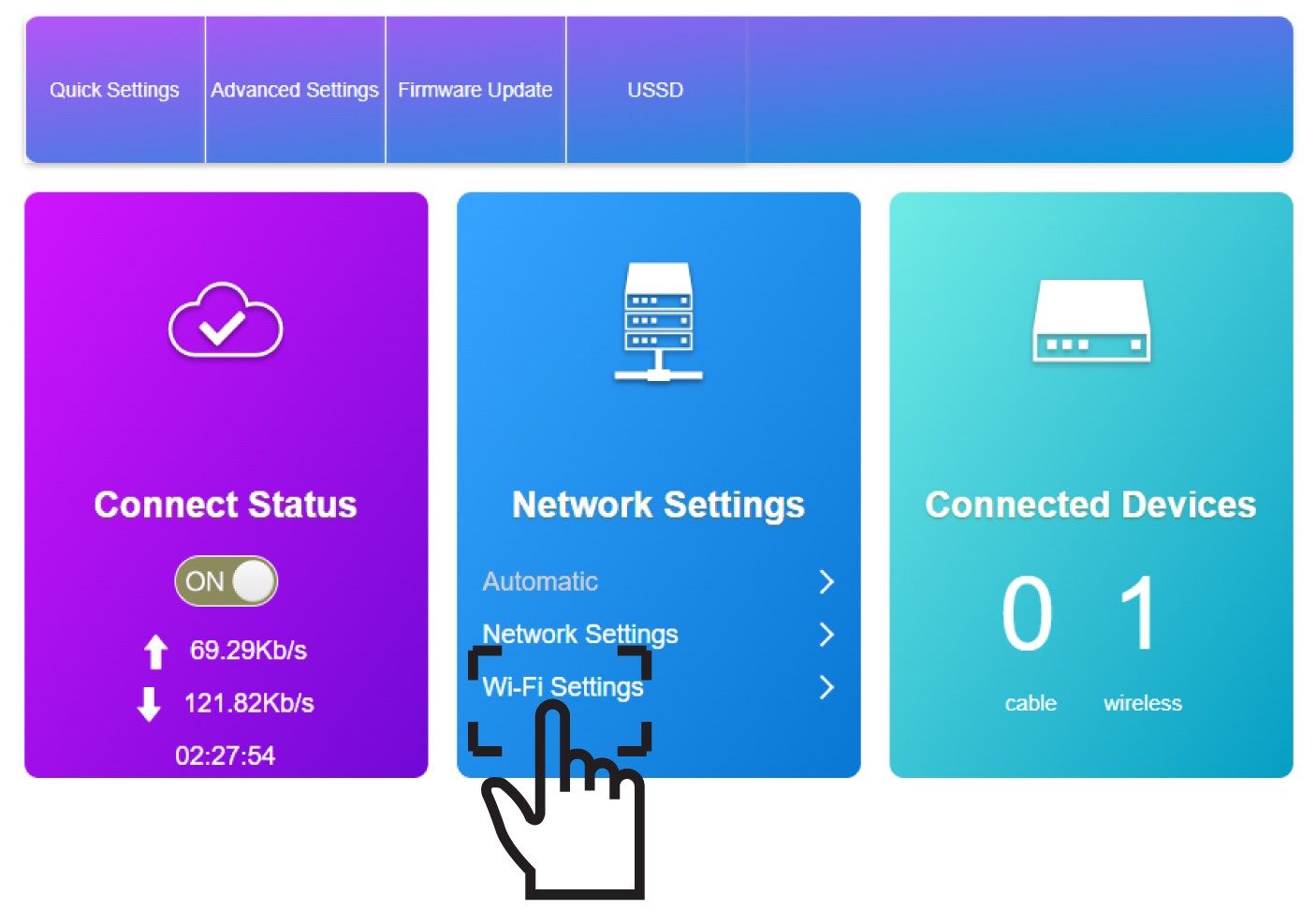
Klik op ‘Wi-Fi-instellingen ’ in het gedeelte ‘Netwerkinstellingen’.
5. Voerde nieuwe netwerkgegevens in
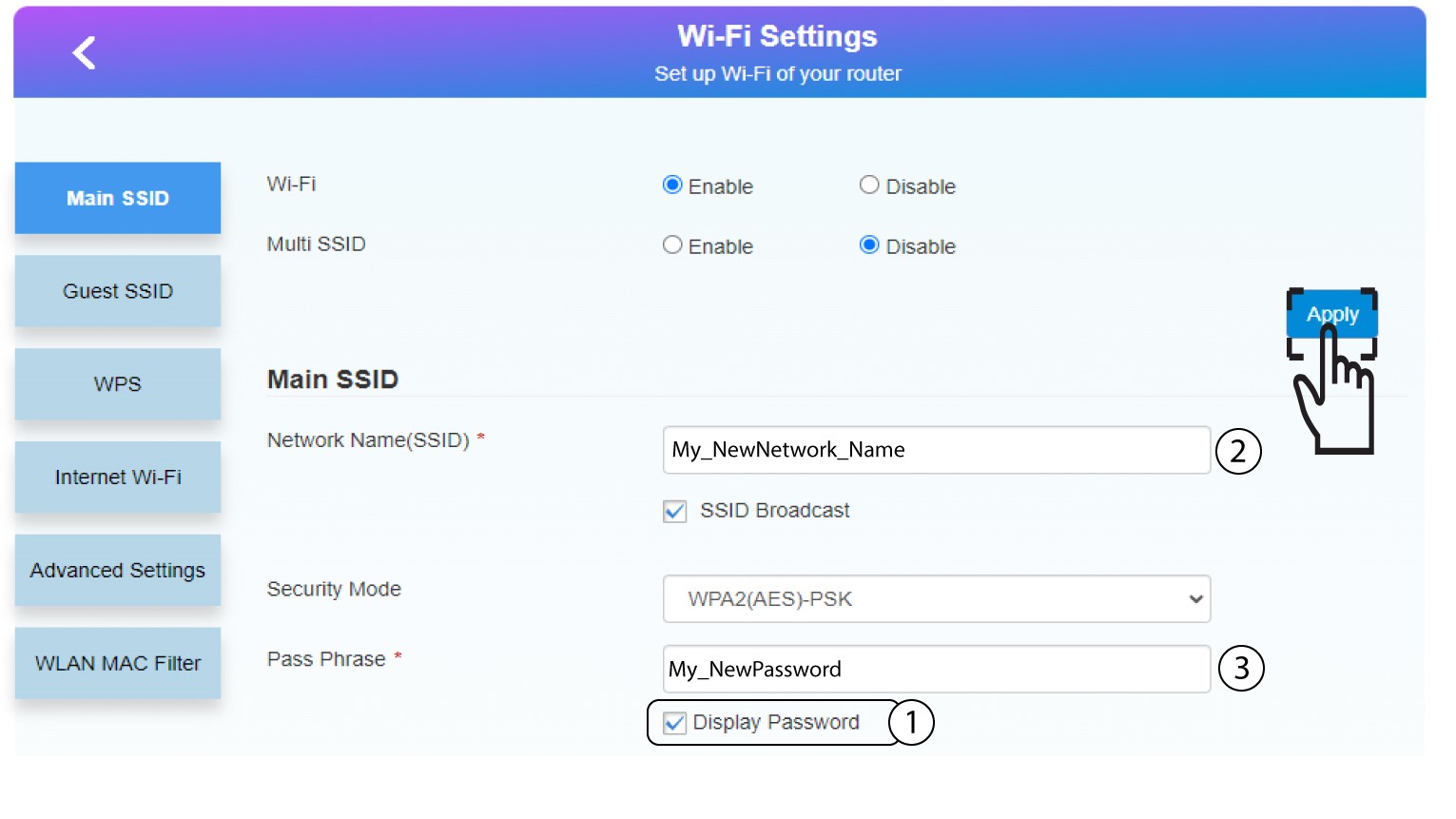
Klik op ‘Wachtwoord weergeven’ en voer de volgende gegevens in voordat u op ‘Toepassen’ klikt:
a. Voer de nieuwe netwerknaam in.
b. Voer het nieuwe wifi-wachtwoord in.
6. Slade nieuwe netwerkinformatie op
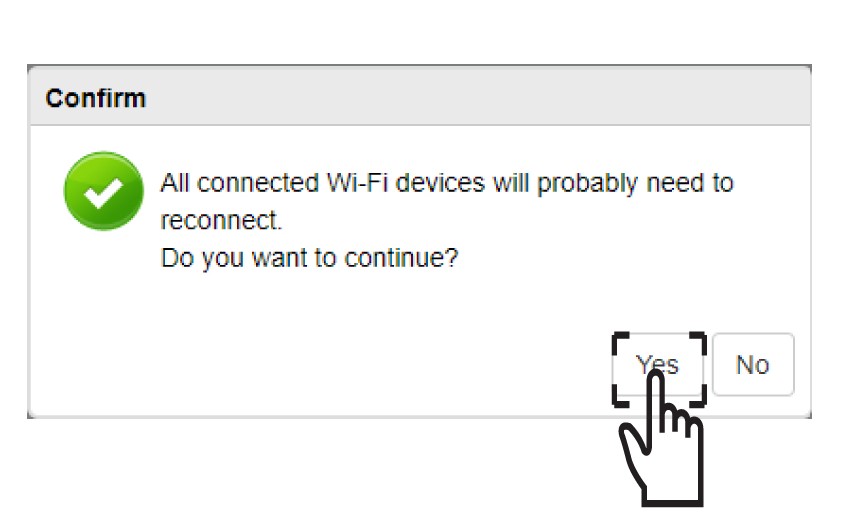
Klik in het pop-upvenster op Jaom je wijzigingen toe te passen.
7. Noteerde nieuwe netwerkinformatie
Schrijf de nieuwe netwerkgegevens op een stukje papier.
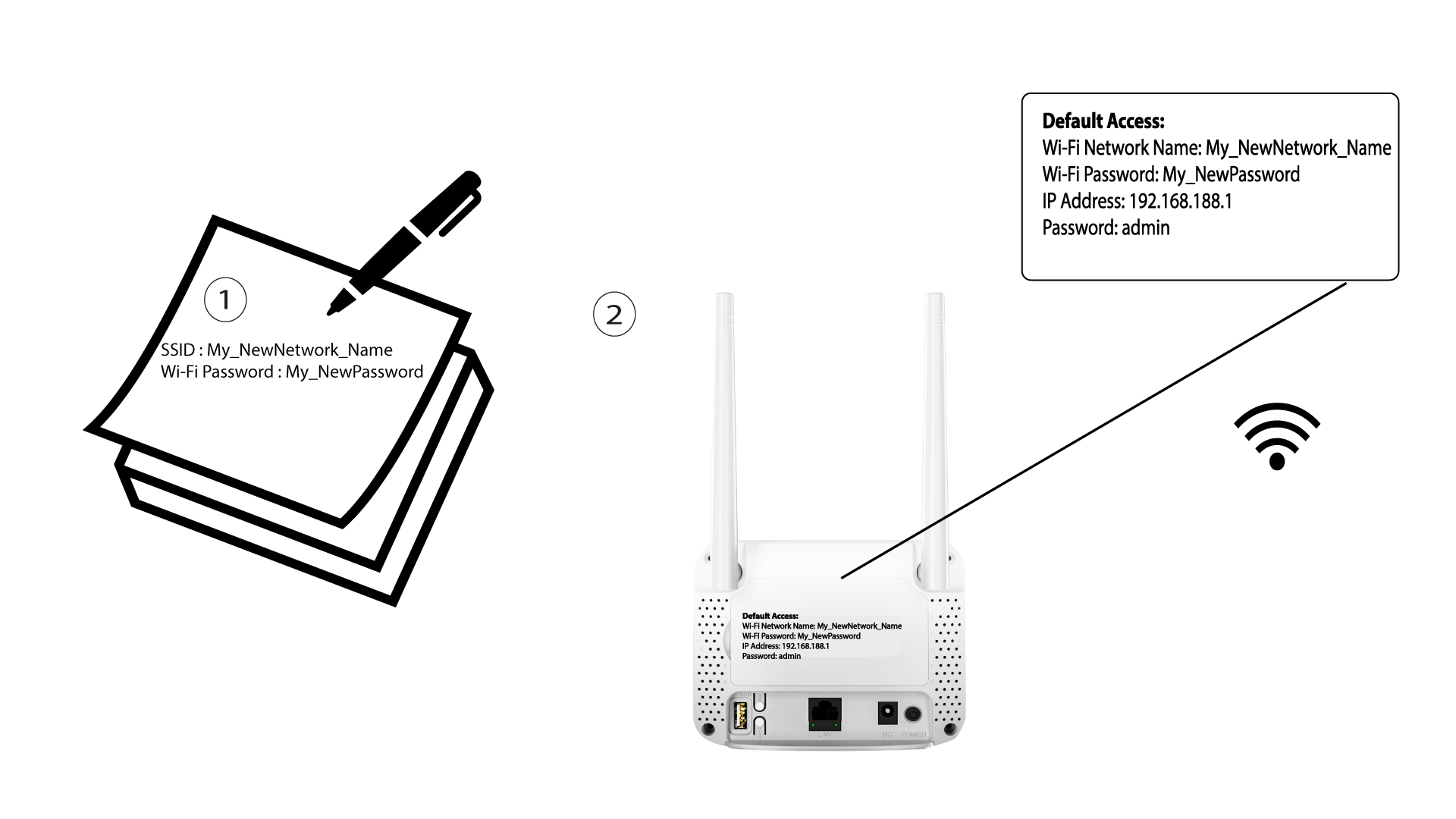

Nadat u de Wi-Fi-netwerkgegevens hebt gewijzigd, worden alle apparaten die met het netwerk waren verbonden automatisch losgekoppeld.