
4G+ AIRSPOT 520 Mobiele wifi met touchscreen
Geen items gevonden.
Geen items gevonden.
Alle vragen
4G+ AIRSPOT 520 Mobiele wifi met touchscreen
Geen items gevonden.
Geen items gevonden.
Hoe voer ik mijn pincode in? (Mi-Fi-scherm)
Wanneer u uw simkaart voor het eerst plaatst, vraagt het apparaat u om de pincode in te voeren.
1. Openhet toetsenbord
Klik op het penpictogram om het numerieke toetsenblok te openen.
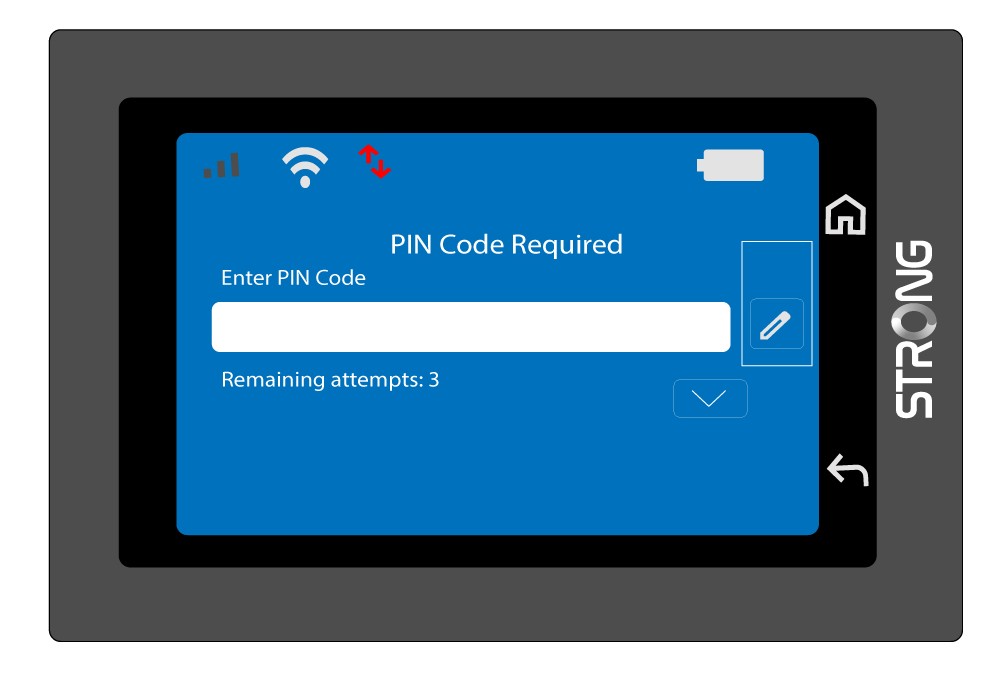
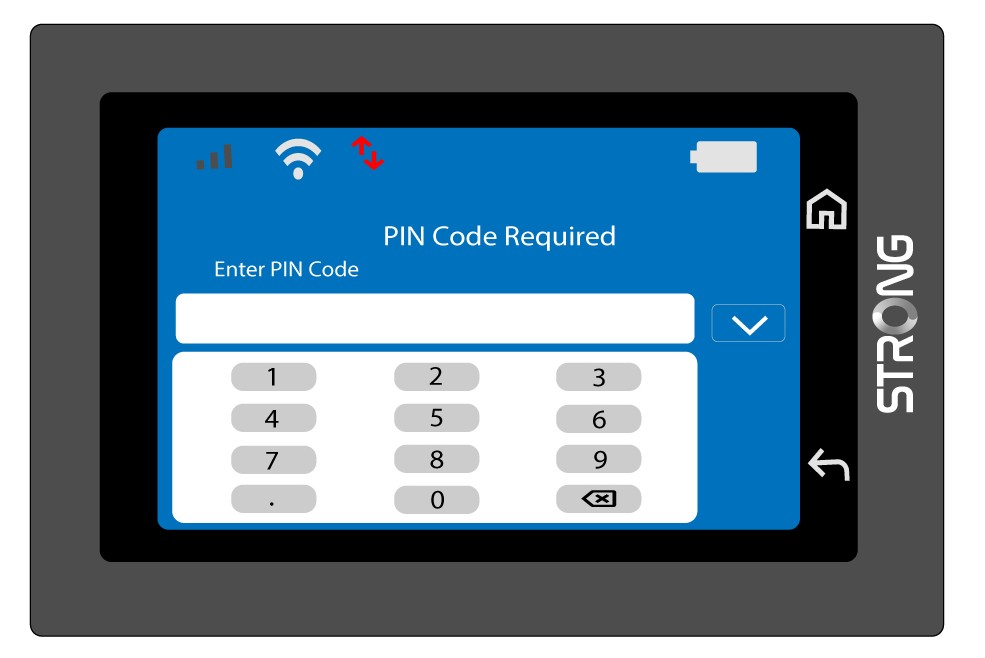
2Voerde pincode in
Voer uw pincode in via het numerieke toetsenbord en tik vervolgens op het (v)-pictogram om te bevestigen.
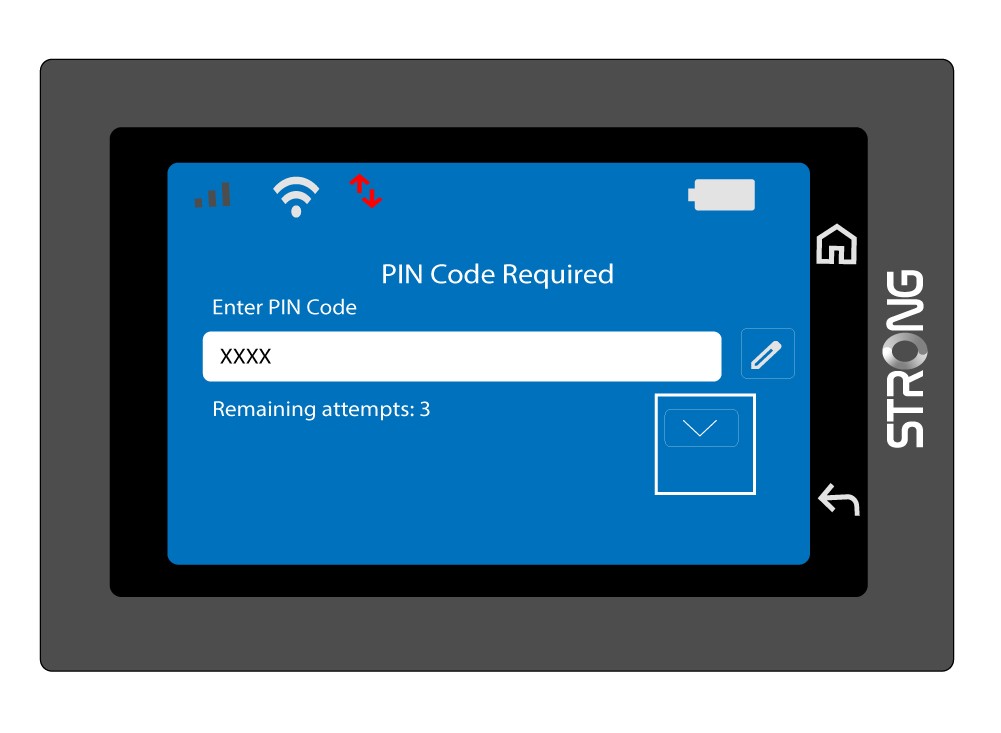
3. Bevestigde code
Bevestig de pincode op het hoofdscherm.
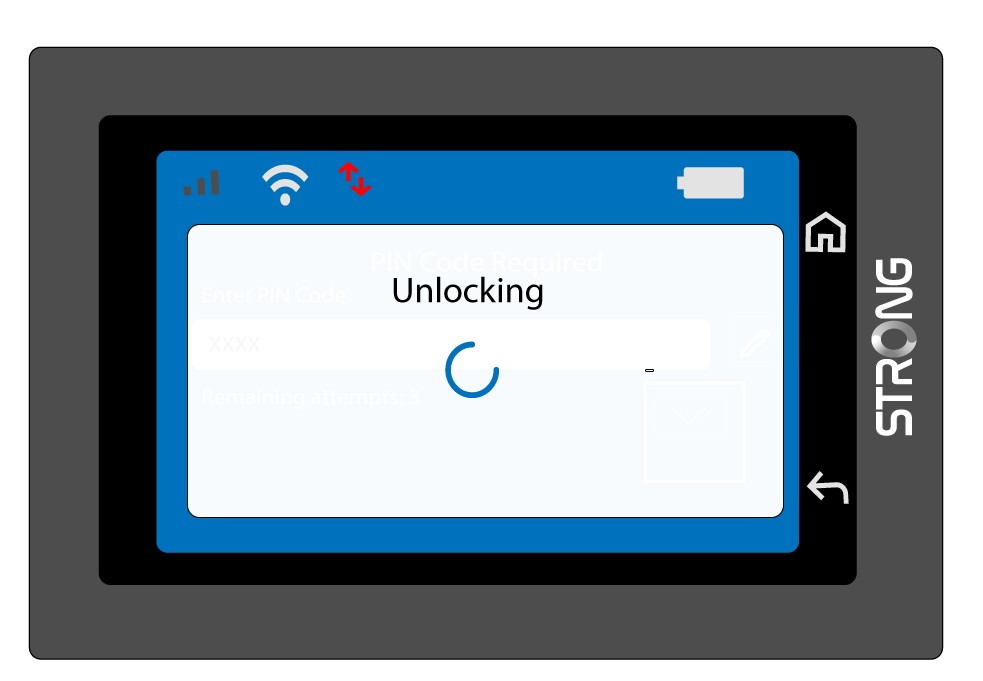
4. Wachtop bevestiging
Wacht tot het ontgrendelingsbericht van het scherm verdwijnt.
5. Klaarvoor gebruik
Je zou het volgende scherm moeten zien.
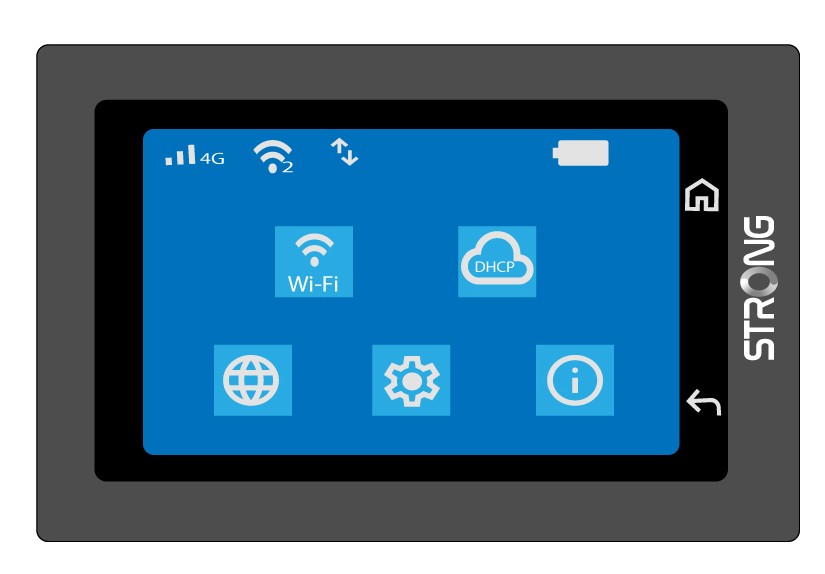
Na de eerste succesvolle inlogbeurt slaat de Mi-Fi je pincode op.