
4G+ AIRSPOT 520 Mobiele wifi met touchscreen
Geen items gevonden.
Geen items gevonden.
Alle vragen
4G+ AIRSPOT 520 Mobiele wifi met touchscreen
Geen items gevonden.
Geen items gevonden.
Hoe zet ik mijn router terug naar de fabrieksinstellingen? (Resetknop)
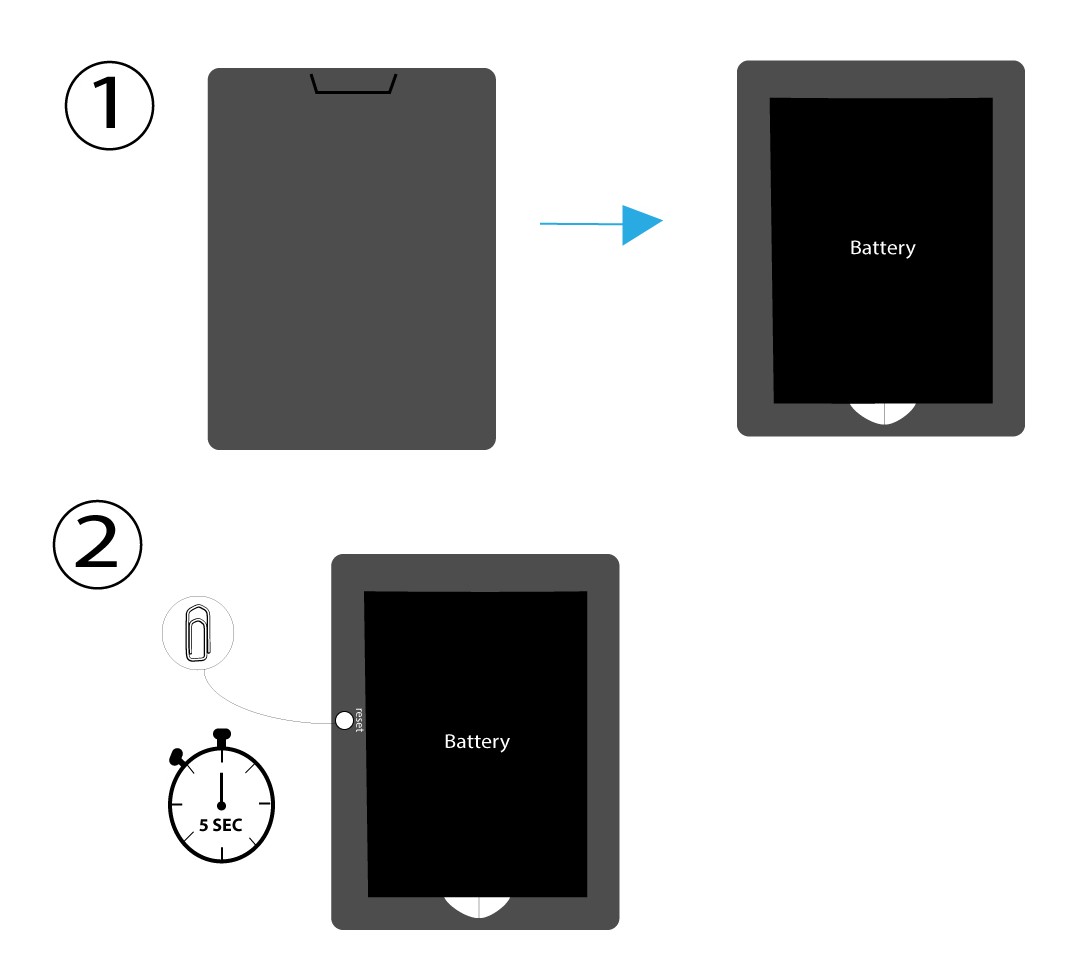
VOORBEELD 1: Resetknop
Verwijder hiervoor het klepje aan de achterkant van de router en druk met een paperclip 5 seconden lang op de RESET-knop.
VOORBEELD 2: Fabrieksinstellingen herstellen via de webinterface
1. Fabrieksinstellingenherstellen in de webinterface
Volg de hier beschreven stappen om verbinding te maken met de web-UI: Hoe krijg ik toegang tot de web-UI?
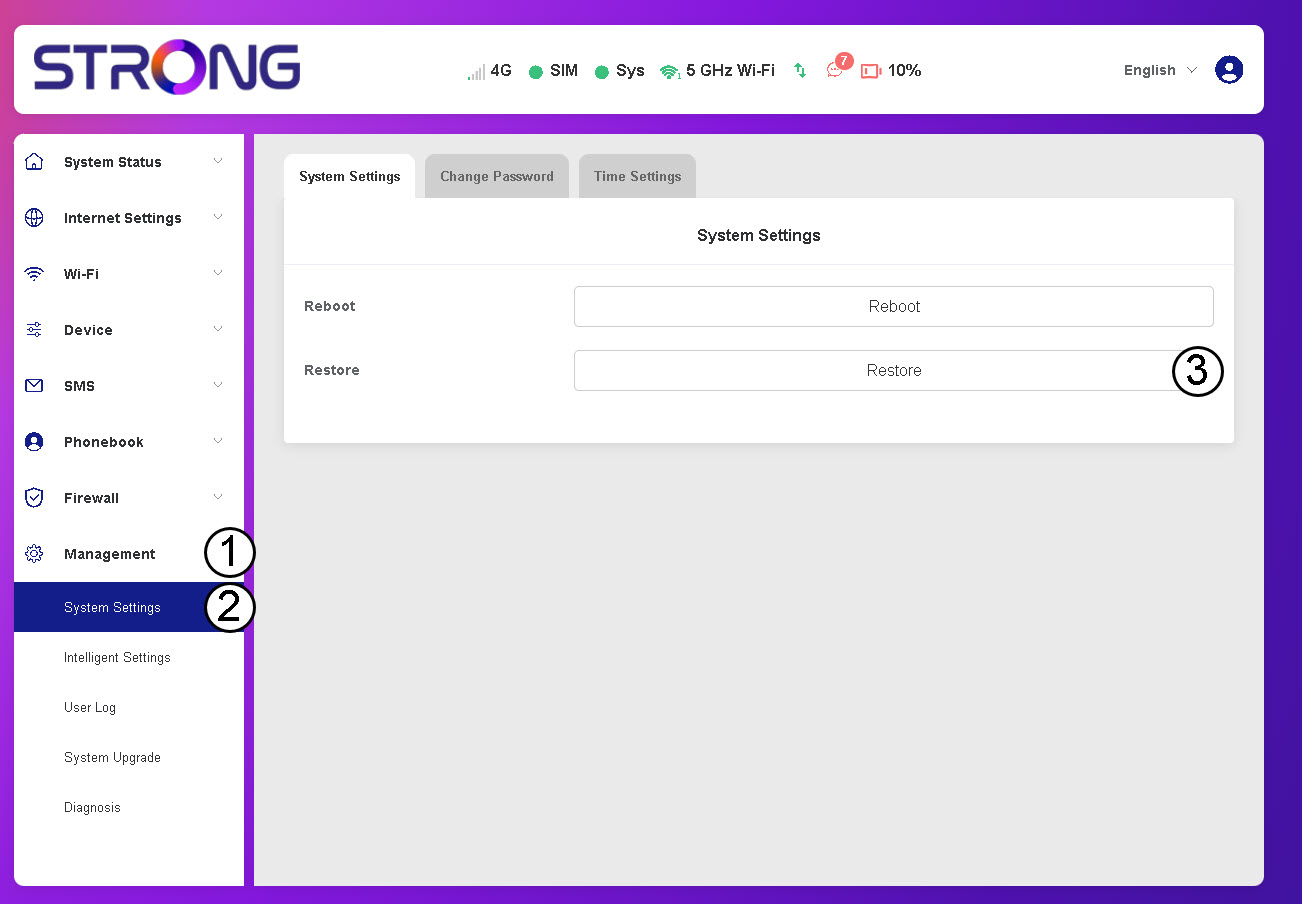
2Ganaar de optie ‘Herstellen’
Klik op ‘Beheer’, ‘Systeeminstellingen ’ en‘Herstellen’.
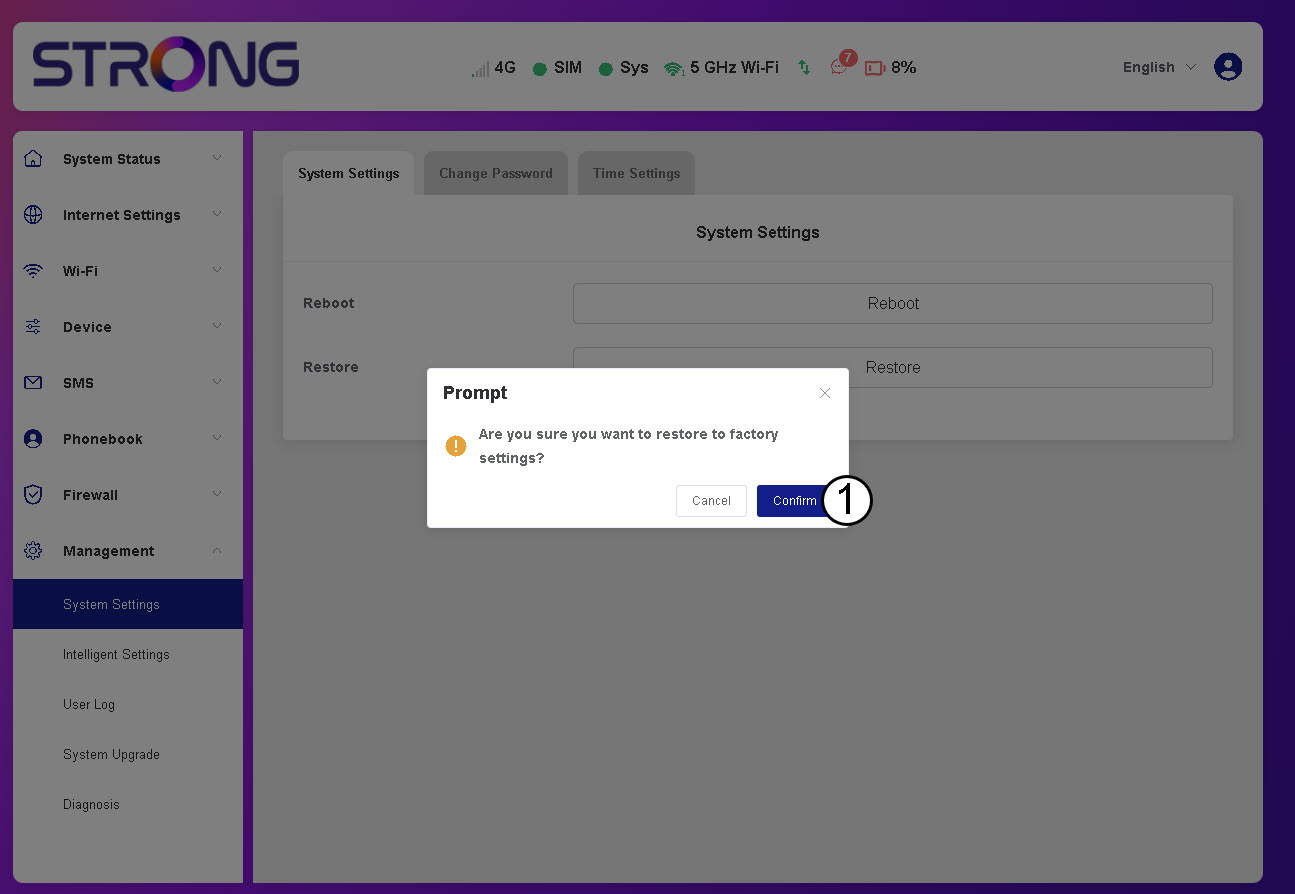
3. Klikop ‘Bevestigen’
4. Wachttot de router opnieuw is opgestart
Even geduld a.u.b., de router wordt uit- en weer ingeschakeld zodra het proces is voltooid.
VOORBEELD 3: Resetknop