
Dubbelband-repeater 1200
Geen items gevonden.
Geen items gevonden.
Alle vragen
Dubbelband-repeater 1200
Geen items gevonden.
Geen items gevonden.
Hoe kan ik de firmware van mijn repeater updaten?
1. Controleerof er een firmware-update beschikbaar is
Voordat u de update uitvoert, moet u naar het downloadgedeelte van onze website gaan om te controleren of er een nieuwe softwareversie beschikbaar is.
2Ganaar de downloadpagina
Klik op HULP > Downloads.

3Kiesuw product
Zodra u naar de pagina ‘Downloads’ bent gegaan, klikt u op ‘Thuisnetwerken en repeaters’ en vervolgens op de productreferentie.
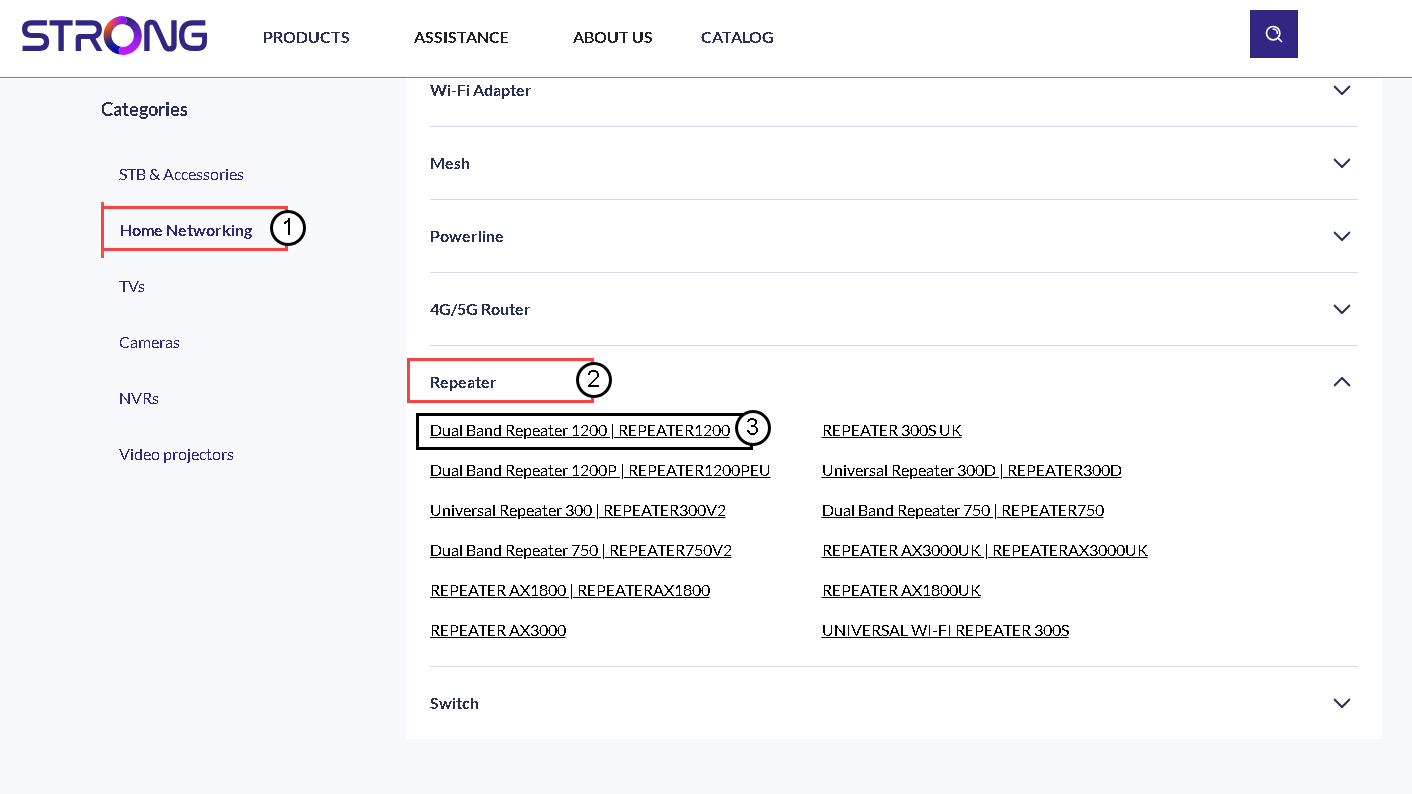
4. De firmware downloaden
Op de onderstaande pagina vindt u de nieuwe softwareversie onder het kopje ‘firmware’. Als er een bestand beschikbaar is, kunt u dit downloaden.
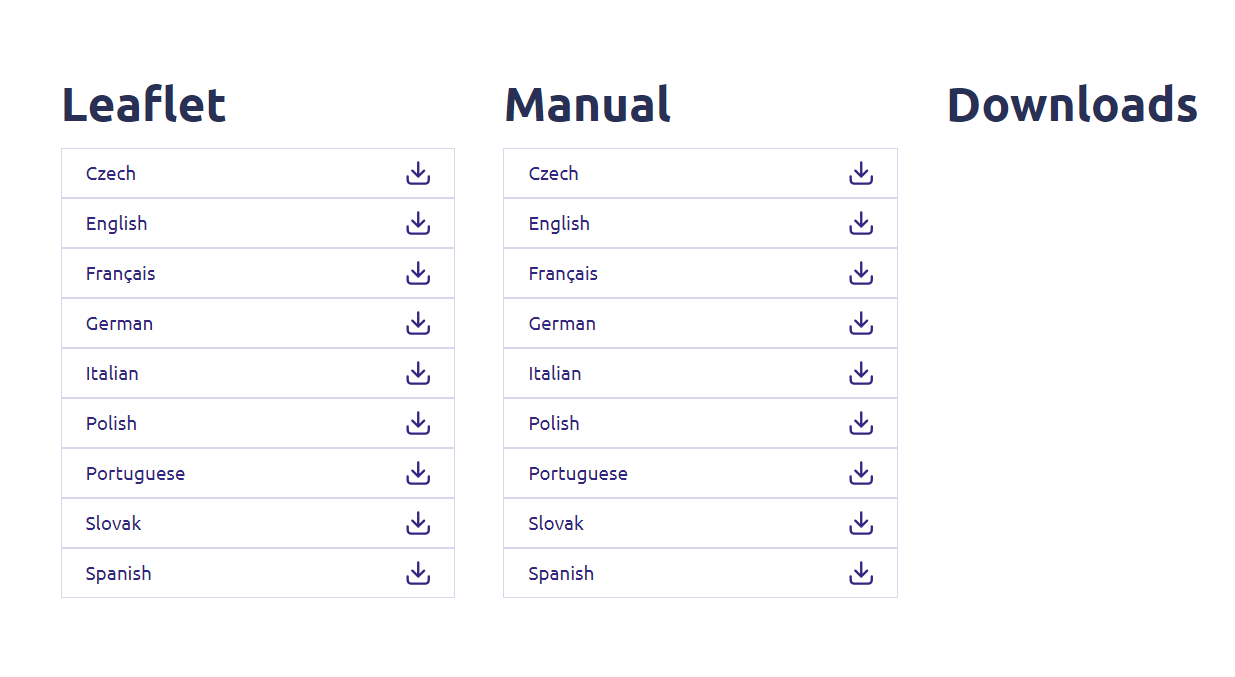
5. Maak verbindingmet de repeater
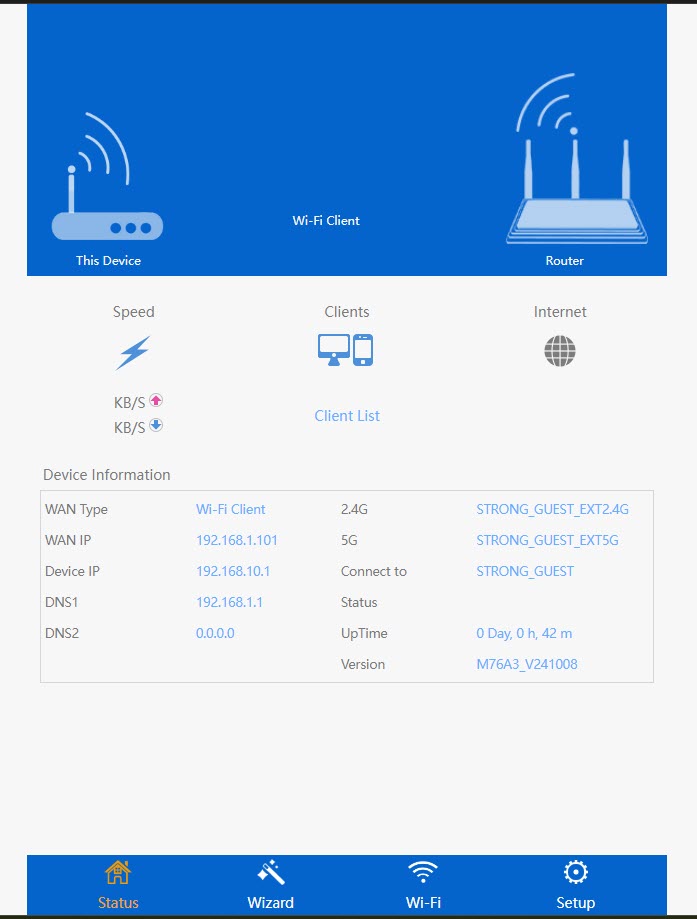
Zodra dit is gebeurd, maak je verbinding met het wifi-netwerk van de repeater.

6. Opende webinterface
Ga naar de URL van de webinterface.

7. Openhet instellingenmenu
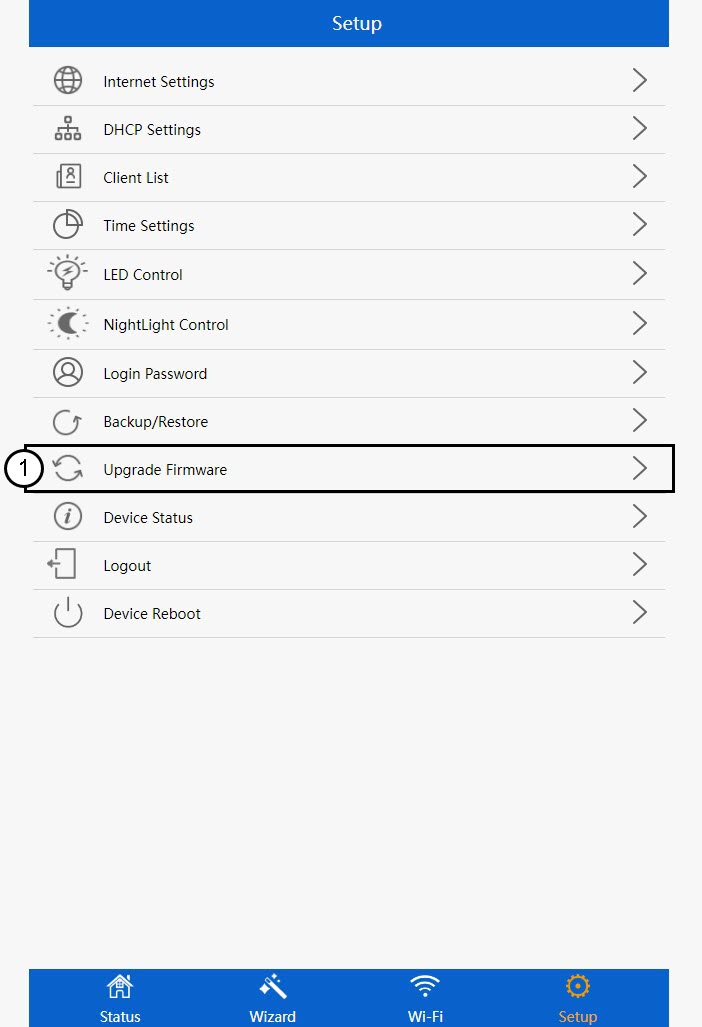
Klik op 'Setup'.
8. Startde firmware-upgrade
Klik op 'Firmware bijwerken'.
9. Pasde update toe
Selecteer je bestand en klik op ‘Toepassen’. De update wordt dan automatisch gestart.
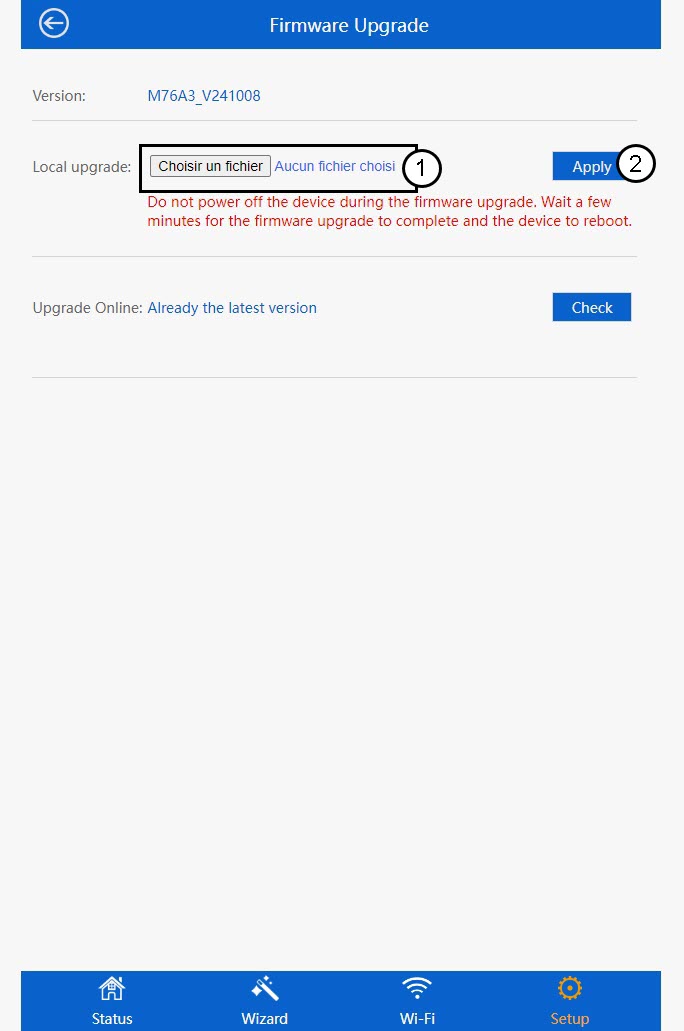
 Waarschuwing: Wacht tot de update is voltooid en het apparaat opnieuw is opgestart. Na de update moet u opnieuw verbinding maken met het wifi-netwerk.