Mini router 4G AIRHOME 300 z odłączanymi antenami 4G
Nie znaleziono żadnych elementów.
Nie znaleziono żadnych elementów.
Wszystkie pytania
Mini router 4G AIRHOME 300 z odłączanymi antenami 4G
Nie znaleziono żadnych elementów.
Nie znaleziono żadnych elementów.
Jak zmienić kod PIN karty SIM?
1. Połącz sięz siecią Wi-Fi routera
Należy połączyć się z interfejsem użytkownika (Web UI). W tym celu należy wprowadzić w urządzeniu identyfikator SSID i hasło routera.

2. Przejdźdo adresu IP interfejsu użytkownika (Web UI)
Następnie wpisz w przeglądarce następujący adres IP: 192.168.0.1

3 Strona logowania
Po przejściu na stronę o podanym adresie IP kliknij przycisk „Zaloguj się”.

4. Wprowadźswoje dane logowania
Należy wprowadzić nazwę użytkownika i hasło. Następnie należy kliknąć przycisk „Zaloguj się”.

5. Ustawienia zaawansowane
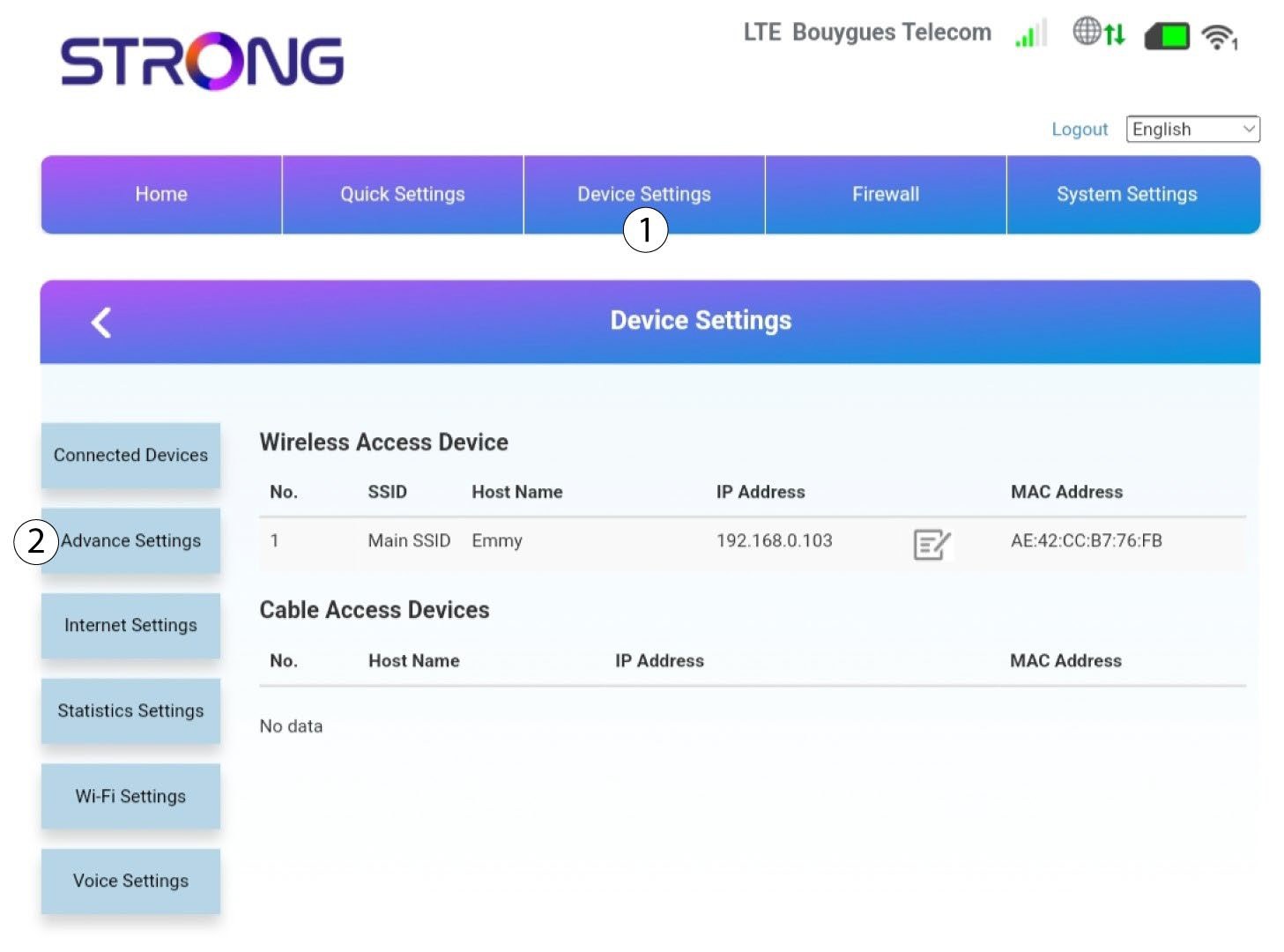
Następnie kliknij opcję „Ustawienia urządzenia ”, a potem zakładkę „Ustawienia zaawansowane ”.
Zarządzanie 6PIN
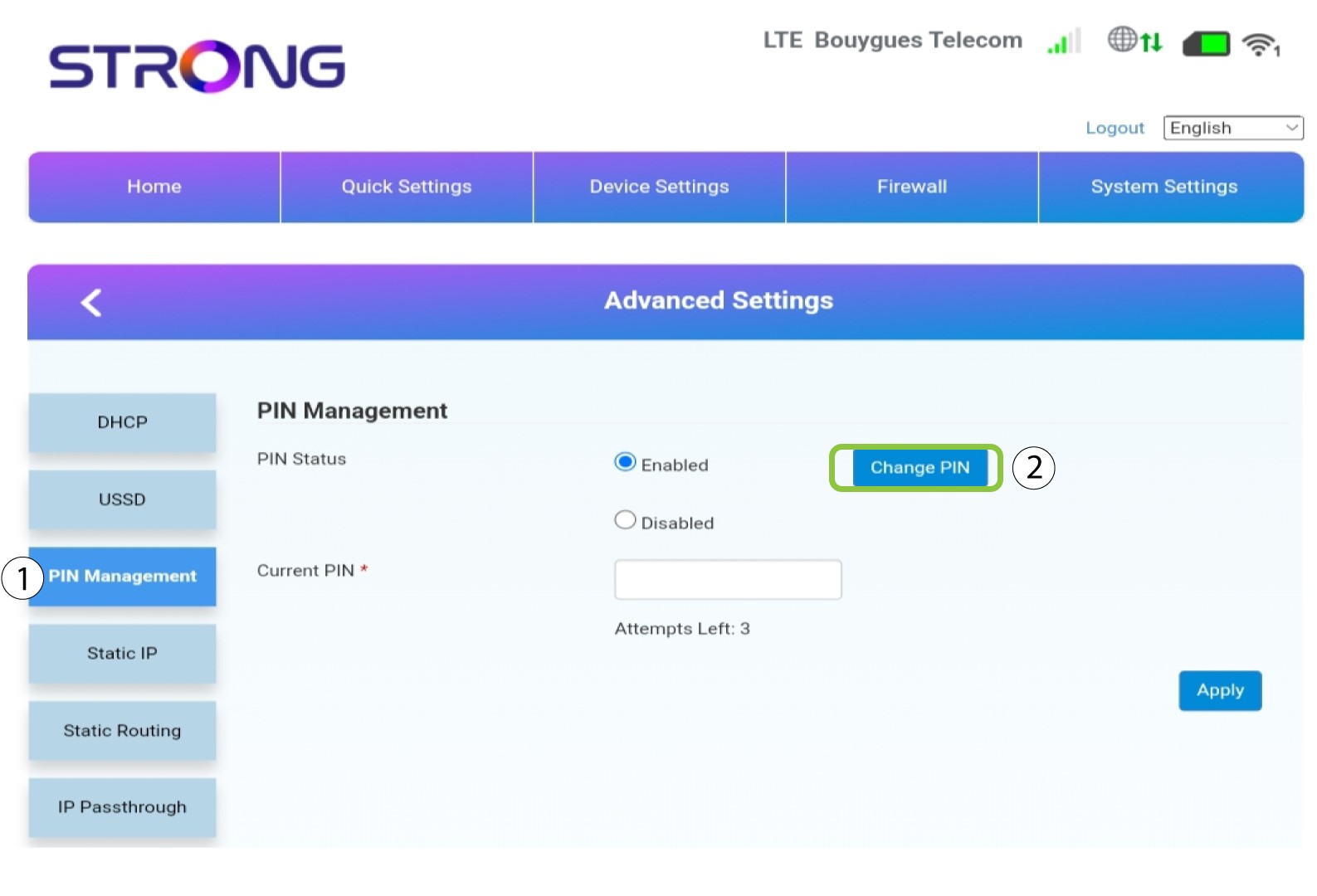
Kliknij opcję „Zarządzanie kodem PIN ” i „Zmień kod PIN”.
7. Ustawnowy kod PIN
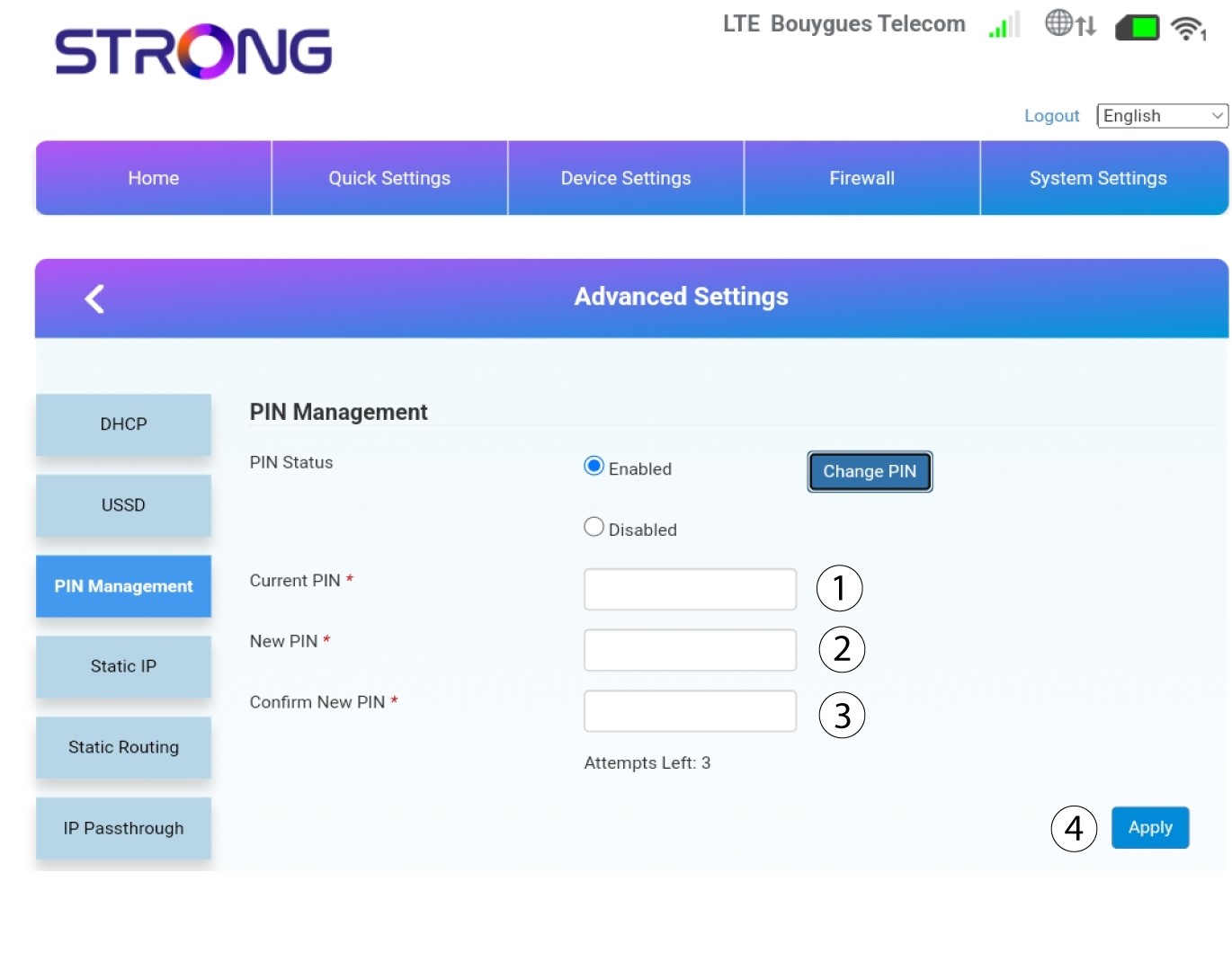
Wprowadź poniższe dane i kliknij „Zastosuj”:
• Obecny kod PIN: wprowadź kod PIN swojej karty SIM.
• Nowy kod PIN: wprowadź nowy kod PIN.
• Potwierdź nowy kod PIN: wprowadź ten sam kod PIN, co w poprzednim polu.