
Mini router 4G AIRHOME 300 z odłączanymi antenami 4G
Nie znaleziono żadnych elementów.
Nie znaleziono żadnych elementów.
Wszystkie pytania
Mini router 4G AIRHOME 300 z odłączanymi antenami 4G
Nie znaleziono żadnych elementów.
Nie znaleziono żadnych elementów.
Jak zmienić identyfikator SSID i hasło? (Szybkie ustawienia)
Jak zmienić identyfikator SSID i hasło?
W interfejsie użytkownika (Web UI) istnieją dwa sposoby zmiany identyfikatora SSID i hasła routera:
• Za pomocą opcji „Szybkie ustawienia”
• Lub za pomocą opcji „Ustawienia Wi-Fi”.
1. Szybkieustawienia
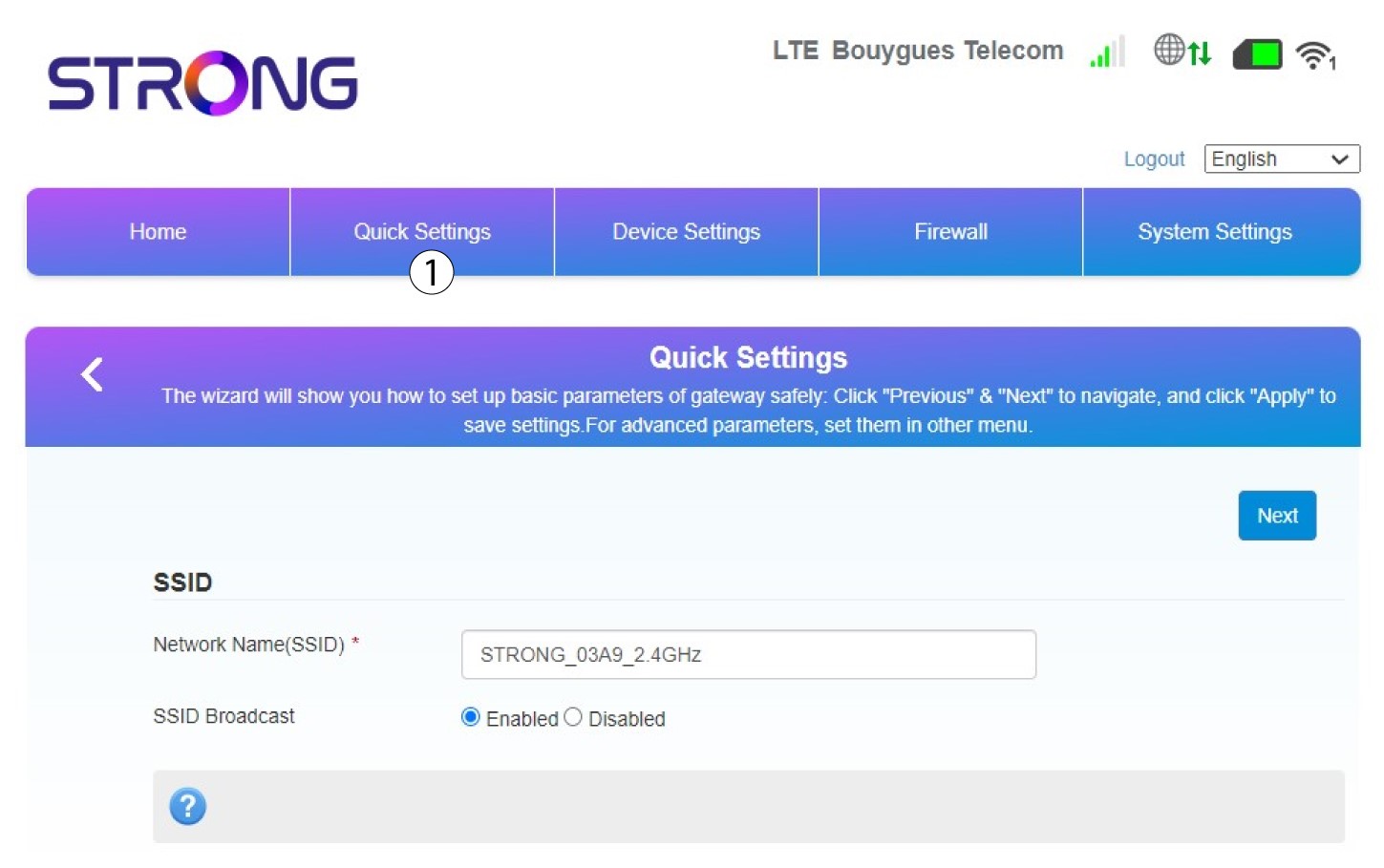
W interfejsie użytkownika sieci Web opcja „Szybkie ustawienia ” pozwala zmienić dane sieci: jej nazwę i hasło.
W tym celu kliknij opcję „Szybkie ustawienia ” na górnym pasku.
2. Wprowadźnową nazwę sieci
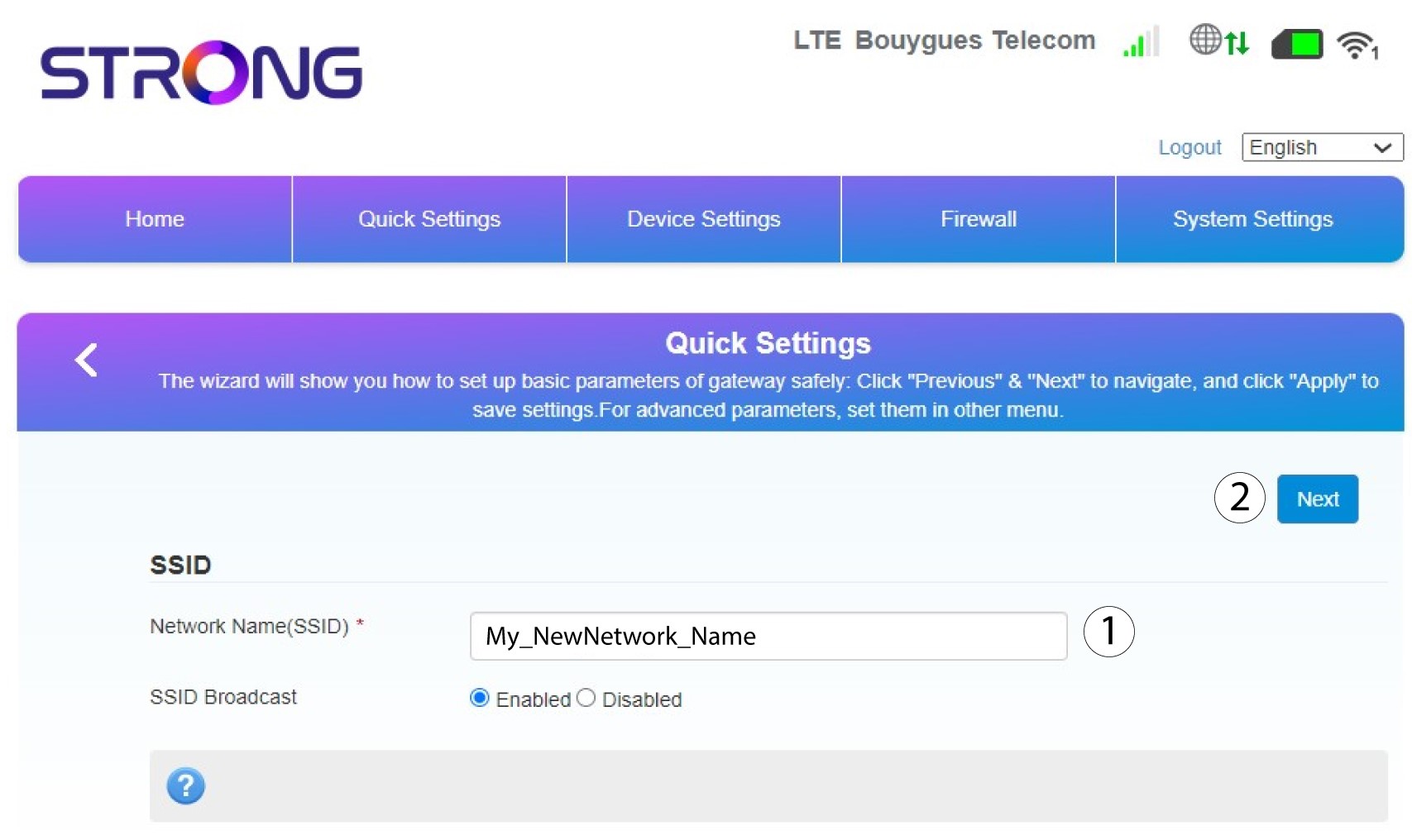
Następnie wprowadź nową nazwę sieci i kliknij „Dalej”.
3. Wyświetlswoje hasło
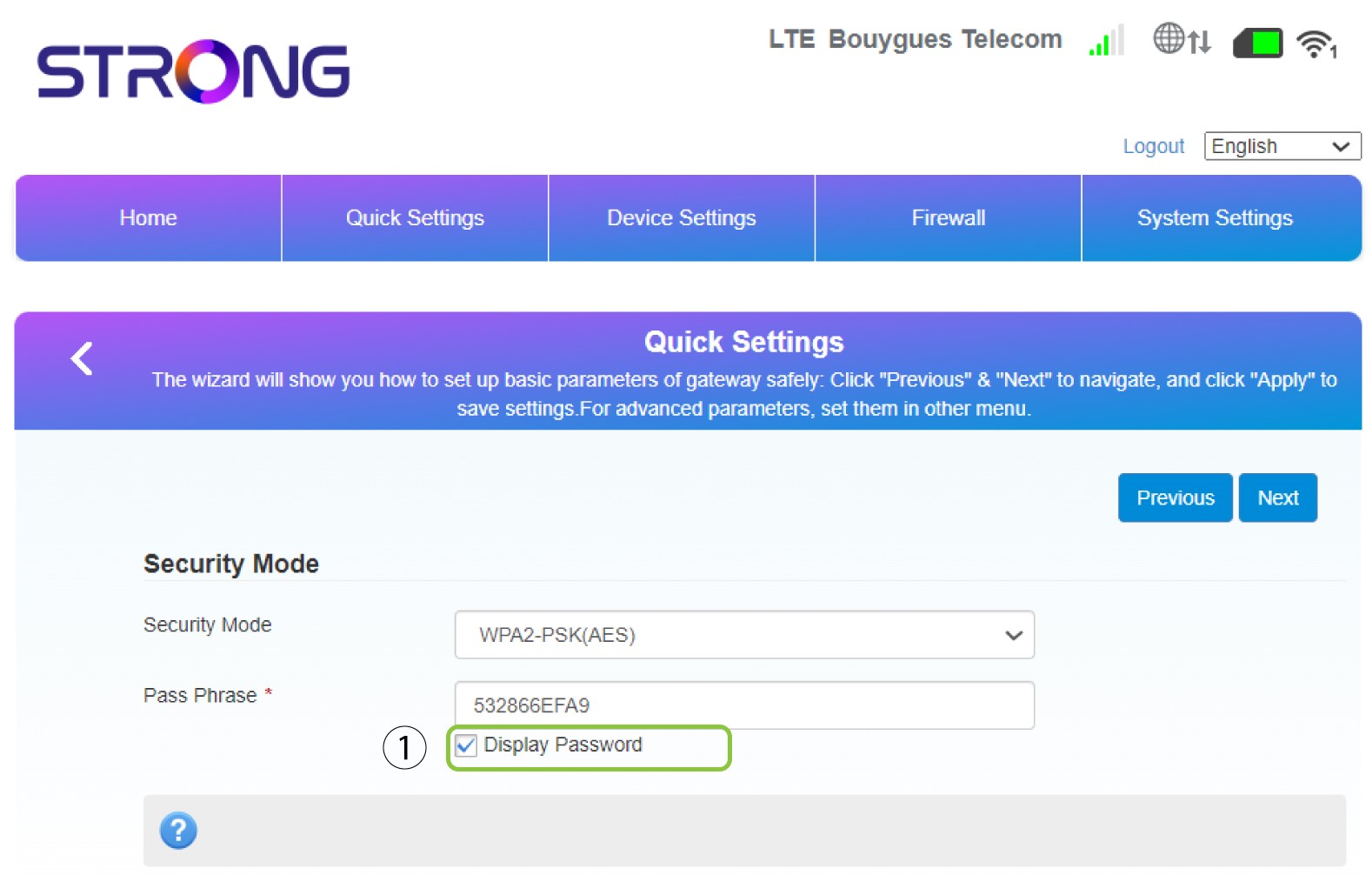
Kliknij opcję „Pokaż hasło”.
4. Wprowadźnowe hasło
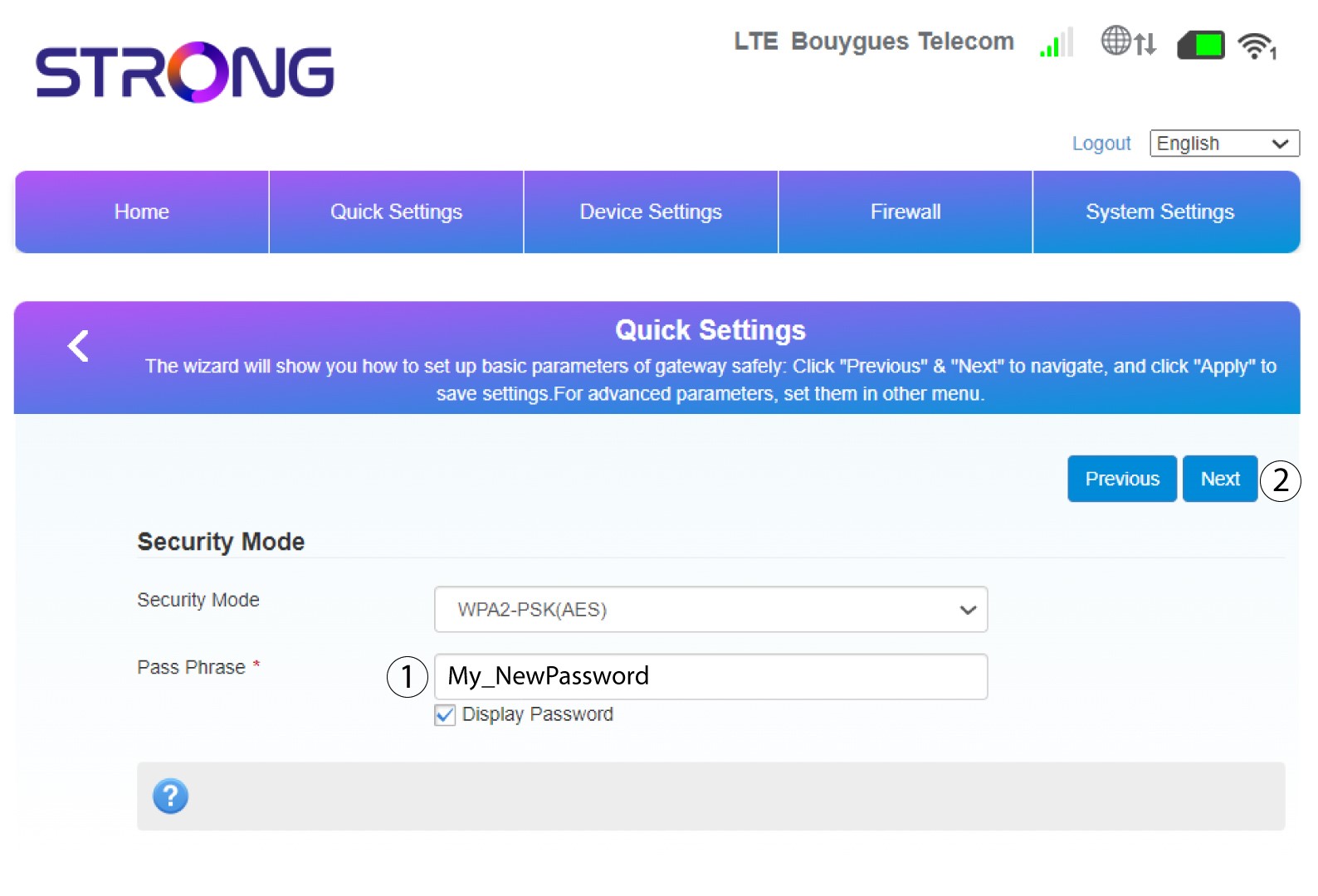
Zmień hasło. Następnie kliknij „Dalej”.
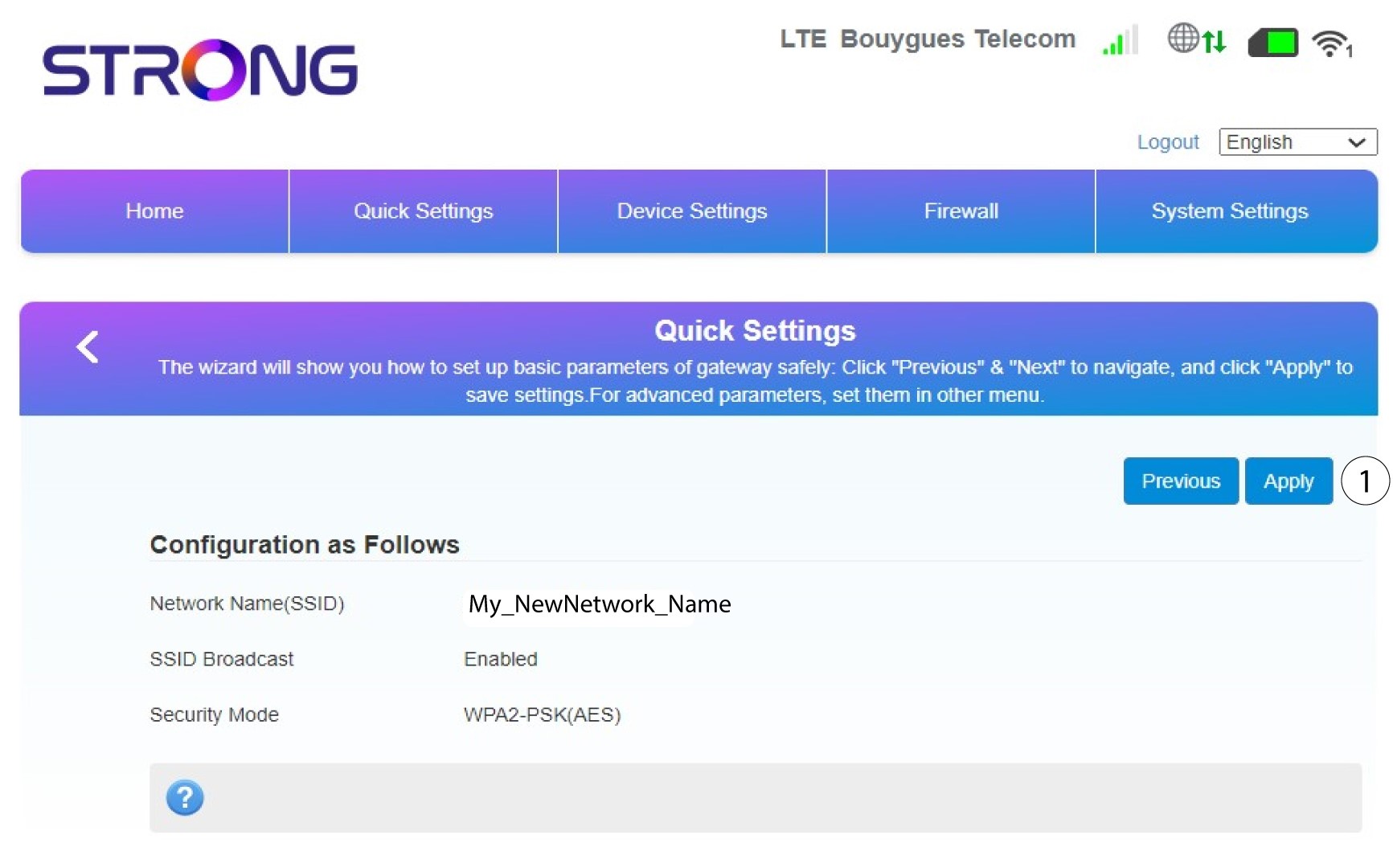
5. Sprawdźwprowadzone zmiany
Aby zapisać zmiany, kliknij przycisk „Zastosuj”.
6. Zapisznową nazwę sieci i hasło
Proszę zapisać na kartce papieru nowy identyfikator SSID i hasło, które utworzyli Państwo.


Po zmianie nazwy sieci i hasła routera kod QR przestanie działać, ponieważ dane połączeniowe routera ulegną zmianie.