Mini router 4G AIRHOME 300 z odłączanymi antenami 4G
Nie znaleziono żadnych elementów.
Nie znaleziono żadnych elementów.
Wszystkie pytania
Mini router 4G AIRHOME 300 z odłączanymi antenami 4G
Nie znaleziono żadnych elementów.
Nie znaleziono żadnych elementów.
Jak podłączyć moje urządzenia za pomocą funkcji WPS?

Za pomocą funkcji WPS można na przykład skonfigurować połączenie Wi-Fi między routerem a komputerami i/lub drukarką. Nie ma możliwości podłączenia telefonu komórkowego za pomocą funkcji WPS. Aby w prosty sposób podłączyć telefon do sieci Wi-Fi, zeskanuj kod QR znajdujący się z tyłu routera — telefon automatycznie połączy się z siecią bez konieczności wpisywania hasła Wi-Fi.
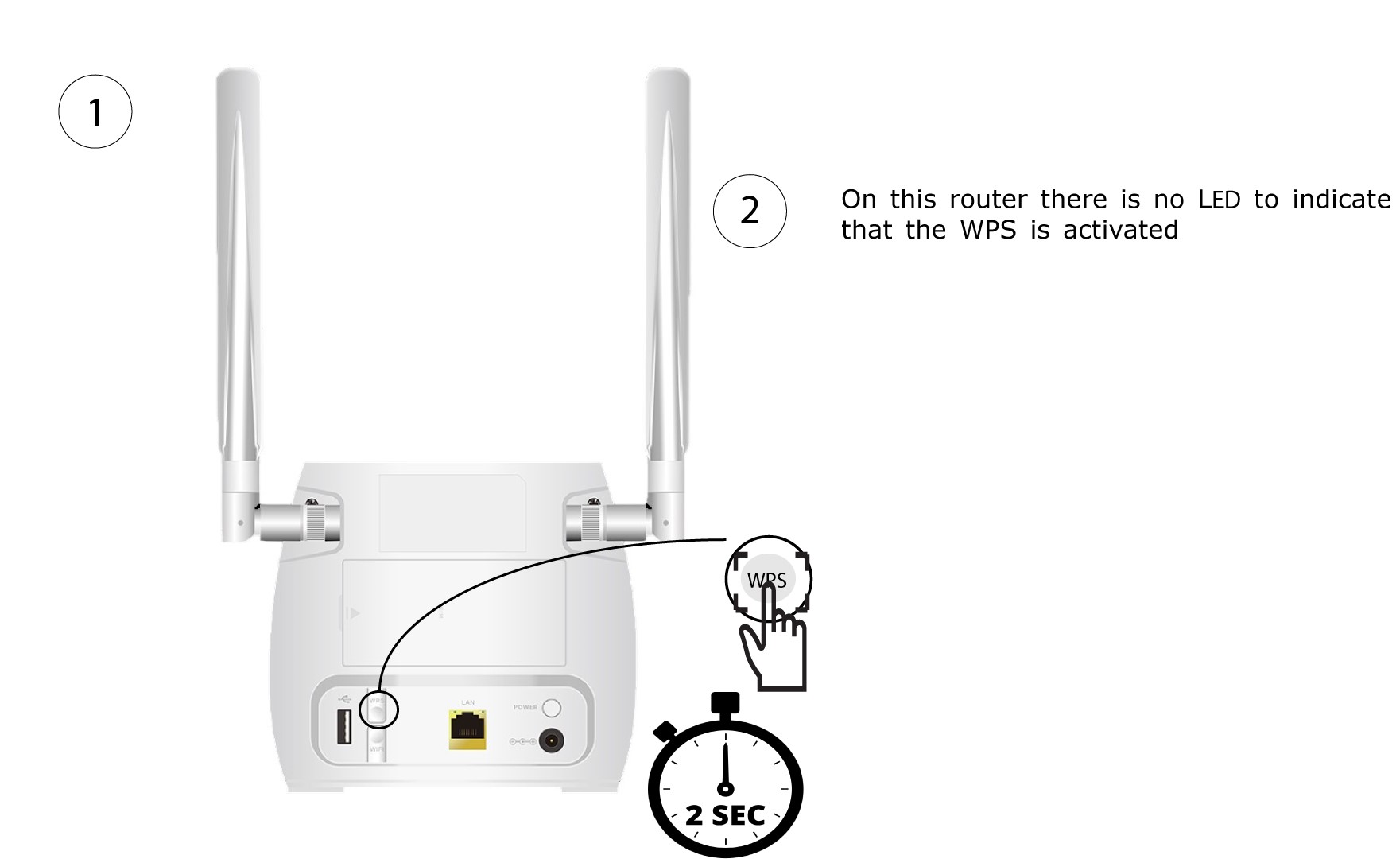
1. Naciśnijprzycisk WPS
Naciśnij przycisk WPS znajdujący się z tyłu routera i przytrzymaj go przez 2 sekundy, aby umożliwić dowolnemu kompatybilnemu urządzeniu w Twoim domu automatyczne połączenie się z siecią Wi-Fi routera.
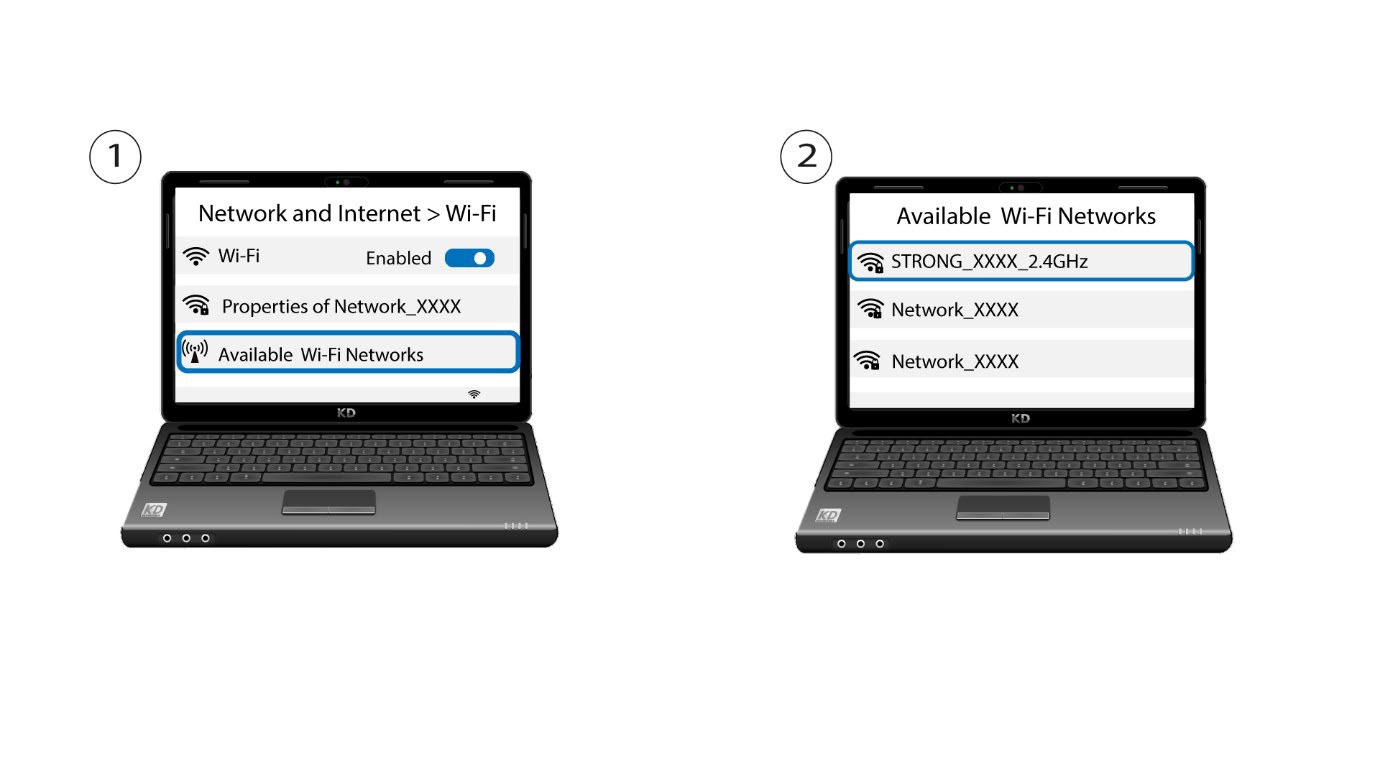
2. Wybierzsieć Wi-Fi routera
Przejdź do ustawień Wi-Fi na komputerze lub telefonie i kliknij nazwę routera, aby go wybrać.
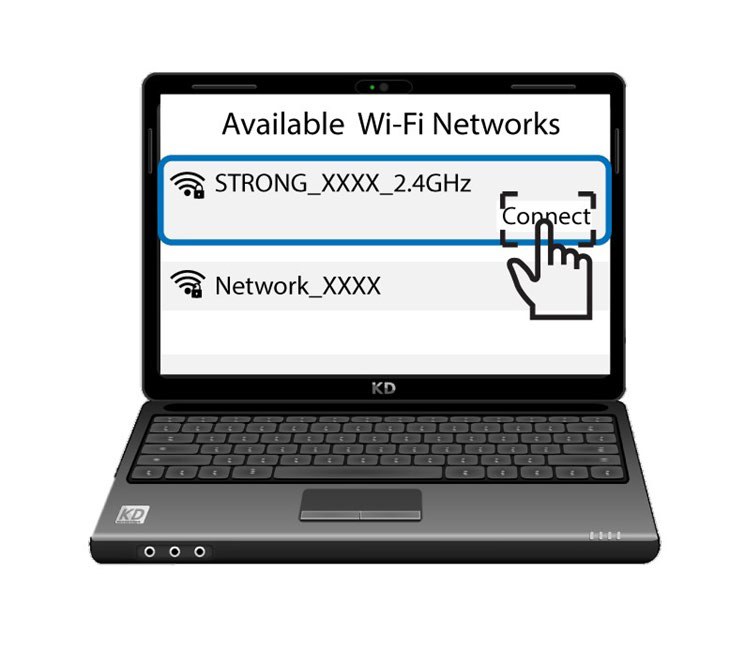
3. Połącz sięz siecią Wi-Fi
Następnie kliknij przycisk „Połącz ”