
4G AIRHOME 210 UK zamontowanymi na stałe antenami 4G
Nie znaleziono żadnych elementów.
Nie znaleziono żadnych elementów.
Wszystkie pytania
4G AIRHOME 210 UK zamontowanymi na stałe antenami 4G
Nie znaleziono żadnych elementów.
Nie znaleziono żadnych elementów.
Jak zmienić identyfikator SSID (nazwę sieci Wi-Fi) i hasło do sieci Wi-Fi? (Ustawienia Wi-Fi)
W interfejsie użytkownika sieci Web istnieją dwa sposoby zmiany identyfikatora SSID (nazwy sieci Wi-Fi) oraz hasła Wi-Fi routera:
- Korzystając z funkcji „Szybkie ustawienia”
- Lub poprzez ustawienia Wi-Fi.
1. Dostępdo interfejsu użytkownika sieci Web
Aby uzyskać dostęp do interfejsu użytkownika, należy postępować zgodnie z poniższą procedurą logowania do interfejsu użytkownika:
2. Ustawienia Wi-Fi
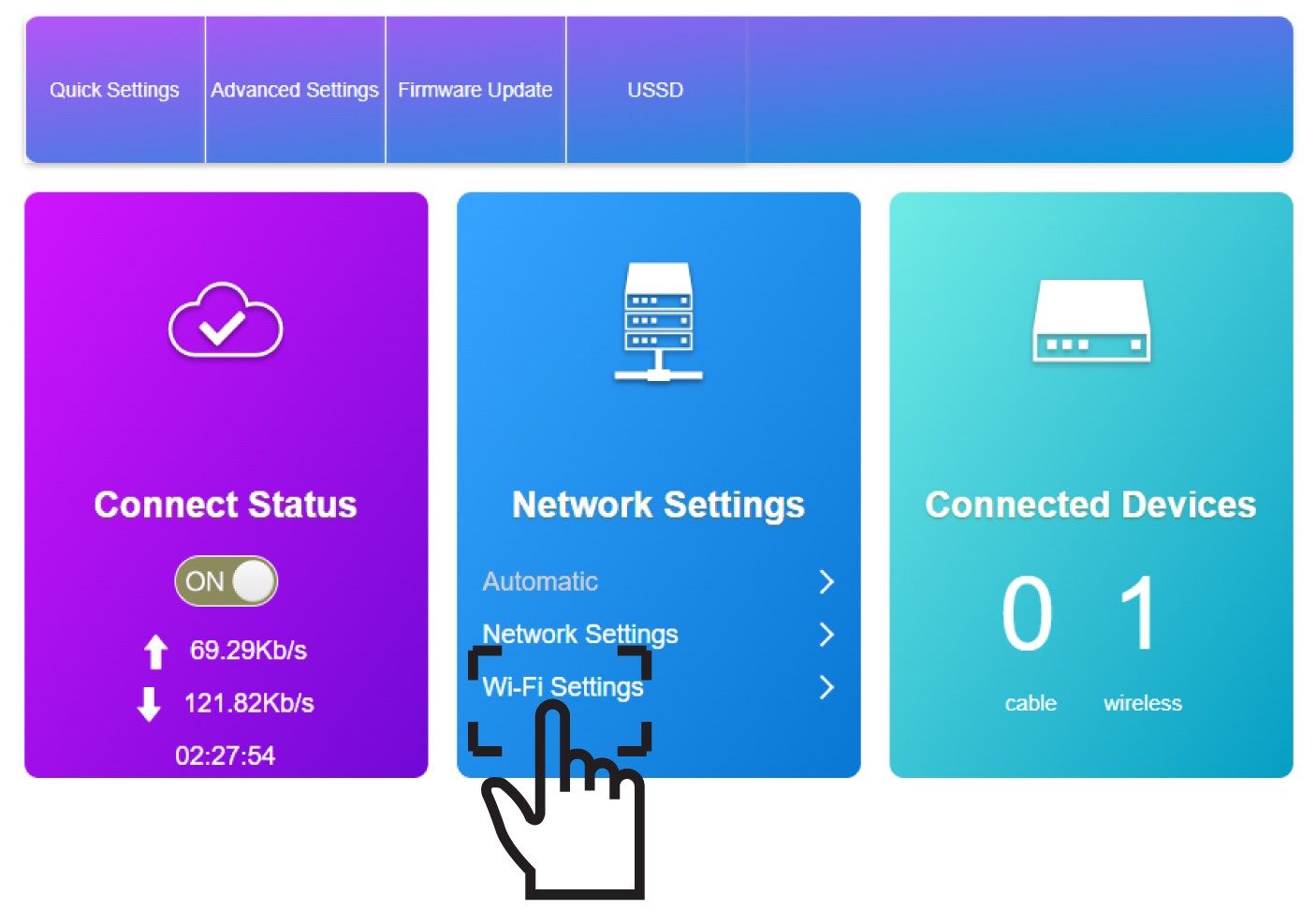
Kliknij opcję „Ustawienia Wi-Fi” w sekcji „Ustawienia sieciowe”.
3. Zapisznowe informacje o sieci
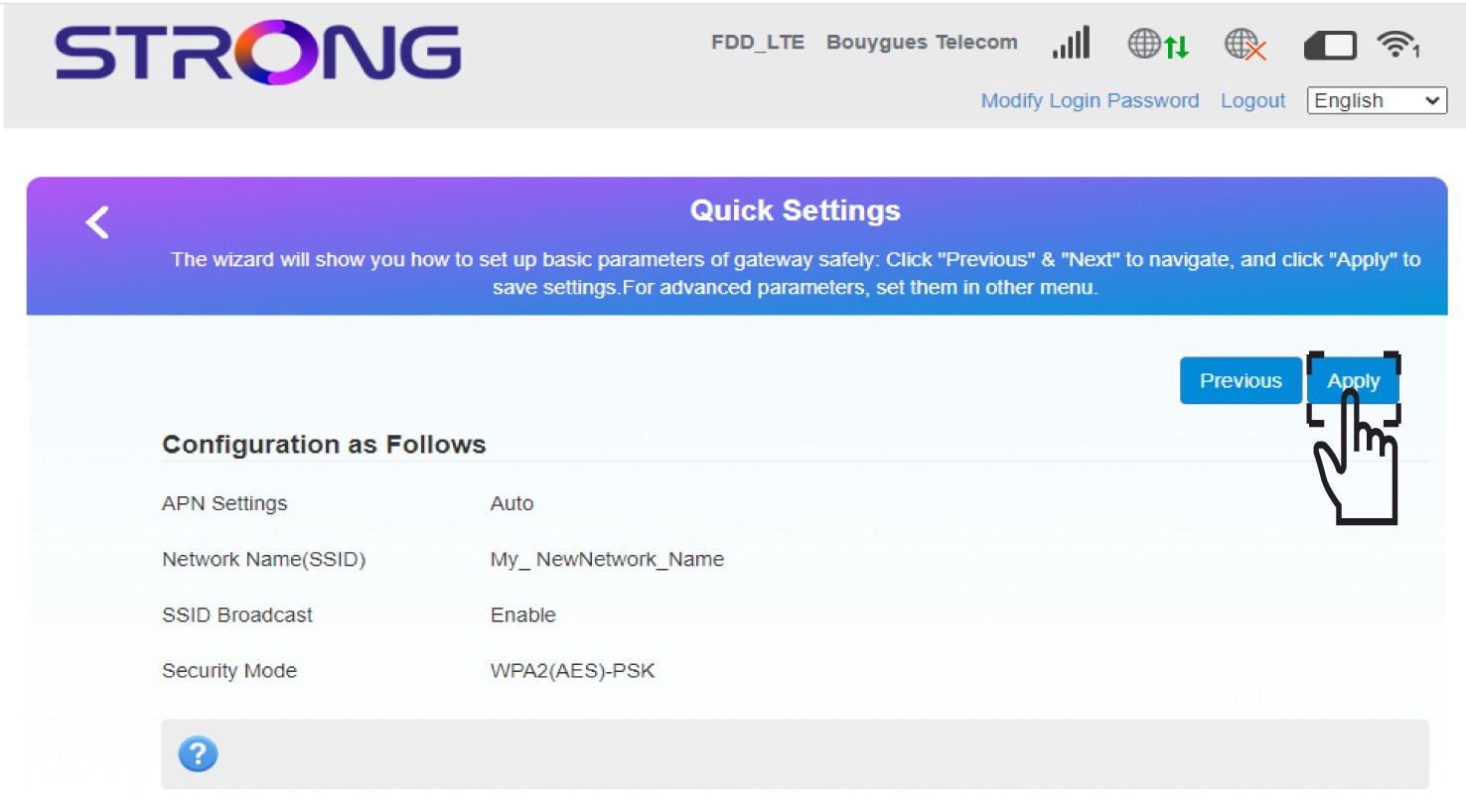
Kliknij „Zastosuj”, aby zapisać zmiany.
4Komunikat wyskakujący
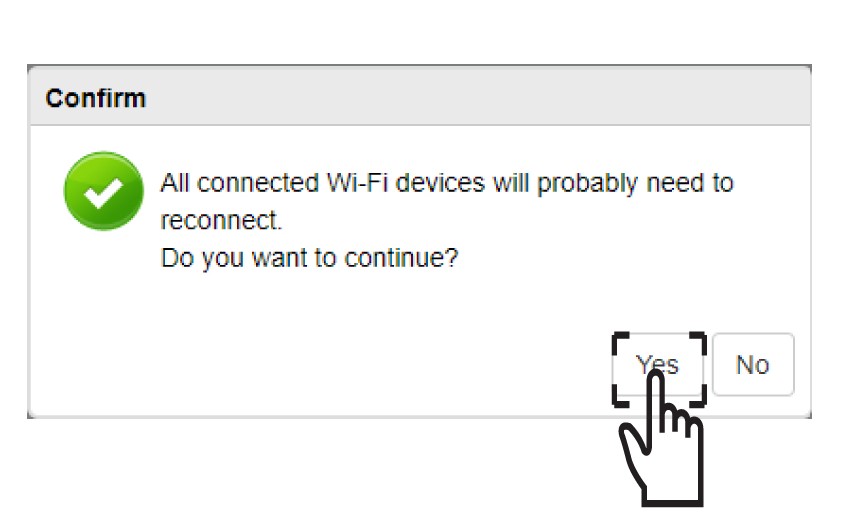
W wyskakującym okienku kliknij „Tak”, aby zastosować zmiany.
5. Zapisznowe dane sieciowe
Zapisz nowe dane sieciowe na kartce papieru.
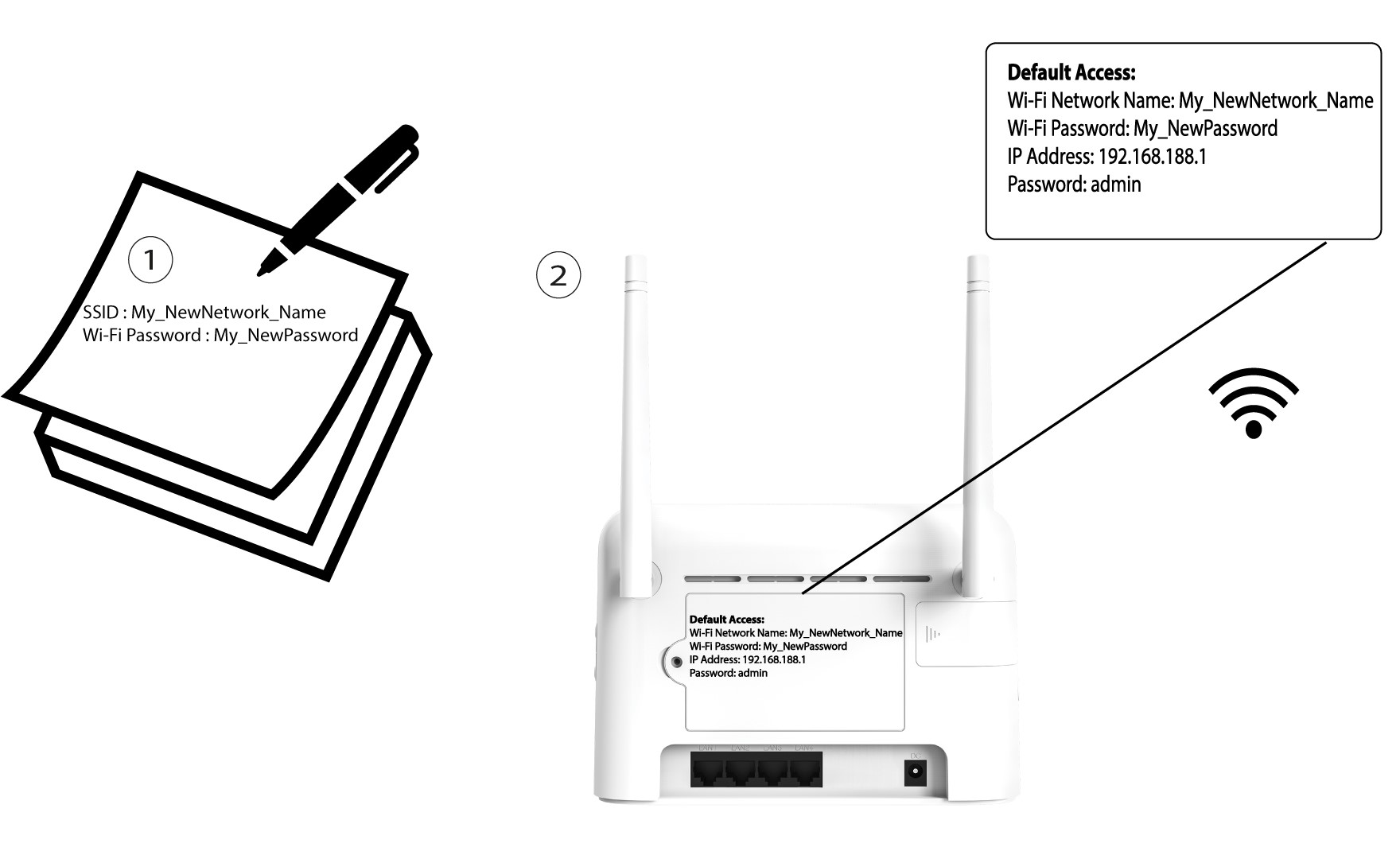

Po zmianie danych sieci Wi-Fi wszystkie urządzenia podłączone do tej sieci zostaną automatycznie odłączone.