
Nie znaleziono żadnych elementów.
Nie znaleziono żadnych elementów.
SMART HOME KAMERA SMART HOME 2K+
Wszystkie pytania
Nie znaleziono żadnych elementów.
Nie znaleziono żadnych elementów.
SMART HOME KAMERA SMART HOME 2K+
Jak sformatować kartę SD?
Po włożeniu karty SD do aparatu należy ją sformatować przed użyciem. Wykonaj poniższe czynności:
1. Przejdźdo sekcji „Ustawienia”
Na stronie głównej kliknij ikonę „Ustawienia ”.

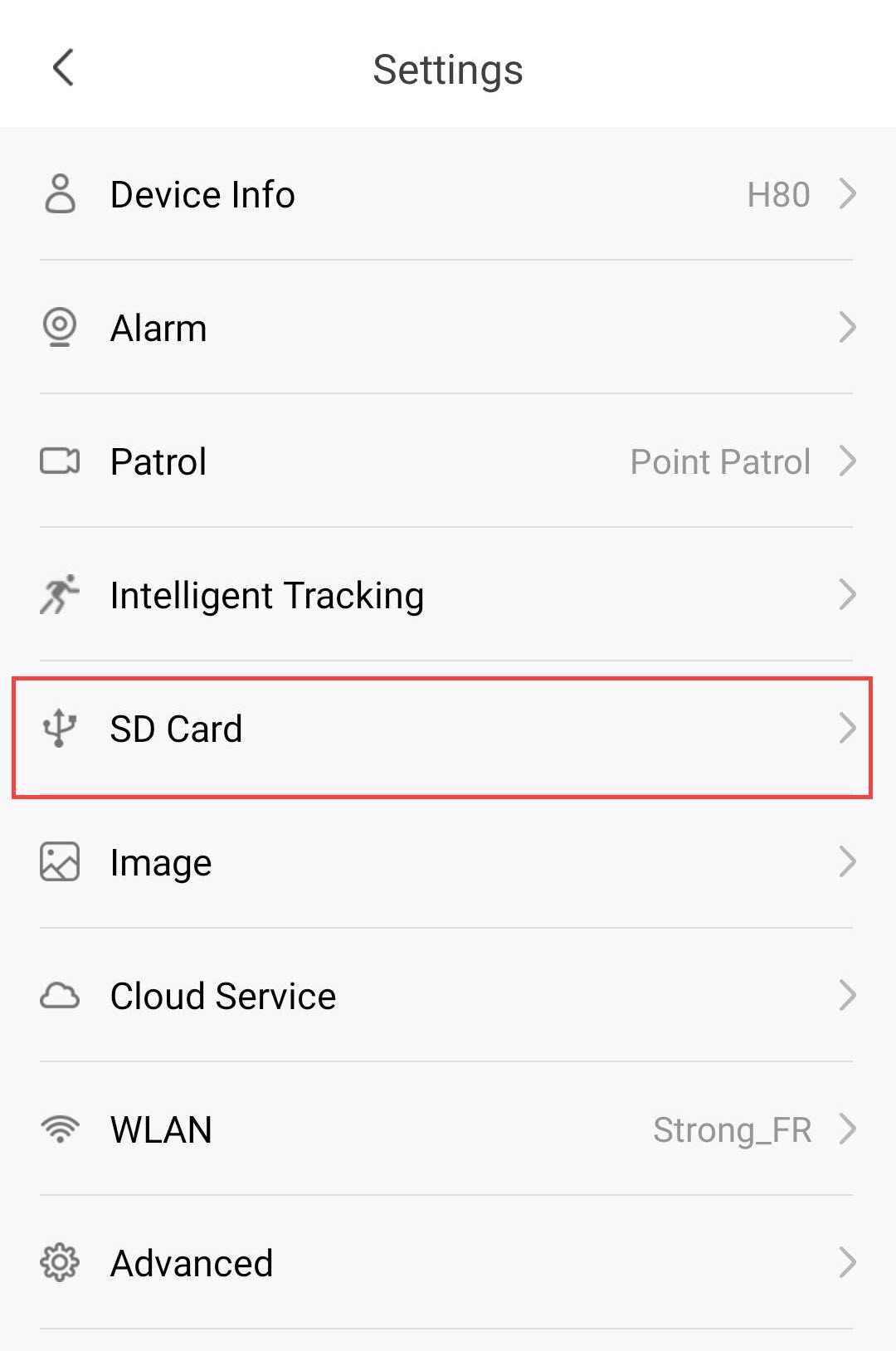
2. Przejdźdo menu karty SD
Kliknij opcję „Karta SD ” na liście ustawień.
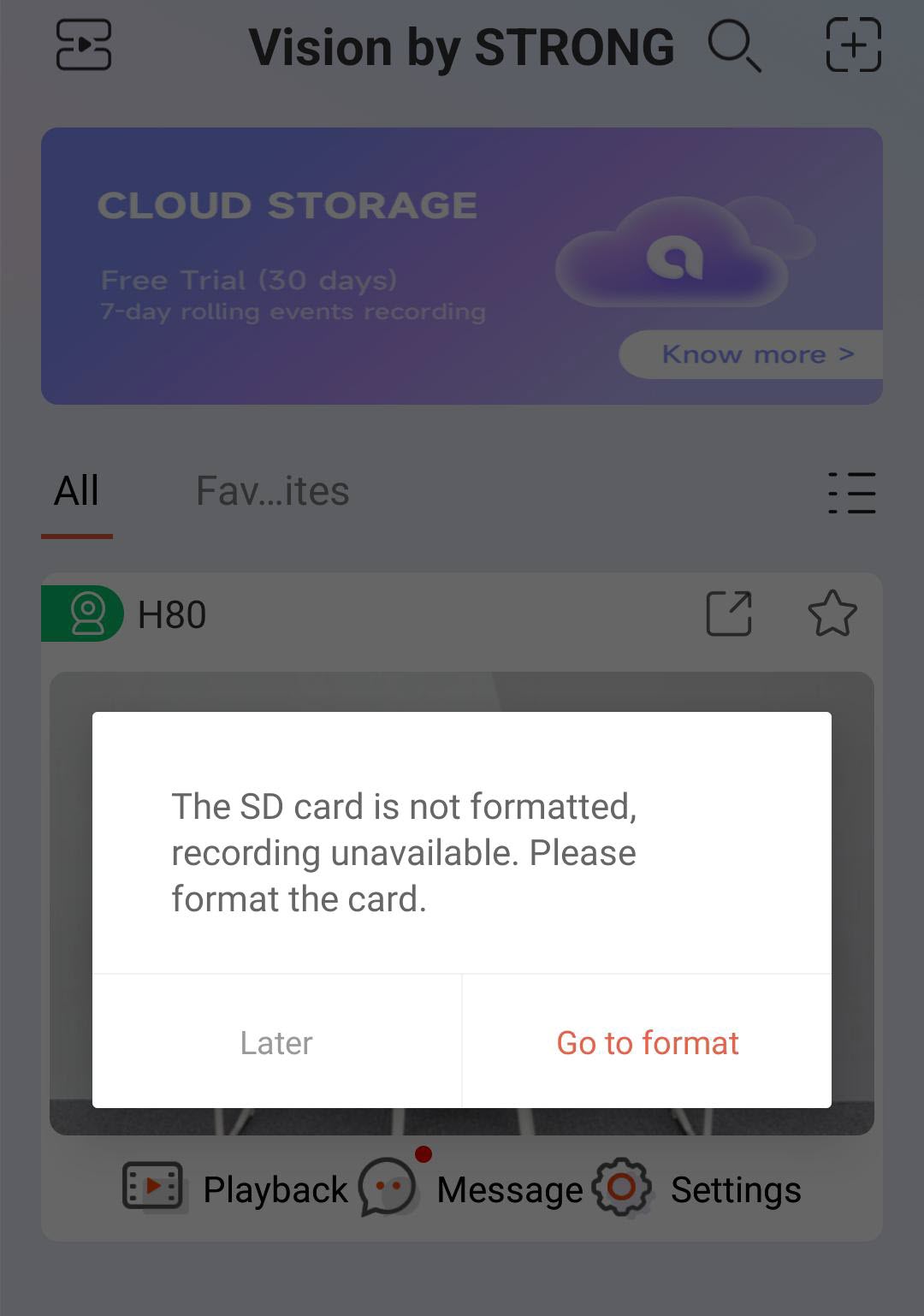
3. Rozpocznijproces formatowania
Kliknij przycisk „Przejdź do formatowania ”.
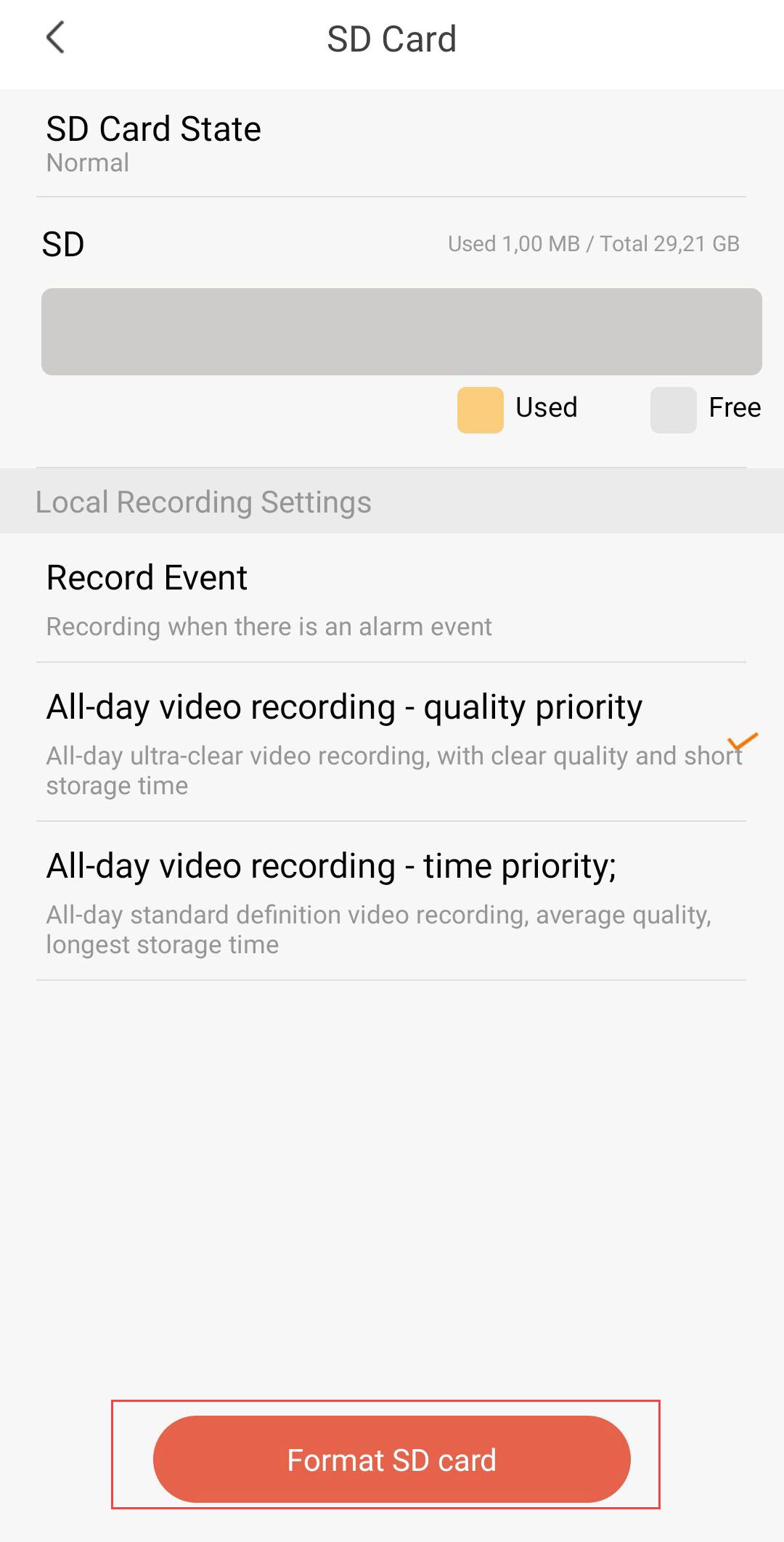
4. Rozpocznijproces formatowania
Następnie kliknij opcję „Sformatuj kartę SD”.
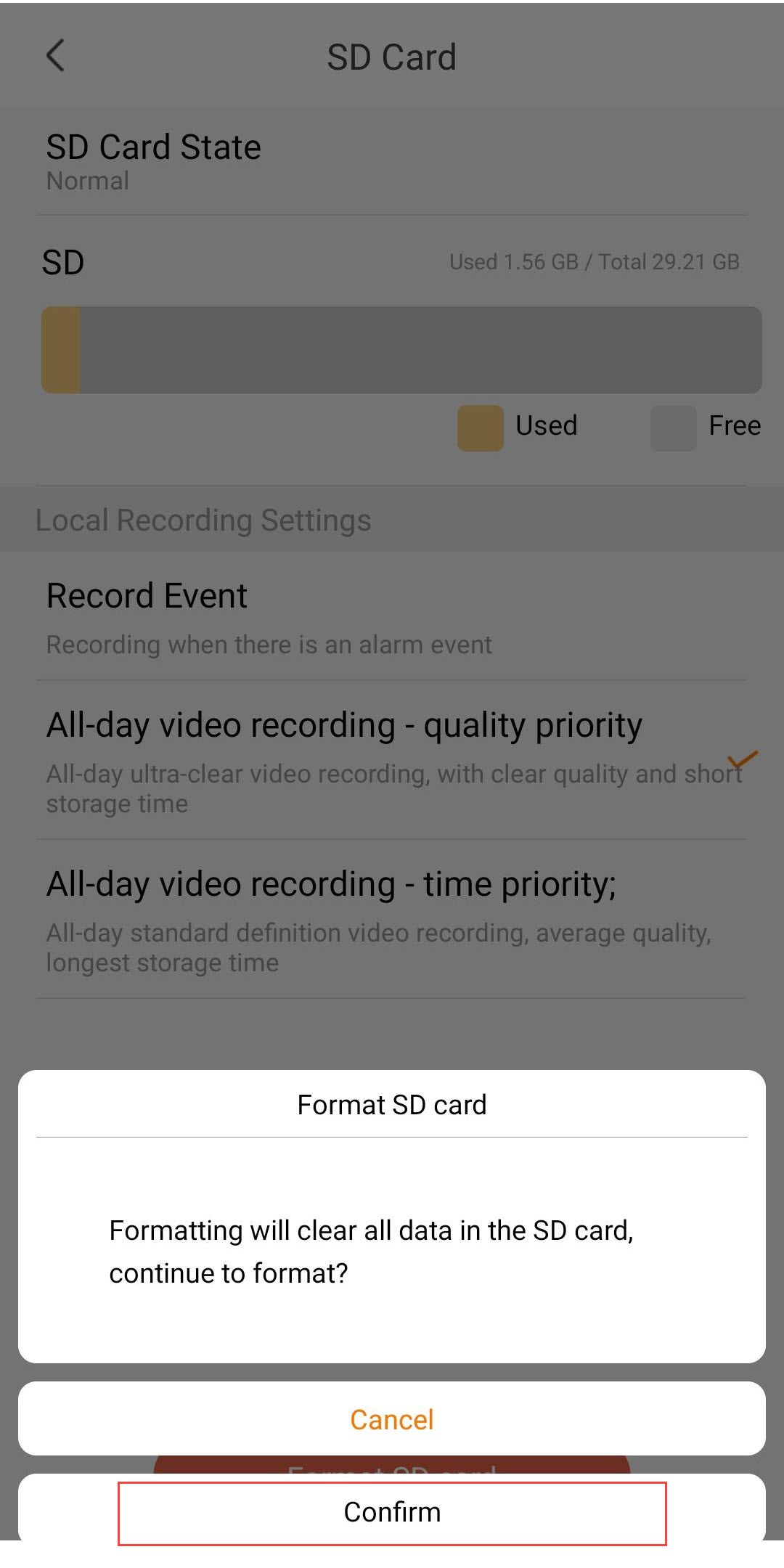
5. Kontynuujproces
Kliknij „Potwierdź”.
6. Wybierzopcję nagrywania
Po sformatowaniu wybierz jedną z poniższych opcji nagrywania:
- Rejestracja zdarzeń: Nagrywanie odbywa się wyłącznie po wyzwoleniu zdarzenia alarmowego (np. wykrycia ruchu). Ta opcja pozwala zaoszczędzić miejsce na dysku.
- Całodobowe nagrywanie wideo – priorytet jakości: ciągłe nagrywanie w wyjątkowo wysokiej jakości. Zapewnia najlepszą jakość obrazu, ale miejsce na dysku szybko się zapełnia ze względu na większe rozmiary plików.
- Całodobowe nagrywanie wideo – priorytet czasu: ciągłe nagrywanie w standardowej rozdzielczości. Zapewnia najdłuższy czas przechowywania przy średniej jakości obrazu.

Ostrzeżenie: Po wyczerpaniu pojemności karty SD starsze nagrania zostaną nadpisane.