SMART HOME KAMERA SMART HOME 2K+
Wszystkie pytania
SMART HOME KAMERA SMART HOME 2K+
Jak korzystać z usług w chmurze po zakończeniu okresu próbnego?
Po zakończeniu 30-dniowego okresu próbnego usług w chmurze możesz zarejestrować się, aby korzystać z tej usługi przez cały rok.
1. Dostępdo ustawień
Kliknij „Ustawienia”

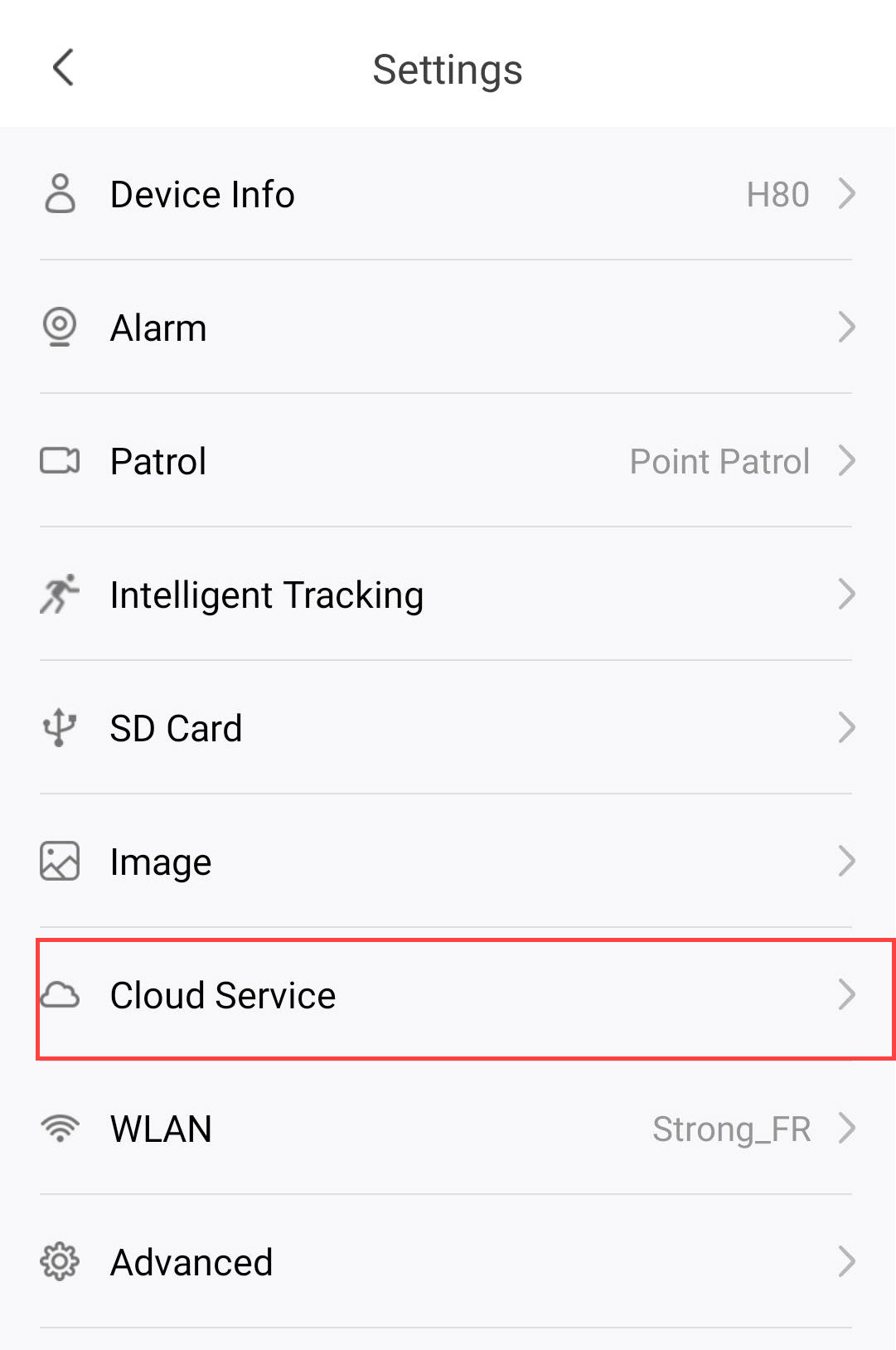
2. Otwórzustawienia usług w chmurze
Kliknij opcję „Usługi w chmurze”.
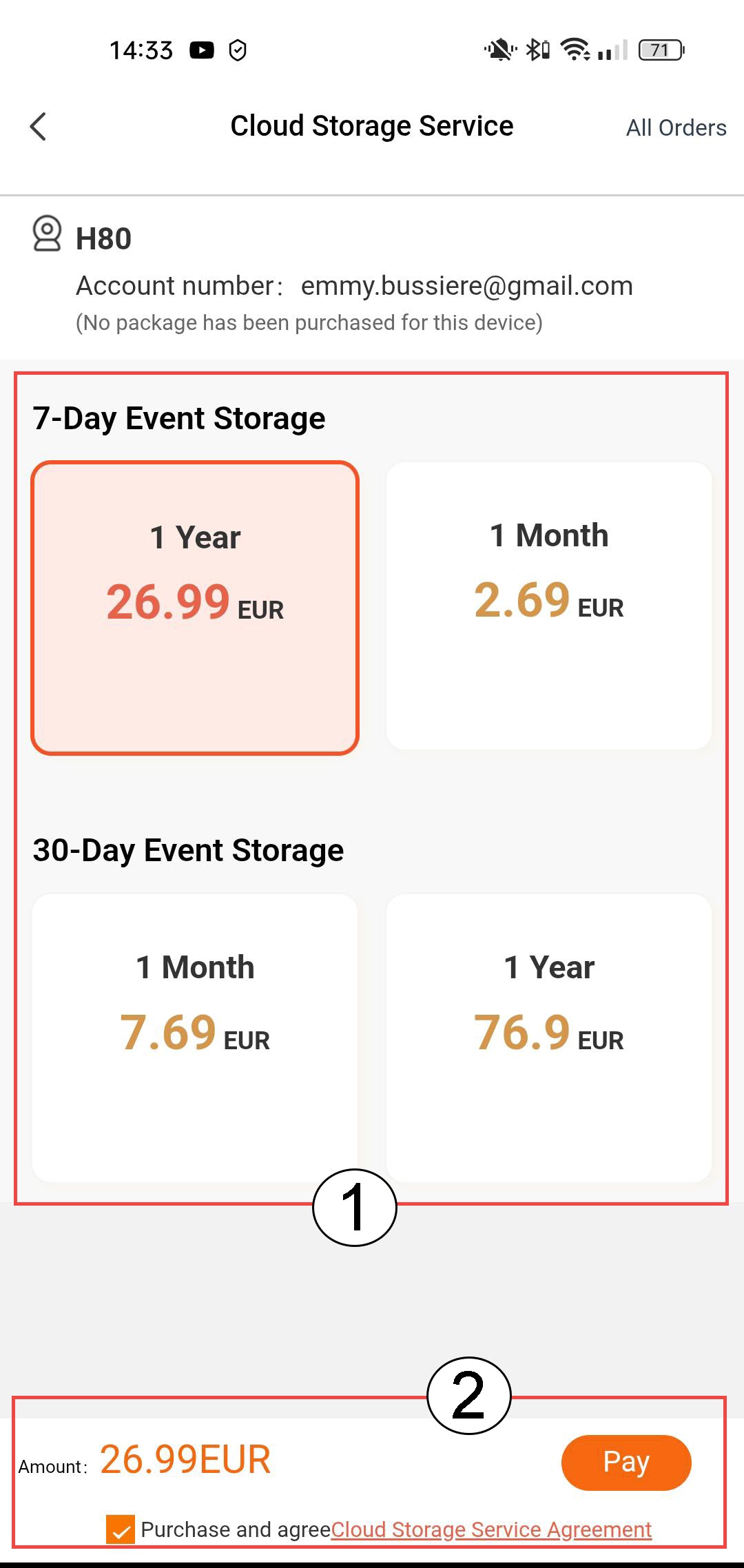
3. Wybierz opcję„Przechowywanie zdarzeń i subskrypcja”
Wybierz między 7-dniowym okresem przechowywania zdarzeń (zdarzenia są rejestrowane przez 7 dni) a 30-dniowym okresem przechowywania zdarzeń (zdarzenia są rejestrowane przez 30 dni). Po upływie wybranego okresu nagrania są automatycznie usuwane. Przed kliknięciem przycisku „Zapłać” należy wybrać okres subskrypcji – miesięczny lub roczny.
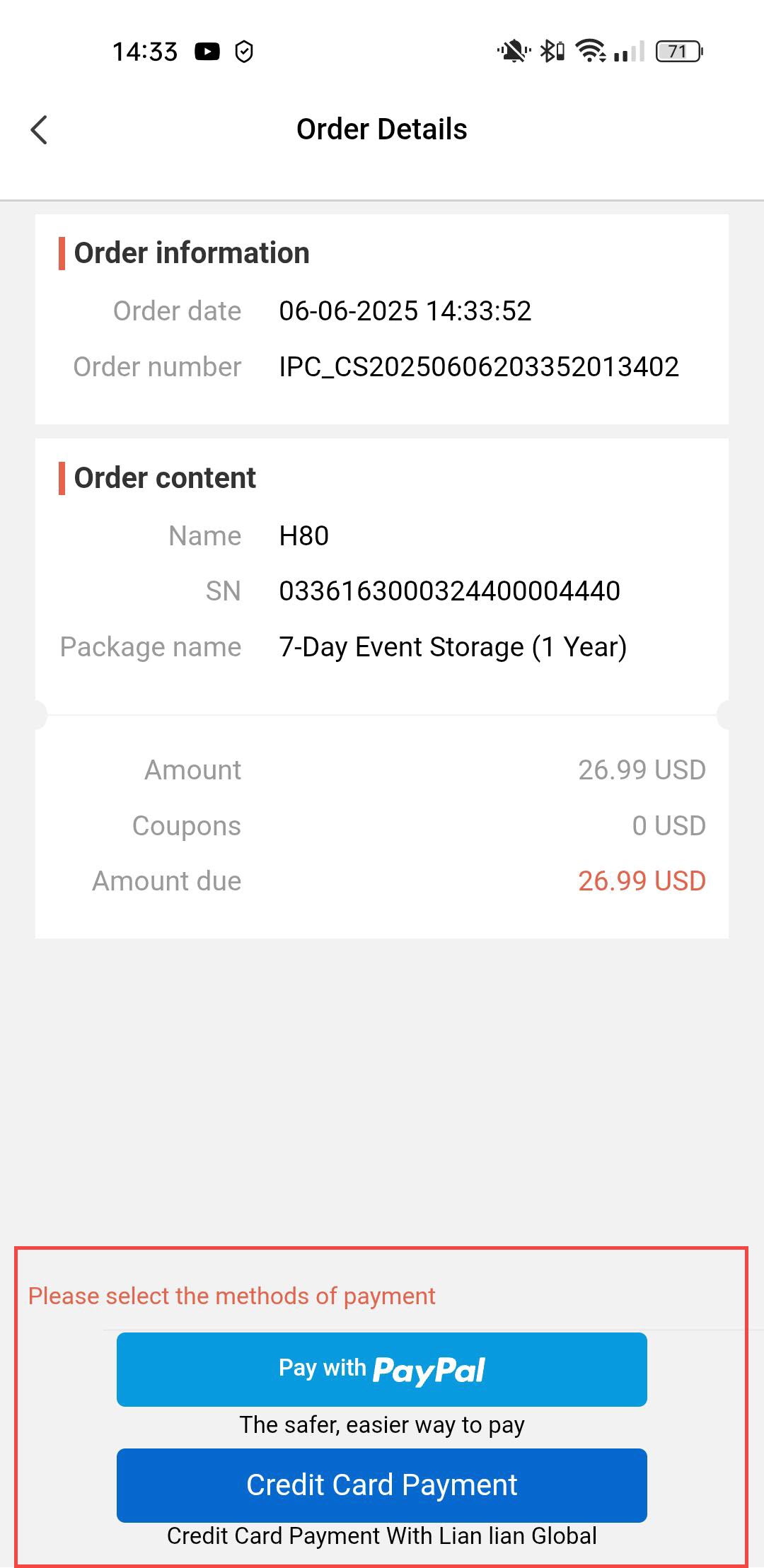
4. Wybierzmetodę płatności
Następnie wybierz metodę płatności.
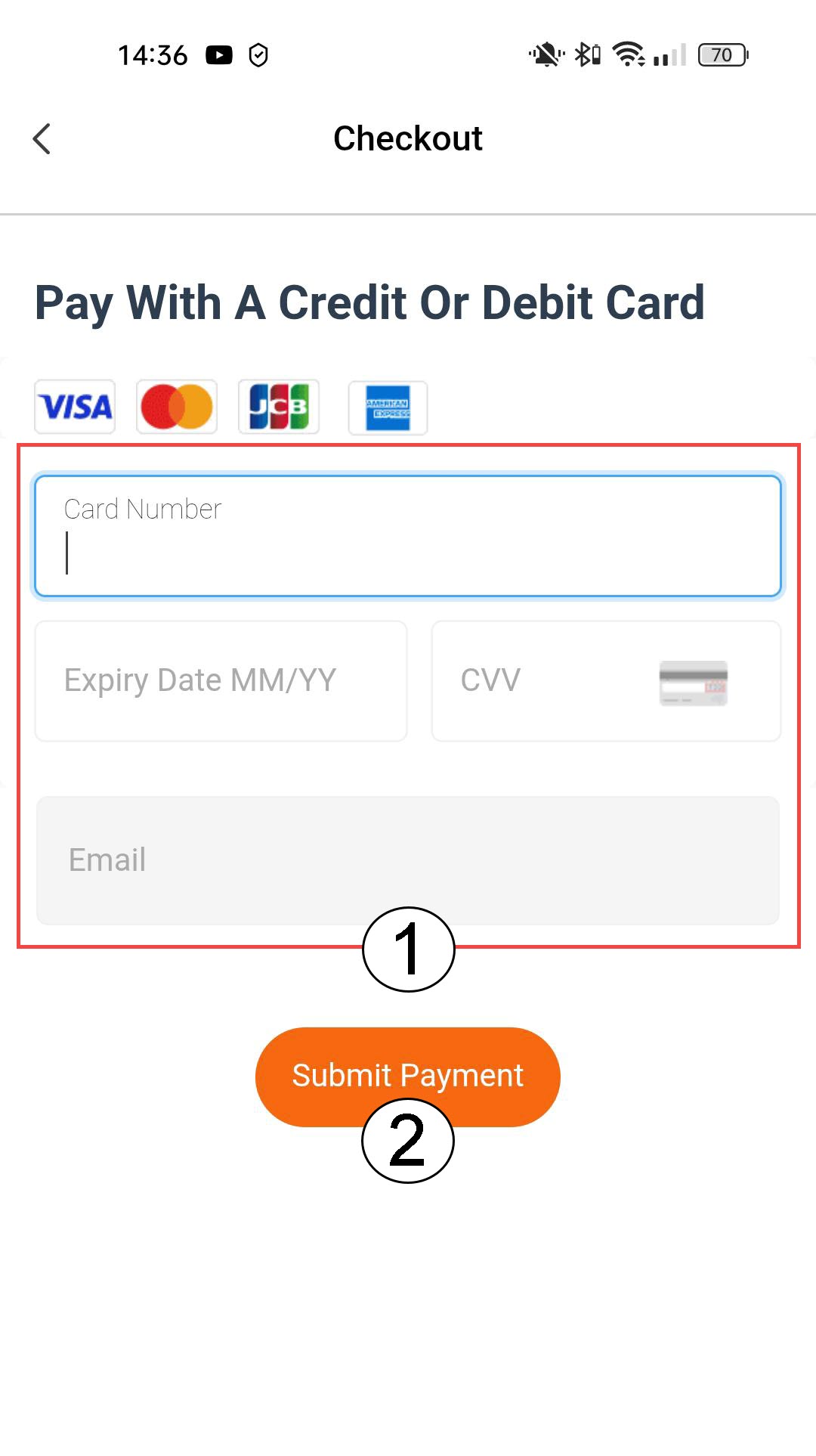
5. Wprowadźdane dotyczące płatności i potwierdź
Możesz wprowadzić dane swojej karty kredytowej przed kliknięciem przycisku „Prześlij płatność”
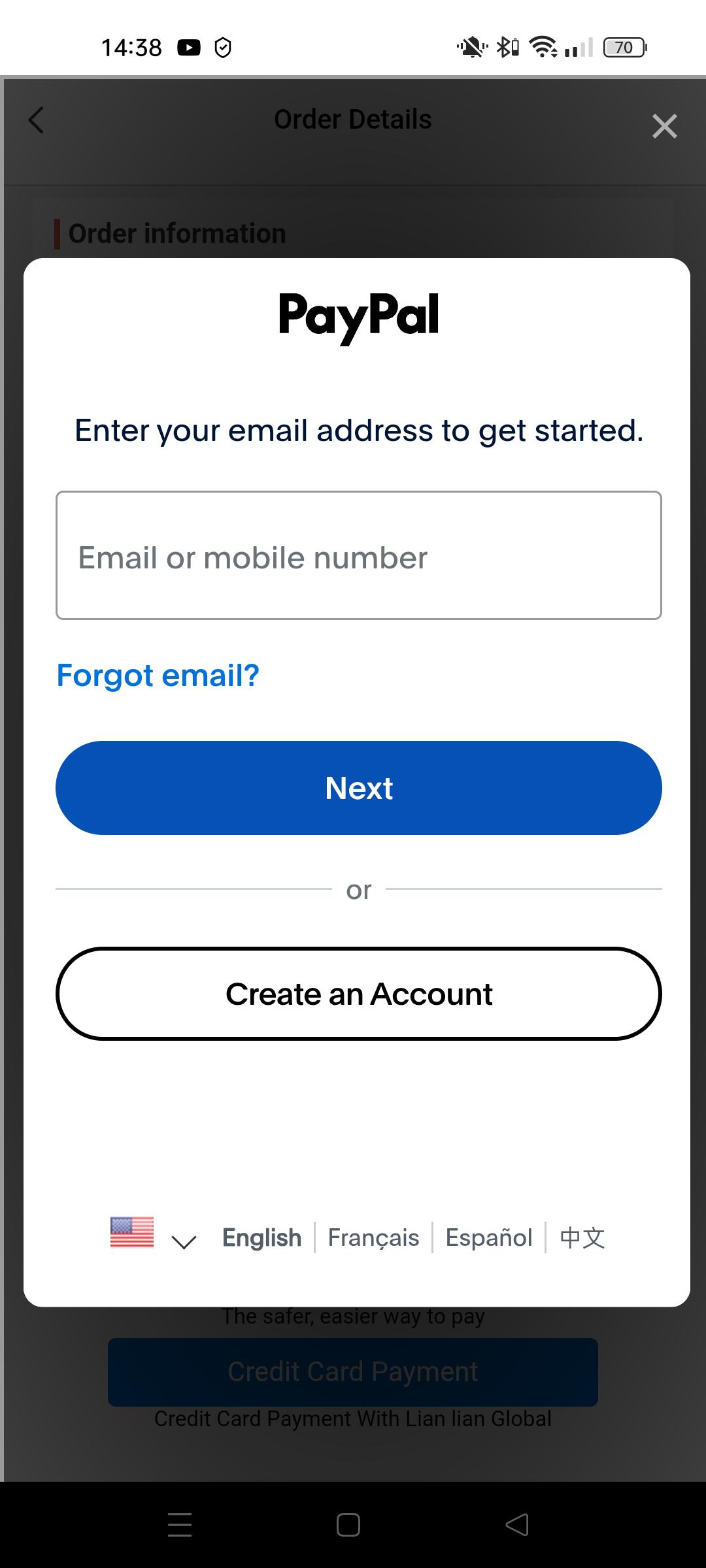
6. Wprowadźswoje dane do serwisu PayPal
Lub wprowadź dane swojego konta PayPal. Następnie postępuj zgodnie z instrukcjami wyświetlanymi na ekranie.