Mini-router 4G AIRHOME 300 com antenas 4G amovíveis
Nenhum item encontrado.
Nenhum item encontrado.
Todas as perguntas
Mini-router 4G AIRHOME 300 com antenas 4G amovíveis
Nenhum item encontrado.
Nenhum item encontrado.
Como posso alterar o código PIN do cartão SIM?
1Ligue-seà rede Wi-Fi do router
Tem de se ligar à interface de utilizador web. Para tal, introduza o SSID e a palavra-passe do router no seu dispositivo.

2. Acedaao endereço IP da interface de utilizador web
Em seguida, introduza o seguinte endereço IP no seu navegador: 192.168.0.1

3 Página de início de sessão
Depois de aceder ao endereço IP, clique em «Iniciar sessão».

4Introduzaas suas credenciais
Deve introduzir o nome de utilizador e a palavra-passe. Em seguida, clique em «Iniciar sessão».

5. Definições avançadas
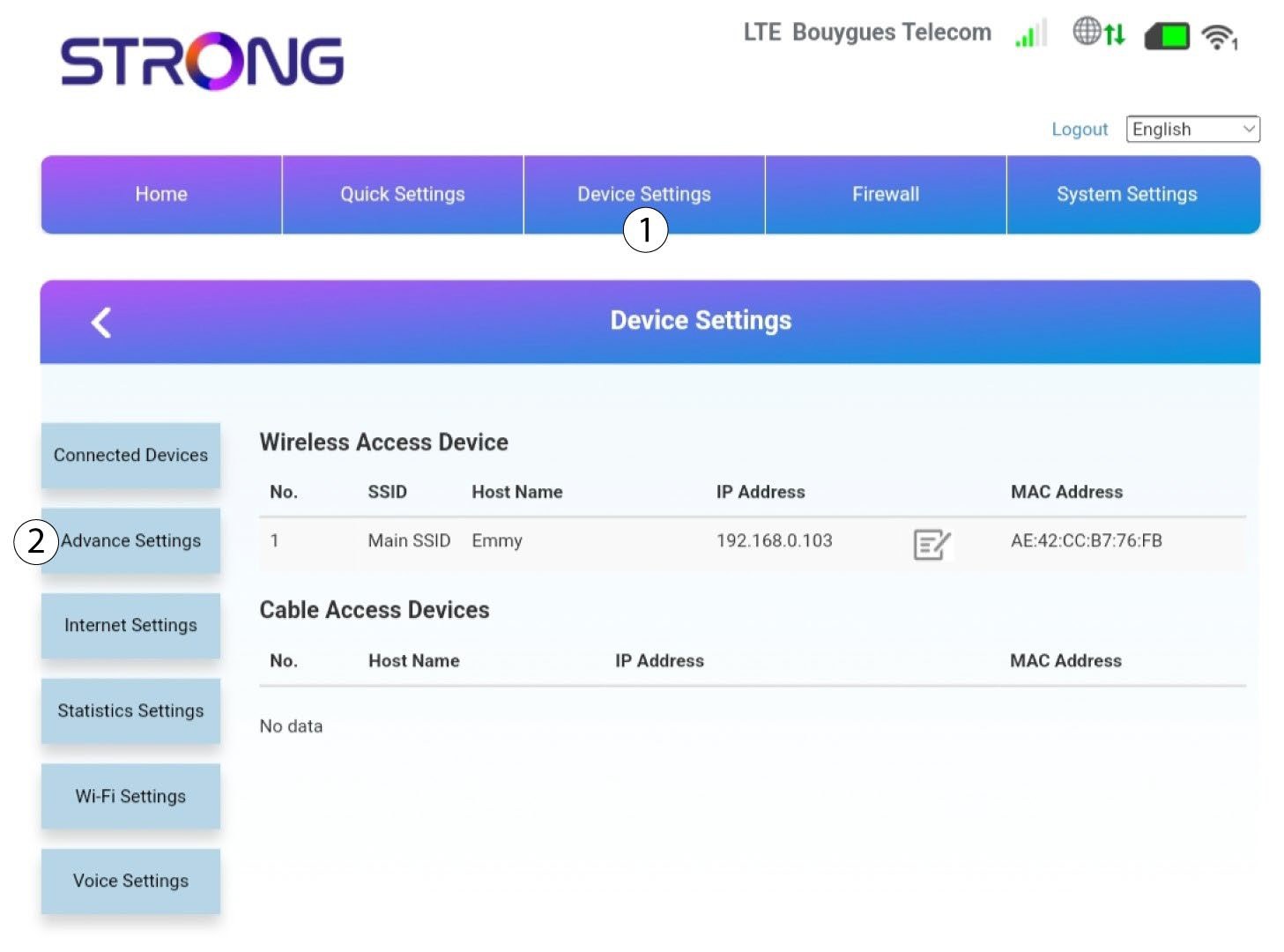
Em seguida, clique em «Definições do dispositivo » e no separador «Definições avançadas ».
Gestão do 6PIN
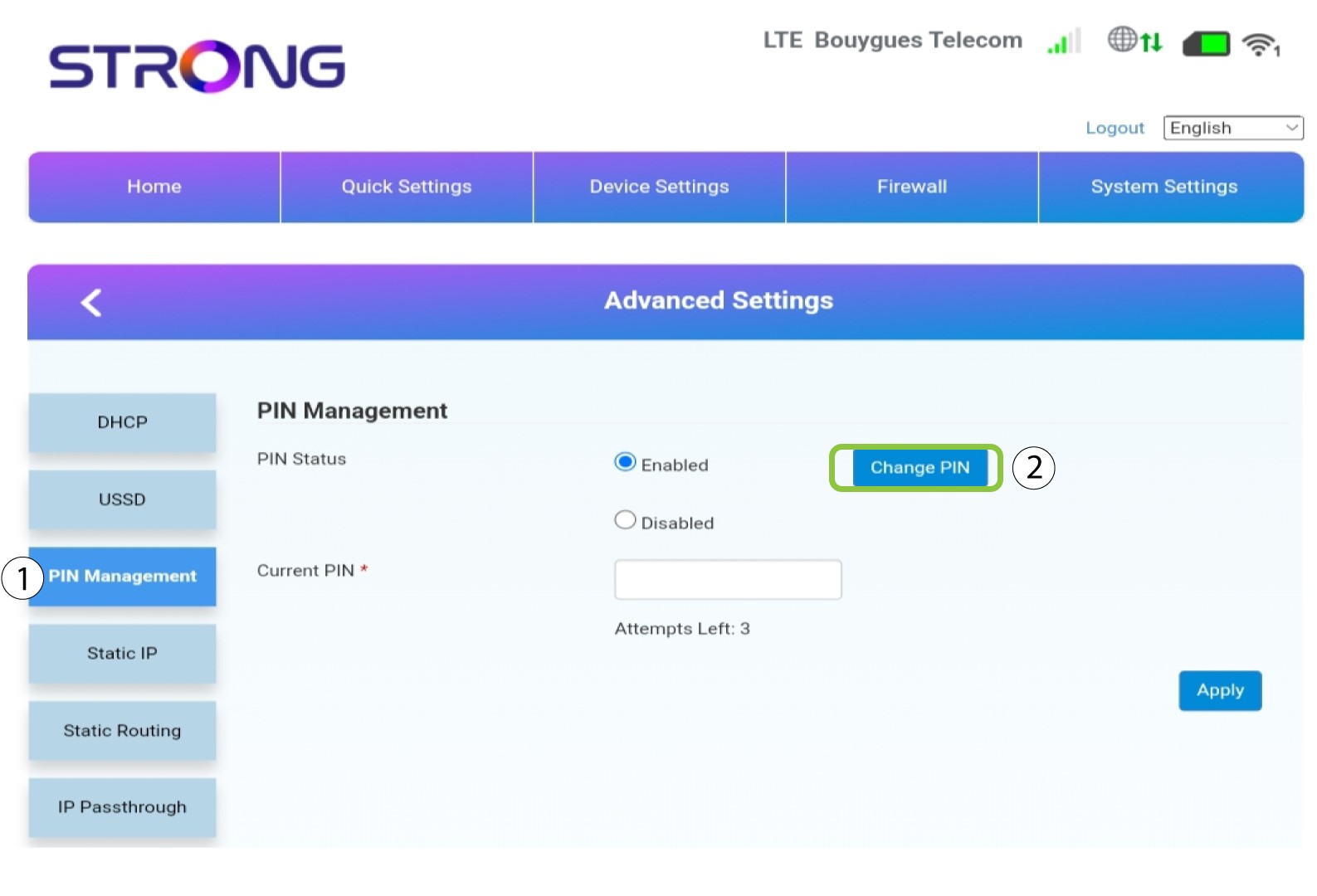
Clique em «Gestão do PIN » e em «Alterar PIN».
7. Introduzao novo código PIN
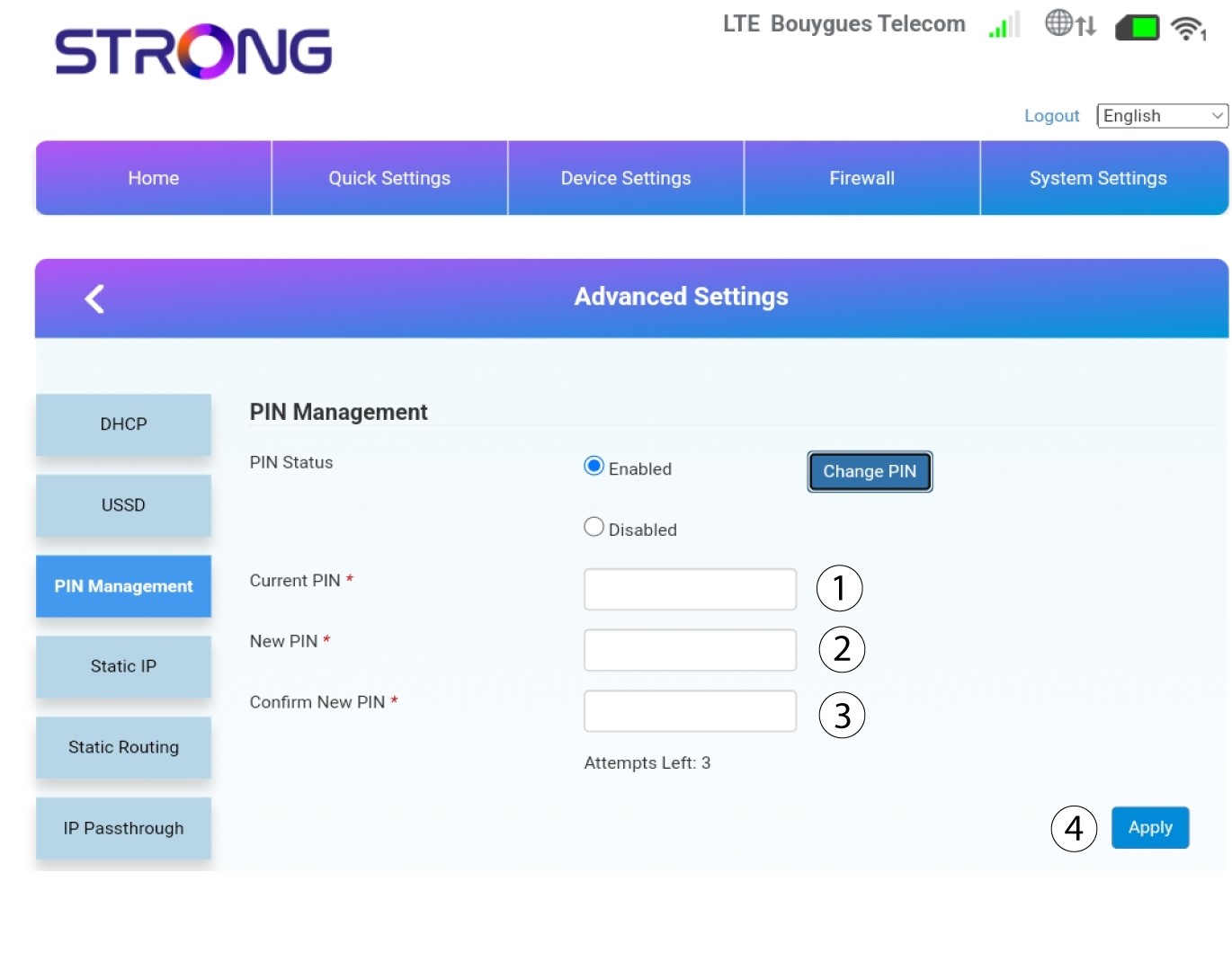
Introduza as seguintes informações e clique em «Aplicar»:
• PIN atual: introduza o código PIN do seu cartão SIM.
• Novo PIN: introduza o novo código PIN.
• Confirmar novo PIN: introduza o mesmo código PIN que introduziu no campo anterior.