Mini-router 4G AIRHOME 300 com antenas 4G amovíveis
Nenhum item encontrado.
Nenhum item encontrado.
Todas as perguntas
Mini-router 4G AIRHOME 300 com antenas 4G amovíveis
Nenhum item encontrado.
Nenhum item encontrado.
Como posso ligar os meus dispositivos através do WPS?

Pode utilizar a função WPS para configurar a ligação Wi-Fi entre o seu router e os seus computadores e/ou a sua impressora, por exemplo. Não é possível ligar um telemóvel através da função WPS. Para ligar facilmente o seu telemóvel à rede Wi-Fi, leia o código QR que se encontra na parte de trás do seu router; isso irá ligá-lo automaticamente à rede sem que seja necessário introduzir a palavra-passe Wi-Fi.
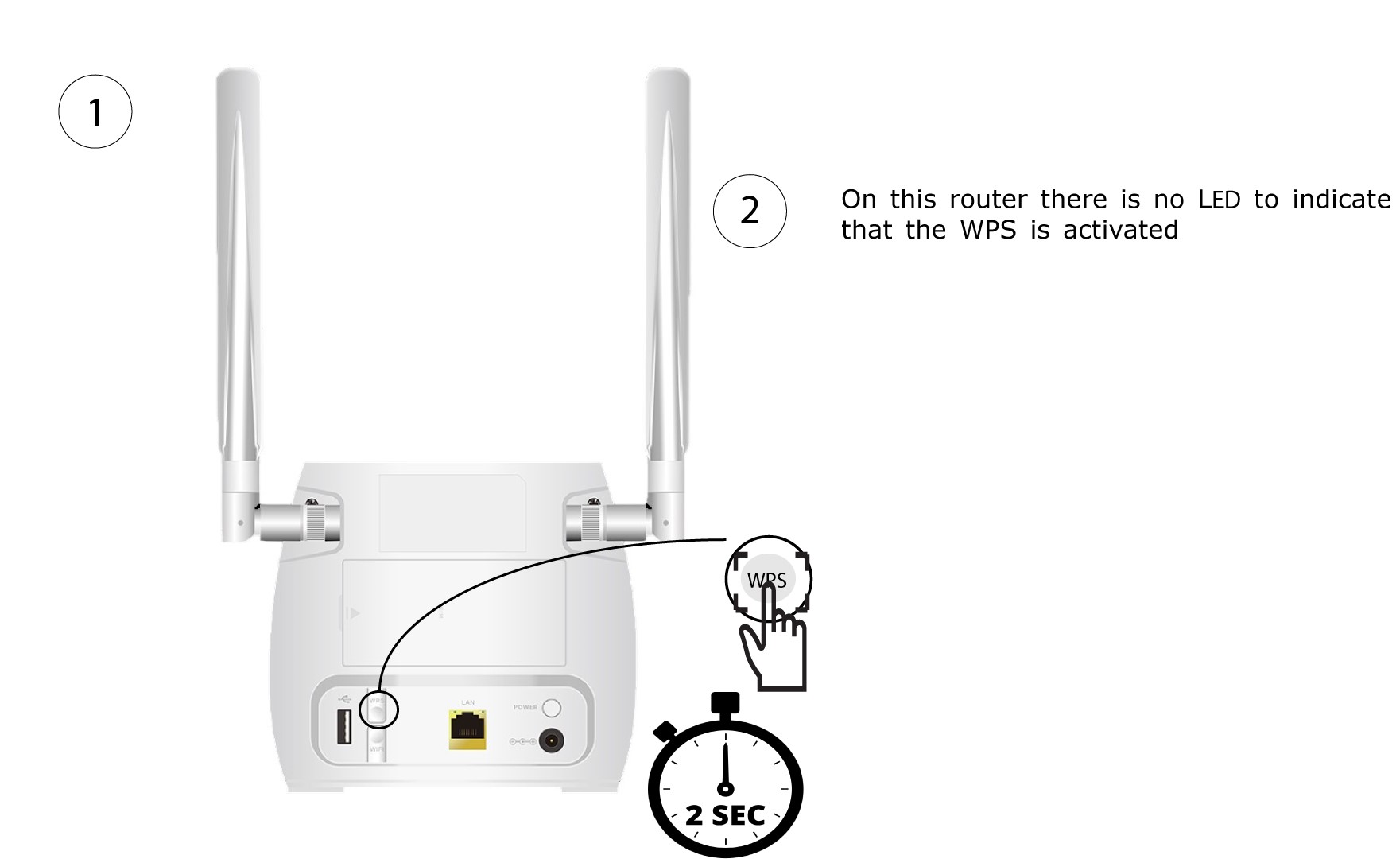
1. Primao botão WPS
Prima o botão WPS, situado na parte traseira do router, durante 2 segundos para permitir que qualquer dispositivo compatível na sua casa se ligue automaticamente à rede Wi-Fi do router.
2Selecionea rede Wi-Fi do router
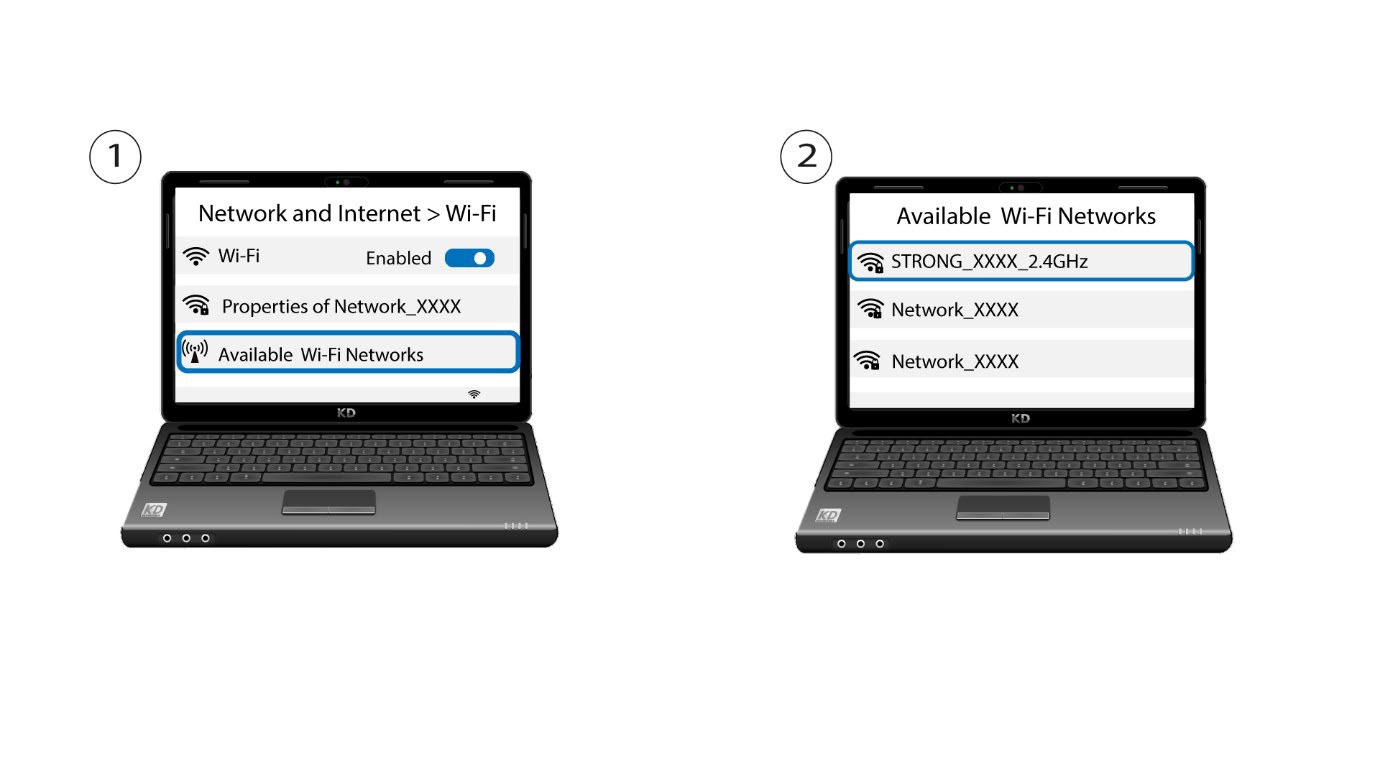
Aceda às definições de Wi-Fi do seu computador ou telemóvel e clique no nome do router para o selecionar.
3Ligar-seà rede Wi-Fi
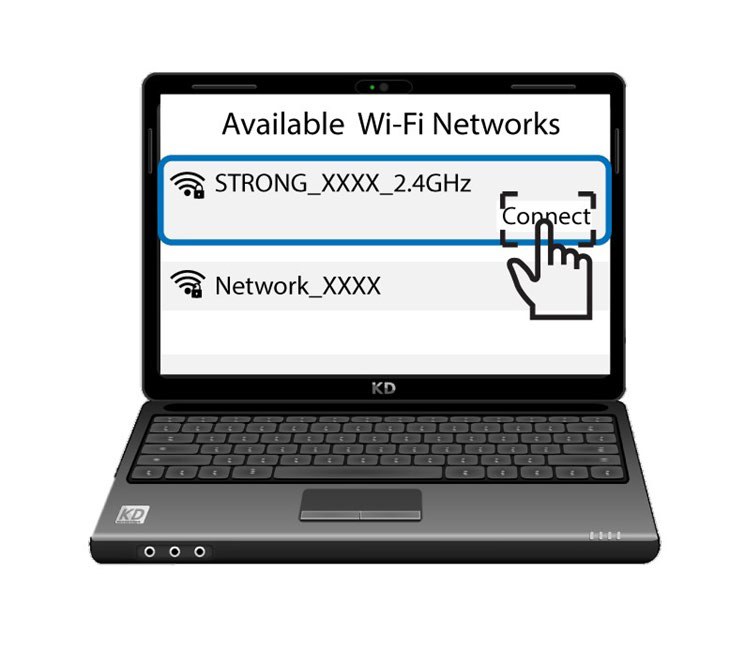
Em seguida, clique no botão «Ligar»