
Mini-router 4G AIRHOME 300 com antenas 4G amovíveis
Todas as perguntas
Mini-router 4G AIRHOME 300 com antenas 4G amovíveis
Qual é o significado dos diferentes estados do cartão SIM na interface de utilizador web?

Antes de se ligar à interface de utilizador web, certifique-se de que o seu cartão SIM está corretamente inserido e de que o PIN está desativado ou foi introduzido.
Assim que aceder à interface de utilizador web, poderá verificar que podem ser apresentados vários estados ao lado da linha de estado do cartão SIM:
Cartão SIM inválido: O cartão SIM está inserido e foi detetado, mas não está a funcionar devido ao código PIN.
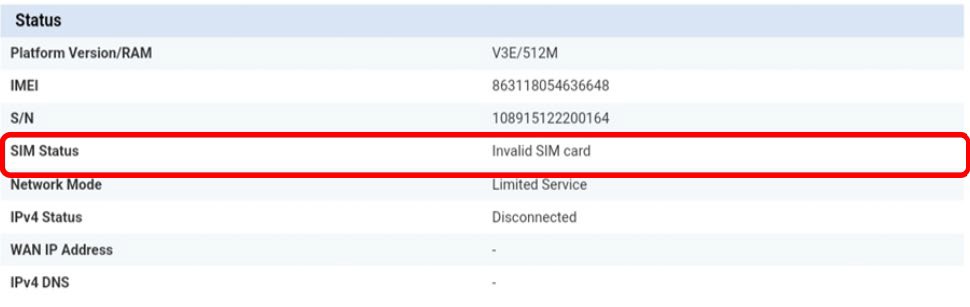
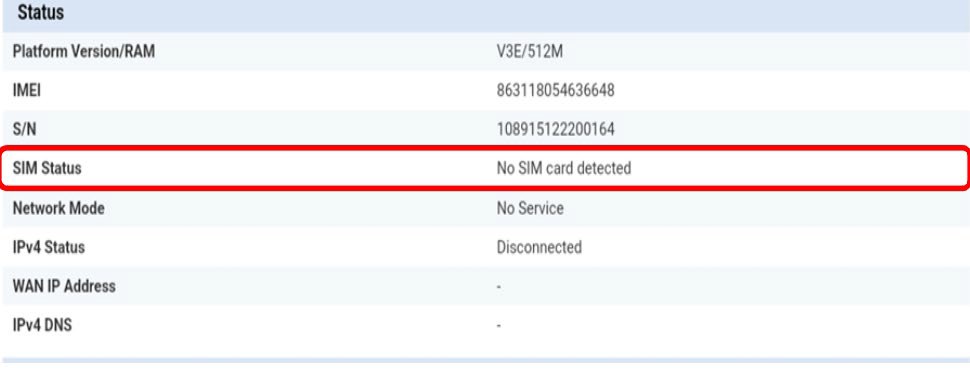
Não foi detetado nenhum cartão SIM: O cartão SIM não está corretamente inserido no dispositivo ou não há nenhum cartão SIM inserido na ranhura.
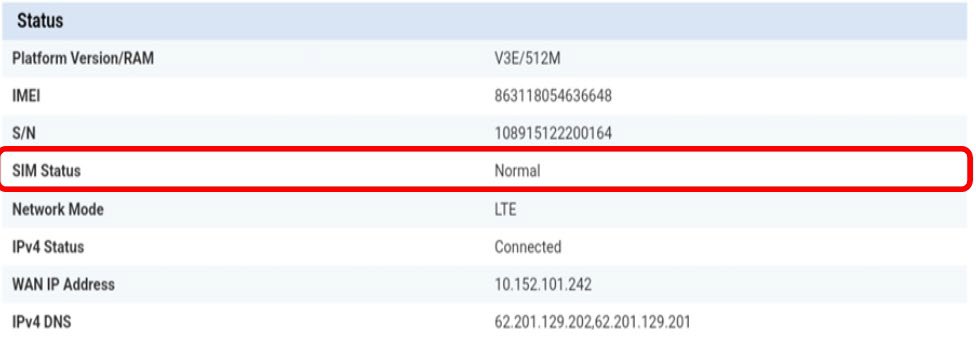
Normal: O cartão SIM está corretamente inserido no dispositivo e desbloqueado.
• Se o cartão SIM estiver bloqueado com um código PIN, terá de aceder à interface de utilizador web para o introduzir e desbloquear o cartão SIM.
• Se o cartão SIM não for detetado, verifique se o lado dourado não fica visível quando o cartão SIM está inserido na ranhura.
• Se o cartão SIM não estiver corretamente colocado, volte a colocá-lo na ranhura e verifique se o cartão SIM ainda se encontra no adaptador.