
Mini-router 4G AIRHOME 300 com antenas 4G amovíveis
Todas as perguntas
Mini-router 4G AIRHOME 300 com antenas 4G amovíveis
Como altero o SSID e a palavra-passe? (Definições de Wi-Fi)

Depois de alterar o nome de rede e a palavra-passe do seu router, o código QR deixará de funcionar, uma vez que as informações de ligação do seu router serão diferentes.
Por favor, anote as novas informações de rede num pedaço de papel.
1Ligue-seà rede Wi-Fi do router
Para alterar o SSID e a palavra-passe, tem de se ligar à rede Wi-Fi do seu dispositivo.

2. Acedaao endereço IP da interface de utilizador web
Em seguida, introduza o seguinte endereço IP: 192.168.0.1 no seu navegador.

3 Página de início de sessão
Em seguida, clique em «Iniciar sessão».

4Introduzaas suas credenciais
Tem de introduzir o nome de utilizador e a palavra-passe.

5. Definições de Wi-Fi
Clique em «Definições do dispositivo » e selecione «Definições de Wi-Fi».
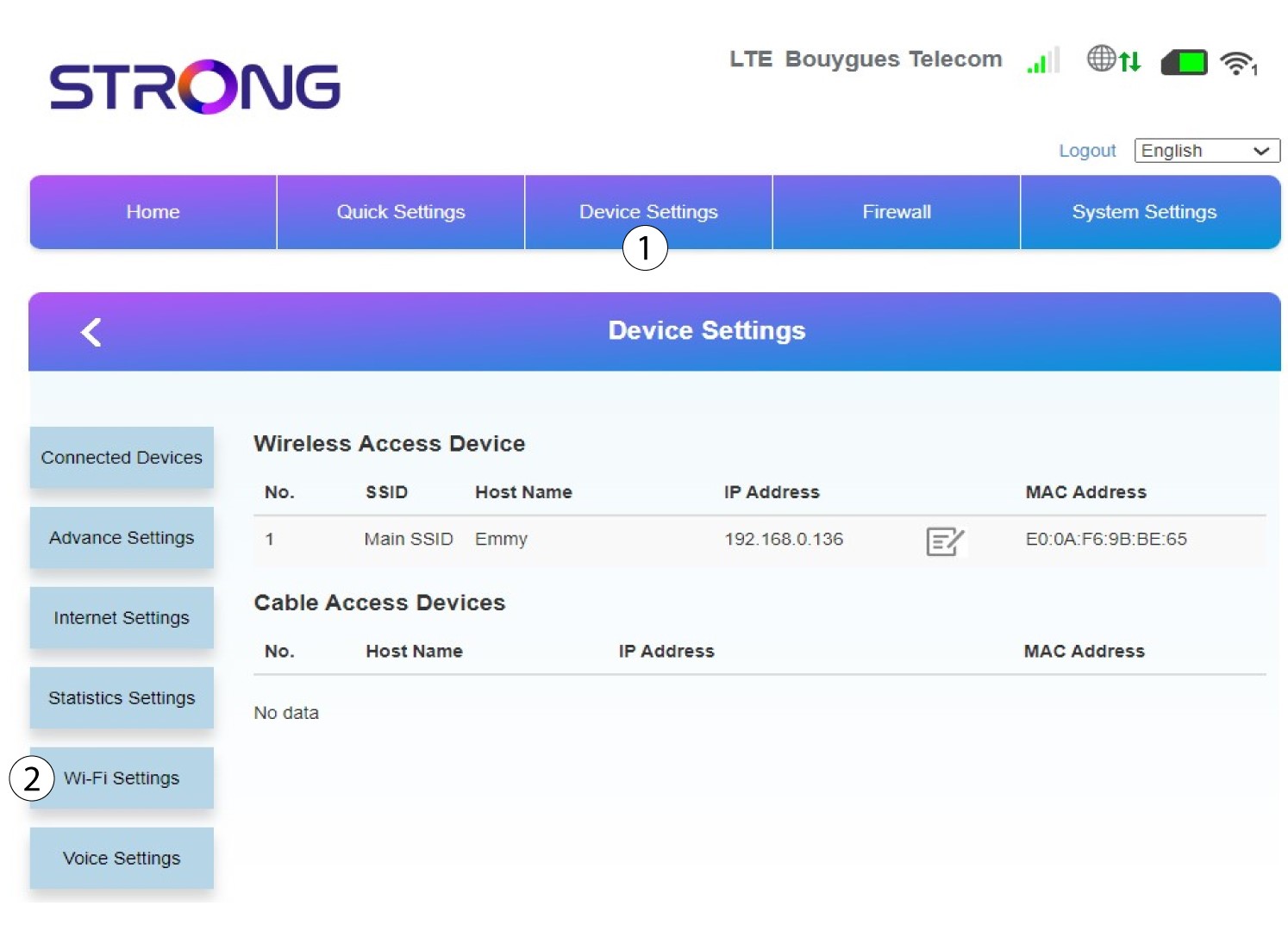
6SSID principal
Em seguida, selecione «Definições de SSID » e selecione «SSID principal».
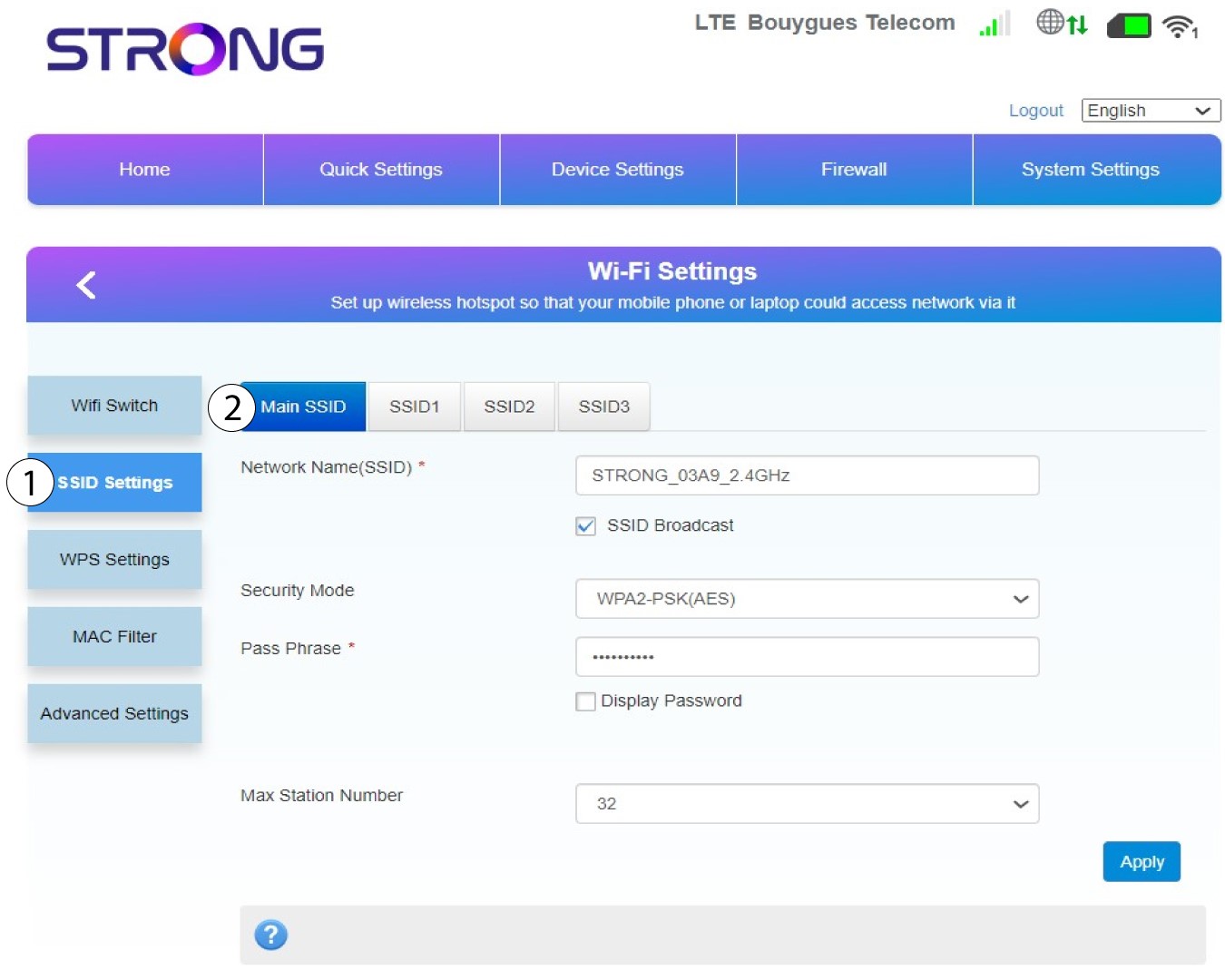
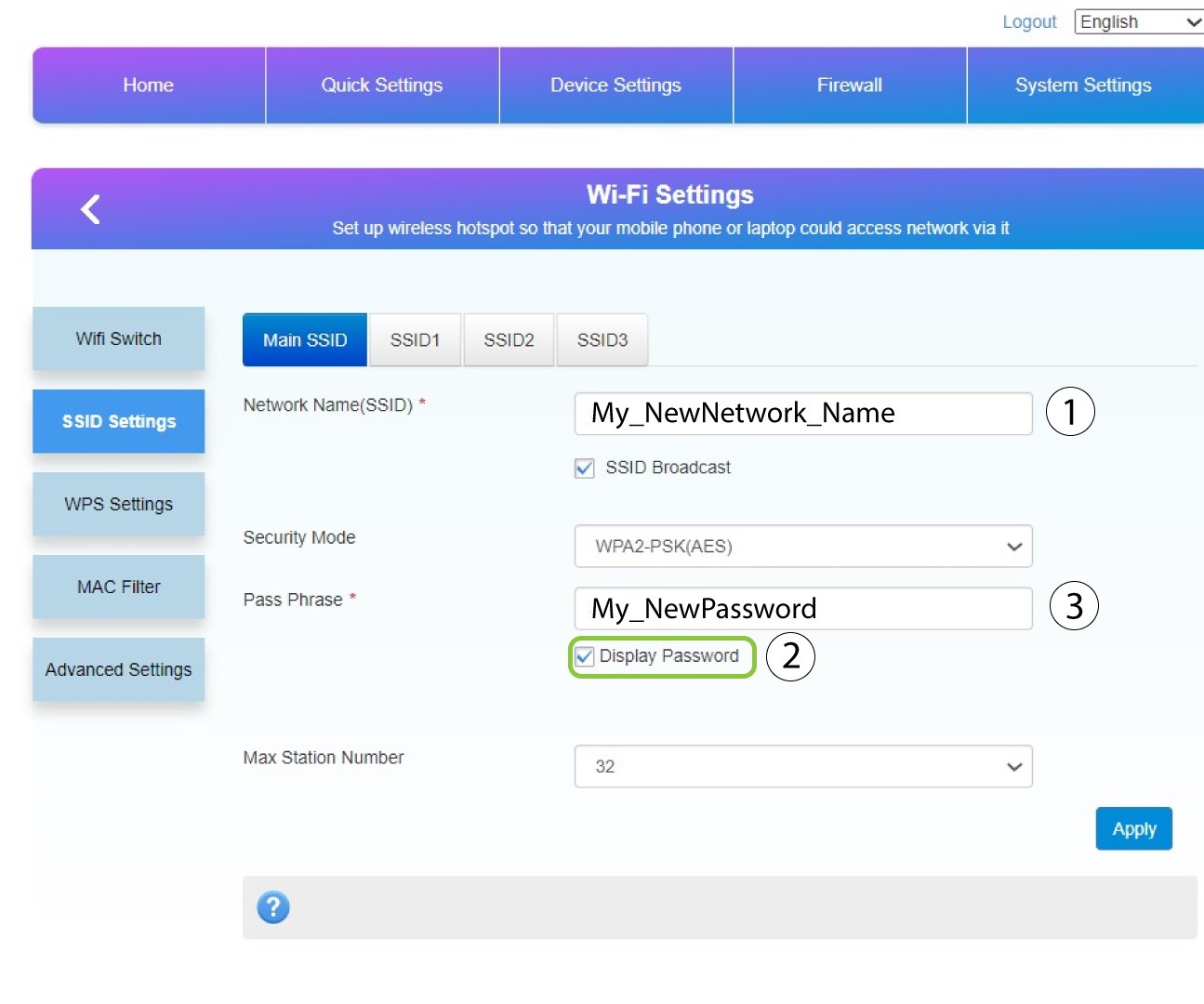
7Introduzaum novo nome de rede e uma nova palavra-passe
Altere o nome introduzido no campo «Nome da rede (SSID) » e marque a opção «Mostrar palavra-passe» box. Em seguida, altere a palavra-passe introduzida no campo «Frase de acesso ».
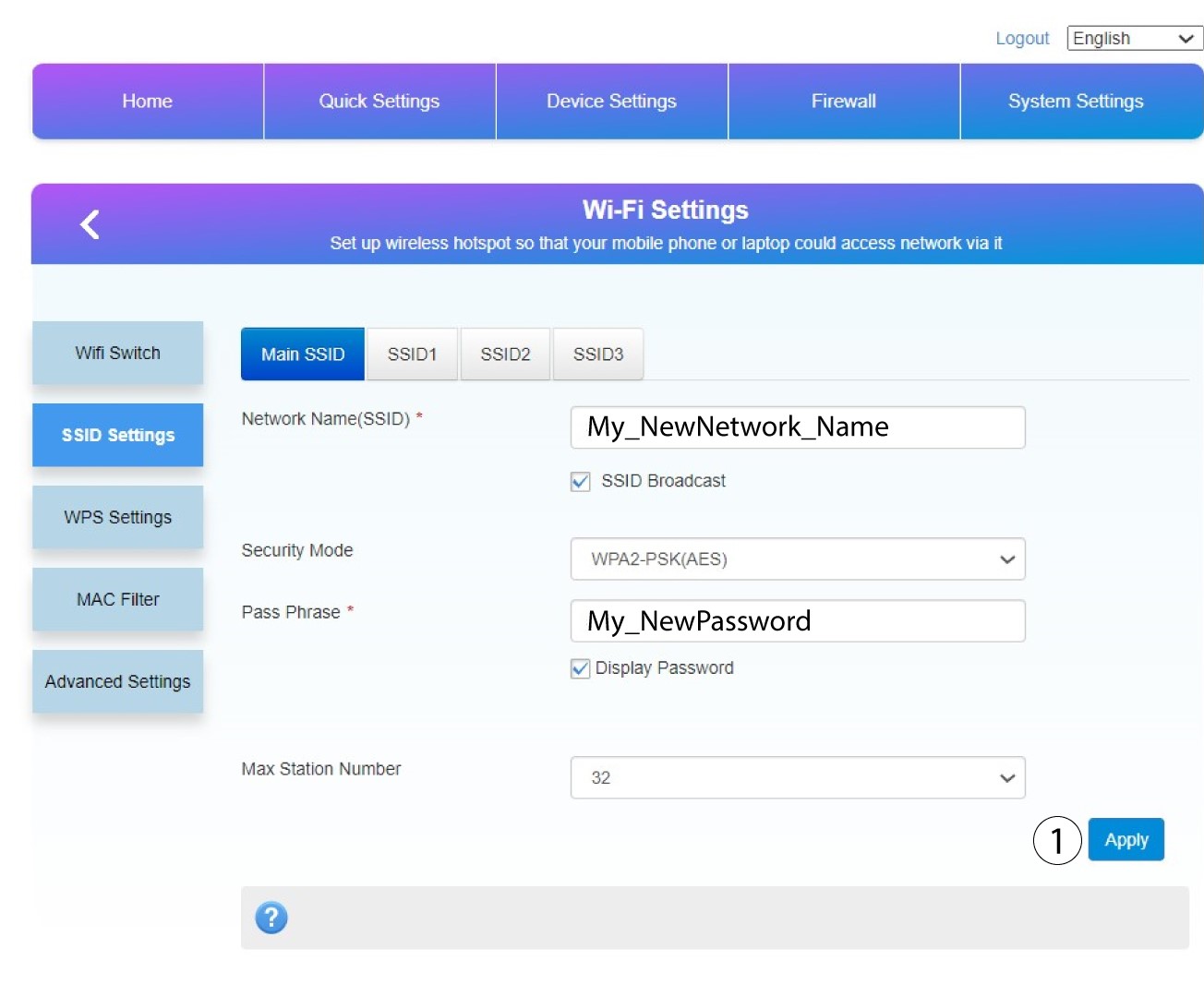
8Guardeas alterações
Clique em «Aplicar » para guardar as alterações.
9. Anoteas novas informações
Escreve o teu novo SSID e a tua nova palavra-passe num pedaço de papel e cola-o no router.
