4G AIRHOME 310 com antenas 4G amovíveis
Nenhum item encontrado.
Nenhum item encontrado.
Todas as perguntas
4G AIRHOME 310 com antenas 4G amovíveis
Nenhum item encontrado.
Nenhum item encontrado.
Como posso alterar o SSID (nome da rede Wi-Fi) e a palavra-passe? (Caso 1: Configurações rápidas)
Na interface de utilizador da Web, tem duas formas de alterar o SSID e a palavra-passe do seu router:
• Através das «Definições rápidas»
• Ou através das «Definições de Wi-Fi»
1. Definições rápidas
Na interface de utilizador da Web, as «Definições Rápidas» permitem-lhe alterar as informações da sua rede: o SSID e a palavra-passe.
Para tal, clique em «Definições rápidas » na barra superior.

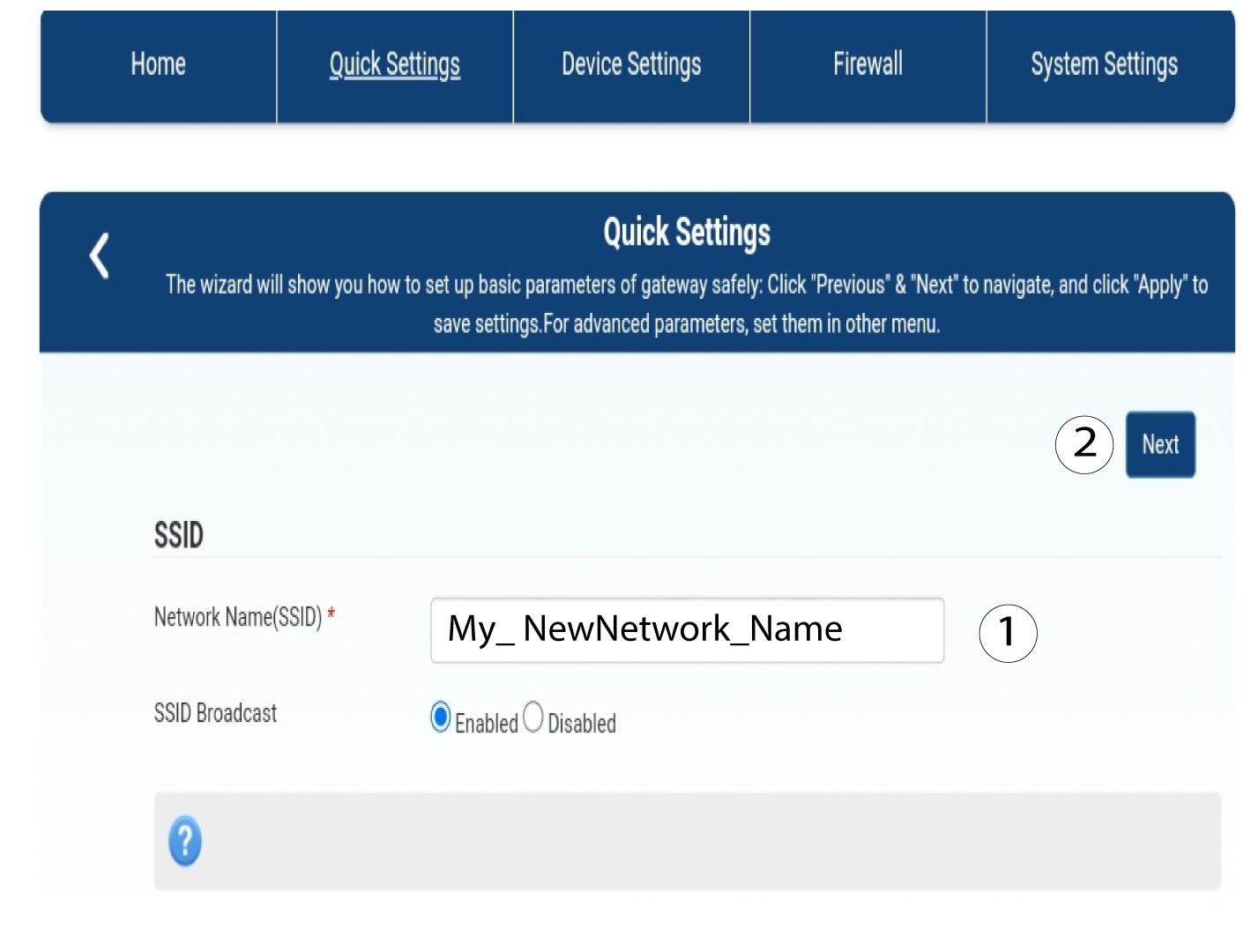
2Introduzao novo nome da rede
Em seguida, introduza o nome da sua nova rede e clique em «Seguinte».
3. Mostrara palavra-passe do Wi-Fi
Clique em «Mostrar palavra-passe».
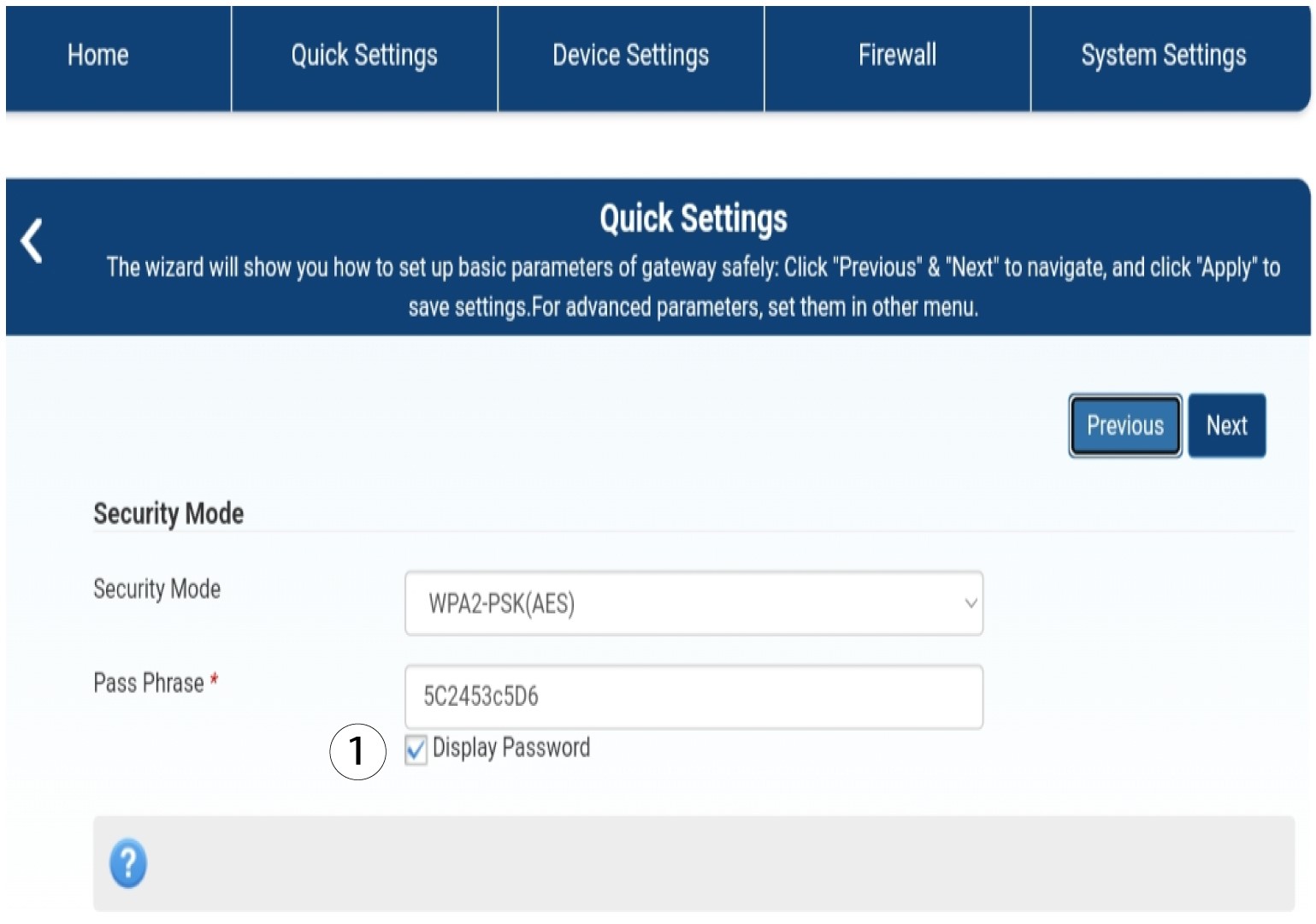
4Introduzaa nova palavra-passe
Altere a sua palavra-passe. Em seguida, clique em «Seguinte».

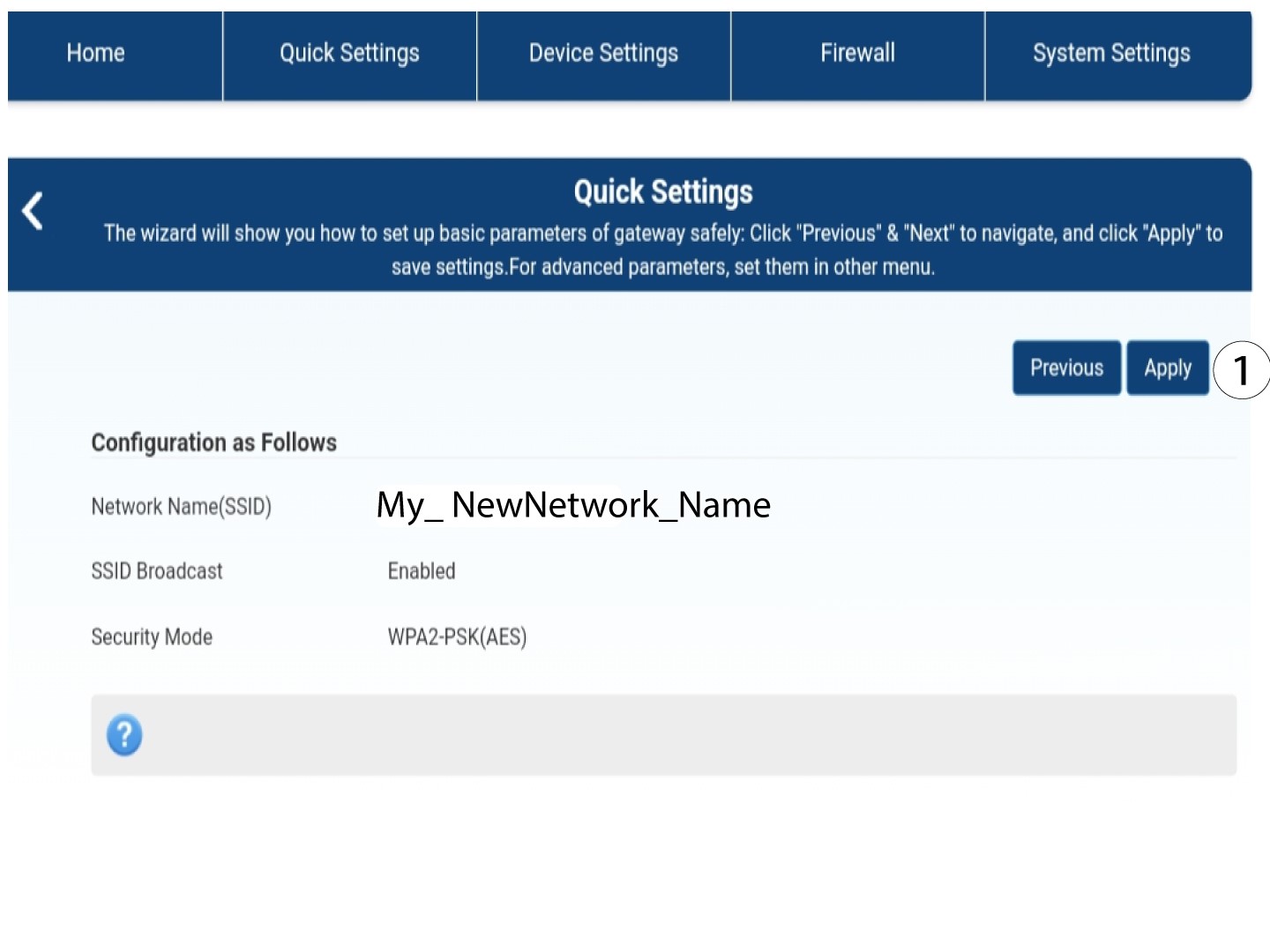
5Guardaras novas informações de rede
Para guardar as alterações, clique em «Aplicar».
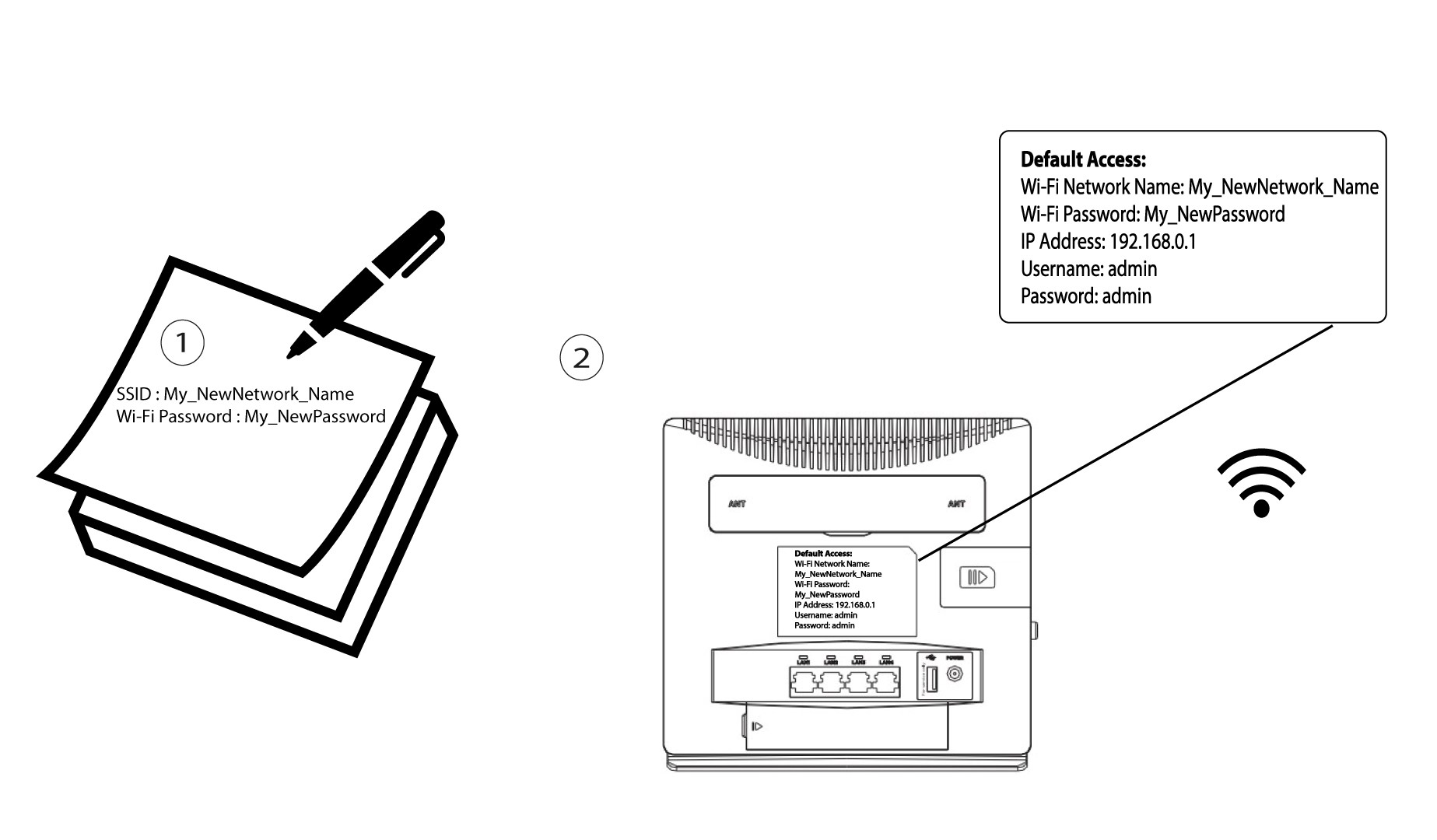
6. Anoteas novas informações de rede
Escreve o teu novo SSID e a tua nova palavra-passe num pedaço de papel e cola-o no router.