
Wi-Fi 4G AIRSPOT 220 com ecrã
Todas as perguntas
Wi-Fi 4G AIRSPOT 220 com ecrã
Como posso alterar o SSID (nome da rede Wi-Fi) e a palavra-passe do Wi-Fi?
Na interface de utilizador da Web, existem duas formas de alterar o SSID (nome da rede Wi-Fi) e a palavra-passe Wi-Fi do seu router:
• Através das Configurações Rápidas
• Ou através das Configurações de Wi-Fi
1 CASO1: Configurações rápidas
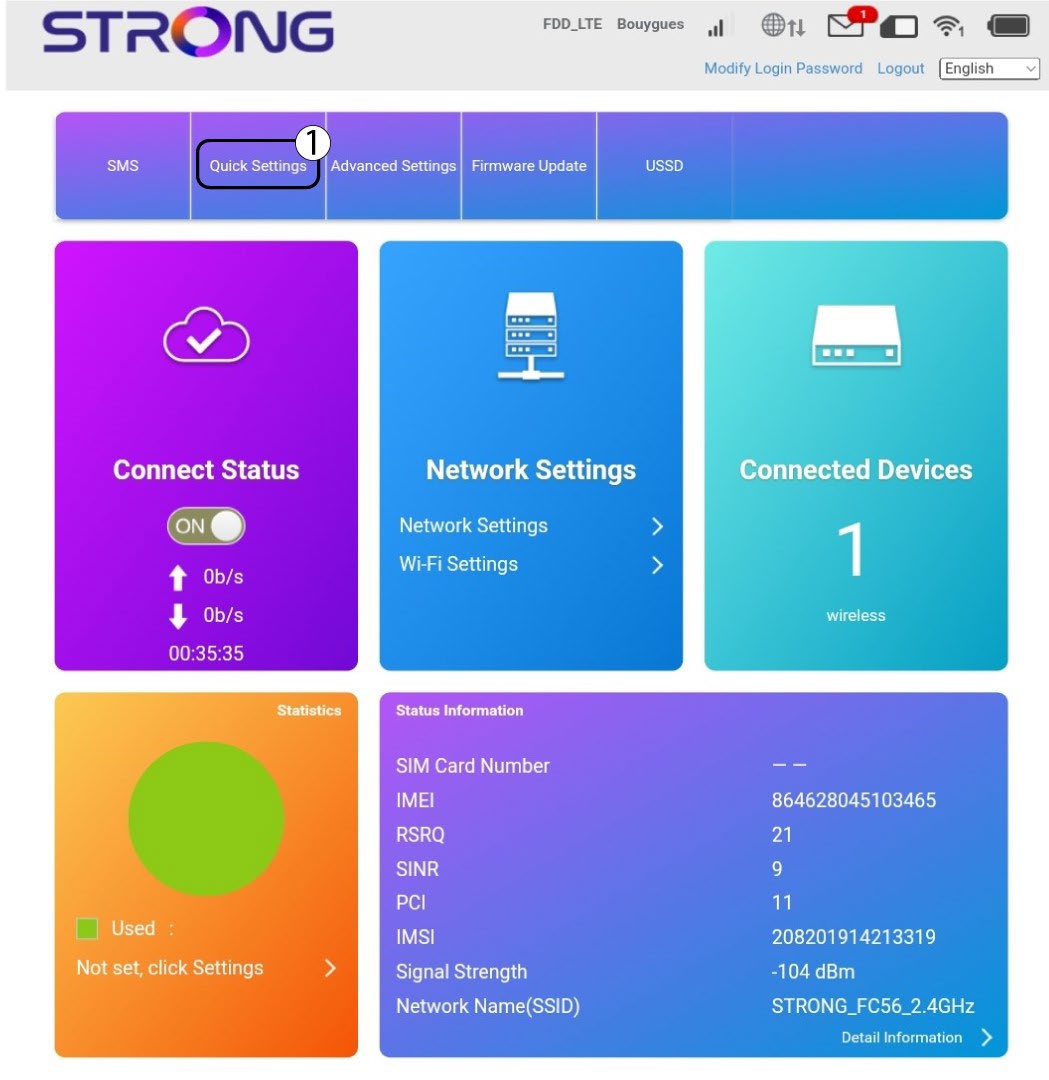
Na interface de utilizador da Web, as «Definições Rápidas» permitem-lhe alterar as informações da sua rede: o SSID (nome da rede Wi-Fi) e a palavra-passe do Wi-Fi.
Para tal, clique em «Definições rápidas » na barra superior.
Configuração de 2APN
Clique em «Seguinte».

3SSID
Introduza o novo nome da rede e clique em «Seguinte».

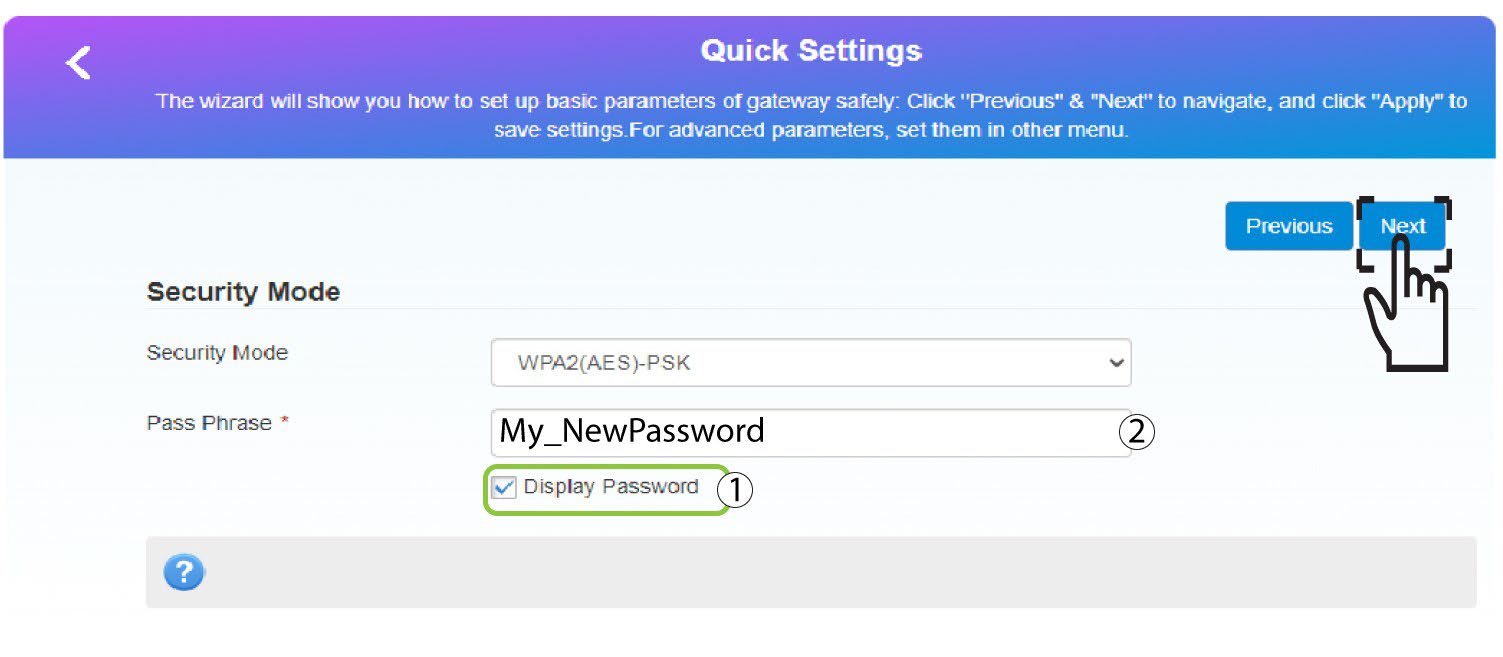
4Introduzaa nova palavra-passe
Clique em «Mostrar
palavra-passe » e introduza a nova palavra-passe para a rede Wi-Fi; em seguida, clique em «Seguinte».
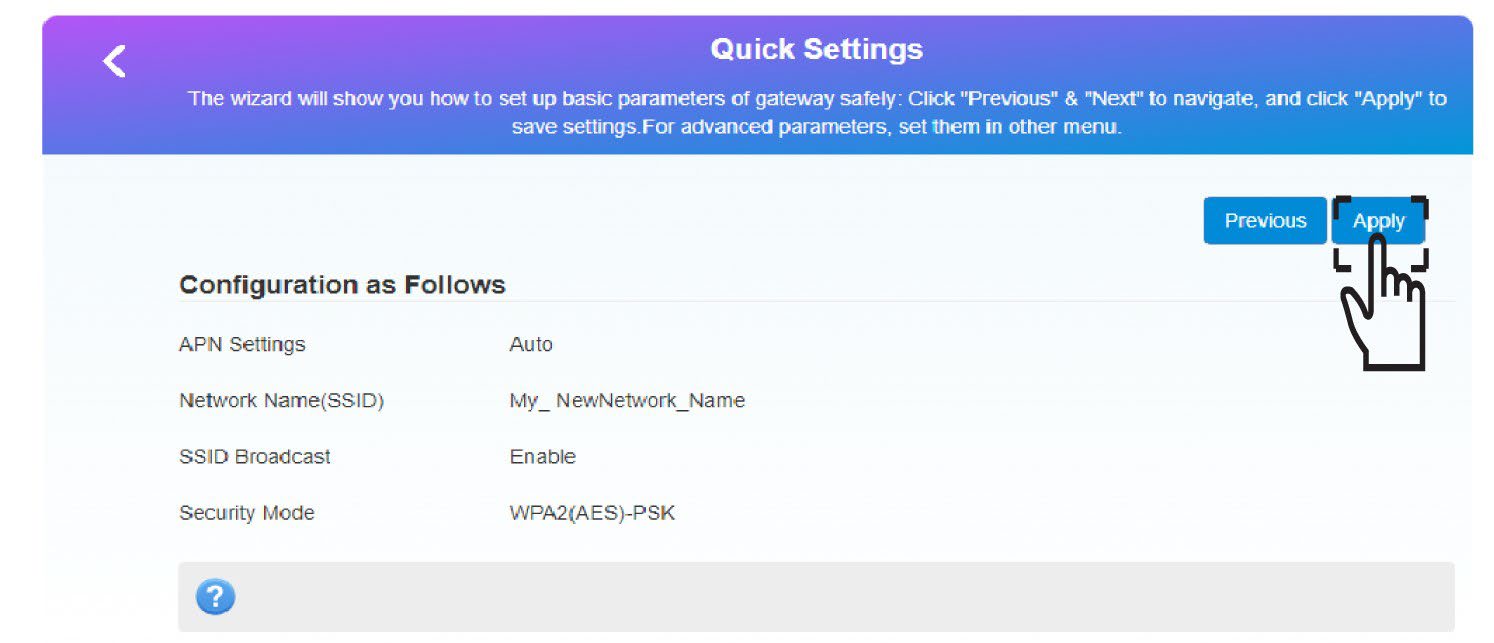
5Guardaras novas informações de rede
Clique em «Aplicar » para guardar as alterações.
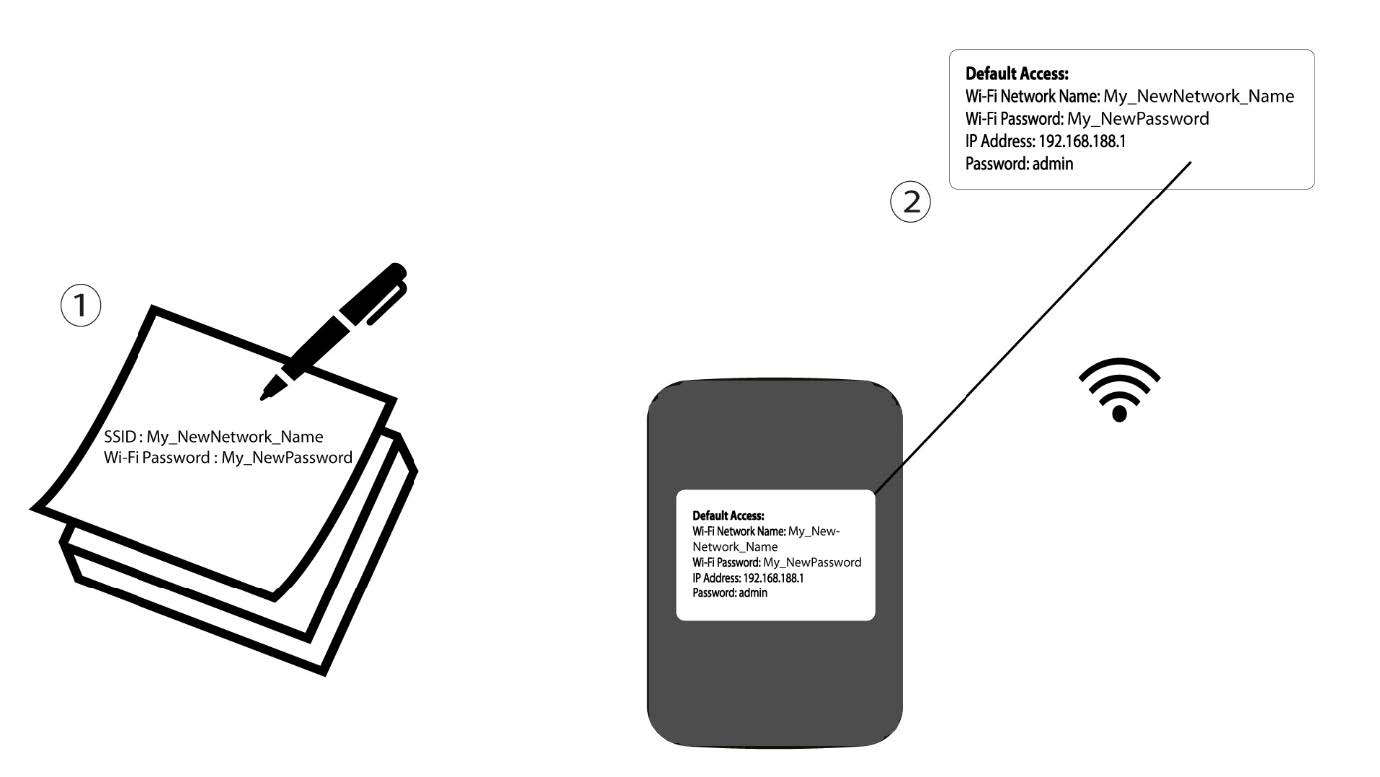
6. Anoteas novas informações de rede
Anote as novas informações de rede num pedaço de papel.
1 CASO2: Configurações de Wi-Fi
Ligue-se à rede Wi-Fi do seu router.

2. Acedaao endereço IP da interface de utilizador web
Em seguida, introduza o seguinte endereço IP: 192.168.188.1 no seu navegador.

3Iniciarsessão
Tem de introduzir a palavra-passe.

4. Definições de Wi-Fi
Clique em «Definições de Wi-Fi» na secção «Definições de rede».
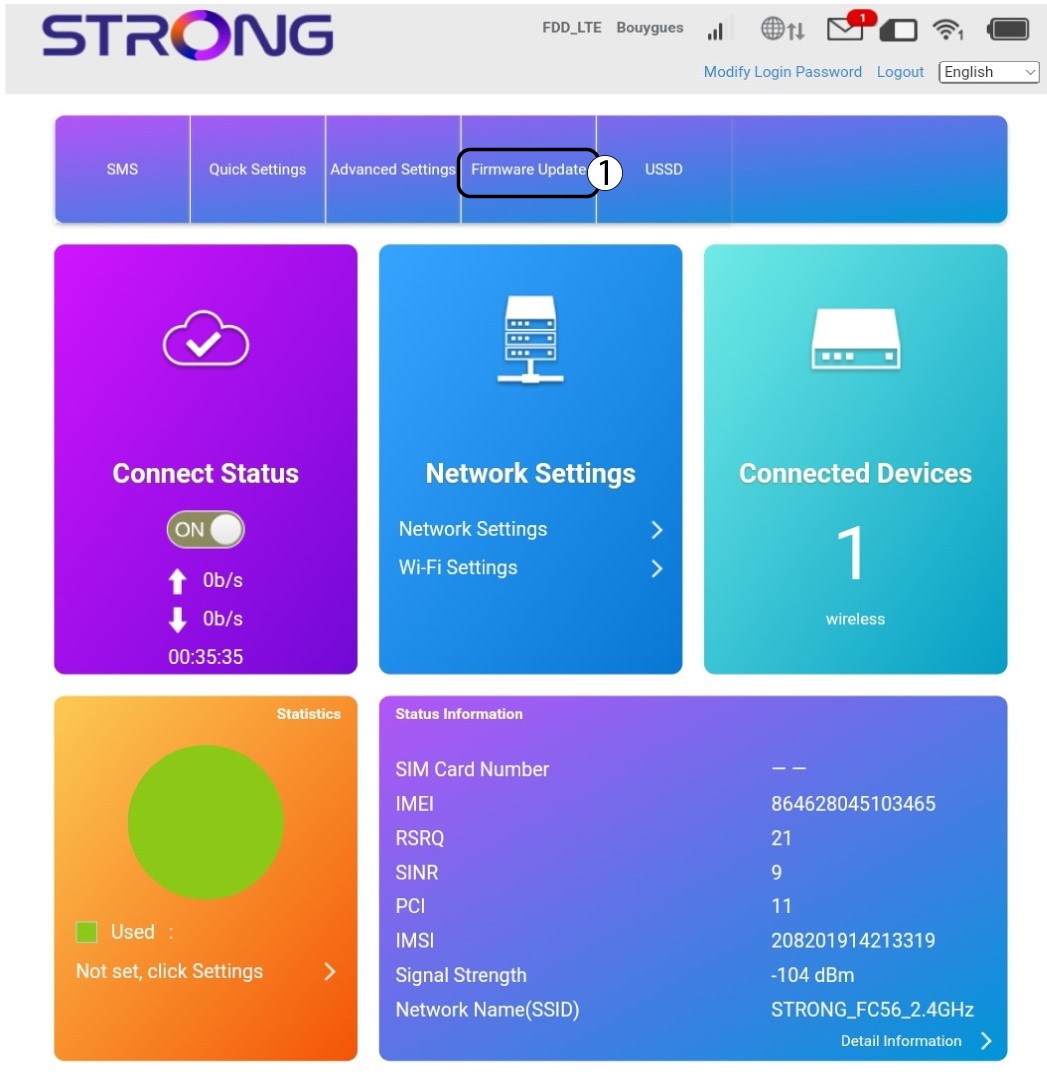
5Alterarpalavra-passe
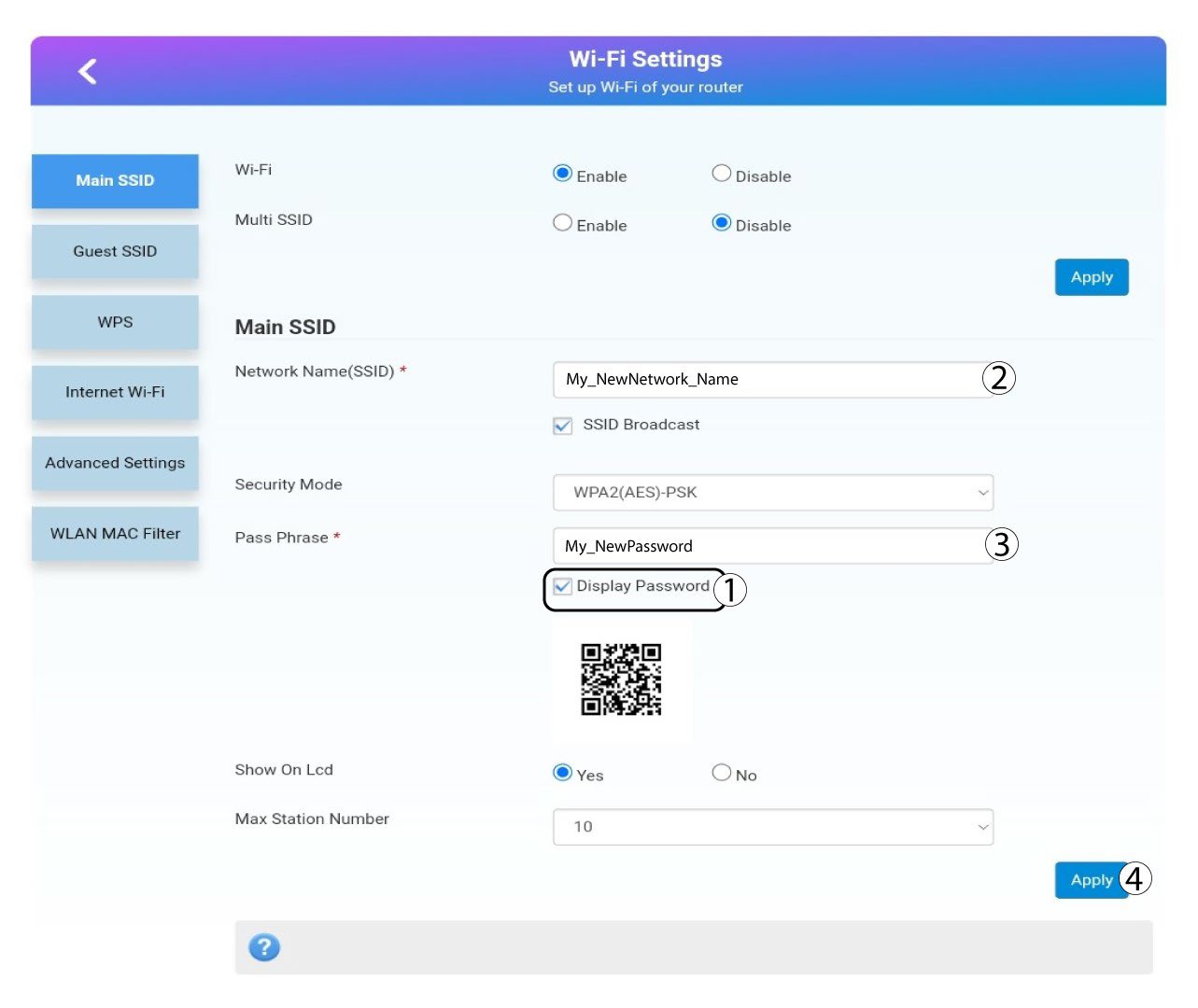
Clique mostrar palavra-passe e introduza as seguintes informações antes de clicar em Aplicar:a. Introduza o novo nome da rede.b. Introduza a nova palavra-passe do Wi-Fi.
6. Confirmação
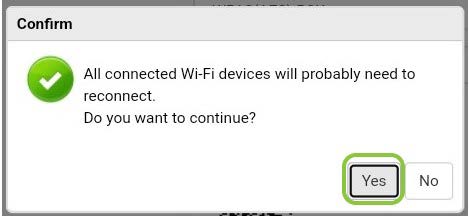
Na mensagem que aparece, clique em «Sim» para aplicar as alterações.
7. Anoteas novas informações de rede
Anote as novas informações de rede num pedaço de papel.
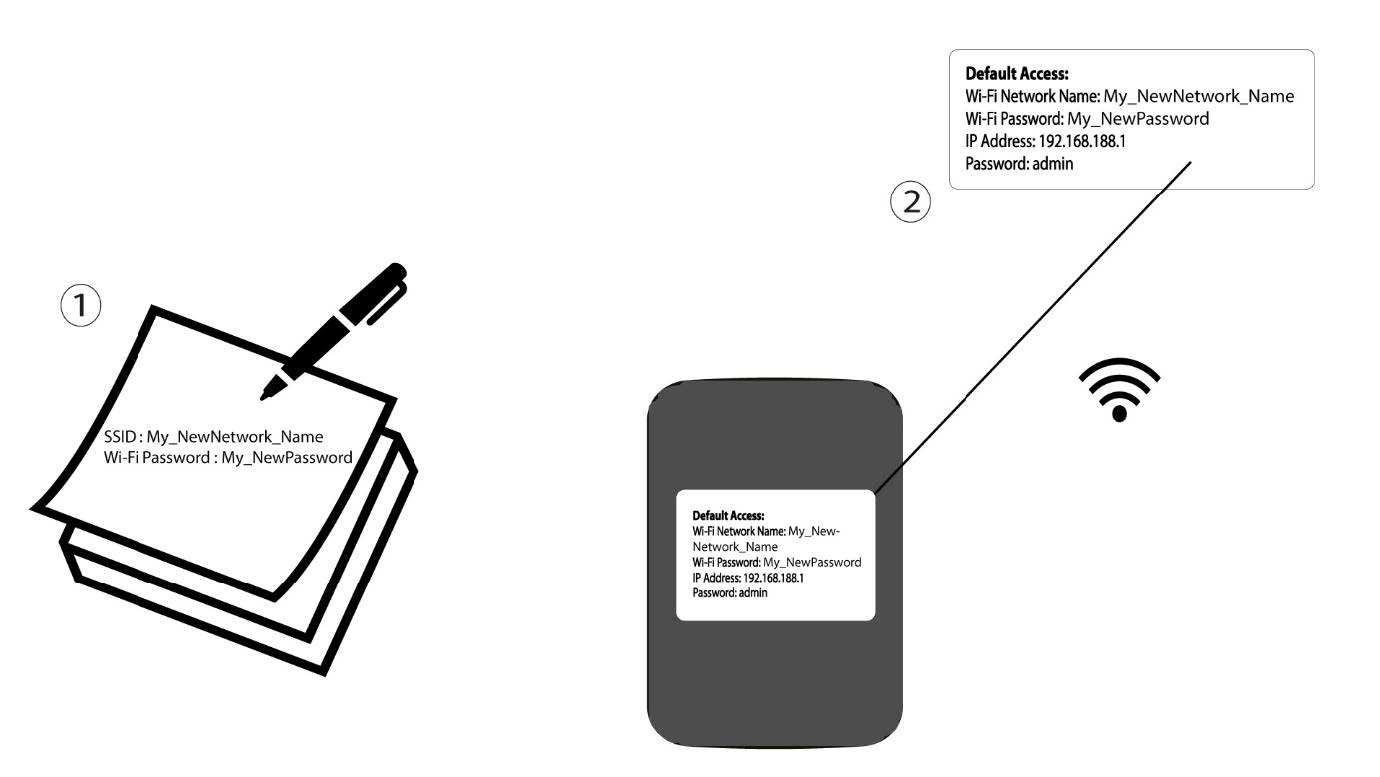

Aviso: Após alterar as informações da rede Wi-Fi, todos os dispositivos que estavam ligados à rede serão automaticamente desligados.