Wi-Fi 4G AIRSPOT 220 com ecrã
Nenhum item encontrado.
Nenhum item encontrado.
Todas as perguntas
Wi-Fi 4G AIRSPOT 220 com ecrã
Nenhum item encontrado.
Nenhum item encontrado.
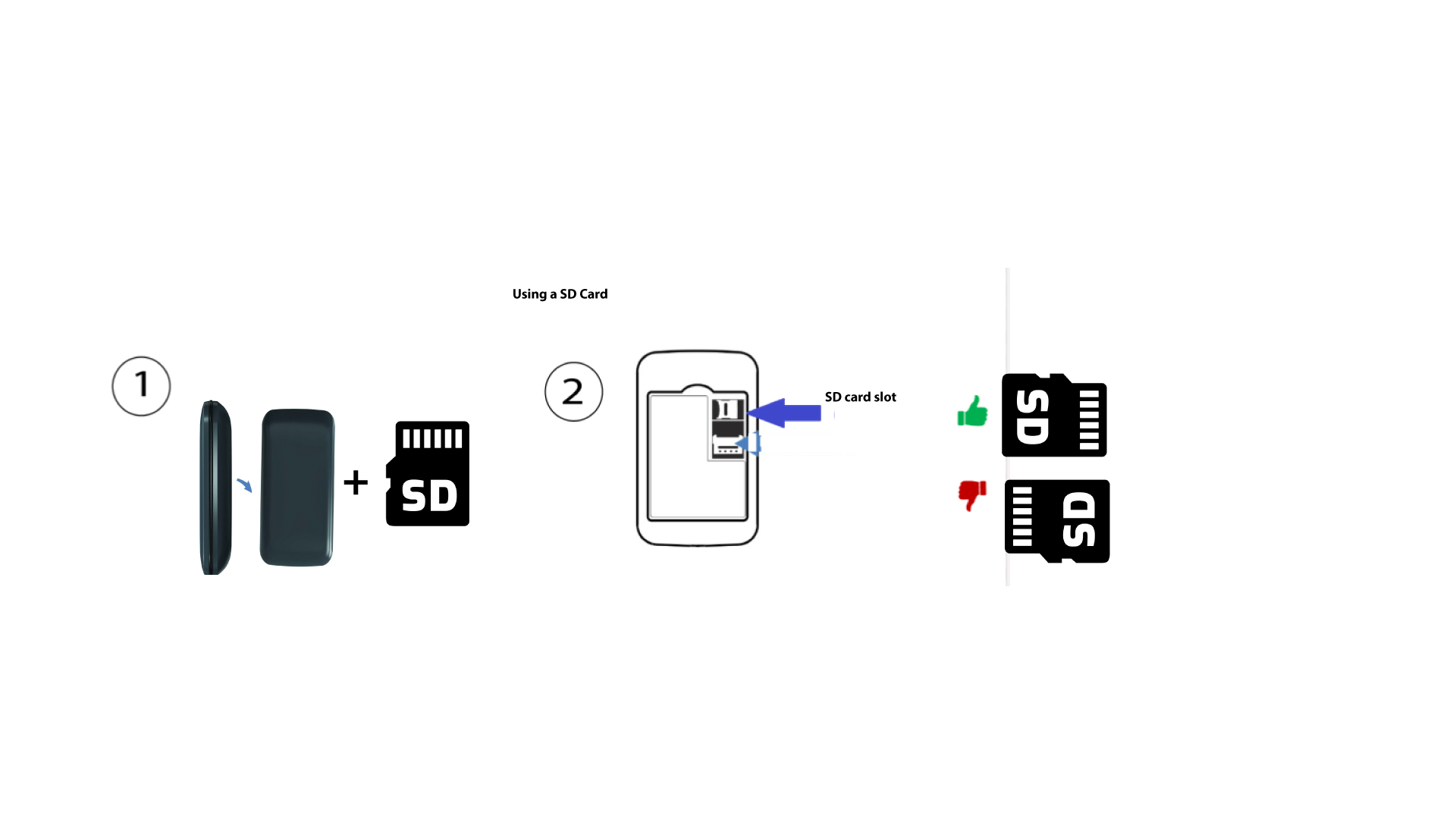
Como inserir o cartão SD no Hotspot 150?
Como inserir o cartão SD no Hotspot 150?
Para inserir o cartão SD no router, primeiro tem de desligar o dispositivo, premindo o botão de alimentação durante cinco segundos.
1
Insira o cartão SD
Em seguida, retire a tampa e insira o cartão SD na ranhura prevista para o efeito, no canto superior direito da parte traseira do dispositivo.