Wi-Fi 4G AIRSPOT 220 com ecrã
Nenhum item encontrado.
Nenhum item encontrado.
Todas as perguntas
Wi-Fi 4G AIRSPOT 220 com ecrã
Nenhum item encontrado.
Nenhum item encontrado.
Como é que ligo e desligo o dispositivo?
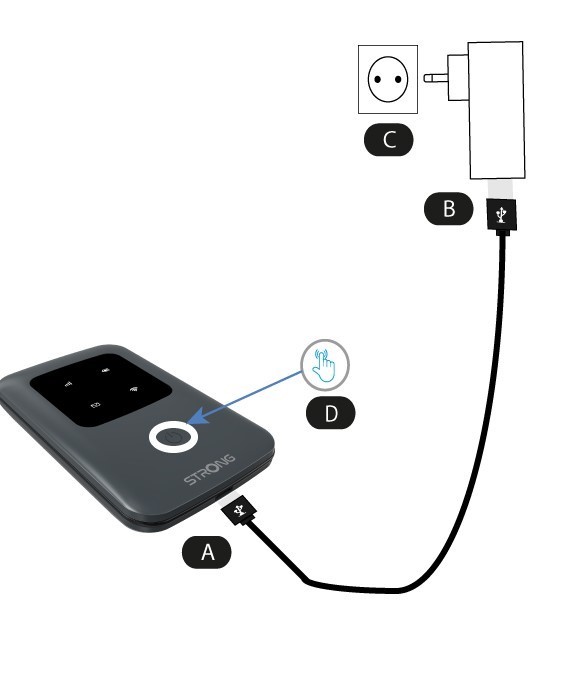
Para ligar o dispositivo, é necessário carregá-lo antes de o utilizar. Para tal, ligue o cabo USB ao dispositivo (A) e à tomada (B).
1Botão de ligar/desligar
Ligue o cabo USB do dispositivo (A) à fonte de alimentação (B). Em seguida, ligue-o à tomada (C) e mantenha premido o botão de alimentação durante cinco segundos (D).
Após alguns segundos, os LEDs do dispositivo acendem-se.
Para o desligar, basta manter premido o botão de alimentação durante 5 segundos.