Wi-Fi 4G AIRSPOT 220 com ecrã
Nenhum item encontrado.
Nenhum item encontrado.
Todas as perguntas
Wi-Fi 4G AIRSPOT 220 com ecrã
Nenhum item encontrado.
Nenhum item encontrado.
Como posso atualizar o firmware do dispositivo?
Quando estiver ligado à interface de utilizador web, deve verificar a versão do firmware utilizada pelo seu dispositivo, recorrendo à opção de atualização online disponível na interface de utilizador web. Ao fazê-lo, será instalada a versão mais recente do firmware.
Se o seu router não estiver atualizado, consulte o procedimento abaixo para atualizar o firmware.
1Ligue-seà rede Wi-Fi do router
- Para atualizar o firmware do dispositivo, tem de se ligar à rede Wi-Fi do seu router.
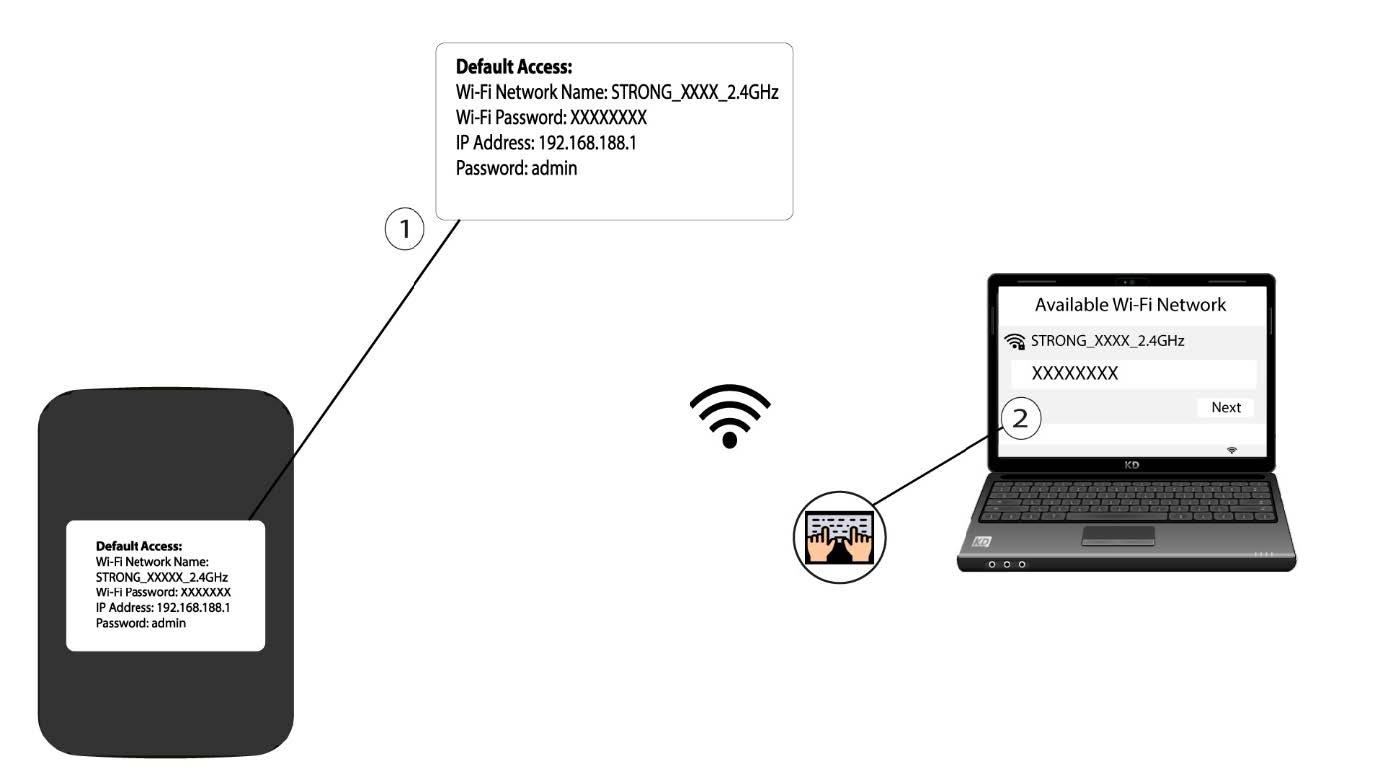
2. Acedaao endereço IP da interface de utilizador web
Em seguida, introduza o seguinte endereço IP no seu navegador: 192.168.188.1.

3. Acedaà página de início de sessão
Tem de introduzir a palavra-passe.

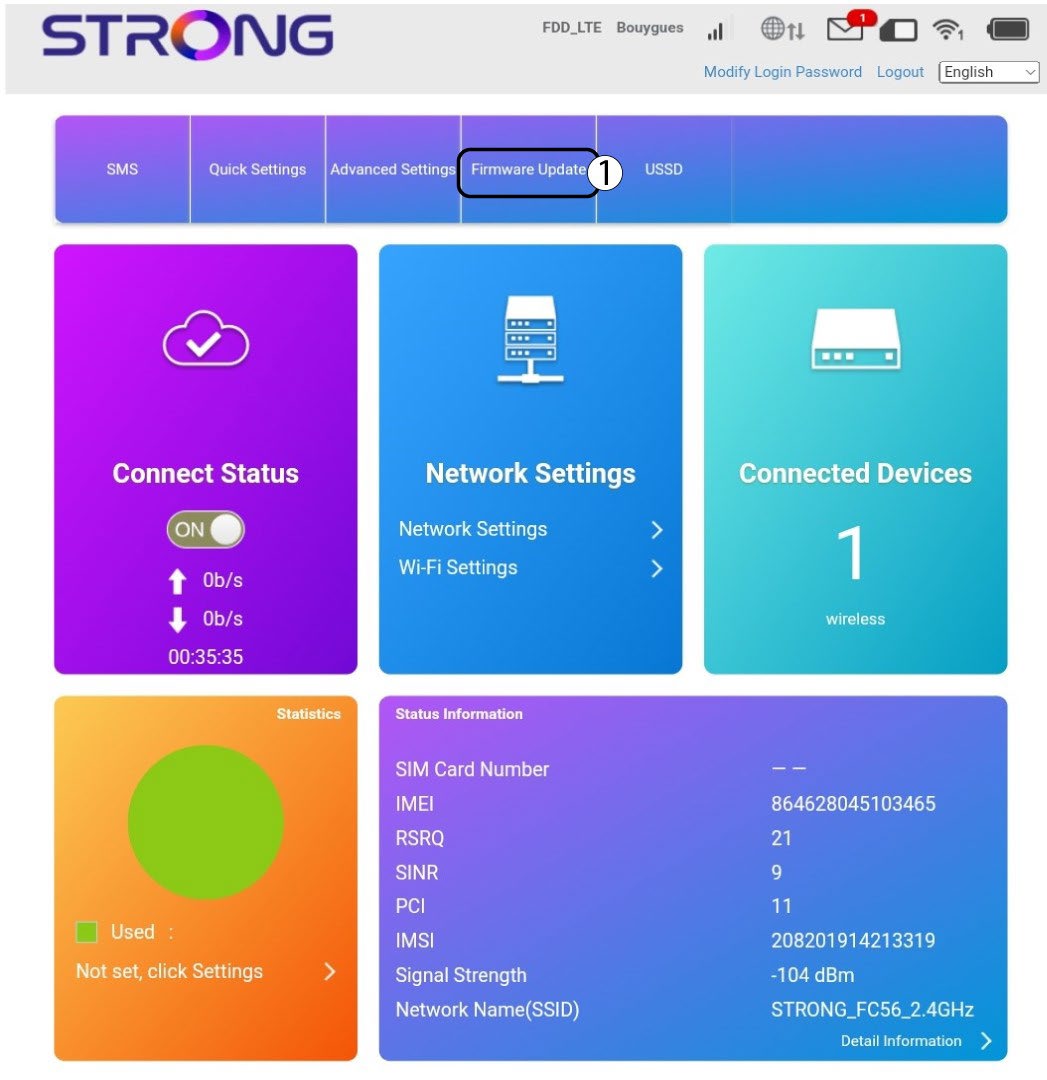
4. Atualização
Clique em «Atualização do firmware».
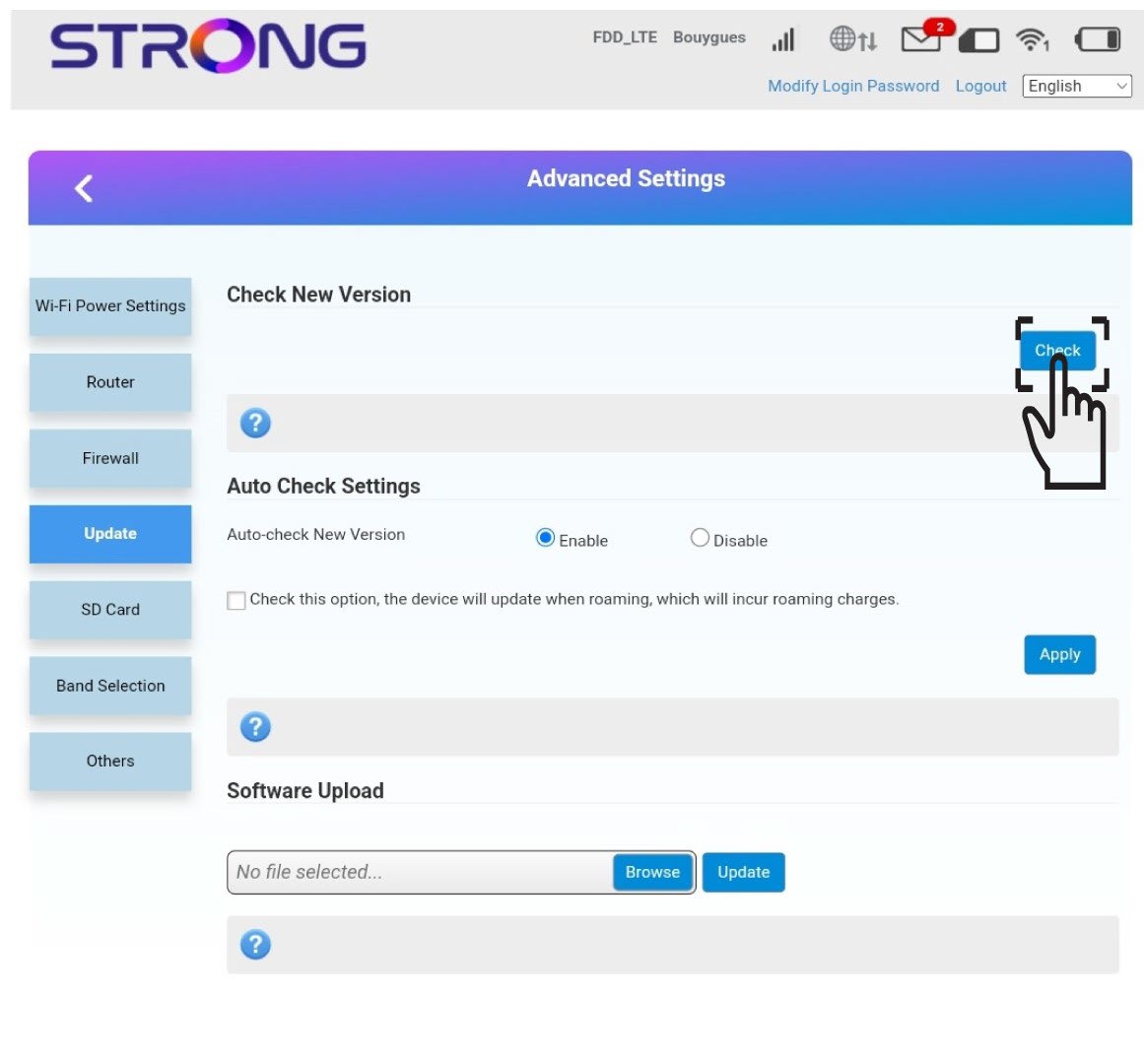
5Verificarse há novas versões
Clique em «Verificar» na secção «Verificar nova versão». A versão mais recente do software será descarregada automaticamente e terá de se ligar novamente à rede Wi-Fi para introduzir o seu código PIN.