4G AIRHOME 310 s odnímateľnými 4G anténami
Všetky otázky
4G AIRHOME 310 s odnímateľnými 4G anténami
Ako môžem obnoviť továrenské nastavenia svojho routera?
Niekedy sa môže stať, že vaše zariadenie nefunguje správne a nemáte prístup k internetu. V takomto prípade odporúčame obnoviť továrenské nastavenia zariadenia a v prípade potreby následne znovu aktualizovať jeho firmvér.
Máte na to dva spôsoby: zariadenie môžete obnoviť stlačením tlačidla reset alebo prostredníctvom webového rozhrania.
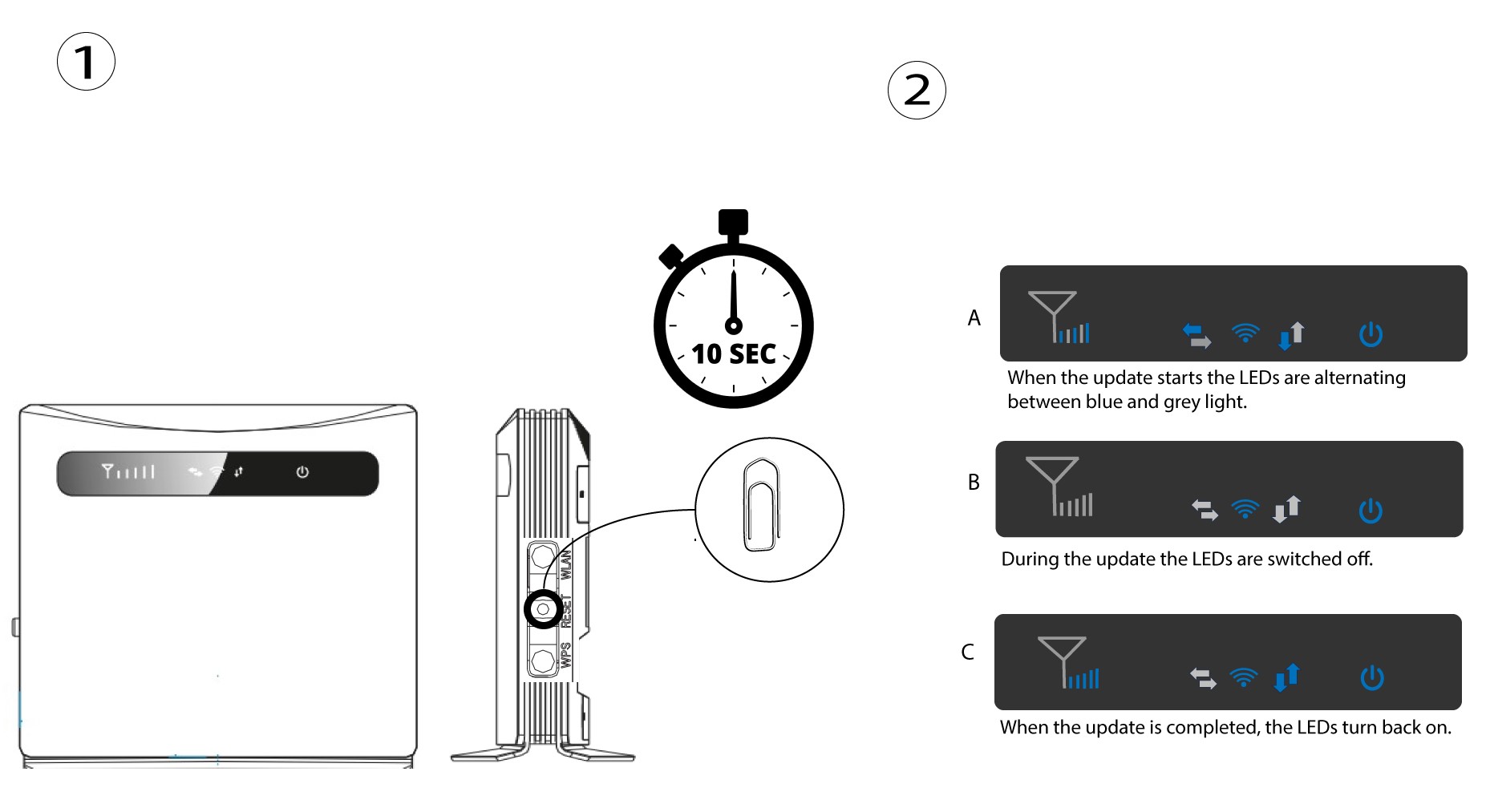
PRÍPAD 1: Tlačidlo resetovania.
Na to vložte do otvoru kancelársku sponku a stlačte ňou tlačidlo resetovania. Tlačidlo resetovania držte stlačené 10 sekúnd. LED diódy switch zhasnú a opäť sa rozsvietia.
1Prípad2: obnovenie nastavení v webovom rozhraní
Musíte sa pripojiť k sieti Wi-Fi svojho zariadenia a postupovať podľa krokov uvedených v nasledujúcom návode:

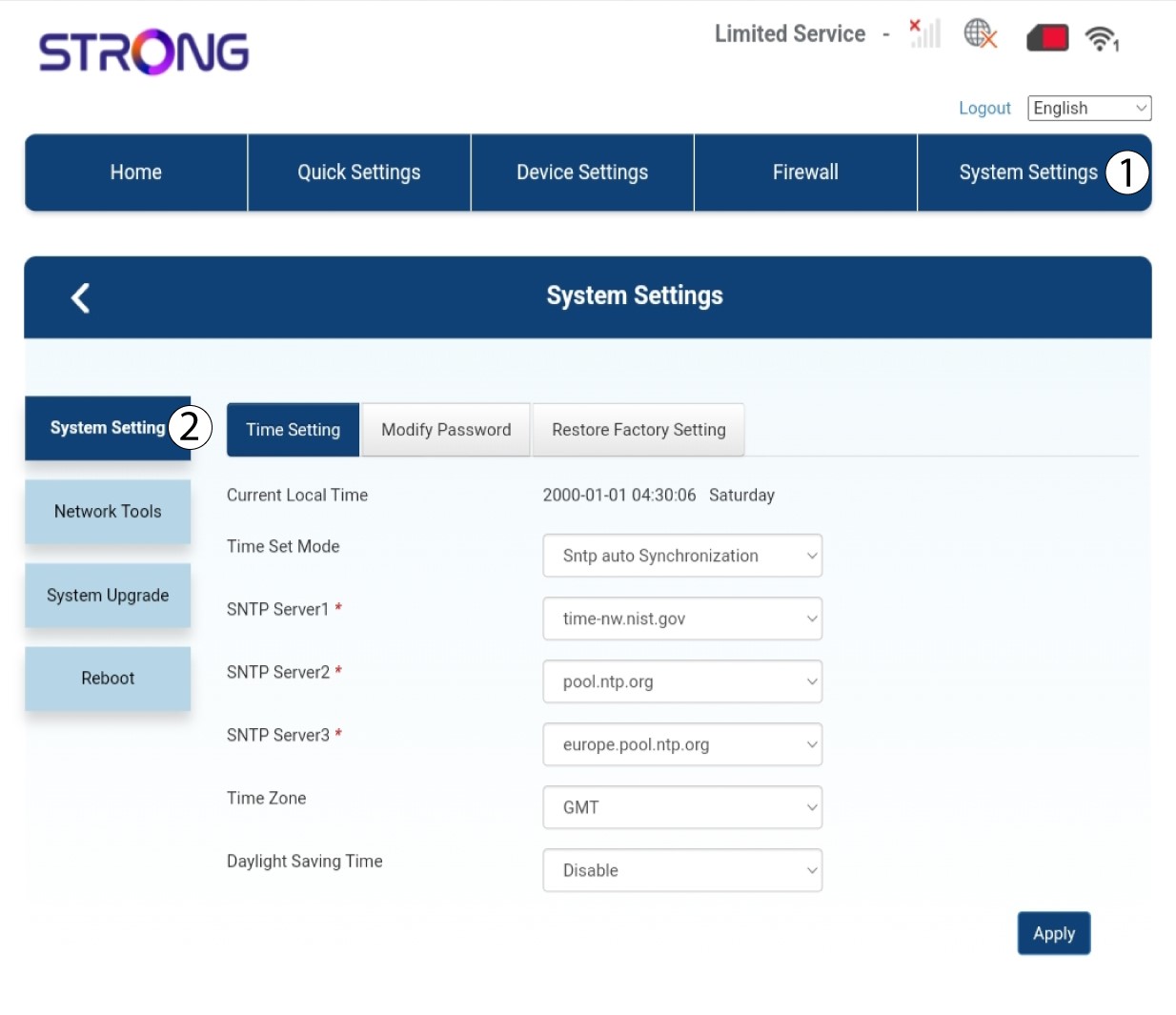
2. Nastavenie systému
Potom kliknite na položku „Nastavenia systému “ a vyberte možnosť „Nastavenie systému“.
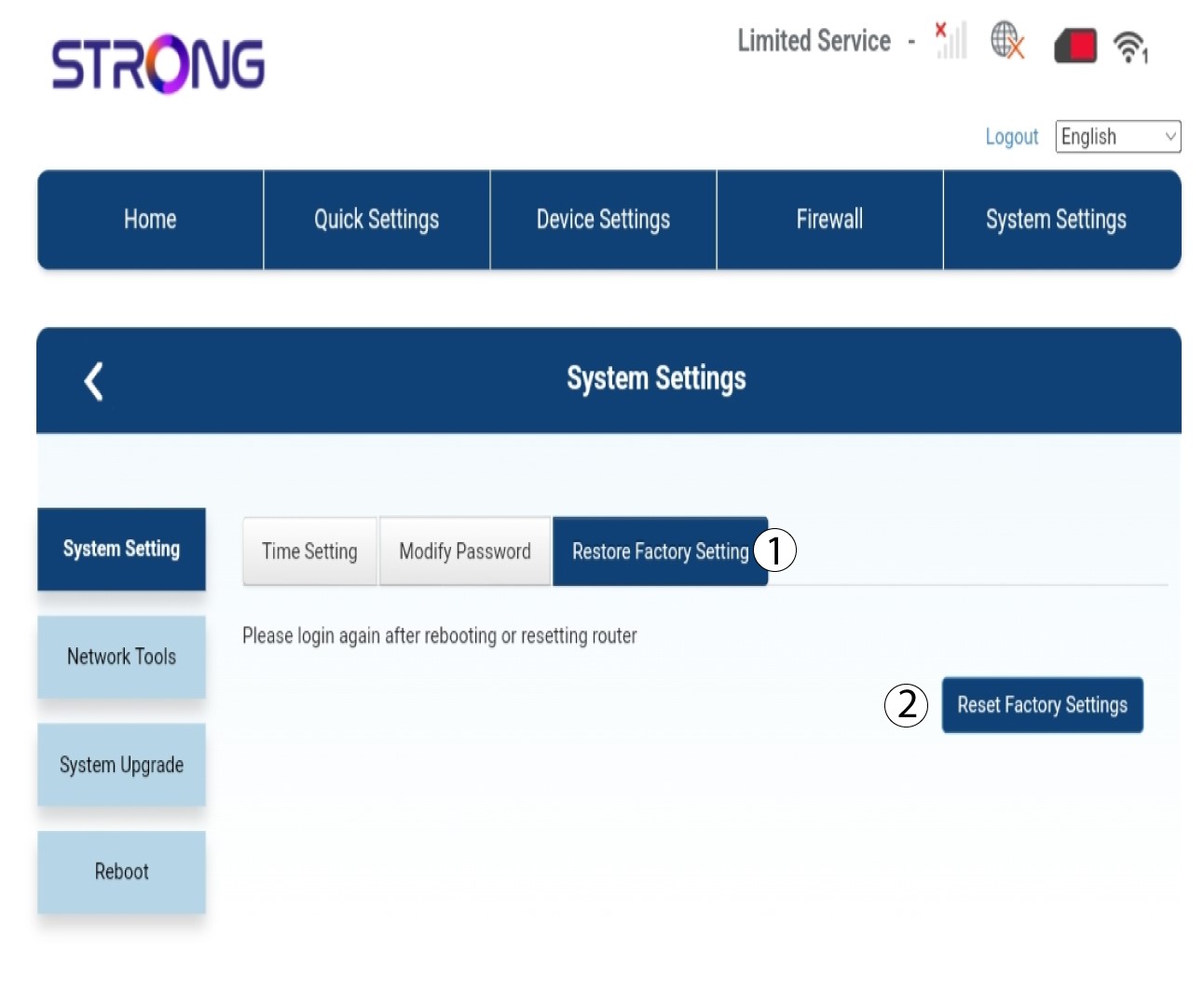
3Obnovenietovárenských nastavení
Kliknite na polož ku „Obnoviť továrenské nastavenia“ a potom kliknite na položku „Obnoviť továrenské nastavenia“
4. Vyskakovacie okienko
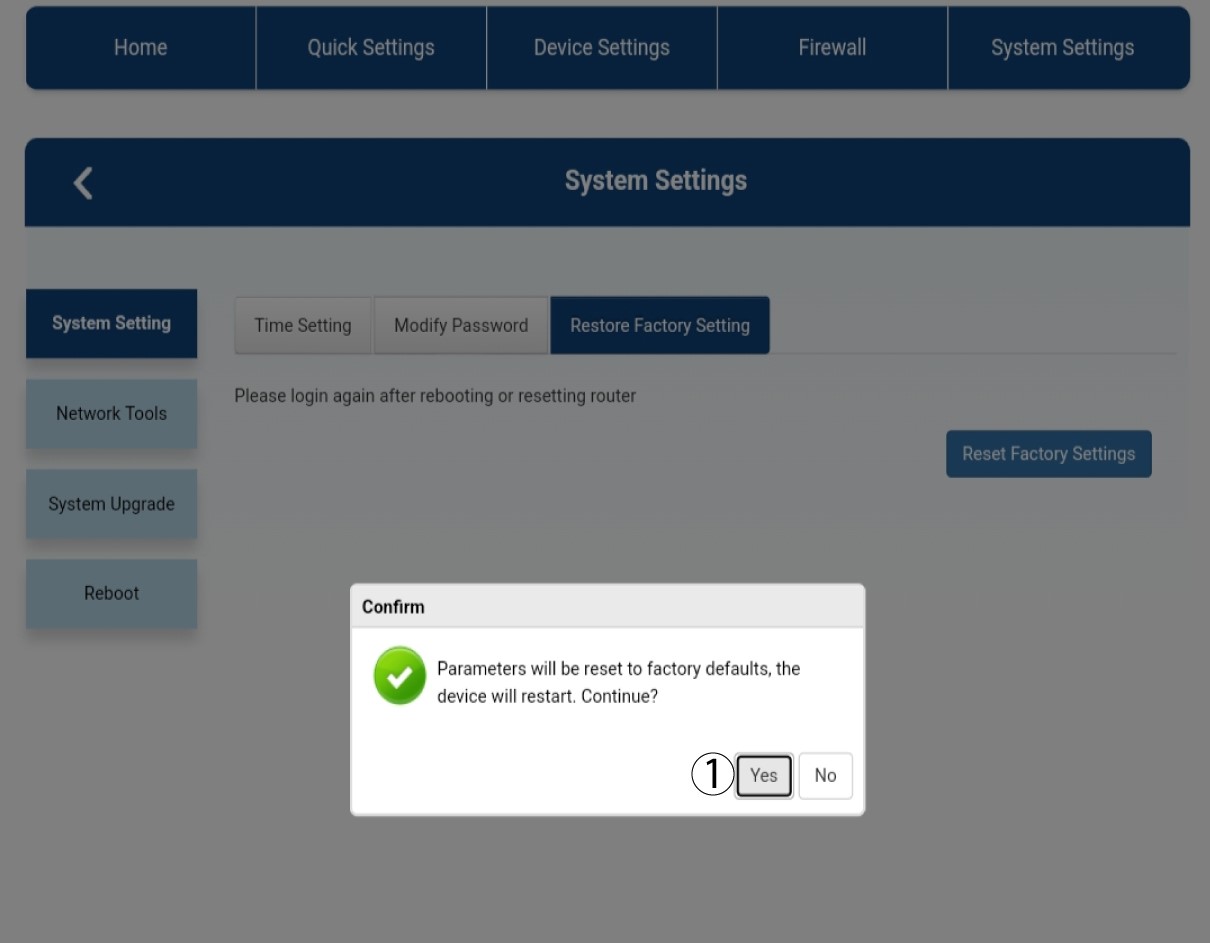
V zobrazenom vyskakovacom okne kliknite na „Áno “.
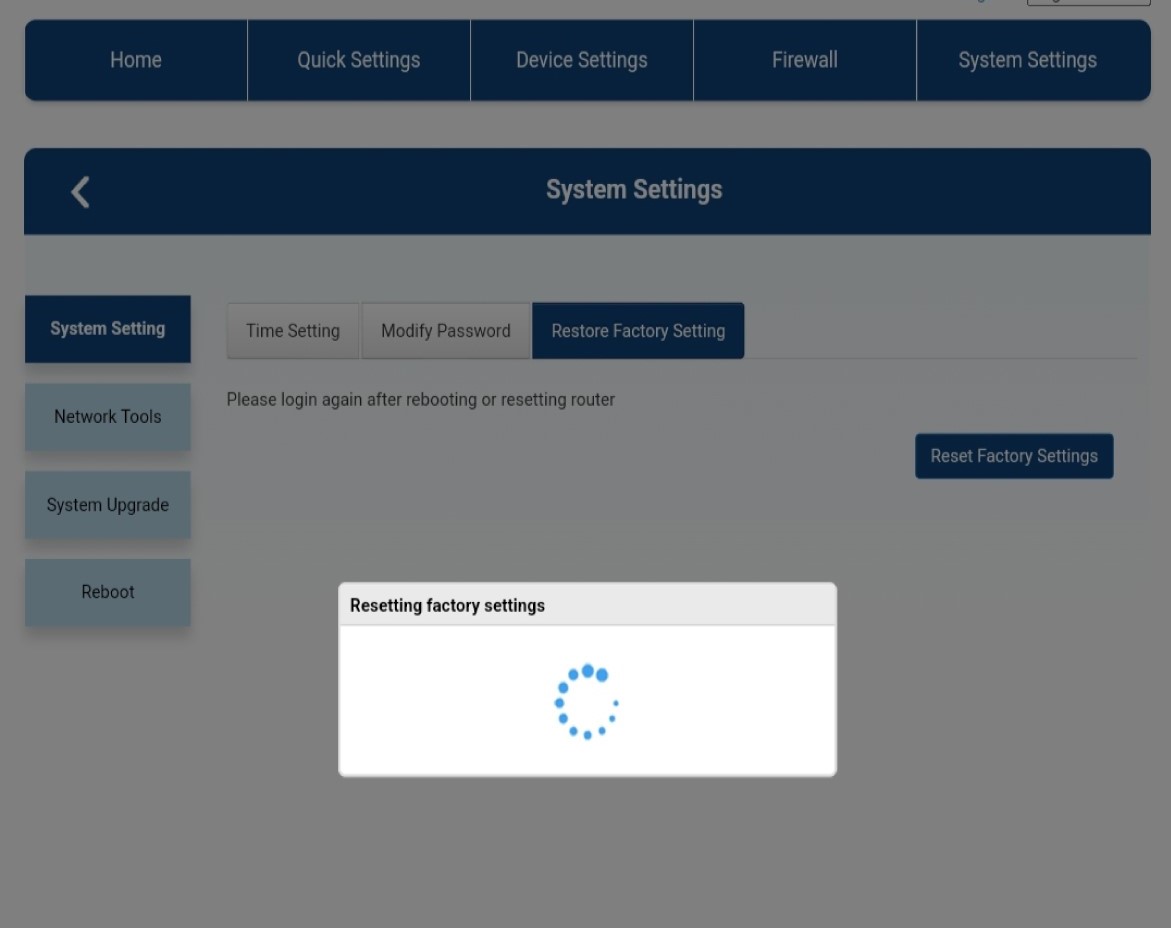
5Počkajte, kým sa proces dokončí
Počas obnovenia továrenských nastavení zariadenia sa zobrazí nové vyskakovacie okno.