Nenašli sa žiadne položky.
LEAP
Nenašli sa žiadne položky.
Všetky otázky
Nenašli sa žiadne položky.
Nenašli sa žiadne položky.
Ako odstrániť aplikáciu?
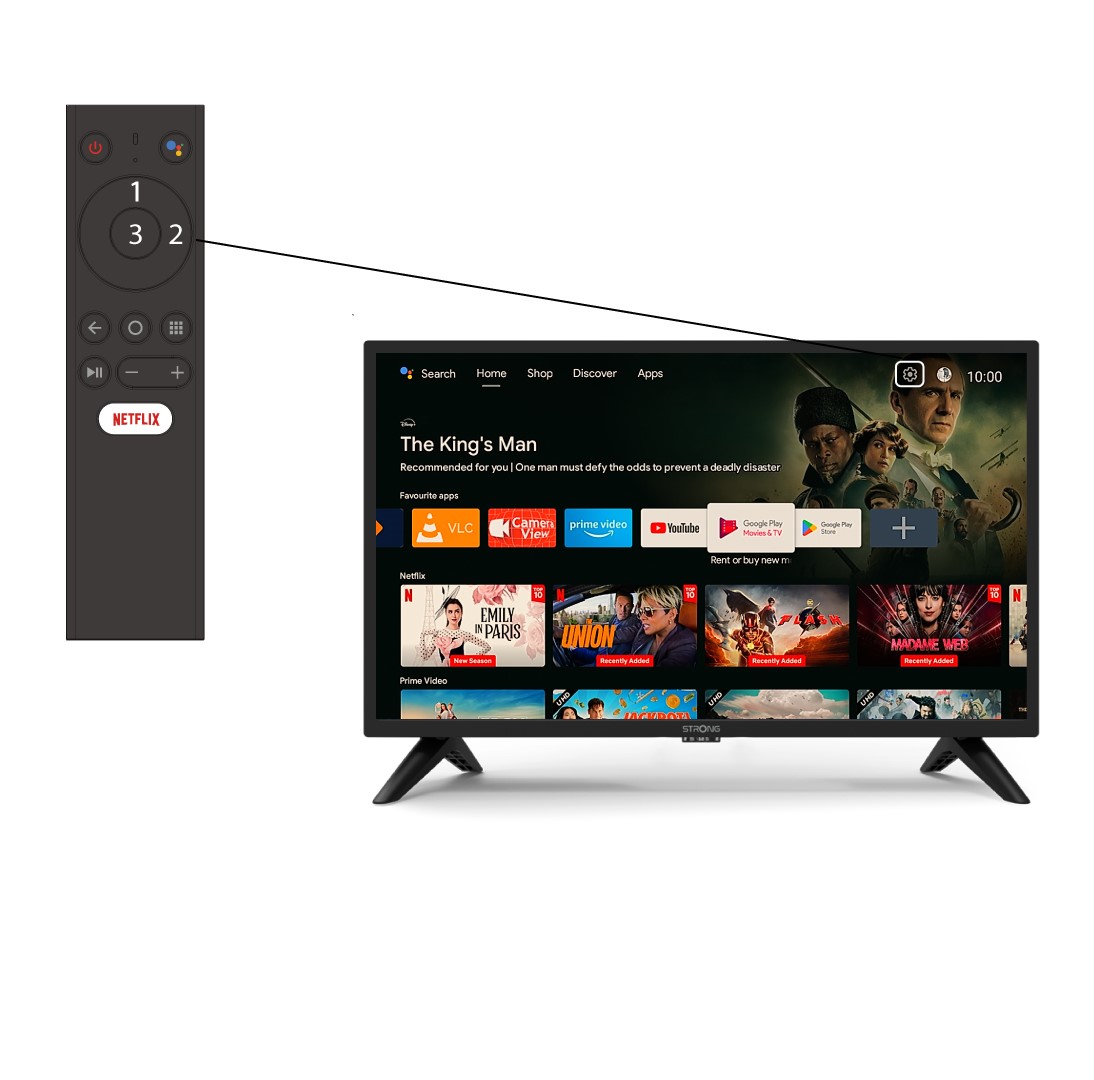
1Nastavenia
Stlačením horného a pravého tlačidla na diaľkovom ovládači vyberte ponuku Nastavenia (ikona ozubeného kolesa) a stlačte tlačidlo OK.
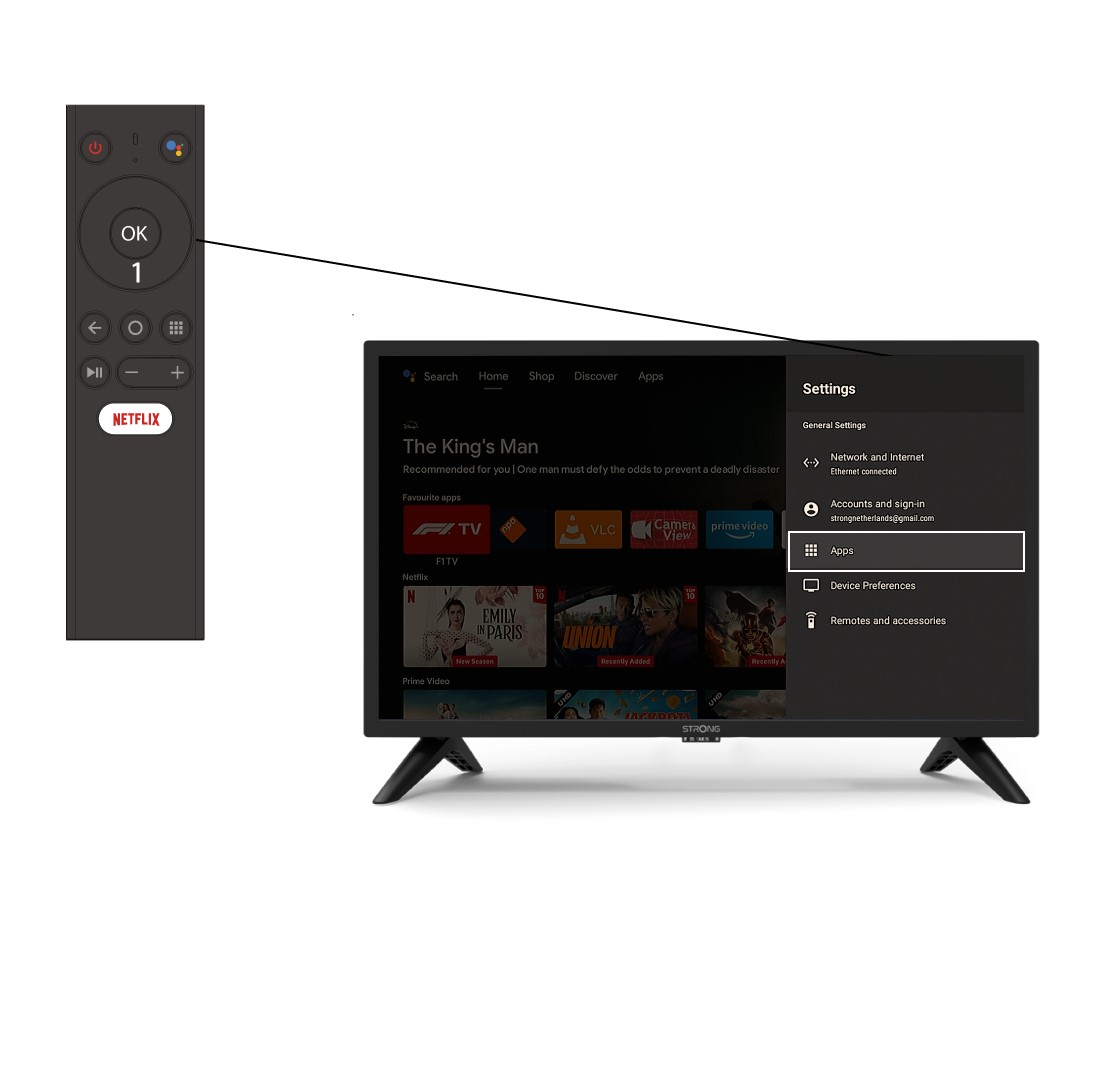
2APP
Kliknite na položku „Aplikácie“ a stlačte tlačidlo „OK“, aby ste otvorili zoznam aplikácií nainštalovaných vo vašom zariadení.
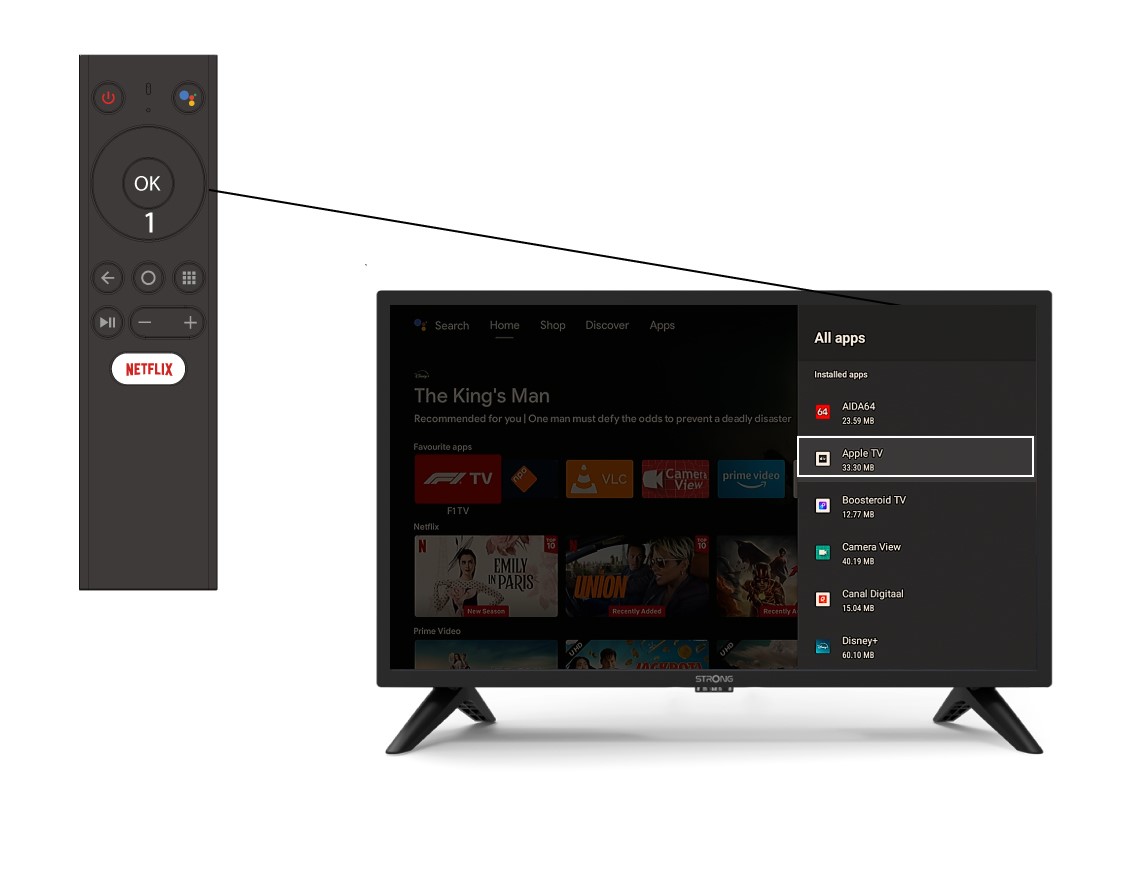
Zoznam 3 aplikácií
Vyberte aplikáciu zo zoznamu a stlačte tlačidlo OK.
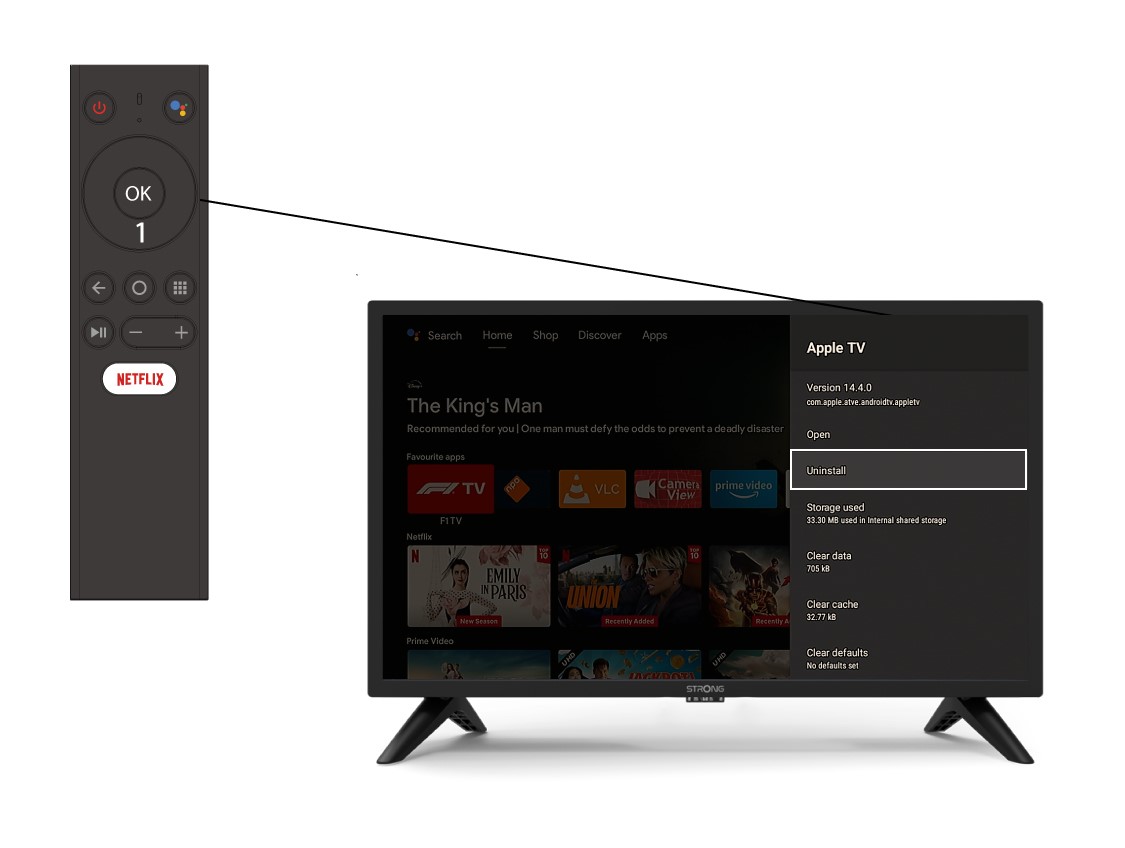
4Odinštalovať
V zozname vyberte možnosť „Odinštalovať “ a stlačte tlačidlo „OK“.