АТРИА Ви-Фи 6 Mesh Систем 3000 (пакет од 2 комада)
Сва питања
АТРИА Ви-Фи 6 Mesh Систем 3000 (пакет од 2 комада)
Могу ли да конфигуришем гостујућу мрежу за мој Mesh мрежа? (Случај 2: Атриа апликација)
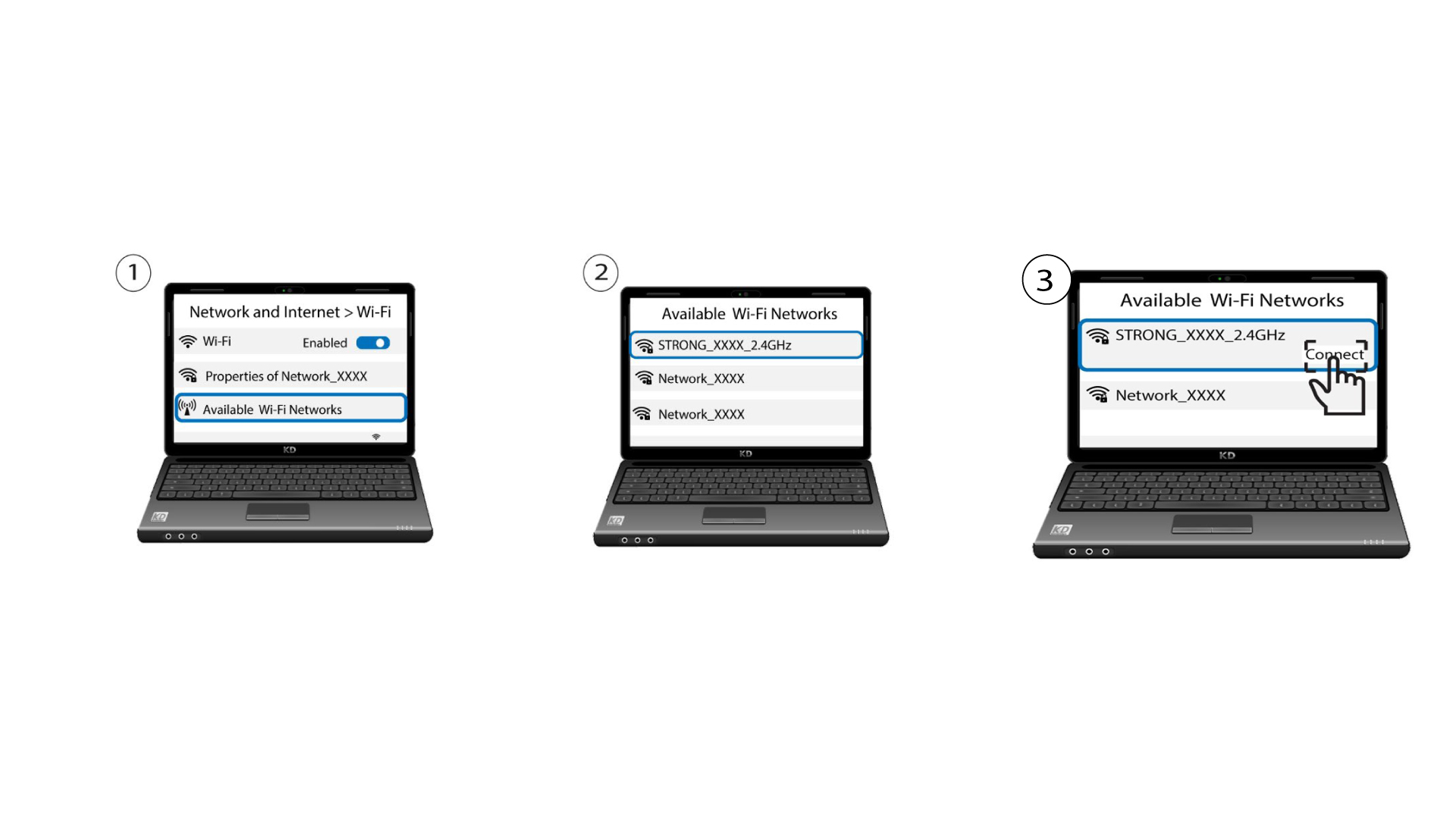
Да бисте приступили веб интерфејсу, морате бити повезани на Wi-Fi мрежу свог уређаја након повезивања RJ45 кабла у WLAN порт вашег уређаја и интернет кутије.
1 Случај 2: Атриа апликација
Download the application for smartphone "ATRIA MESH" on the App Store or the Google Play Store.

2 Унесите своје акредитиве
Затим морате бити повезани на Wi-Fi мрежу Mesh помоћу паметног телефона, а затим се пријавите у апликацију са својим акредитивима који би требало да буду „ admin “ и „ admin “ ако их нисте променили.

3 Wi-Fi-ја за госте
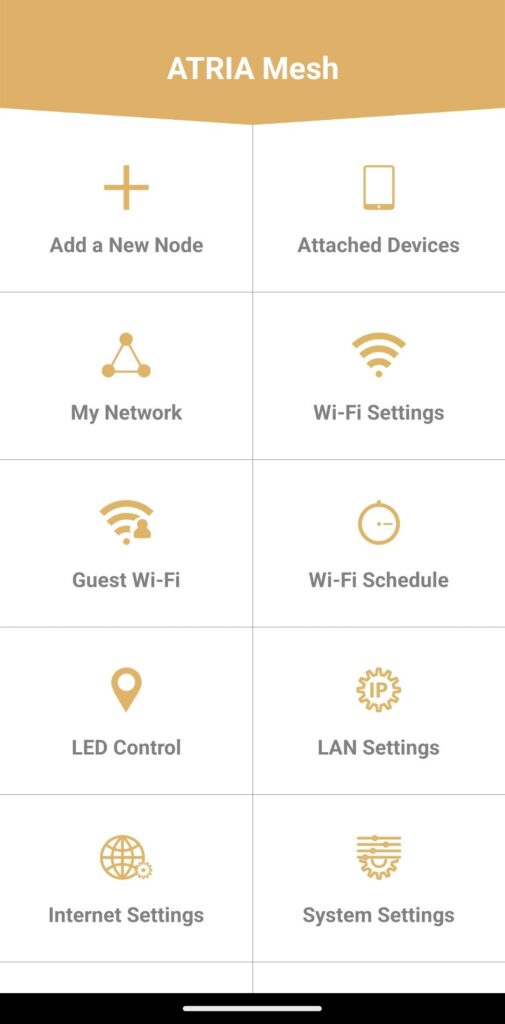
Сада сте на главној страници, кликните на Гостујући Wi-Fi .
4 Подесите гостујући Wi-Fi
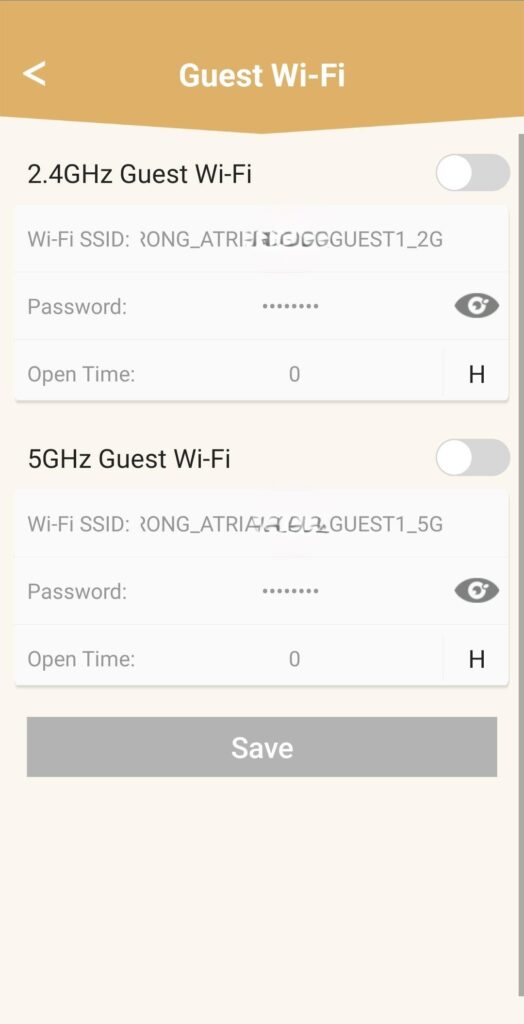
Затим овде можете додати гостећу Ви-Фи мрежу од 2,4 ГХз или 5 ГХз .
• Притисните дугме за пребацивање жељене мреже.
• Подесите јединствени SSID (назив Wi-Fi мреже) и јединствену лозинку.
• Затим можете да изаберете временски распоред за то када желите да гостујући Wi-Fi буде активан или не у отвореном времену.
• Кликните на Сачувај .
5 Проверите нову Ви-Фи мрежу
Нова гостујућа мрежа је сада видљива на листи Wi-Fi мрежа ваших уређаја.