АТРИА Ви-Фи 6 Mesh Систем 3000 (пакет од 2 комада)
Нема пронађених ставки.
Нема пронађених ставки.
Сва питања
АТРИА Ви-Фи 6 Mesh Систем 3000 (пакет од 2 комада)
Нема пронађених ставки.
Нема пронађених ставки.
Како да конфигуришем свој Wi-Fi mesh мрежа

Упозорење : Да бисте конфигурисали свој Mesh мрежу, погледајте Брза упутства која се налазе у кутији вашег производа.
Имајте на уму да ову операцију морате поновити за сваки Mesh јединицу коју желите да додате свом Mesh мрежа.
1 Случај 1: WPS дугме
Морате да укључите Mesh јединицу и повежете је са модемом помоћу RJ45 кабла пре него што притиснете дугме за напајање .
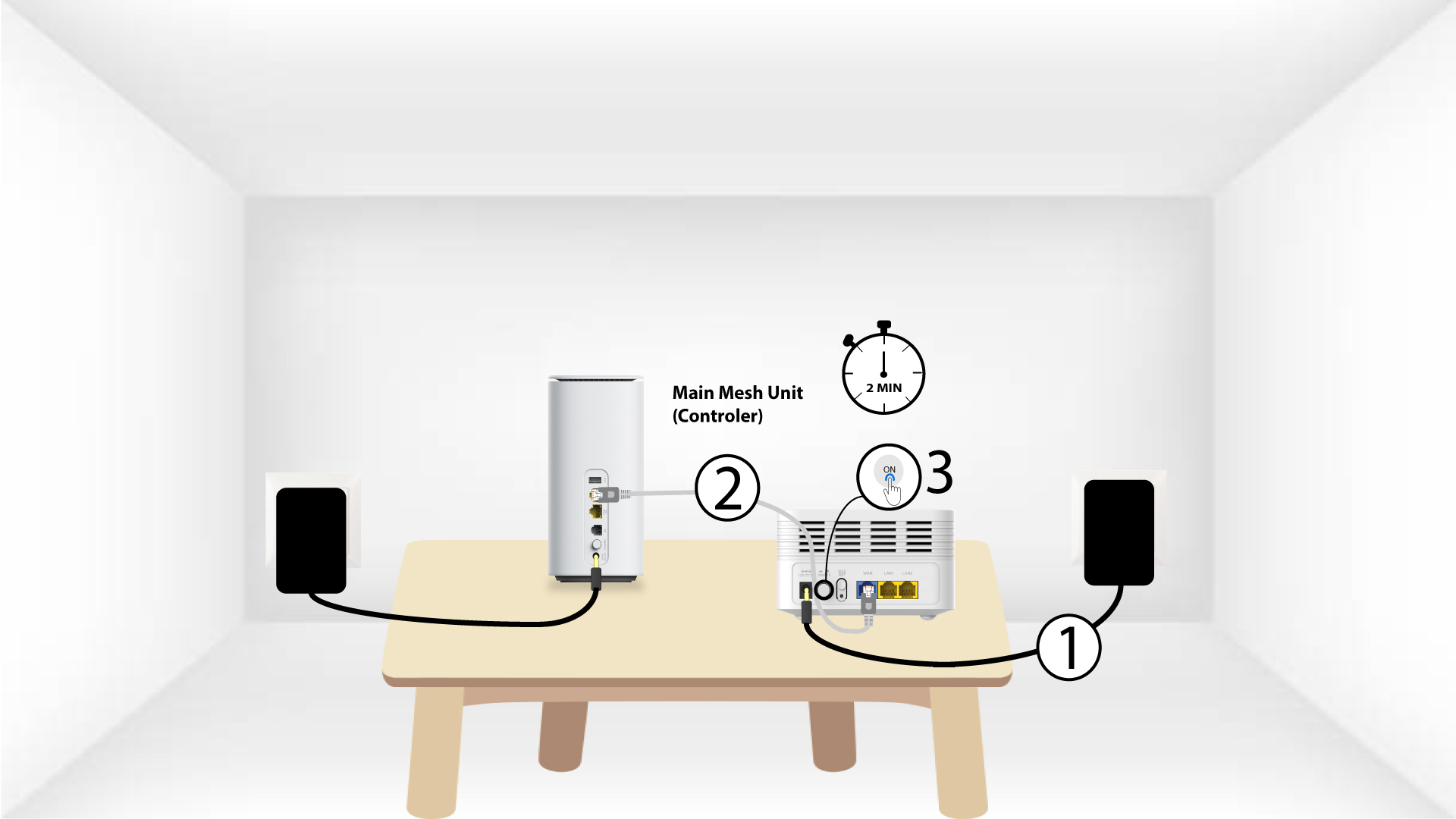
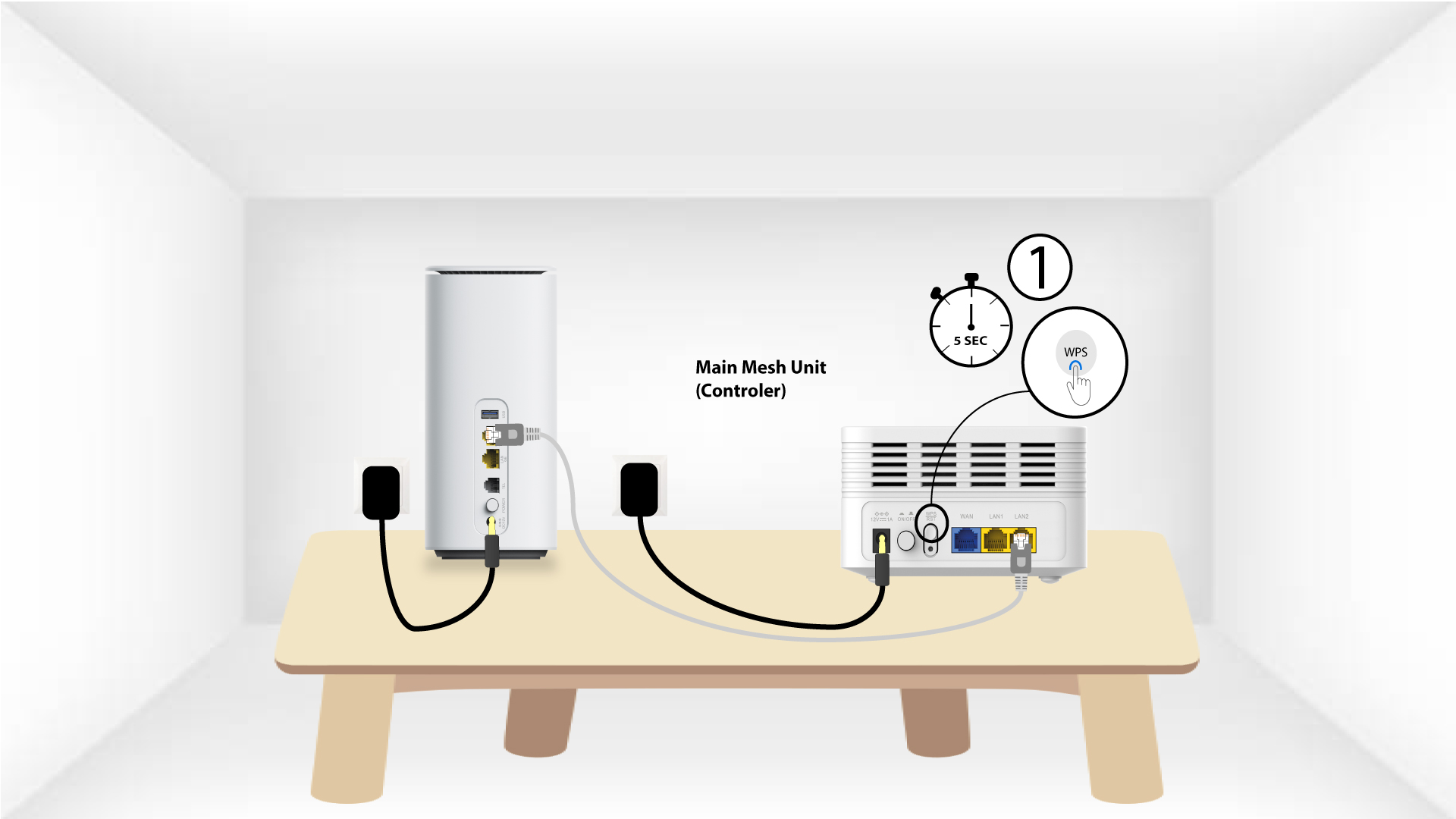
2 Главна Mesh ВПС
Притисните WPS дугме на mesh повезан са вашим модемом 5 секунди.
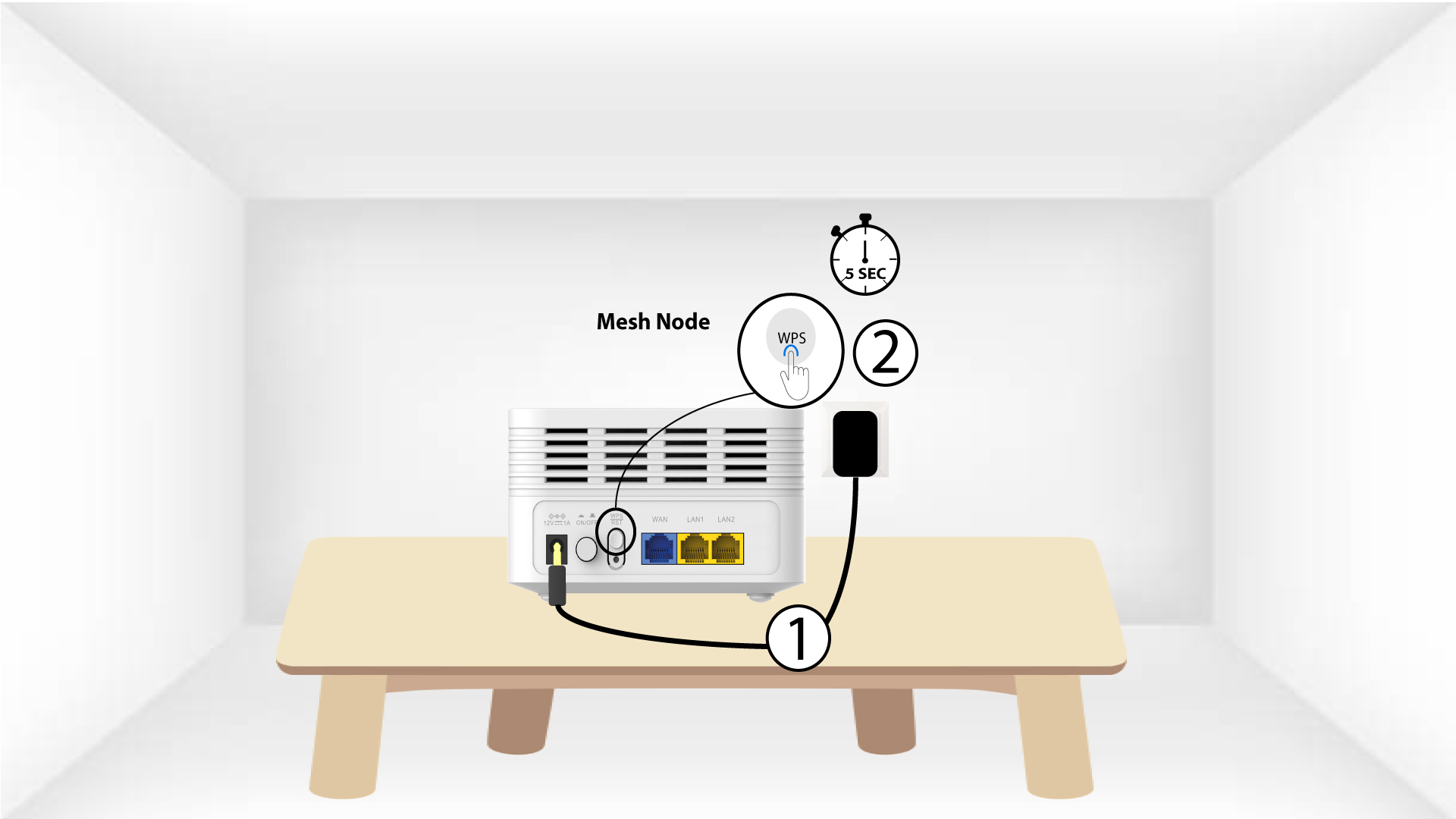
3 секунде Mesh јединица WPS
Укључите други Mesh Прикључите уређај на утичницу и притисните WPS дугме 5 секунди .
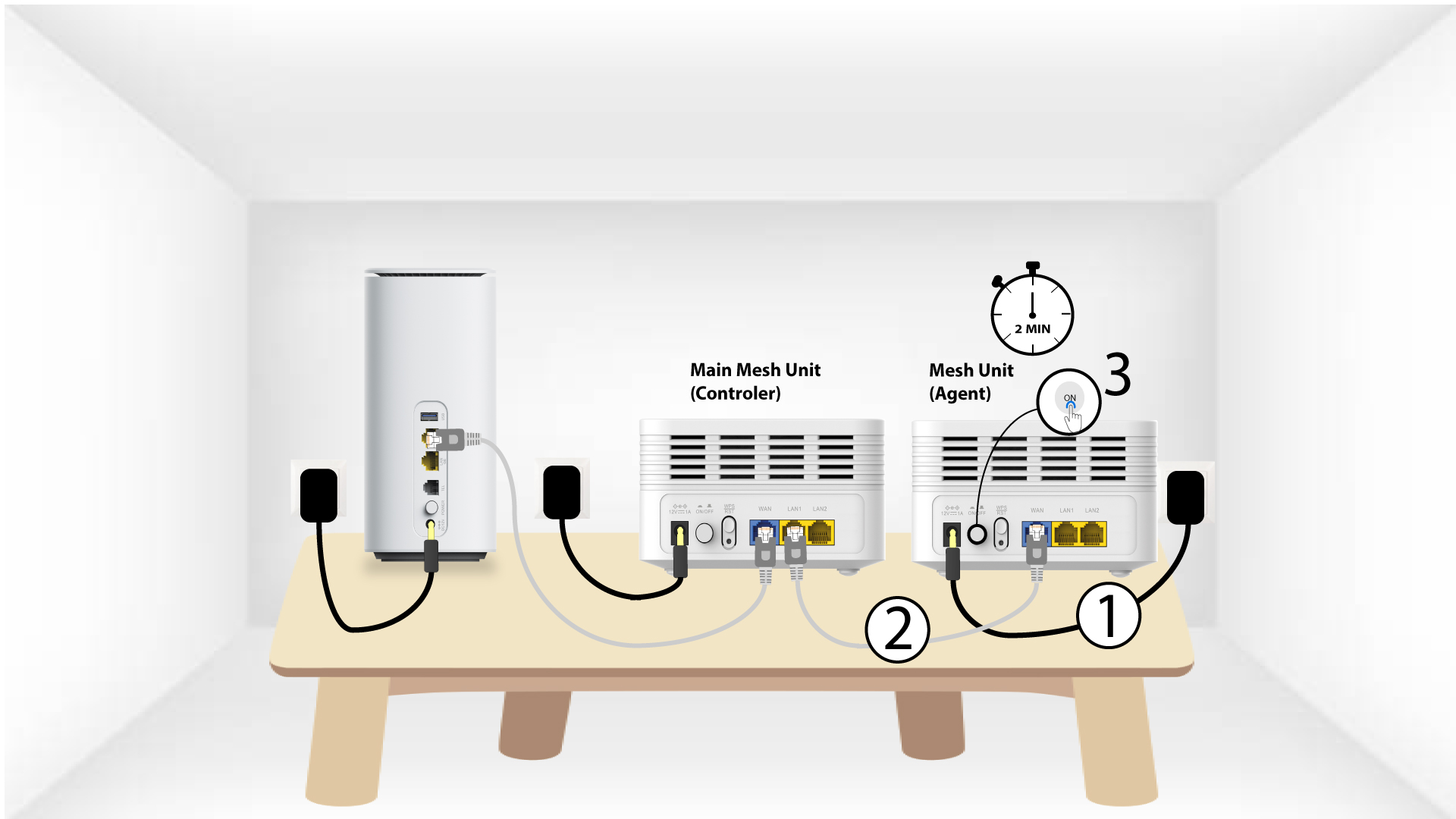
1 Случај 2: Етернет кабл (RJ45)
Морате прикључити Mesh јединицу и повезати је са модемом помоћу RJ45 кабла у WLAN порту пре него што притиснете дугме за напајање.
2 Ethernet kabla u LAN portovima oba Mesh
Прикључите главни Mesh Јединица ( контролер ) до Mesh Јединица ( агент ) преко RJ45 у оба LAN порта оба уређаја Mesh .