5G AIRHOME 1050 | Wi-Fi 6
Нема пронађених ставки.
Нема пронађених ставки.
Сва питања
5G AIRHOME 1050 | Wi-Fi 6
Нема пронађених ставки.
Нема пронађених ставки.
Како да променим администраторску лозинку?

Упозорење : имајте на уму да није могуће променити администраторско корисничко име. Можете променити само лозинку.
1 Повежите се са уређајем
Да бисте ажурирали администраторску лозинку, морате се повезати са Ви-Фи мрежом свог уређаја.

2 Приступите веб корисничком интерфејсу
Затим унесите следећу ИП адресу: 168.0.1 у ваш прегледач.

3 Пријава
Морате унети корисничко име и лозинку. Затим кликните на Пријава.

4 Управљање корисницима
Када то урадите, кликните на Системски алати и Управљање корисницима
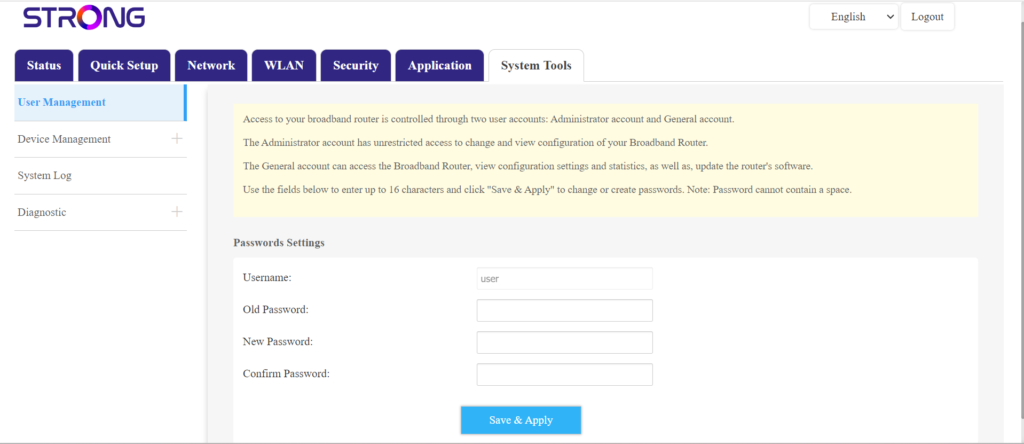
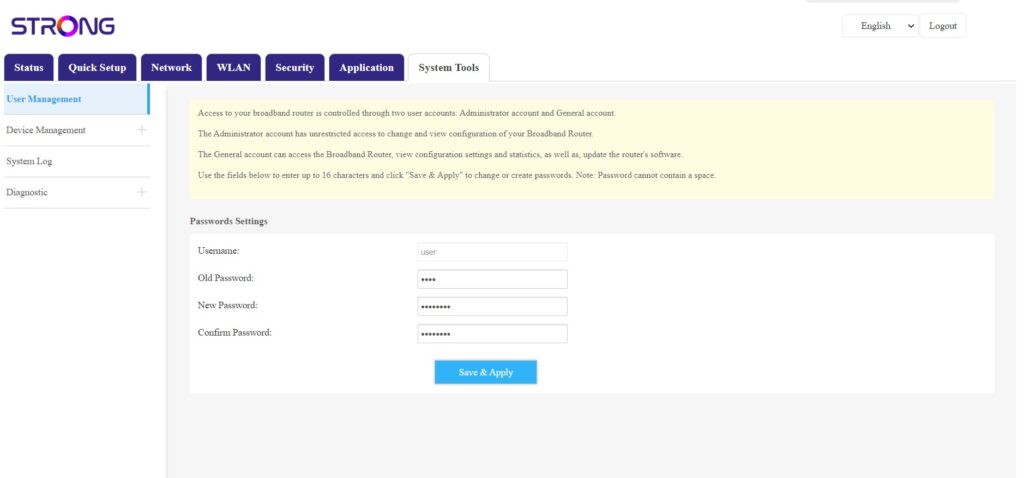
5 Промена лозинке
Унесите следеће информације у поља пре него што кликнете на Сачувај и примени:
- Стара лозинка : Унесите тренутну лозинку коју сте користили за повезивање са веб интерфејсом.
- Нова лозинка : Унесите нову лозинку да бисте се повезали са веб интерфејсом.
- Потврђена лозинка: Унесите исту лозинку као у поље Нова лозинка.