4G AIRHOME 300 Мини рутер са одвојивим 4G антенама
Нема пронађених ставки.
Нема пронађених ставки.
Сва питања
4G AIRHOME 300 Мини рутер са одвојивим 4G антенама
Нема пронађених ставки.
Нема пронађених ставки.
Како да променим ПИН код СИМ картице?
1 Повежите се на Wi-Fi рутер
Морате се повезати са веб интерфејсом. Да бисте то урадили, унесите SSID и лозинку рутера у свој уређај.

2. Прегледајте ИП адресу веб интерфејса
Затим, унесите следећу ИП адресу у ваш прегледач: 192.168.0.1

3 Страница за пријаву
Када прегледате ИП адресу, кликните на дугме Пријава .

4 Унесите своје акредитиве
Морате унети корисничко име и лозинку . Затим кликните на Пријава.

5 Напредна подешавања
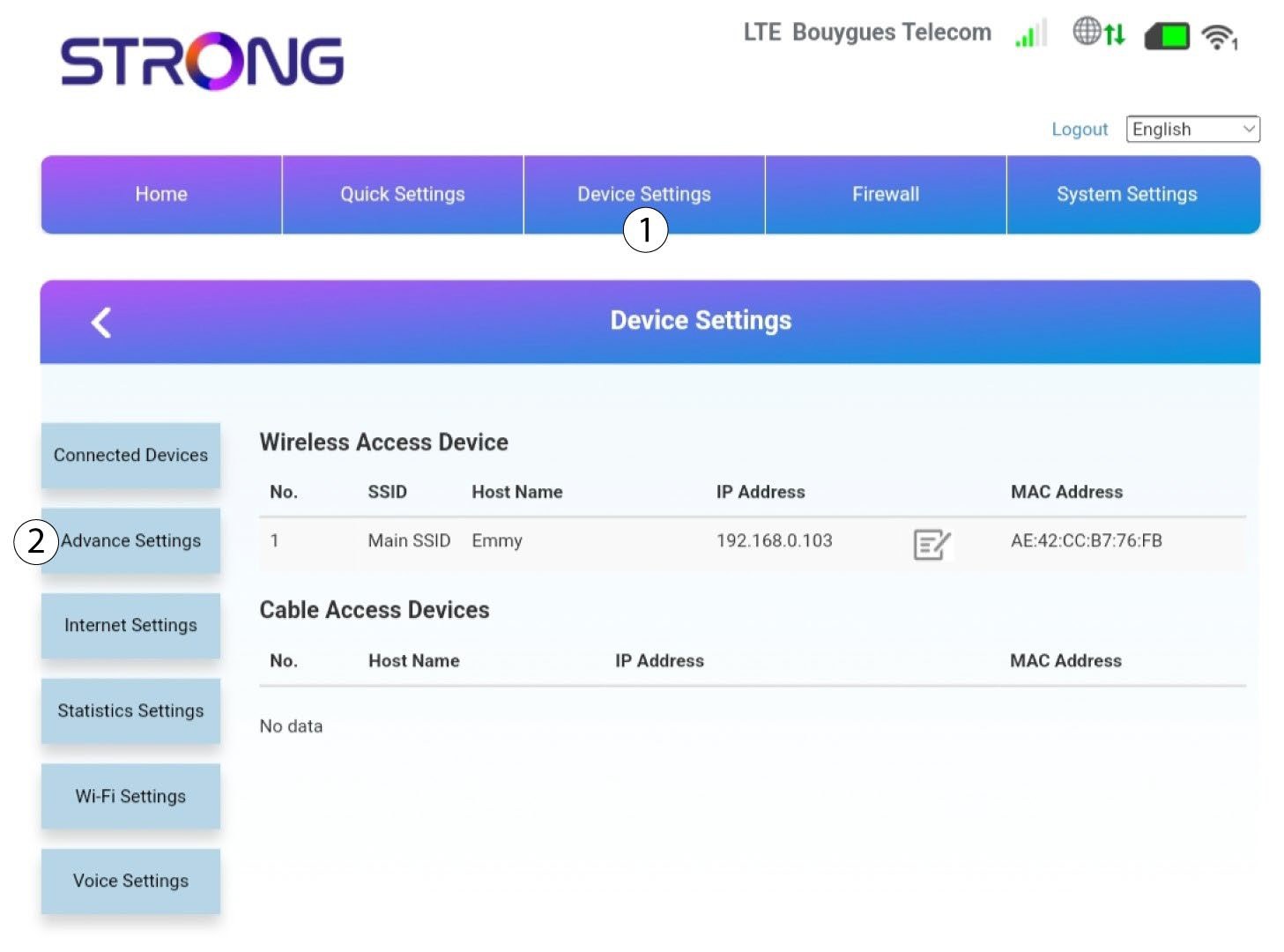
Затим кликните на Подешавања уређаја и на картицу Напредна подешавања .
6 Управљање ПИН-овима
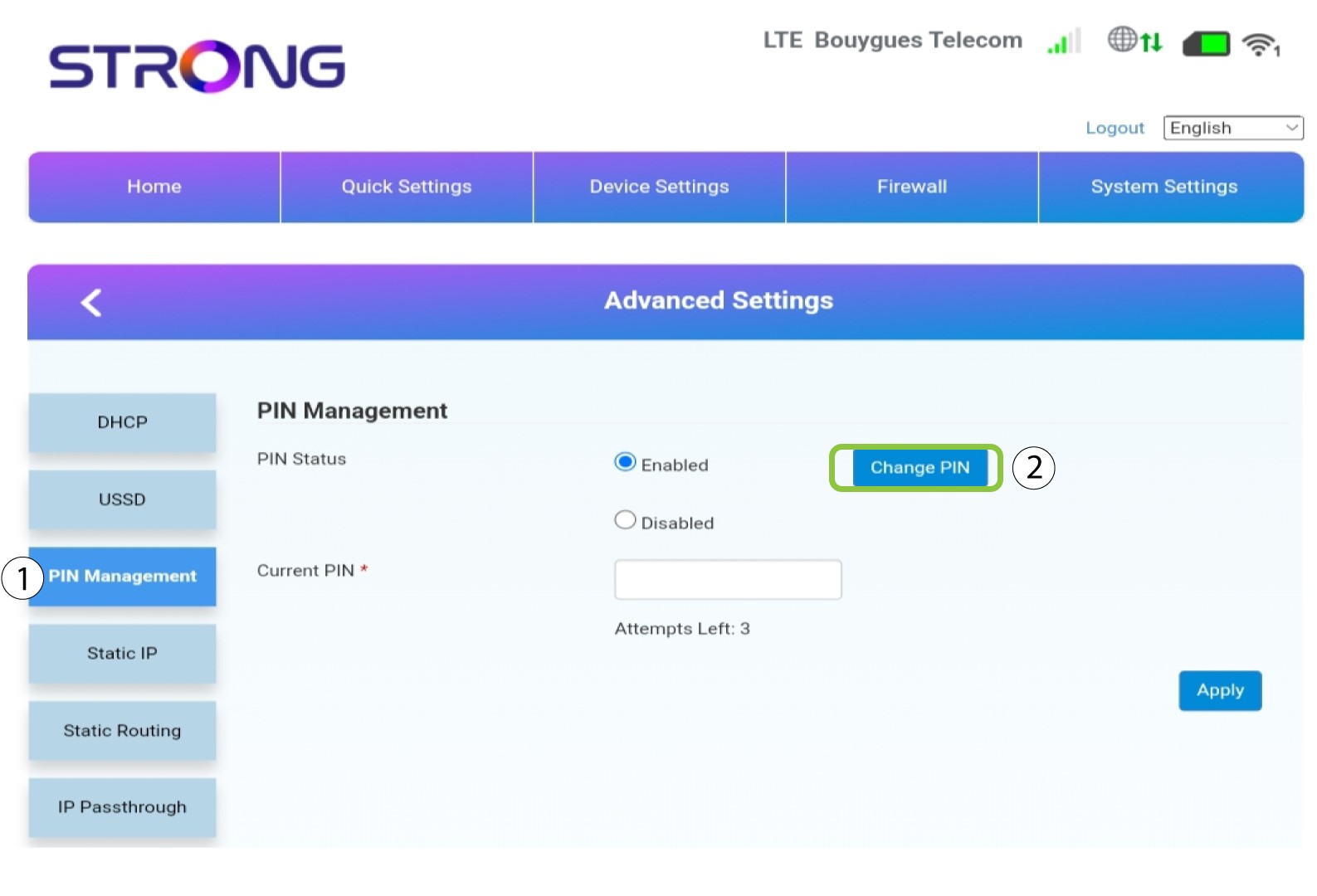
Кликните на Управљање ПИН-ом и Промени ПИН .
7 Унесите нови ПИН код
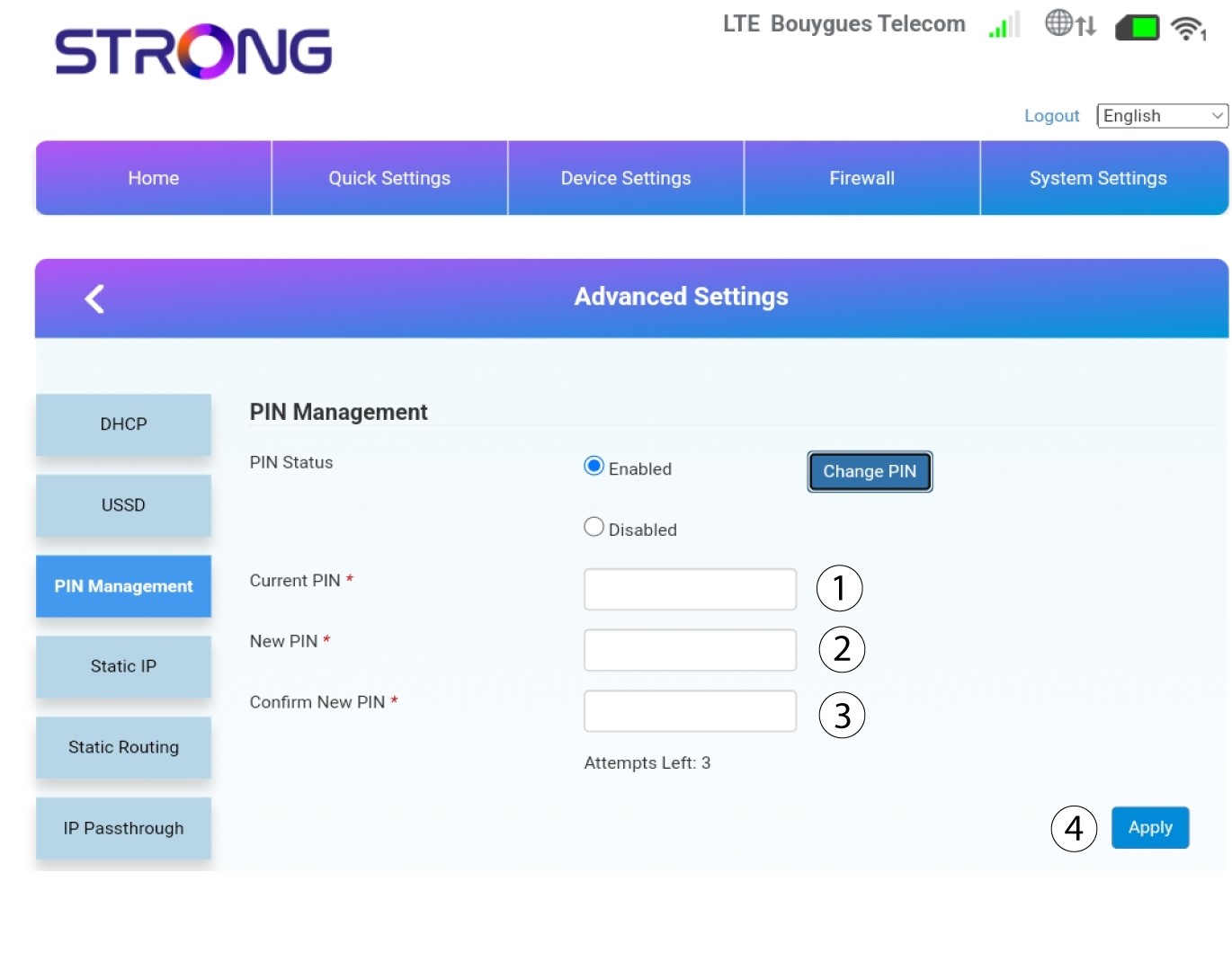
Унесите следеће информације и кликните на Примени :
• Тренутни ПИН : унесите ПИН код ваше СИМ картице.
• Нови ПИН : Унесите нови ПИН код.
• Потврди нови ПИН : Унесите исти ПИН као у претходно поље.