4G AIRHOME 300 Мини рутер са одвојивим 4G антенама
Сва питања
4G AIRHOME 300 Мини рутер са одвојивим 4G антенама
Како да ресетујем рутер на фабричка подешавања? (Веб кориснички интерфејс)
Понекад је могуће да ваш уређај не ради исправно и да немате приступ интернету. У том случају, предлажемо да ресетујете уређај на фабричка подешавања и поново ажурирате његов фирмвер ако је потребно.
Имате два начина да то урадите, можете ресетовати уређај притиском на дугме за ресетовање или то учинити преко веб интерфејса.
1 Повежите се на Wi-Fi мрежу вашег рутера
Морате се повезати са Wi-Fi мрежом вашег уређаја.

2. Прегледајте ИП адресу веб интерфејса
Затим, унесите следећу ИП адресу: 192.168.0.1 у ваш прегледач

3 Страница за пријаву
Затим, кликните на Пријава .

4 Унесите своје акредитиве
Морате унети корисничко име и лозинку пре него што кликнете на дугме Пријава .

5 Подешавање система
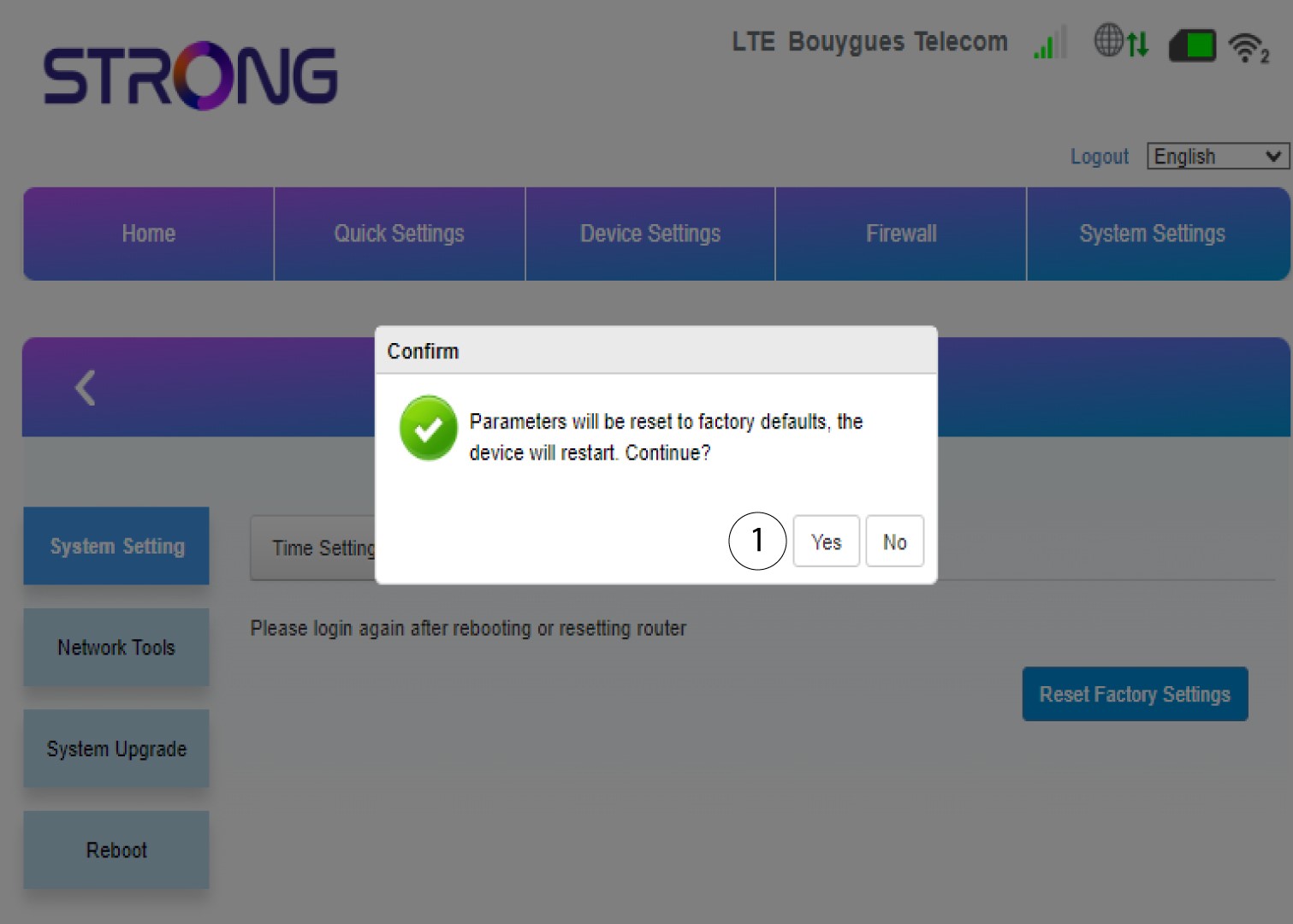
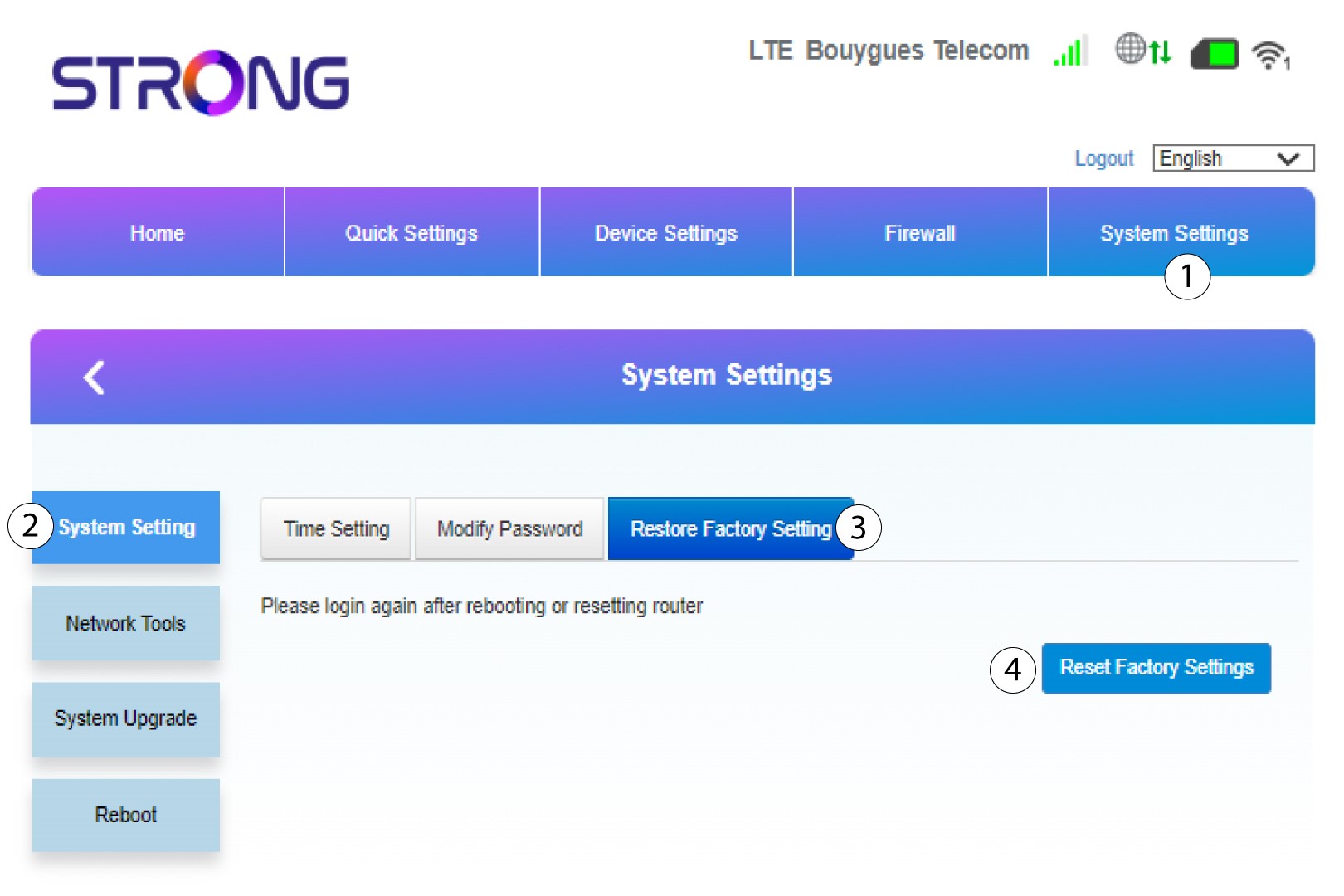
Затим кликните на Подешавања система и изаберите Подешавања система . Затим кликните на Врати на фабричка подешавања и изаберите Ресетуј на фабричка подешавања .
6 Потврдите ресетовање
Кликните на Да у искачућем прозору који се појави.