
4G AIRHOME 300 Мини рутер са одвојивим 4G антенама
Нема пронађених ставки.
Нема пронађених ставки.
Сва питања
4G AIRHOME 300 Мини рутер са одвојивим 4G антенама
Нема пронађених ставки.
Нема пронађених ставки.
Како да променим SSID и лозинку? (Брза подешавања)
Како да променим SSID и лозинку?
У веб интерфејсу имате два начина да промените SSID и лозинку вашег рутера:
• Коришћењем Брзих подешавања
• Или коришћењем подешавања Wi-Fi мреже.
1 Брза подешавања
У веб корисничком интерфејсу, Брза подешавања вам омогућавају да промените информације о вашој мрежи: њено име мреже и лозинку.
Да бисте то урадили, кликните на Брза подешавања у горњој траци.
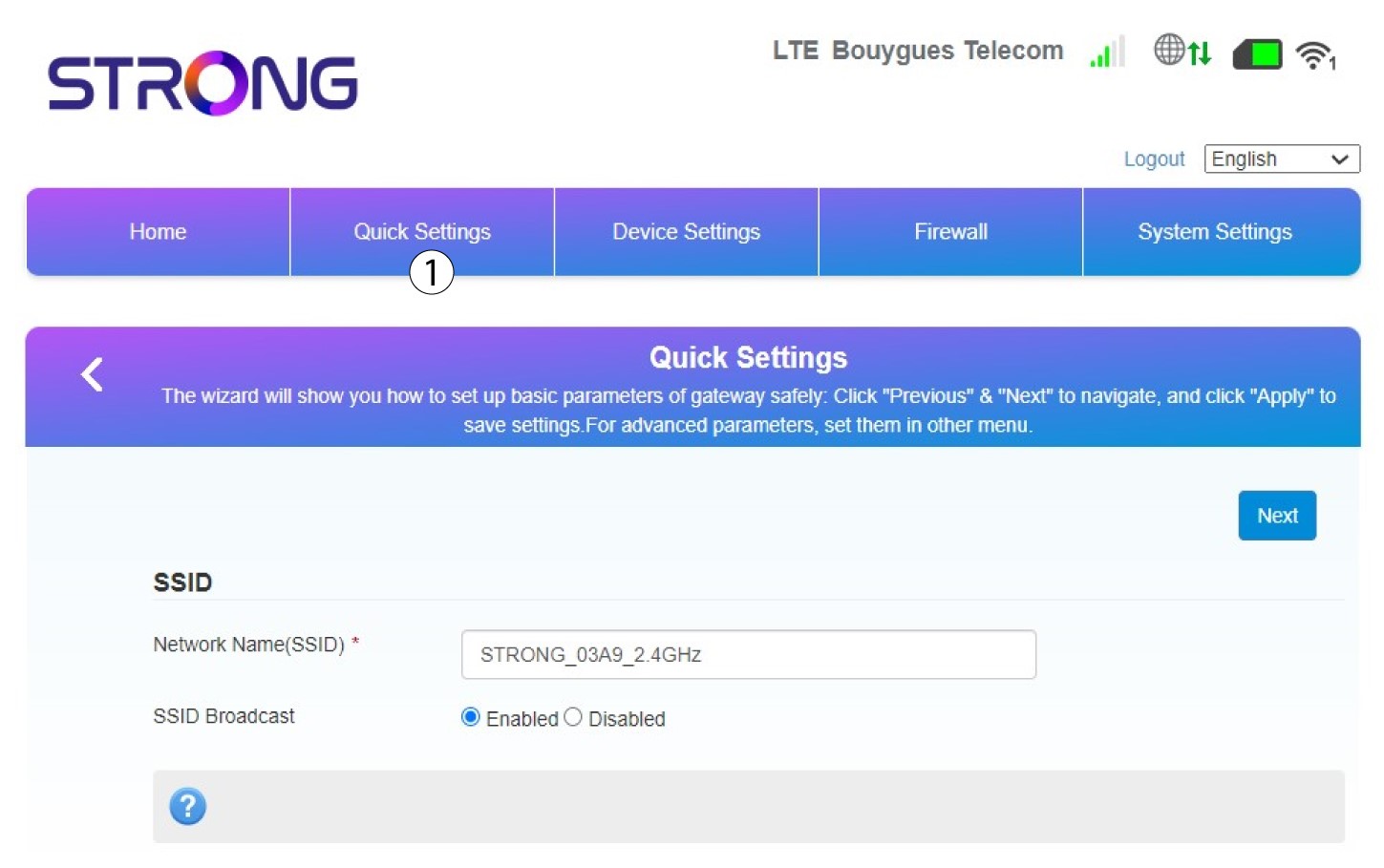
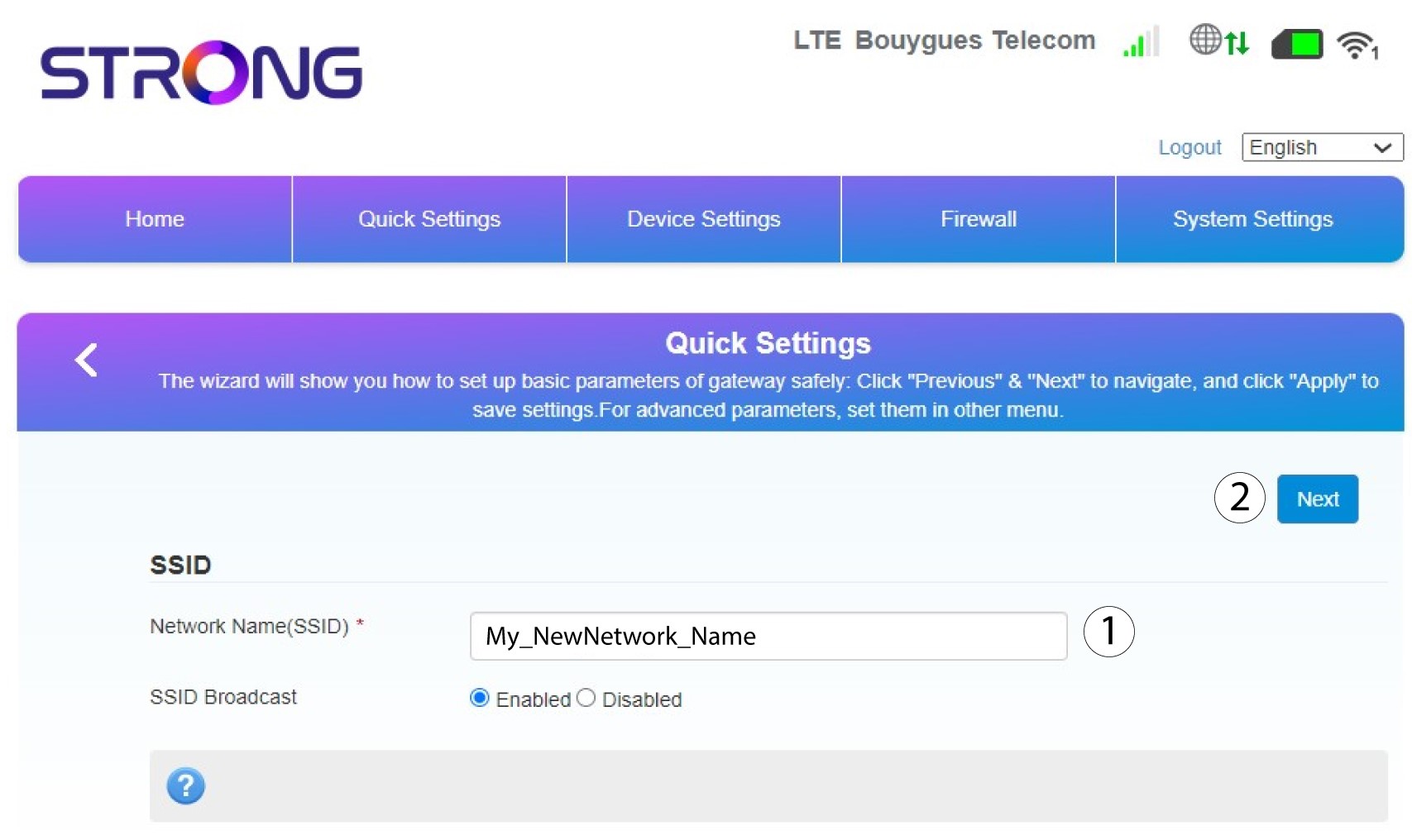
2 Унесите ново име мреже
Затим унесите ново име мреже и кликните на Даље .
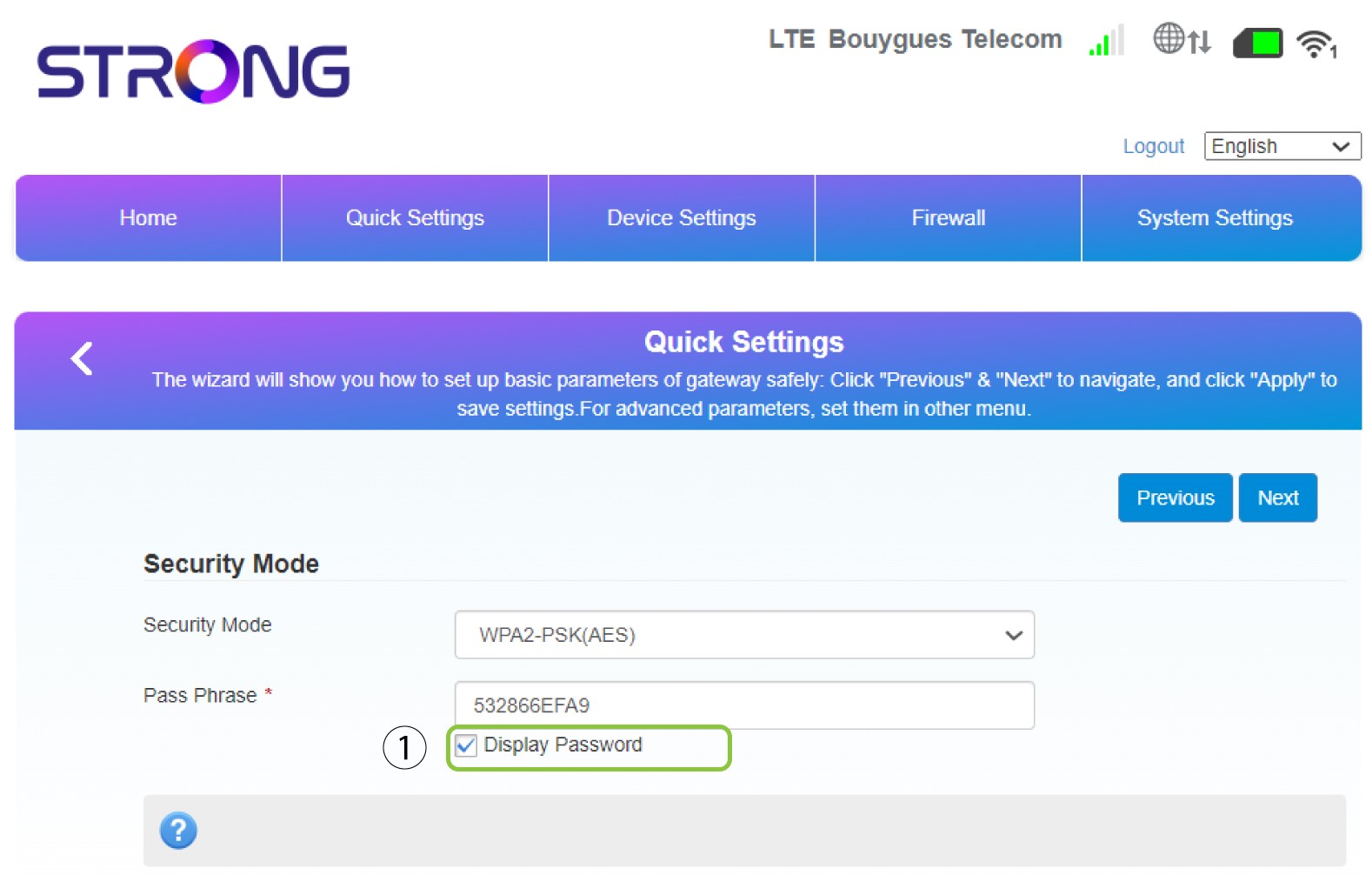
3 Прикажите своју лозинку
Кликните на Прикажи лозинку .
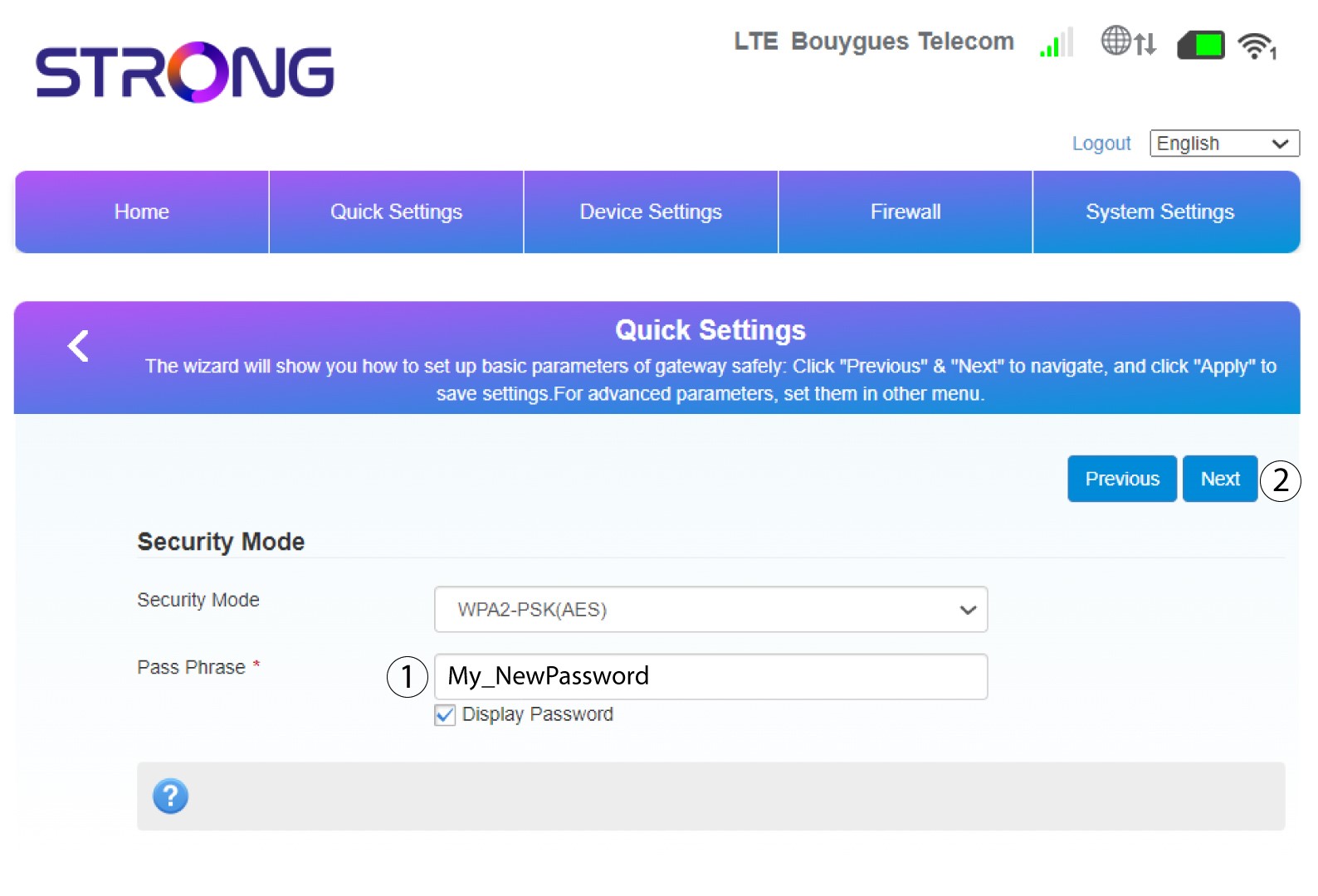
4 Унесите нову лозинку
Промените лозинку. Затим кликните на Даље.
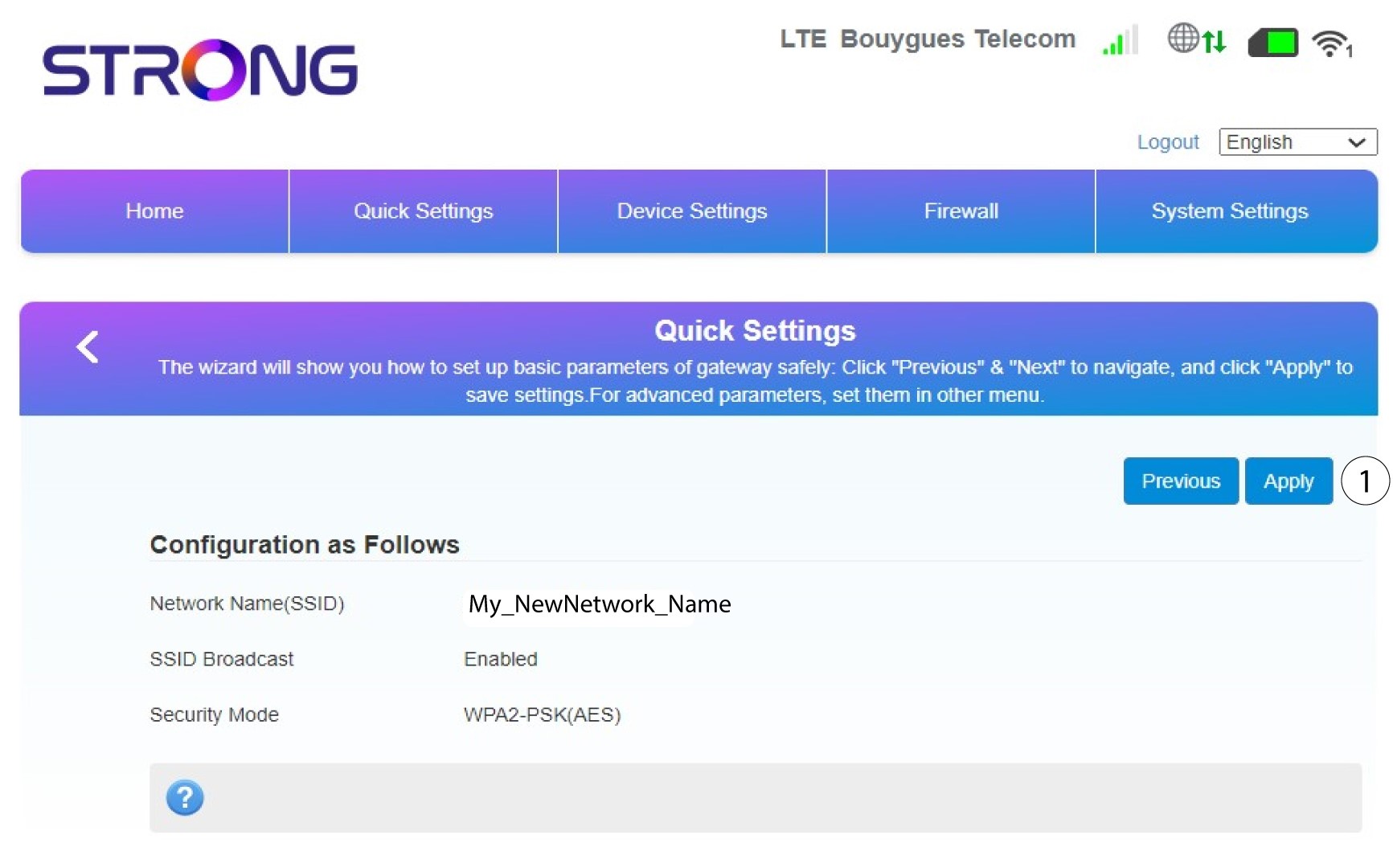
5 Прегледајте своје измене
Да бисте сачували измене, кликните на Примени .
6 Запишите ново мрежно име и лозинку
Молимо вас да запишете нови SSID и лозинку које сте креирали на парчету папира.


Када промените мрежно име и лозинку рутера, QR код више неће радити јер ће информације о повезивању вашег рутера бити другачије.