
4G AIRHOME 300 Мини рутер са одвојивим 4G антенама
Сва питања
4G AIRHOME 300 Мини рутер са одвојивим 4G антенама
Како да променим SSID и лозинку? (Подешавања Wi-Fi мреже)

Када промените мрежно име и лозинку рутера, QR код више неће радити јер ће информације о повезивању вашег рутера бити другачије.
Молимо вас да запишете нове информације о мрежи на парчету папира.
1 Повежите се на Wi-Fi рутер
Да бисте променили SSID и лозинку , морате се повезати са Wi-Fi мрежом свог уређаја.

2. Прегледајте ИП адресу веб интерфејса
Затим унесите следећу ИП адресу: 192.168.0.1 у ваш прегледач.

3 Страница за пријаву
Затим кликните на Пријава .

4 Унесите своје акредитиве
Морате унети Корисничко име и Лозинку .

5 подешавања Wi-Fi мреже
Кликните на Подешавања уређаја и изаберите Подешавања Wi-Fi мреже .
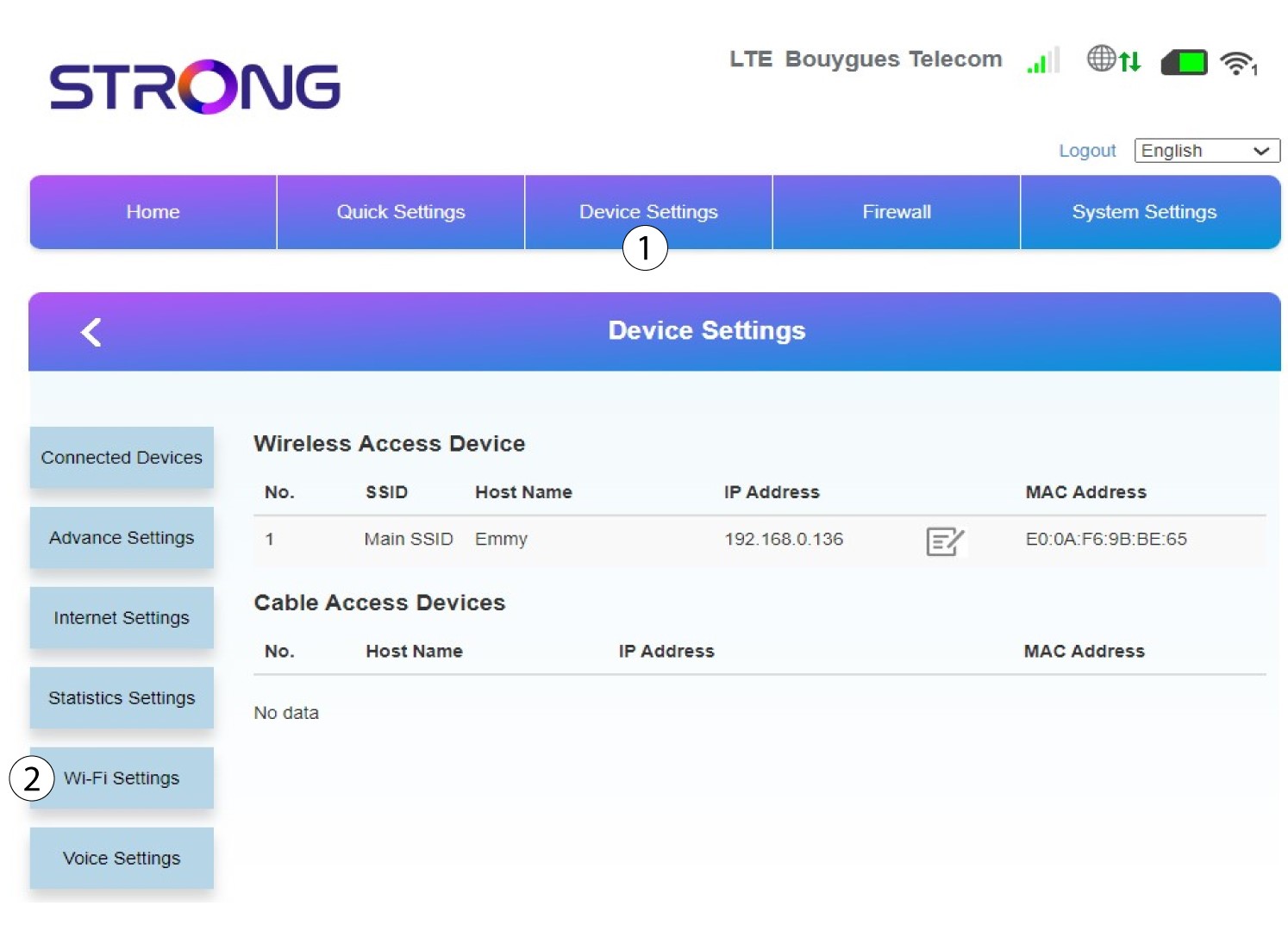
6 Главни SSID
Затим изаберите Подешавања SSID- а и изаберите Главни SSID .
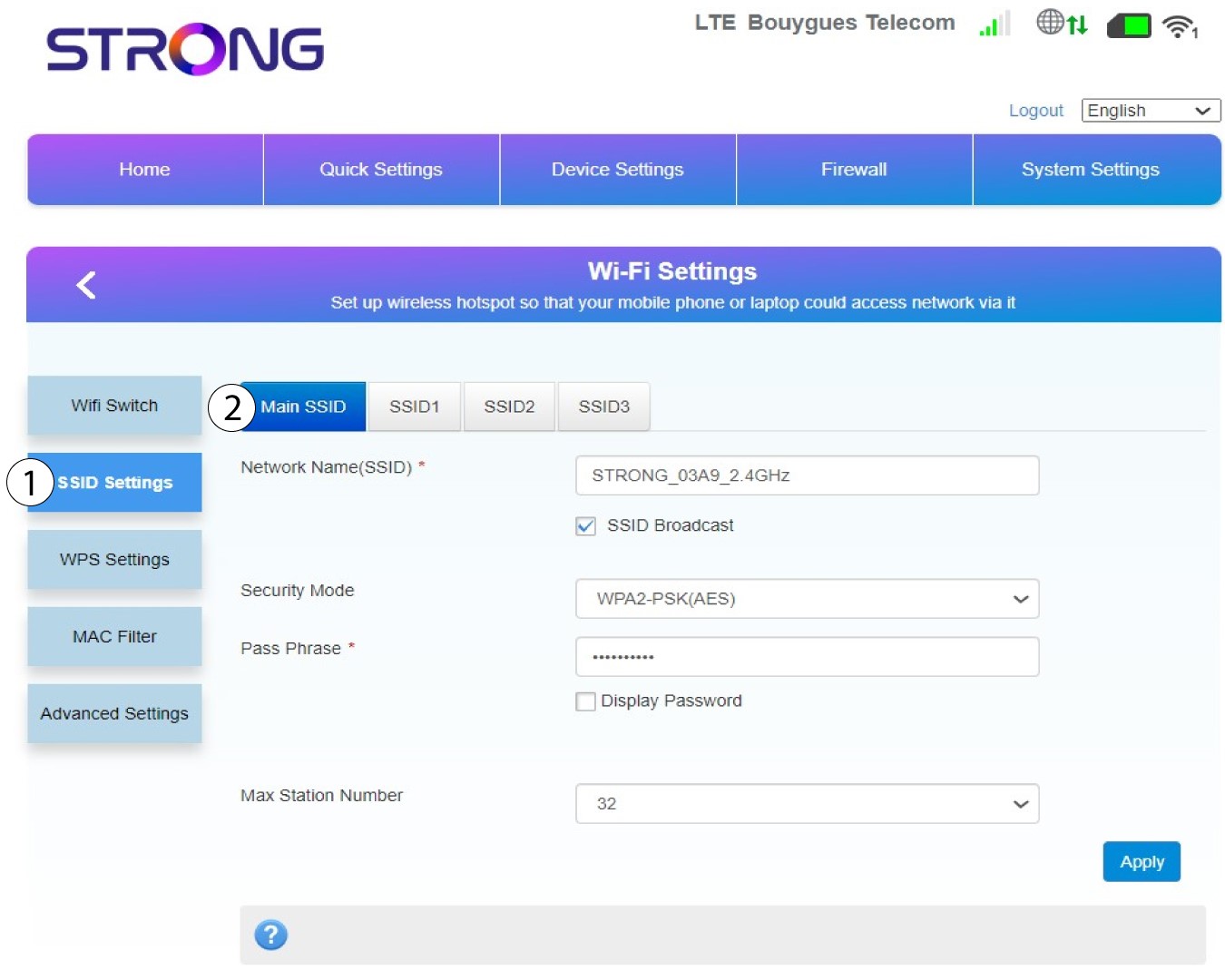
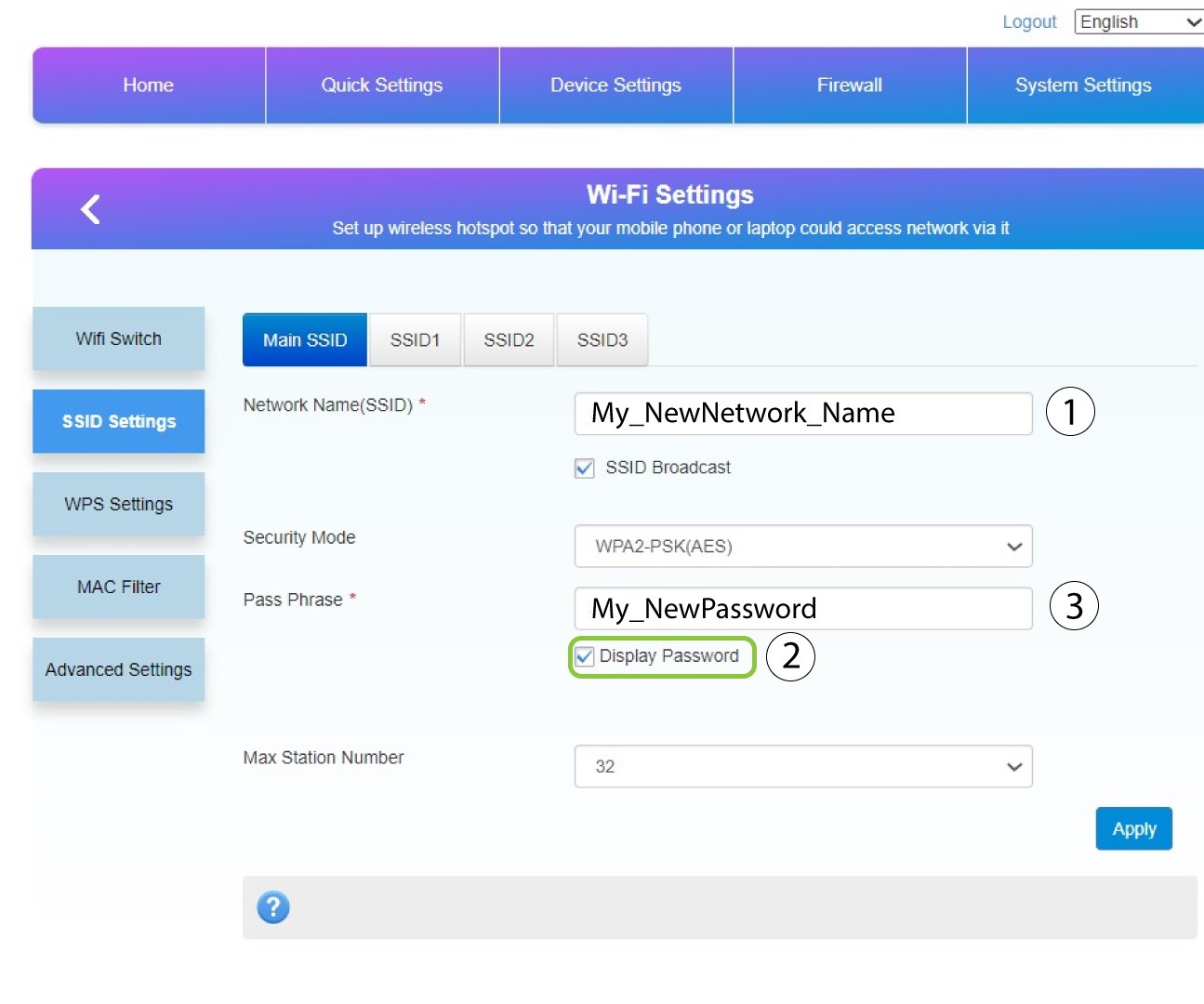
7 Унесите ново мрежно име и лозинку
Промените име унето у поље Име мреже (SSID) и означите поље Прикажи лозинку. Затим промените лозинку унето у поље Лозинка .
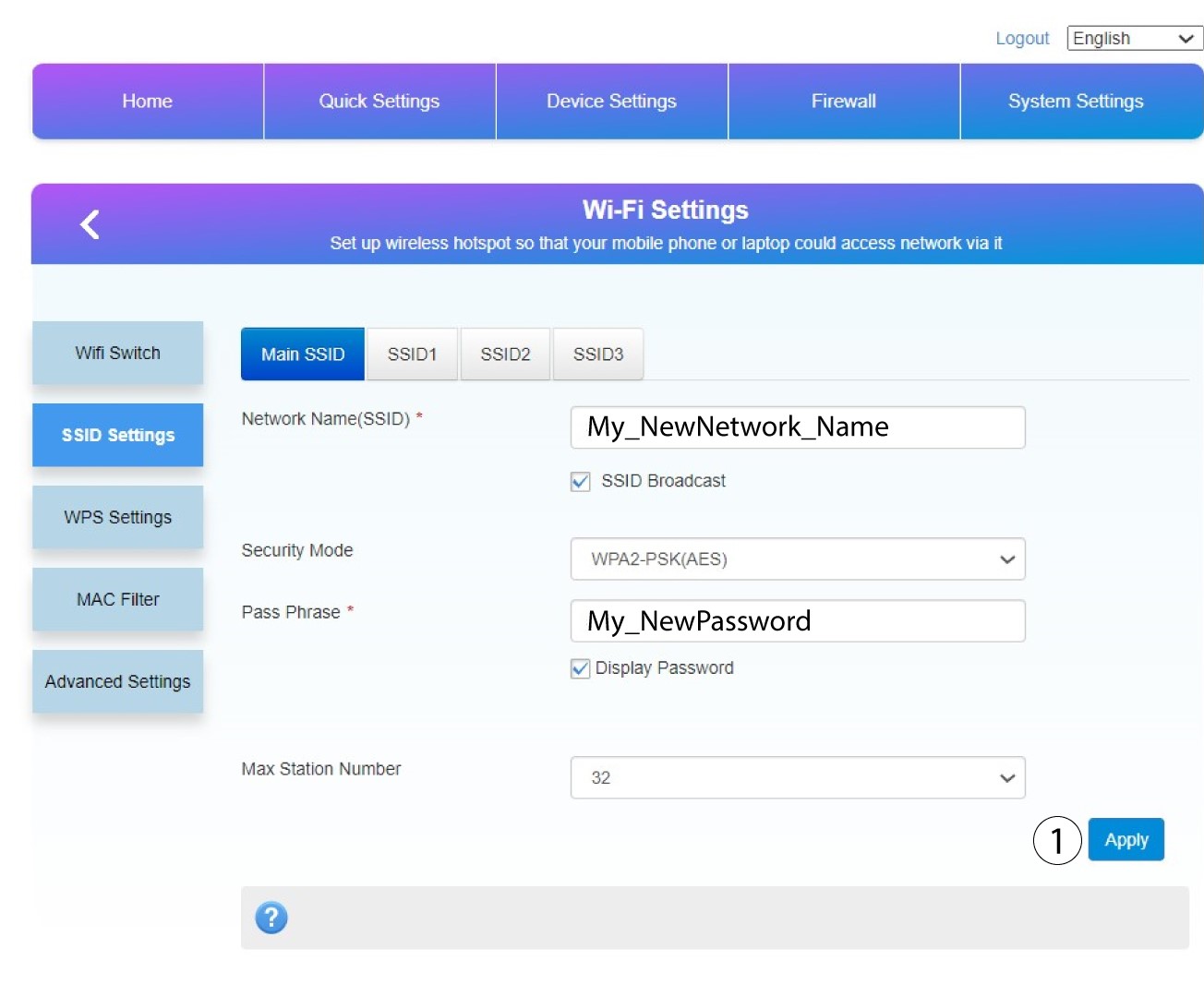
8 Сачувајте измене
Кликните на Примени да бисте сачували измене.
9 Запишите своје нове информације
Напишите свој нови SSID и лозинку на папиру и залепите га на рутер.
