4G AIRHOME 200 Mini-router med avtagbara 4G-antenner
Inga föremål hittades.
Inga föremål hittades.
Alla frågor
4G AIRHOME 200 Mini-router med avtagbara 4G-antenner
Inga föremål hittades.
Inga föremål hittades.
Hur ändrar jag IP-adressen för mitt LAN?
1Ansluttill webbgränssnittet
För att komma åt webbgränssnittet, följ anvisningarna nedan:
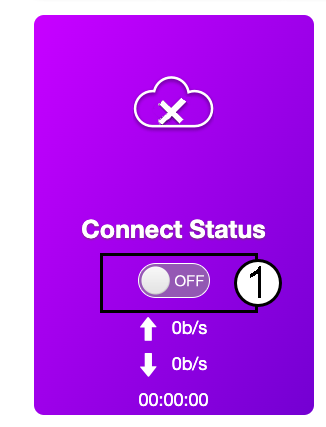
2. Koppla bortinternetanslutningen
På startsidan klickar du på statusknappen ”Anslut” för att inaktivera internetanslutningen.
Det går inte att ändra IP-adressen för ditt lokala nätverk (LAN) medan din internetanslutning är aktiv.
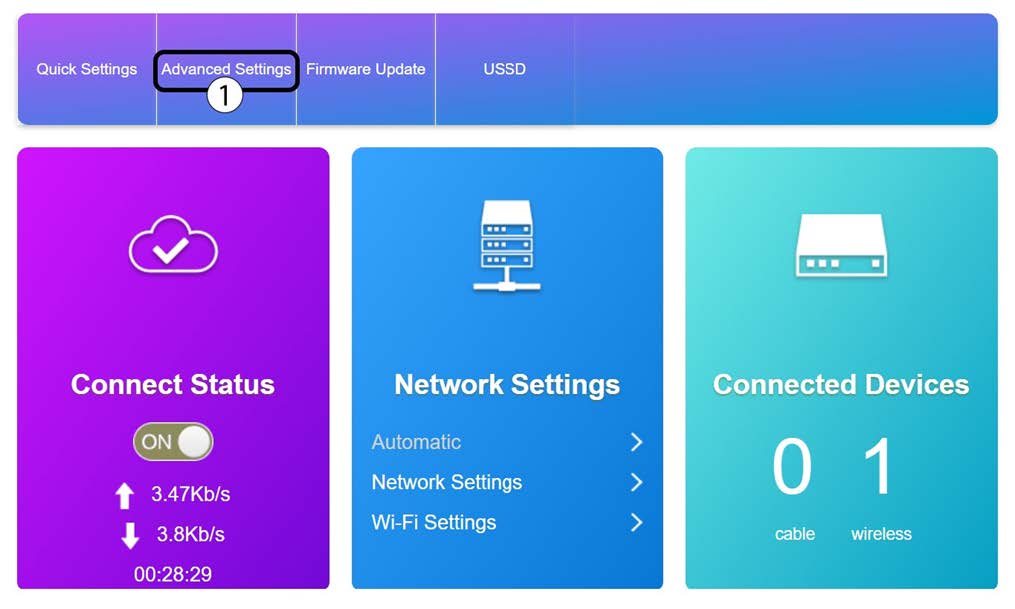
3Avanceradeinställningar
Klicka på ”Avancerade inställningar”
4. Routerinställningar
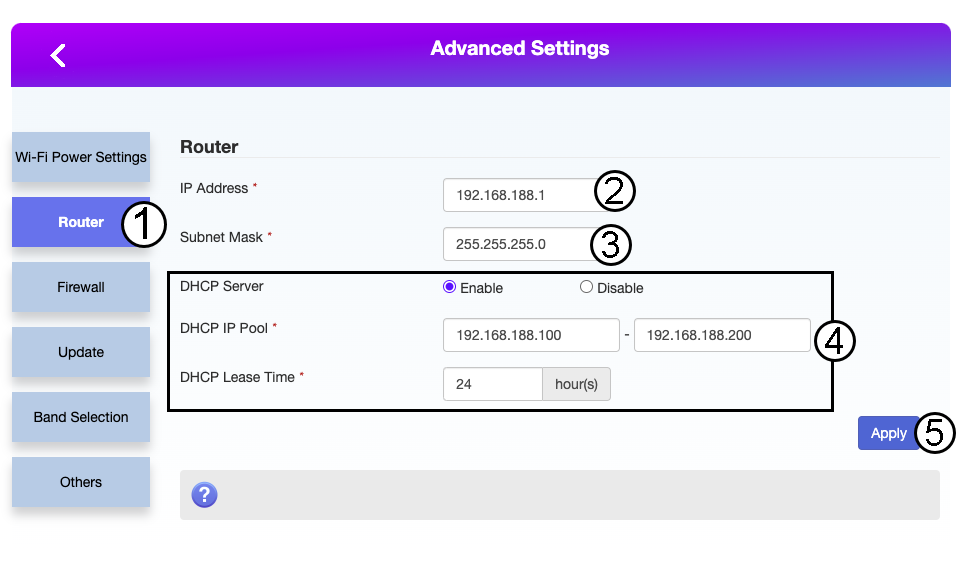
Klicka på ”Router”. Ange sedan följande uppgifter innan du klickar på ”Apply”:
- IP-adress: Ange den nya IP-adressen för din router.
- Subnätmask: Ange IP-adressen för subnätmasken
- DHCP-server: Aktivera DHCP-servern
- DHCP-IP-pool: Ange start- och slut-IP-adress för din DHCP.
- DHCP-tid: Ange den maximala uthyrningstiden i timmar.