4G AIRHOME 200 Mini-router med avtagbara 4G-antenner
Inga föremål hittades.
Inga föremål hittades.
Alla frågor
4G AIRHOME 200 Mini-router med avtagbara 4G-antenner
Inga föremål hittades.
Inga föremål hittades.
Hur uppdaterar jag enhetens firmware?
När du är ansluten till webbgränssnittet måste du kontrollera vilken firmwareversion som används av din enhet genom att använda alternativet för onlineuppgradering i webbgränssnittet. På så sätt installeras den senaste firmwareversionen. Om din router inte är uppdaterad, följ anvisningarna nedan för att uppdatera firmwaren.
1. Ansluttill routerns Wi-Fi-nätverk
För att uppdatera enhetens firmware måste du ansluta till routerns Wi-Fi-nätverk.

2. Gåtill webbgränssnittets IP-adress
Ange sedan följande IP-adress: 192.168.188.1 i din webbläsare.

3Angedina inloggningsuppgifter
Du måste ange lösenordet.

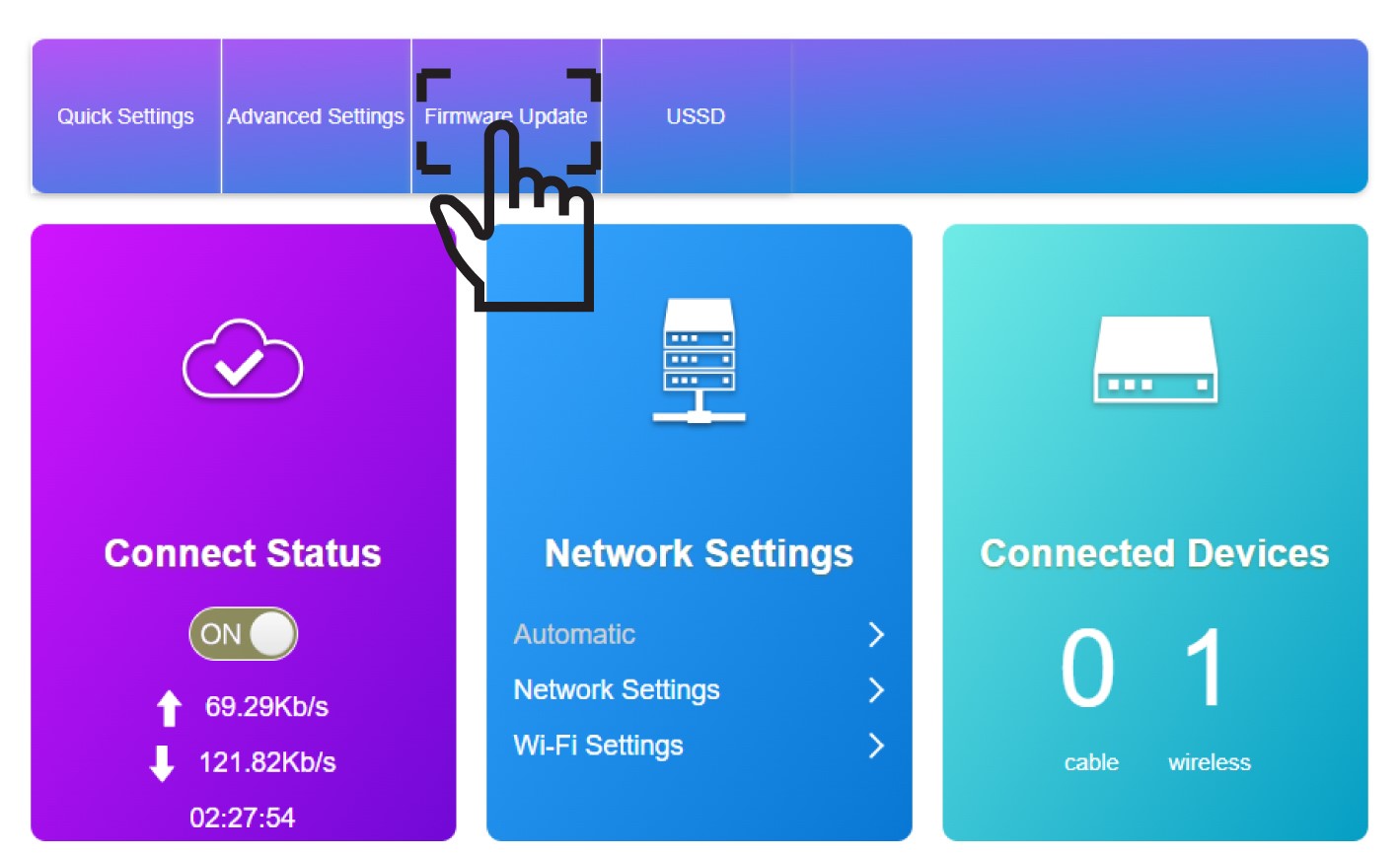
4Uppdatering av firmware
Klicka på ”Firmware-uppdatering”.
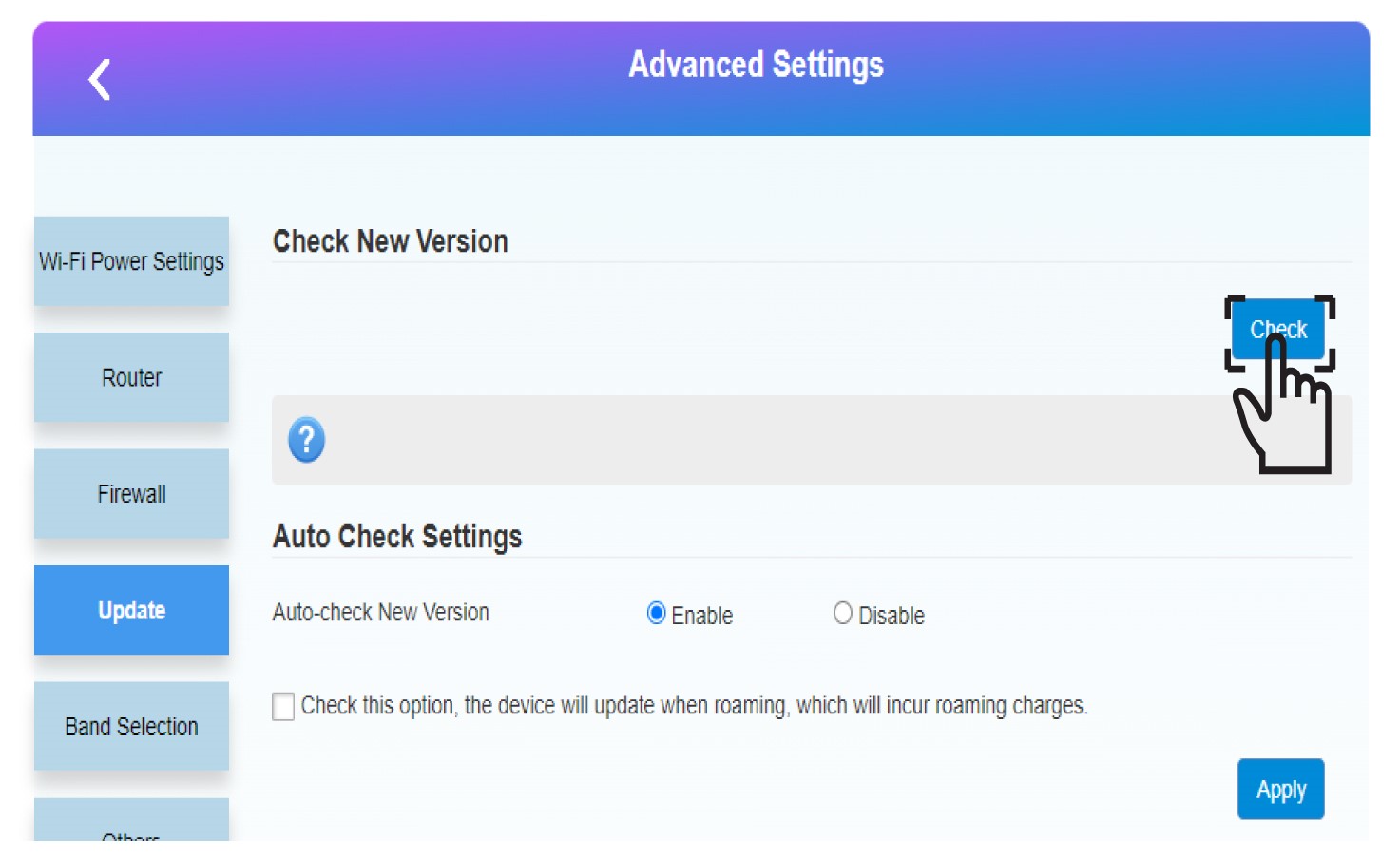
5Startauppdateringen
Klicka på ”Kontrollera” i avsnittet ”Kontrollera ny version”. Den senaste versionen av programvaran hämtas automatiskt, och du måste ansluta till Wi-Fi-nätverket igen för att ange din PIN-kod.