
4G AIRHOME 200 Mini-router med avtagbara 4G-antenner
Inga föremål hittades.
Inga föremål hittades.
Alla frågor
4G AIRHOME 200 Mini-router med avtagbara 4G-antenner
Inga föremål hittades.
Inga föremål hittades.
Hur ändrar jag SSID (Wi-Fi-nätverksnamn) och Wi-Fi-lösenordet? (Snabbställningar)
I webbgränssnittet finns det två sätt att ändra SSID (Wi-Fi-nätverksnamn) och Wi-Fi-lösenordet för din router:
• Genom att använda snabbinställningarna
• Eller genom att använda Wi-Fi-inställningarna.
1Ansluttill webbgränssnittet
Följ dessa anvisningar för att komma åt webbgränssnittet:
2Snabbställningar
För att göra det klickar du på ”Snabbställningar” i den övre fältet.

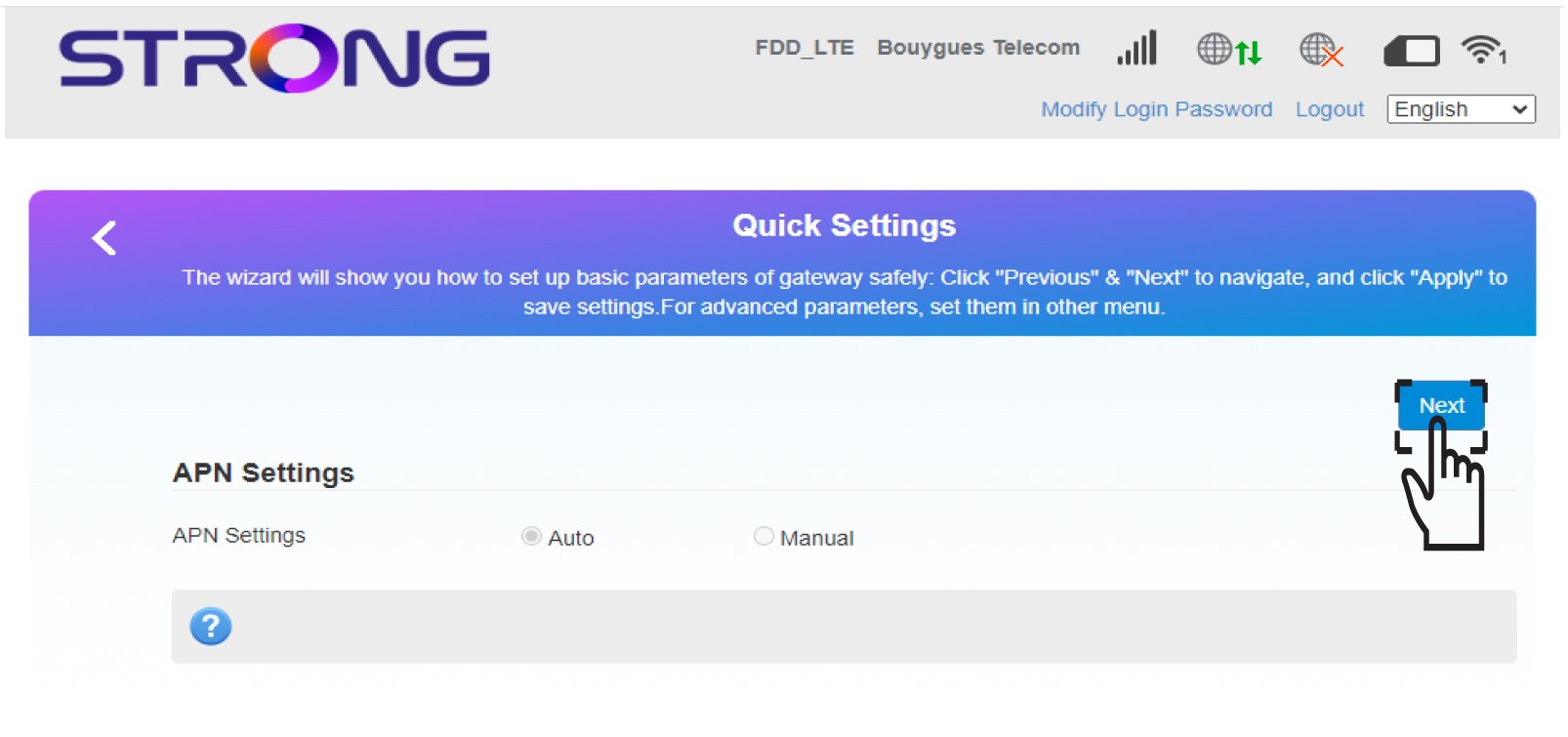
3APN-inställningar
Klicka på Nästa.
4Angenamnet på det nya Wi-Fi-nätverket
Ange det nya nätverksnamnet och klicka på Nästa.

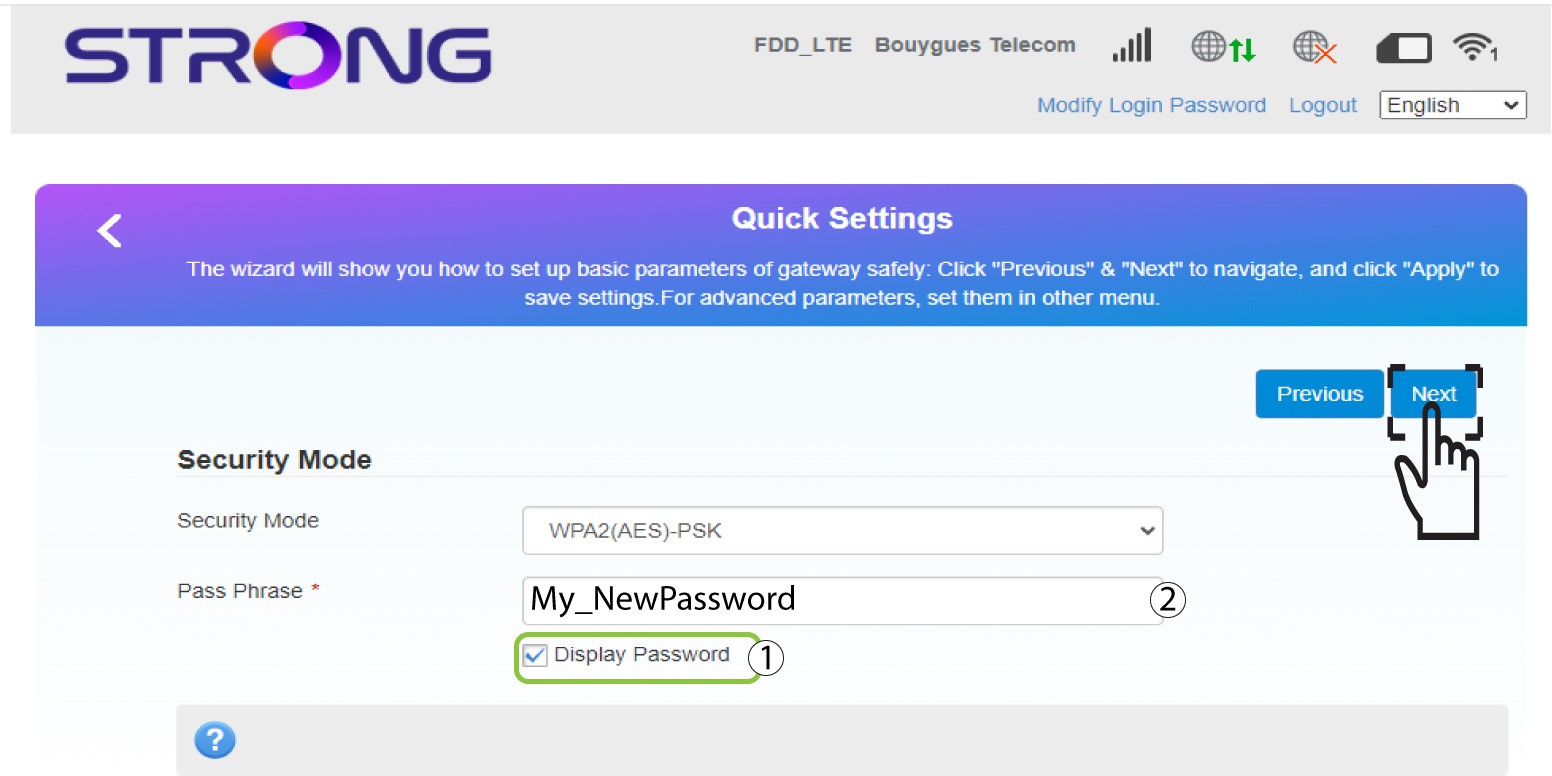
5Angedet nya Wi-Fi-lösenordet
Klicka på ”Visa lösenord ” och ange det nya lösenordet för Wi-Fi-nätverket. Klicka sedan på ”Nästa”.
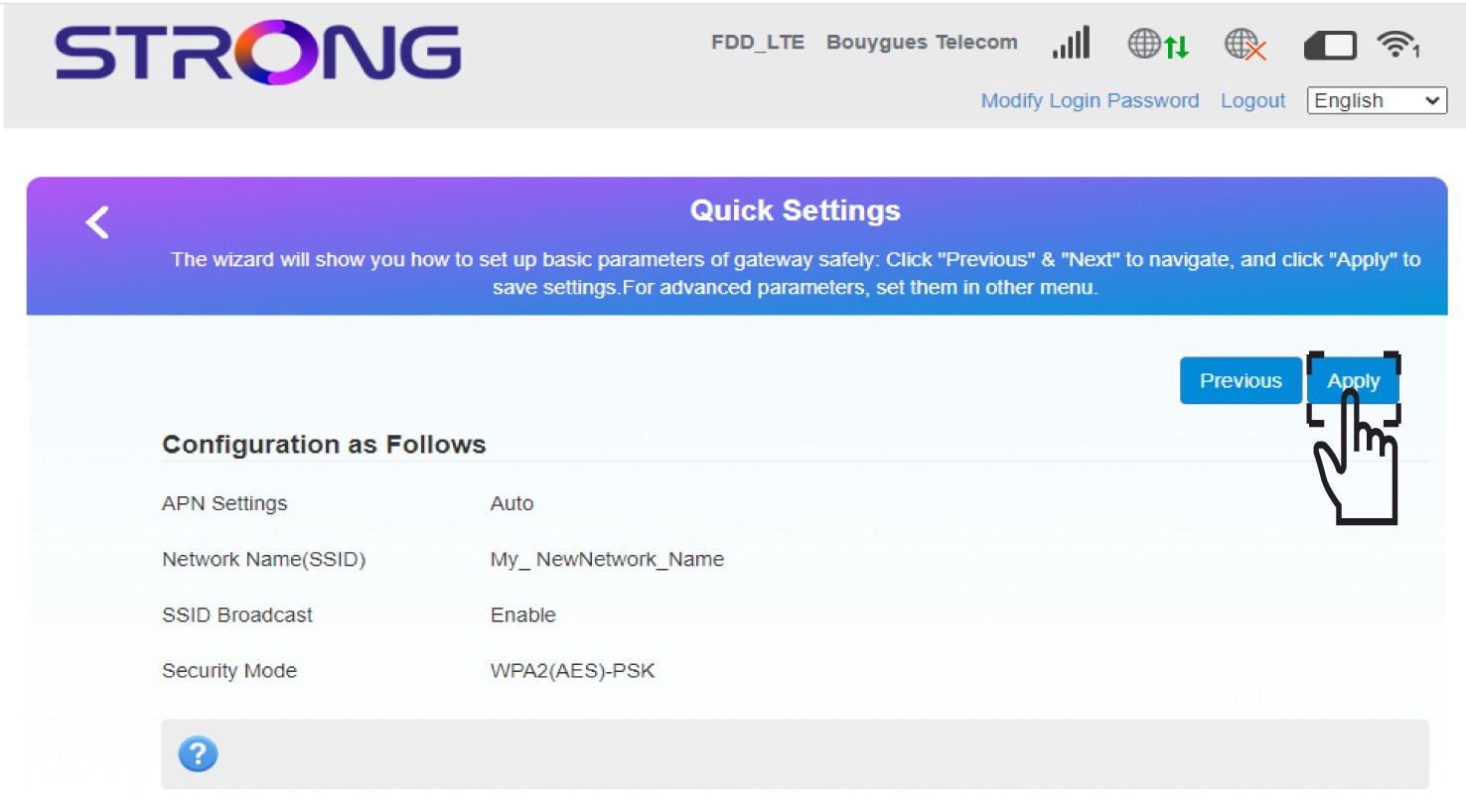
6Sparaändringarna
Klicka på ”Apply” för att spara ändringarna.
7. Skriv inden nya nätverksinformationen
Skriv ner de nya nätverksuppgifterna på ett papper.
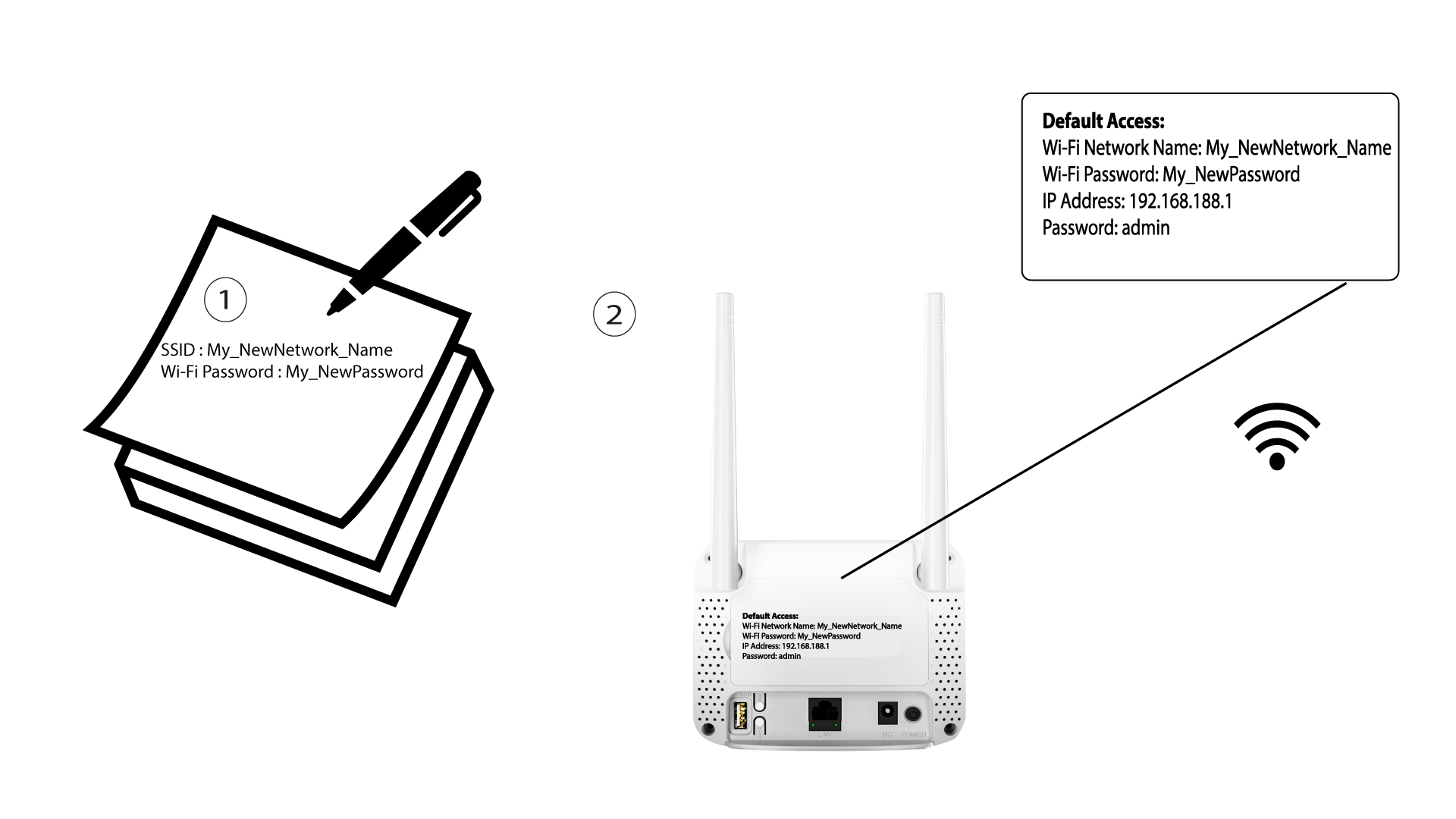

När du har ändrat Wi-Fi-nätverksuppgifterna kommer alla enheter som var anslutna till nätverket automatiskt att kopplas bort.