
4G+ AIRSPOT 510 Wi-Fi
Inga föremål hittades.
Inga föremål hittades.
Alla frågor
4G+ AIRSPOT 510 Wi-Fi
Inga föremål hittades.
Inga föremål hittades.
Hur inaktiverar jag min PIN-kod?
När du har satt i SIM-kortet och angett PIN-koden via Mi-Fi-enhetens LCD-skärm inaktiveras PIN-koden automatiskt.
Du kan kontrollera om PIN-koden är inaktiverad genom att följa stegen nedan:
1Öppnawebbgränssnittet
Anslut till webbgränssnittet .
2Gåtill inställningarna för SIM-PIN-koden
Klicka på ”Internetinställningar” och välj sedan ”SIM-kortets PIN-kod”.
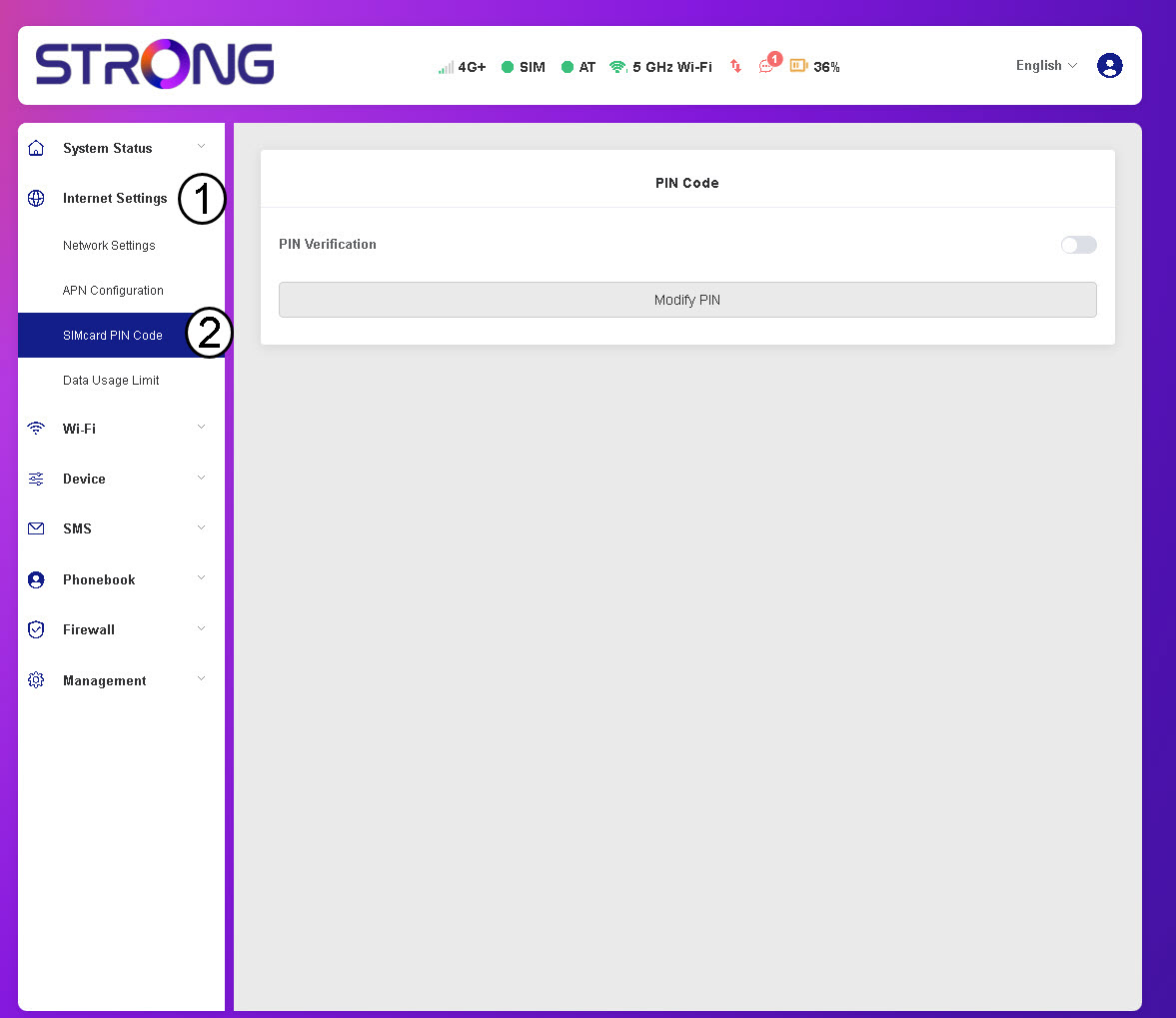
3KontrolleraPIN-kodens status
Kontrollera att reglaget för PIN-verifiering är grått, vilket visar att PIN-koden är inaktiverad.
