
Wi-Fi 4G+ AIRSPOT 510
Нічого не знайдено.
Нічого не знайдено.
Усі питання
Wi-Fi 4G+ AIRSPOT 510
Нічого не знайдено.
Нічого не знайдено.
Як деактивувати PIN-код?
Після того як ви вставили SIM-карту та ввели PIN-код за допомогою РК-екрана пристрою Mi-Fi, PIN-код автоматично деактивується.
Ви можете перевірити, чи PIN-код деактивовано, виконавши наведені нижче дії:
1. Увійтиу веб-інтерфейс
Підключіться до веб-інтерфейсу користувача .
2. Перейдітьдо налаштувань PIN-коду SIM-карти
Натисніть «Налаштування Інтернету», а потім виберіть «PIN-код SIM-картки».
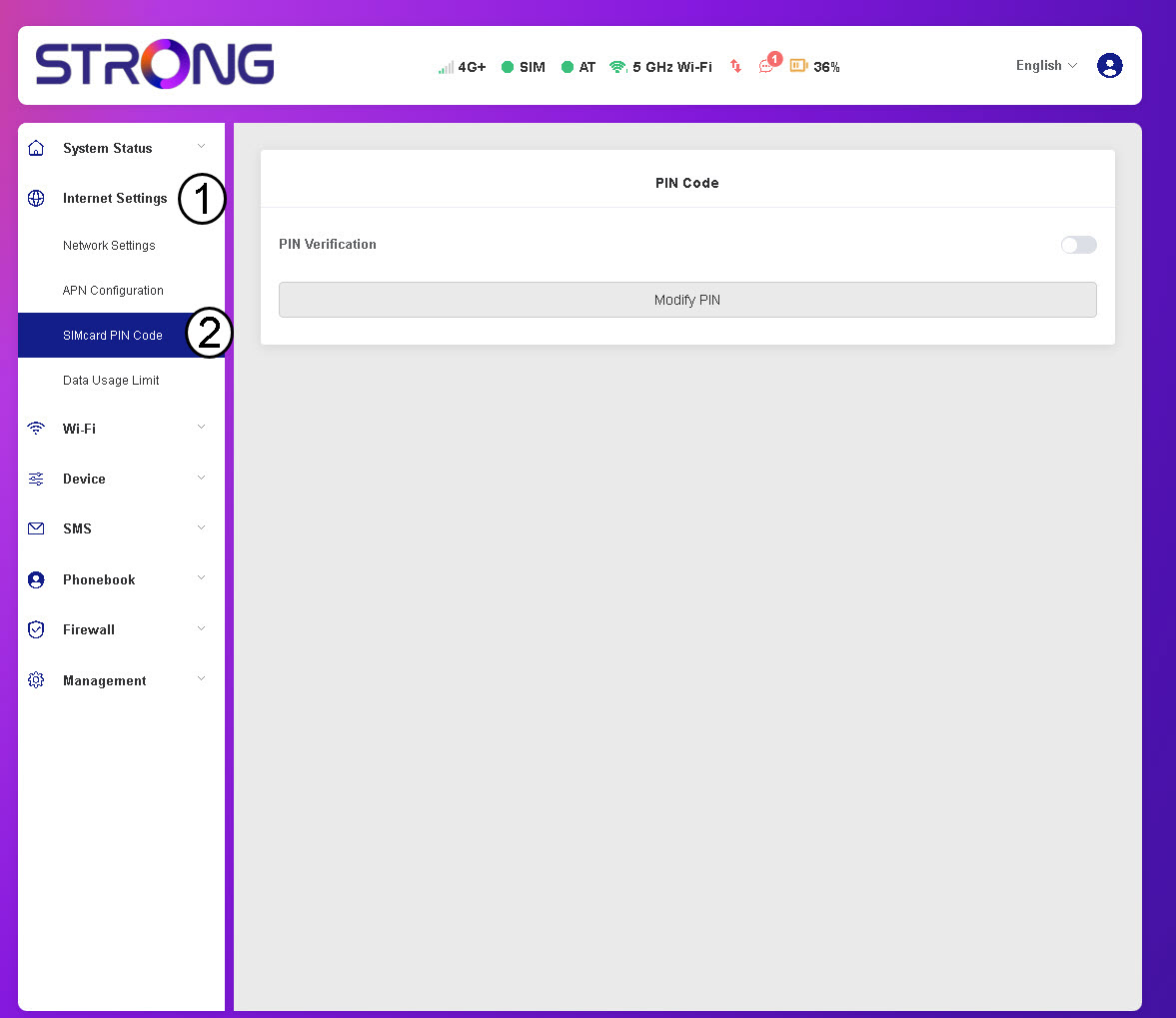
3Перевіритистан PIN-коду
Переконайтеся, що перемикач перевірки PIN-коду має сірий колір, що свідчить про те, що PIN-код вимкнено.
