Нічого не знайдено.
Нічого не знайдено.
2K+ КАМЕРА SMART HOME
Усі питання
Нічого не знайдено.
Нічого не знайдено.
2K+ КАМЕРА SMART HOME
Як користуватися хмарними сервісами після закінчення пробного періоду?
Після завершення 30-денного пробного періоду для хмарних сервісів ви можете зареєструватися, щоб користуватися цією послугою протягом року.
1. Налаштування доступу
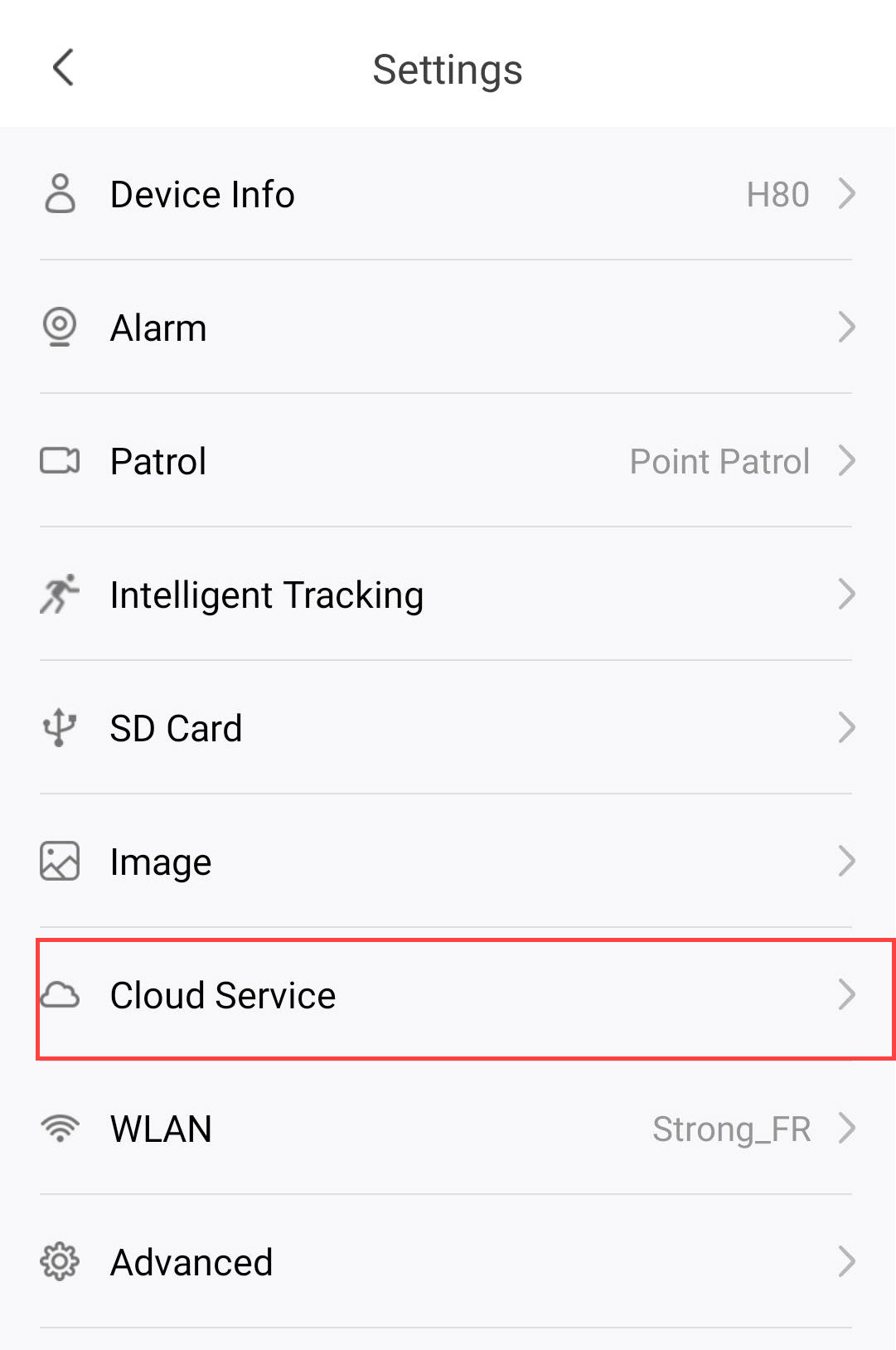
Натисніть «Налаштування»

2Відкритиналаштування хмарних служб
Натисніть «Хмарні сервіси».
3. Виберіть«Зберігання подій та підписка»
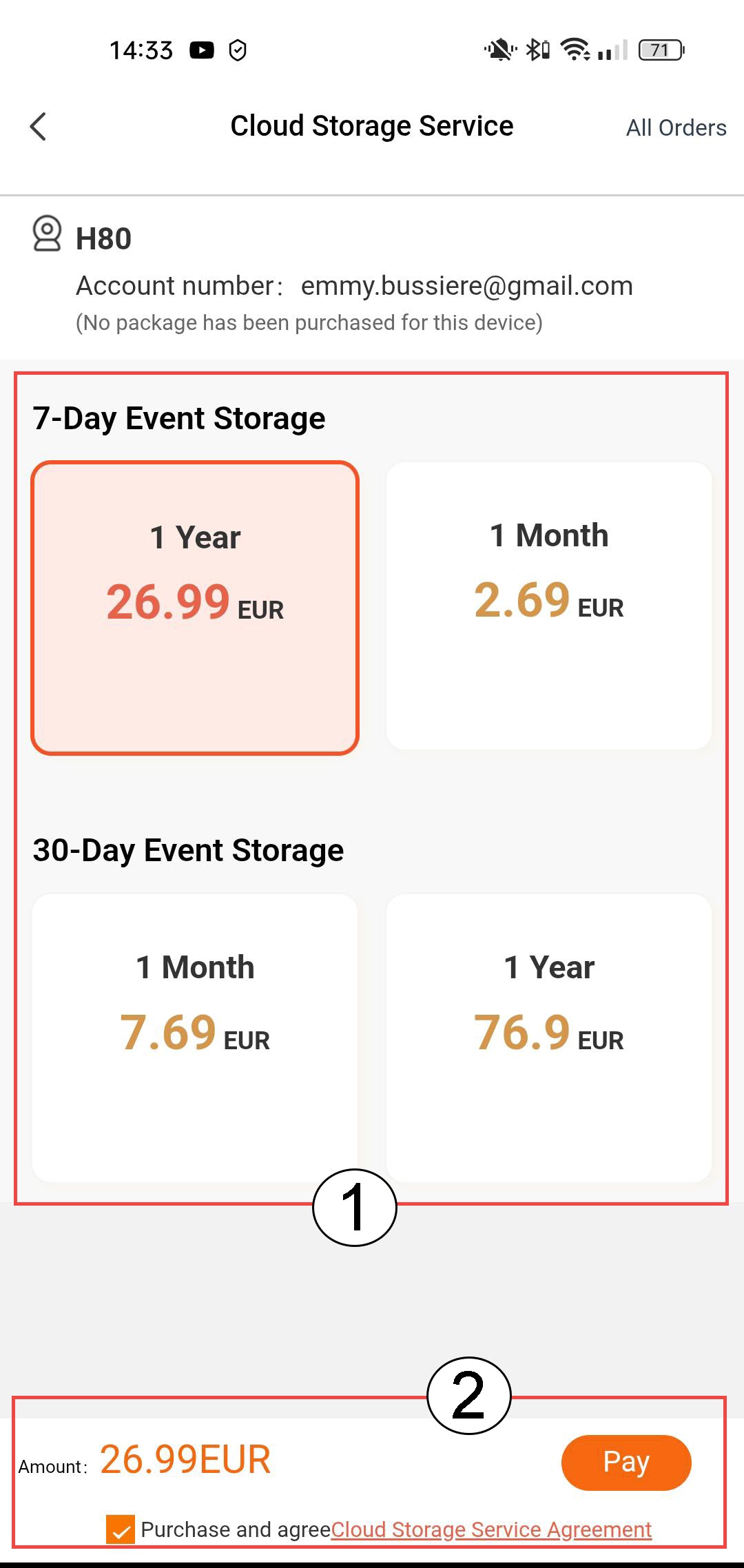
Оберіть між 7-денним зберіганням подій (події зберігаються протягом 7 днів) або 30-денним зберіганням подій (події зберігаються протягом 30 днів). Після закінчення обраного періоду записи автоматично видаляються. Перед тим, як натиснути «Оплатити», необхідно обрати термін передплати — місячний або річний.
4. Виберітьспосіб оплати
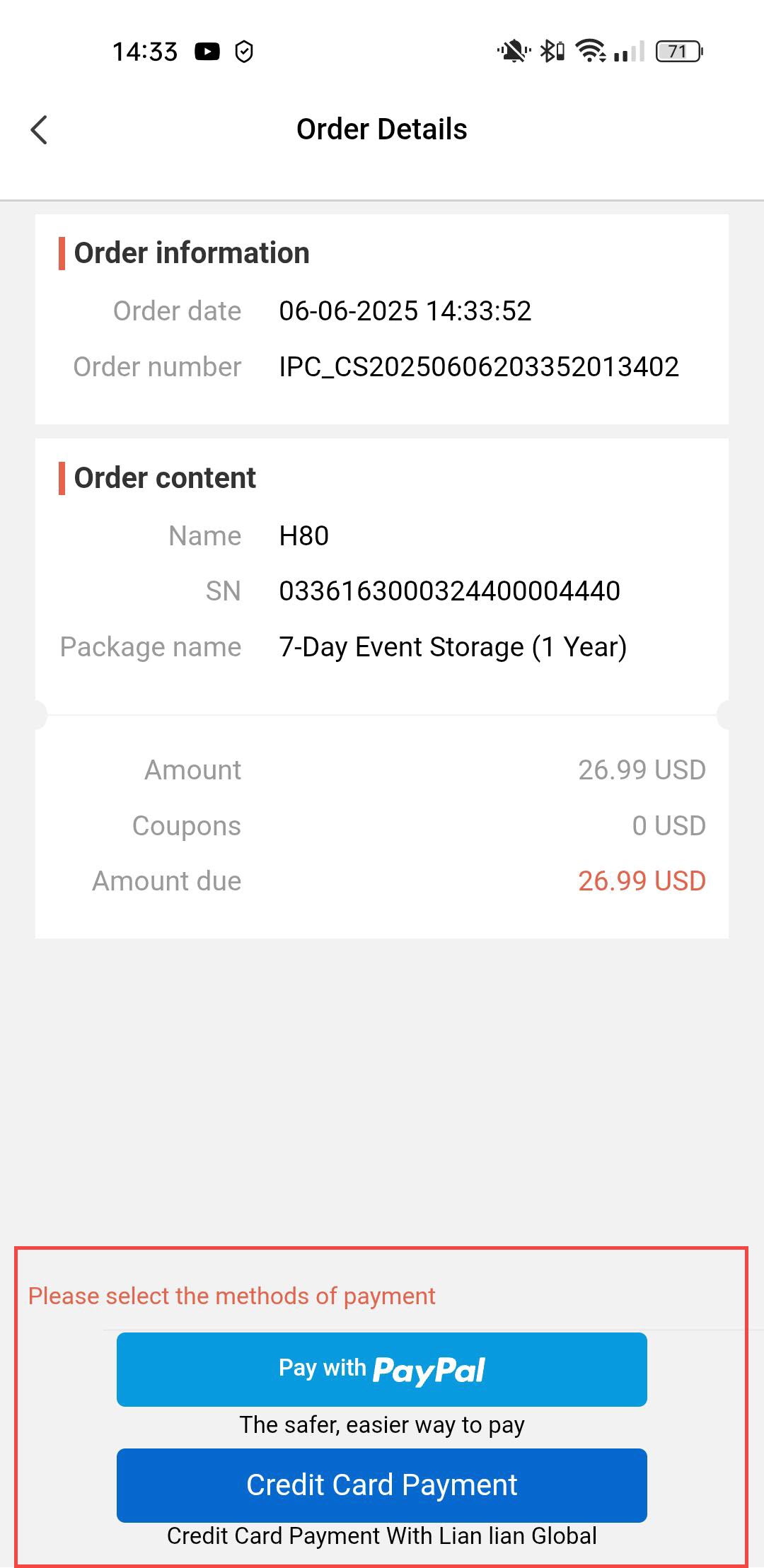
Далі оберіть спосіб оплати.
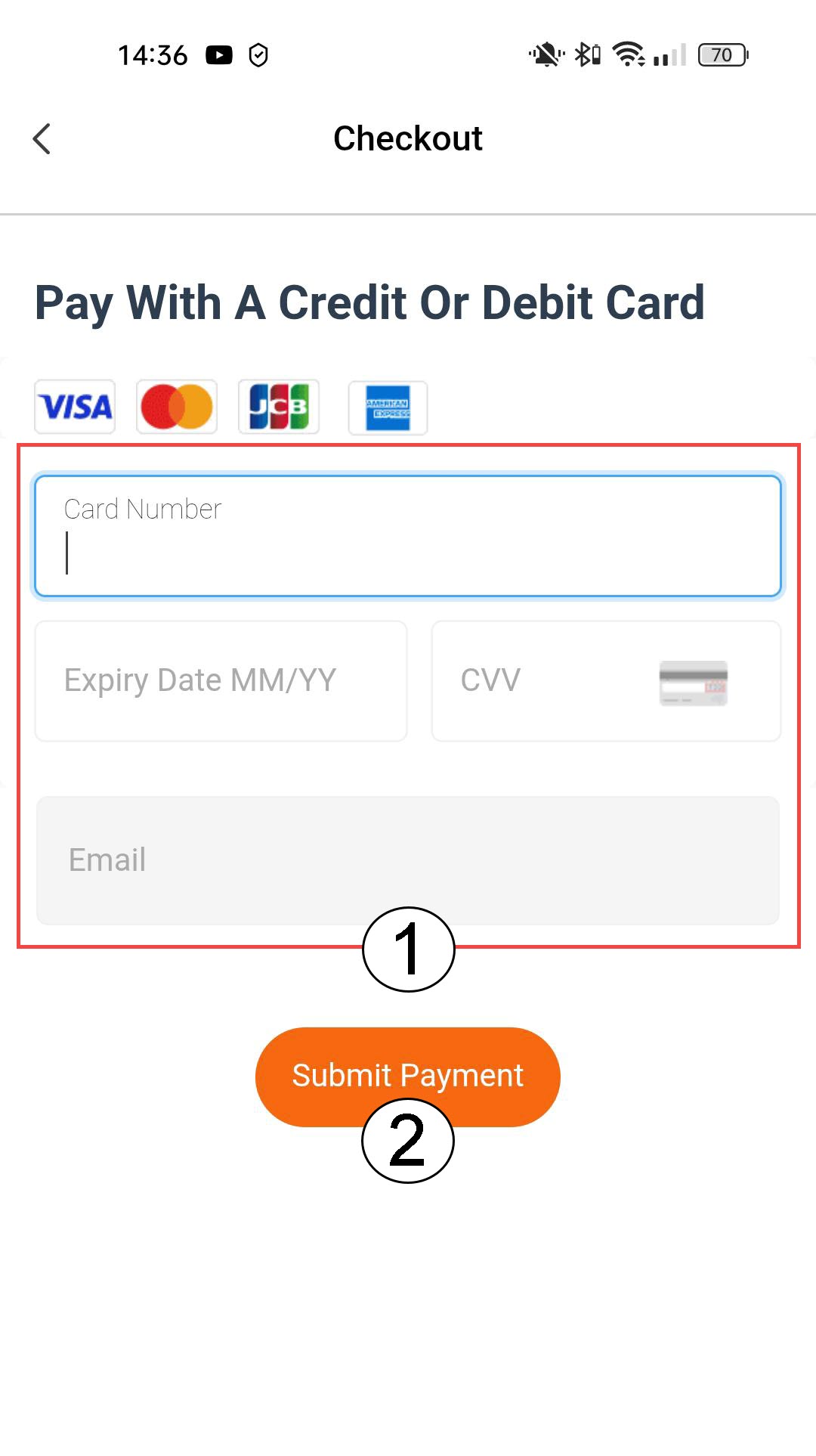
5. Введітьреквізити для оплати та підтвердьте
Ви можете ввести дані своєї кредитної картки перед тим, як натиснути кнопку «Оплатити»
6. Введітьсвої дані PayPal
Або введіть дані свого облікового запису PayPal. Після цього дотримуйтесь інструкцій на екрані.