5G AIRHOME 1050 | Wi-Fi 6
Всички въпроси
5G AIRHOME 1050 | Wi-Fi 6
Как да променя SSID (името на Wi-Fi мрежата) и паролата за Wi-Fi?
Как да променя SSID и паролата?
5G рутерът AX 3000 е двучестотен рутер, с който можете да редактирате настройките на вашата Wi-Fi мрежа на честотите 2,4 GHz и 5 GHz Mesh .
1Свържете сес устройството
За да промените SSID (името на Wi-Fi мрежата) и паролата за Wi-Fi, трябва да сте свързани към Wi-Fi мрежата на вашето устройство.

2. Достъпдо уеб интерфейса
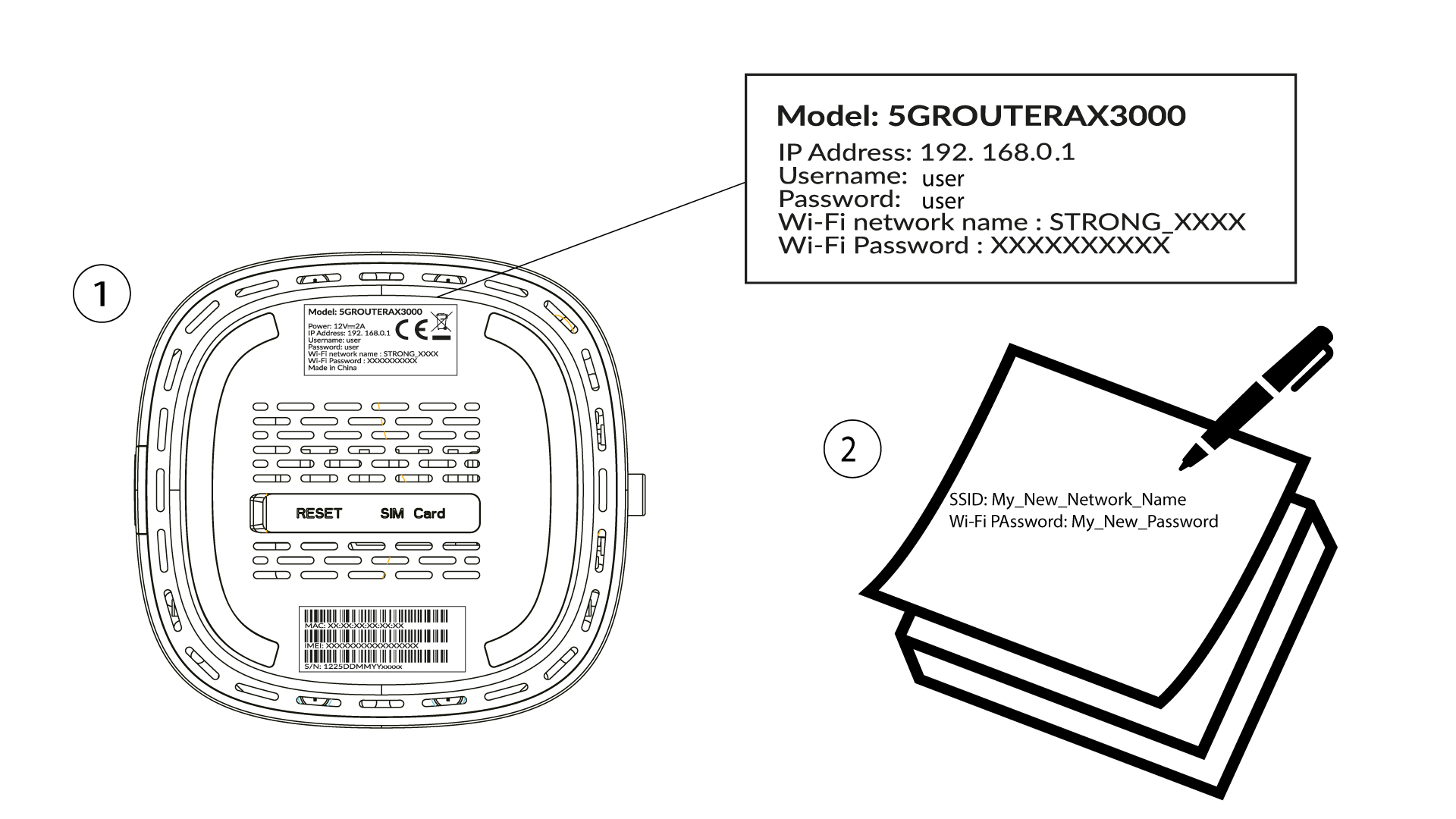
След това въведете следния IP адрес: 192.168.0.1 в браузъра си.

3Вход
Трябва да въведете потребителското име и паролата ( моля, имайте предвид, че след първото влизане ще създадете своя лична администраторска парола, което означава, че паролата, посочена на етикета на продукта, вече няма да работи). След това кликнете върху „Вход“.

4. Настройка на Wi-Fi
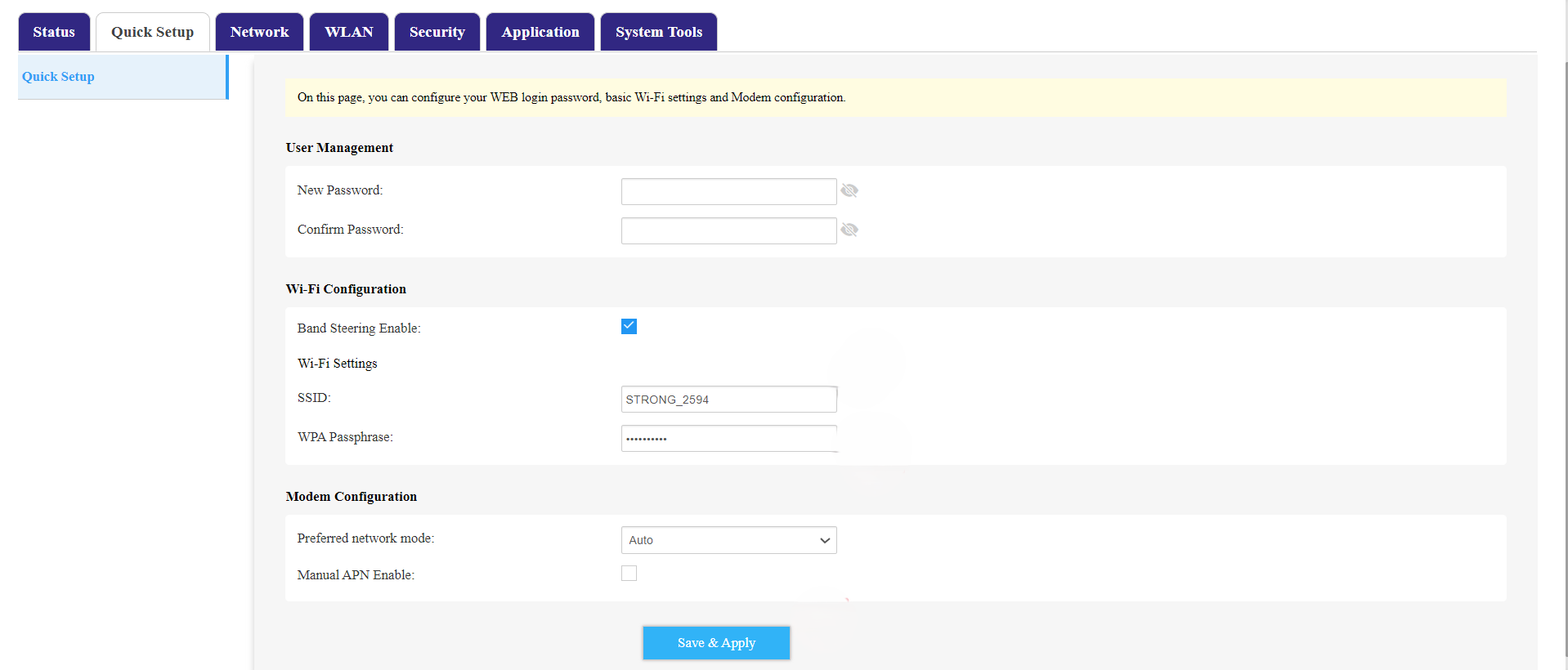
Кликнете върху „Бърза настройка “ в горната лента и преминете към „Конфигурация на Wi-Fi“.
5. Промяна наSSID и паролата
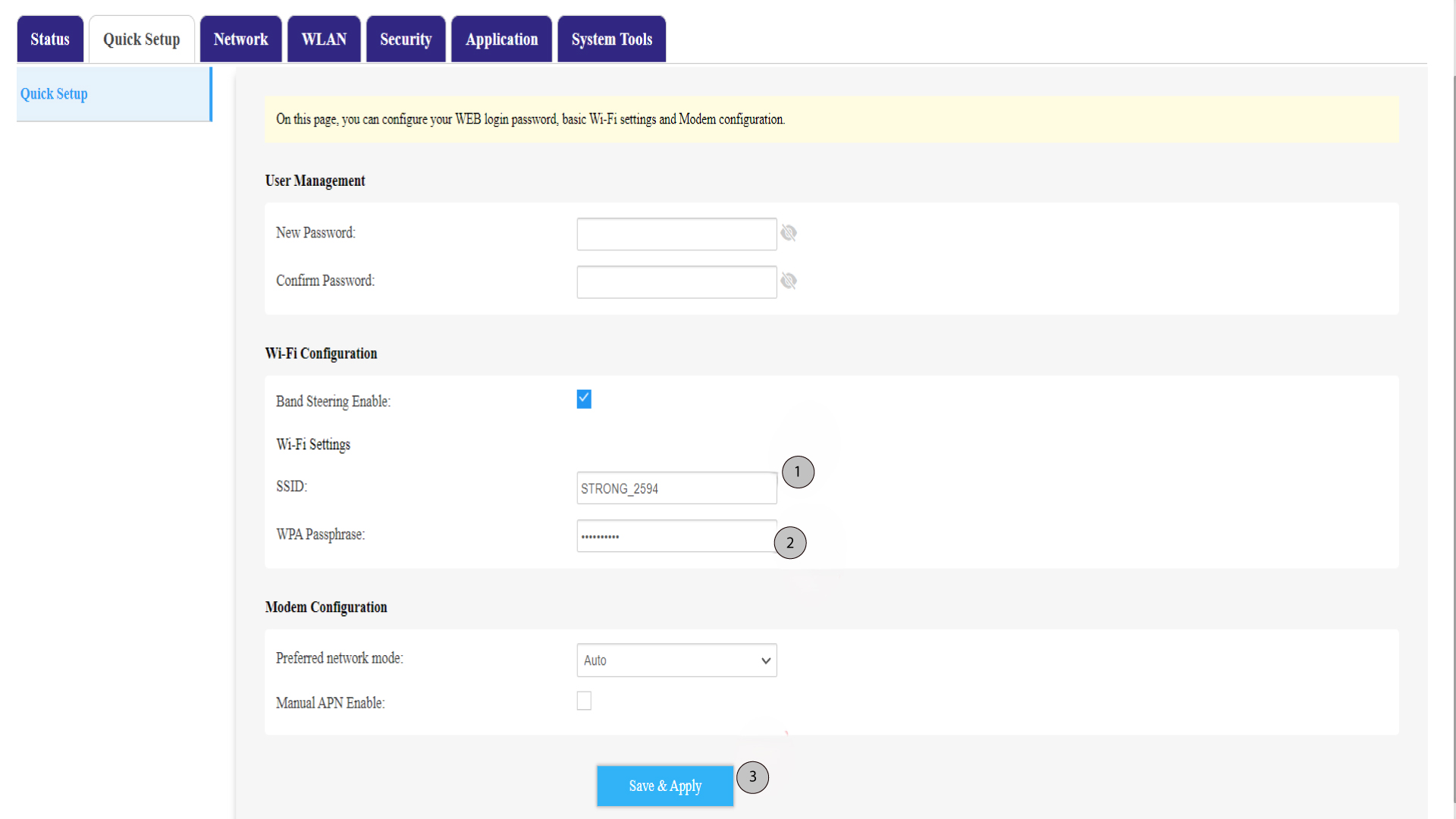
Променете името, въведено в полето „SSID “. След това кликнете върху иконата с око, за да видите паролата, и променете паролата, въведена в полето „WPA Passphrase “. След това кликнете върху „Save & Apply“, за да запазите промените.
6. Запишетеновото име на мрежата и паролата
Напишете новия си SSID (име на Wi-Fi мрежата) и паролата за Wi-Fi на лист хартия и го залепете върху рутера.