4G+ AIRHOME 710 s odnímatelnými anténami 4G+
Všechny otázky
4G+ AIRHOME 710 s odnímatelnými anténami 4G+
Jak mohu zkontrolovat a upravit nastavení APN u svého poskytovatele služeb?
Pokud zařízení vaši SIM kartu automaticky nerozpozná, musíte se přihlásit do webového rozhraní, zkontrolovat nastavení APN a v případě potřeby je upravit.
1. Připojte sek Wi-Fi síti svého routeru
Musíte se připojit k webovému uživatelskému rozhraní. Chcete-li to provést, zadejte do svého zařízení SSID (název sítě Wi-Fi) a heslo k Wi-Fi routeru.

2. Přejdětena IP adresu webového uživatelského rozhraní
Poté zadejte do prohlížeče následující IP adresu: 192.168.188.1.

3. Najdětesvé přihlašovací údaje pro webové uživatelské rozhraní
Přihlašovací údaje najdete na štítku umístěném na zadní straně zařízení.

4Zadejtesvé přihlašovací údaje
Musíte zadat uživatelské jméno a heslo a kliknout na„Přihlásit se“.

Nastavení 5APN
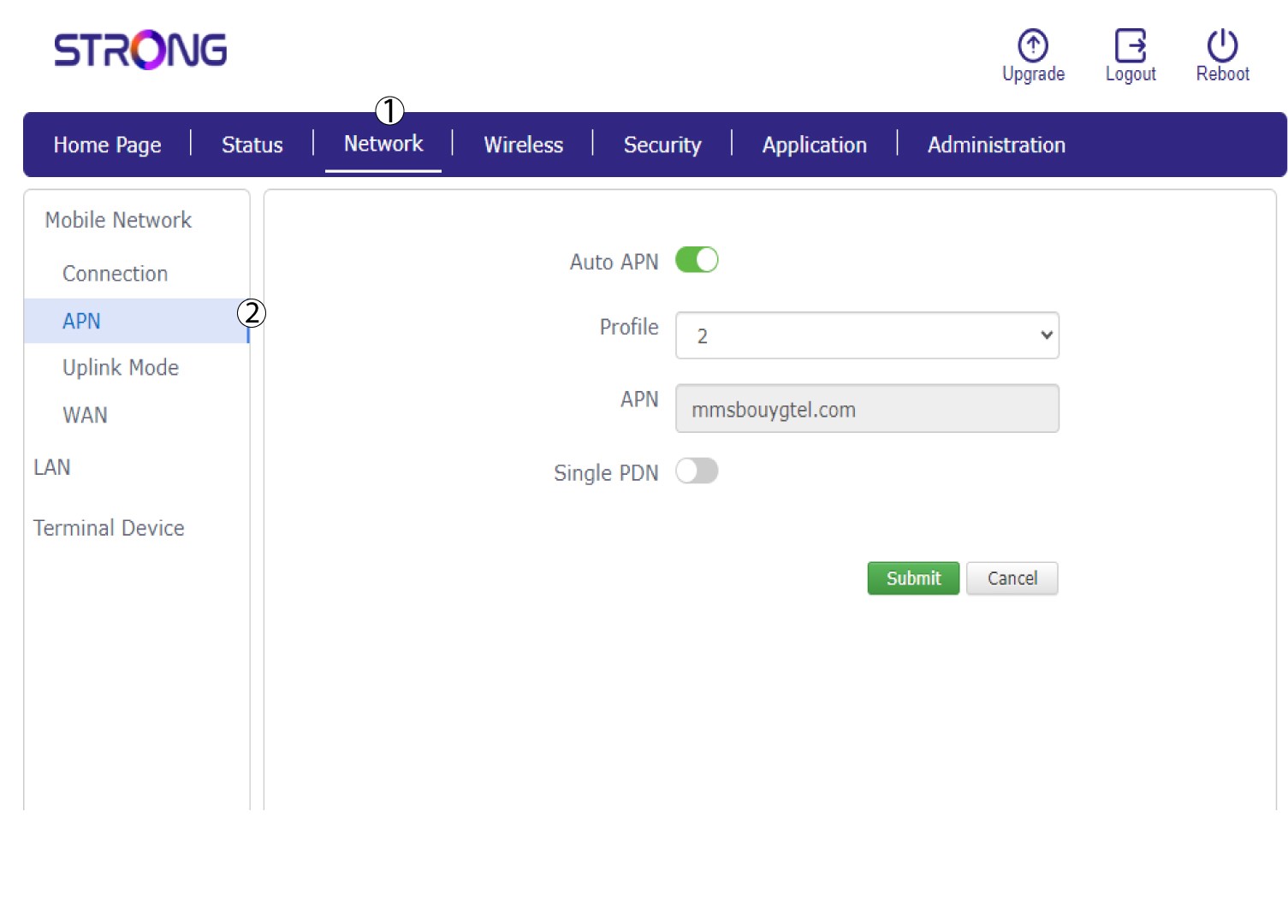
Klikněte na položku „Síť “ a poté na „APN“.
6. Zkontrolujtenastavení APN
Zkontrolujte následující informace:
- Jméno
- APN
- Uživatelské jméno
- Heslo
- Typ ověření
7. Upravtenastavení APN
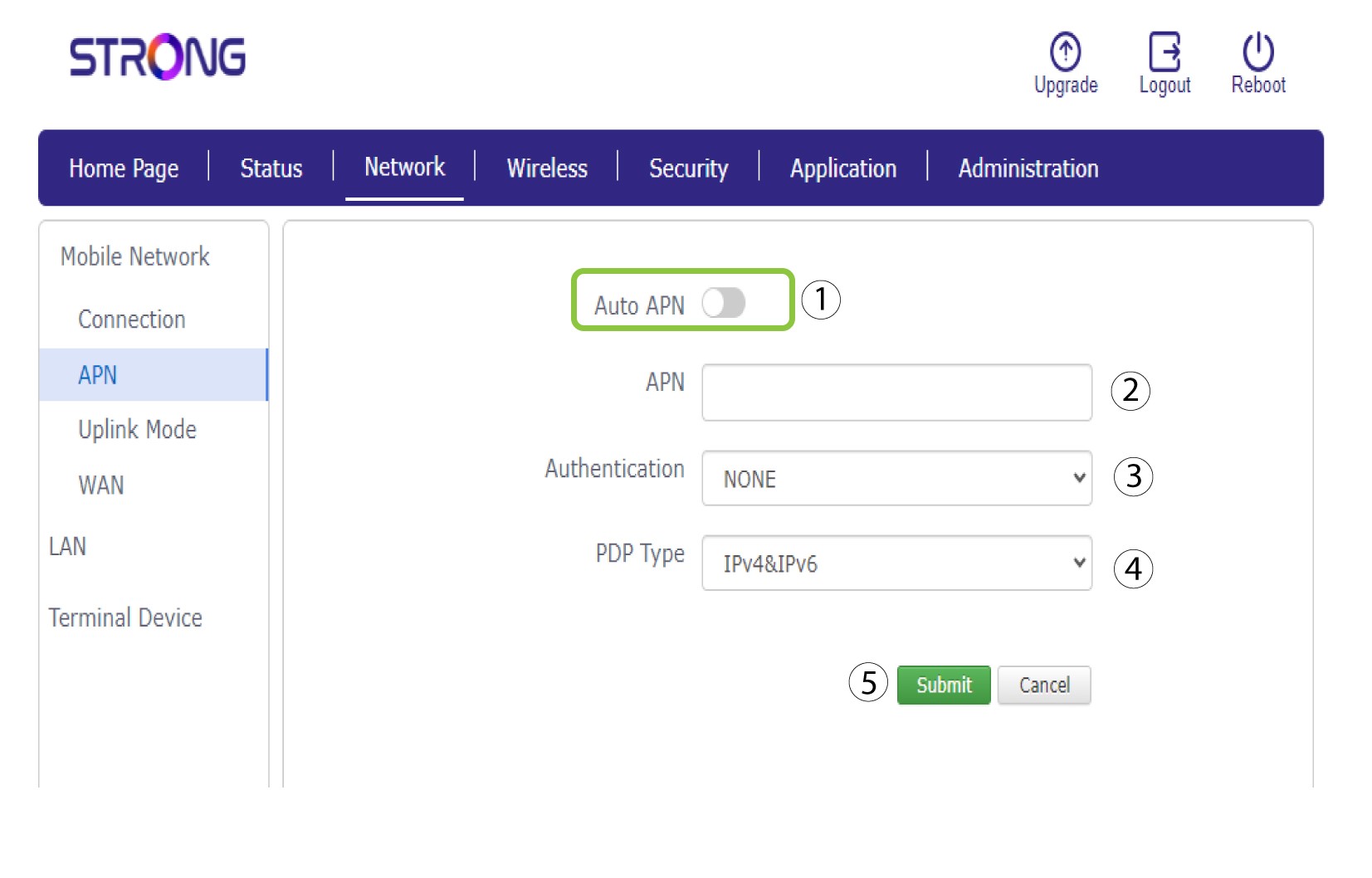
Pokud jsou údaje nesprávné, klikněte na přepínač „Auto APN“ a před kliknutím na „Odeslat“ zadejte následující údaje:
•Do pole „Název profilu “ zadejte název svého poskytovatele služeb (maximálně 14 znaků včetně mezer).
• Poté zadejte adresu APN do pole APN . Vyberte typ ověřování: NONE, CHAP nebo PAP.
• V poli „Typ PDP“ vyberte typ APN: IPv4, IPv6 nebo IPv4v6.